What Is a GPU Render Farm? How It Works and When to Use One
Overview
Introduction
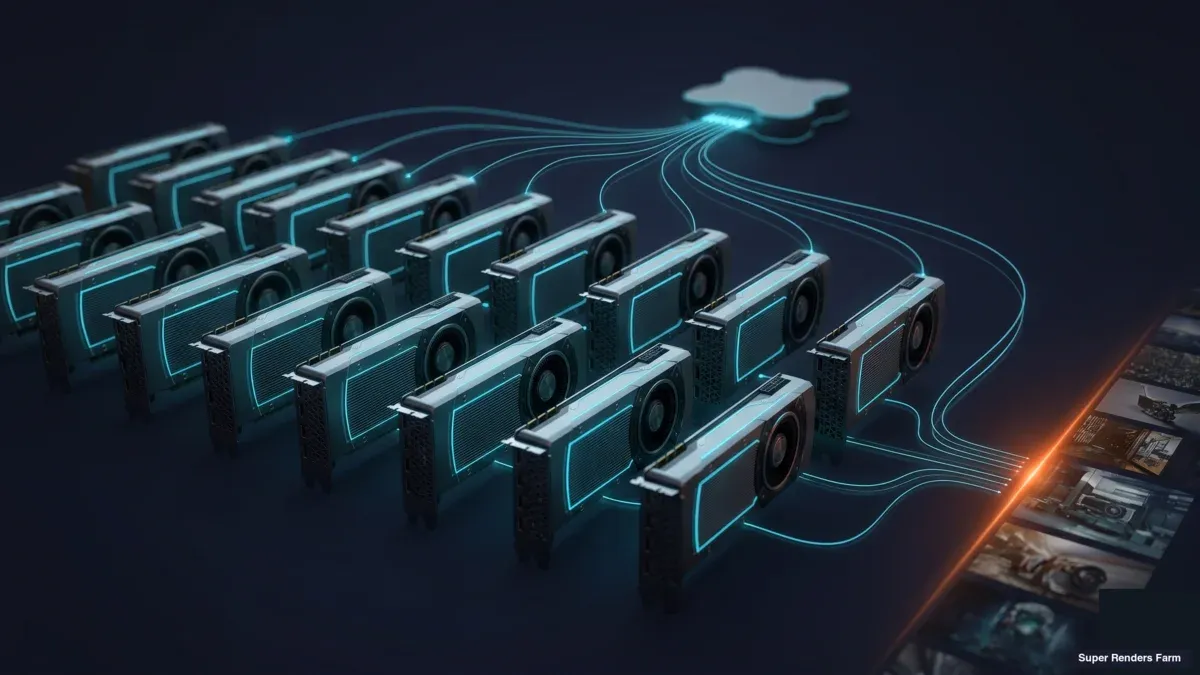
A GPU render farm is a fleet of computers built around rendering-grade graphics cards, wired together by a job scheduler and shared storage, so that many frames of a GPU-native scene render in parallel instead of queuing one by one on a single machine. At Super Renders Farm we operate one alongside a much larger CPU fleet, and the questions artists ask us about it are consistent: how is this different from the CPU farm, how is it different from the two extra cards in my workstation, and what does a card-hour actually cost?
This guide answers those questions from the operator side. It covers what a GPU render farm actually is, how the pieces fit together — nodes, scheduler, asset sync, output delivery — the concrete hardware specifics that decide whether your scene actually fits (VRAM, out-of-core behavior, card generation), which render engines belong on one and which don't, where a GPU farm genuinely earns its keep against a CPU farm or a local multi-GPU rig and where it does not, and how the billing math works before you commit a deadline to it. It is written for artists and studios who want to understand the machinery before evaluating any particular service, ours included.
What a GPU Render Farm Actually Is
Strip the product language away and a GPU render farm is three systems working together:
- Render nodes. Machines whose rendering horsepower comes from one or more rendering-grade GPUs rather than from CPU cores. The card's compute throughput and its VRAM capacity define what each node can take on.
- A job scheduler. Software that accepts submitted jobs, splits them into frame tasks, assigns tasks to whichever nodes are free and suitable, retries failures, and reports progress. Every farm has one; you mostly notice it only when it is bad.
- Shared storage and asset sync. A common file layer that holds your scene, every texture and cache it references, and the rendered output — so that any node can pick up any frame without your workstation being involved.
What makes the farm a GPU farm is not a hardware preference. It is the render engines it serves: Redshift, Octane, V-Ray GPU, and Blender's Cycles and EEVEE on GPU all execute their rendering on the graphics card, so the farm that serves them has to be built around cards rather than cores.
The same hardware reaches you wrapped in two very different service models. A managed GPU render farm runs an upload-render-download workflow: you package a scene, the farm's pipeline syncs it, renders it with pooled engine licenses, and returns frames — no remote-desktop session, no software installation on your side. GPU IaaS, by contrast, rents you raw GPU virtual machines: you remote in, install your DCC and engine, bring licenses, and operate the machines yourself. Both are GPU render farms in the hardware sense; operationally they are different products with different failure modes.
This article stays on the concepts. If you are mid-evaluation and want service specifics instead — node specs, engine coverage, current rates — the GPU cloud render farm page carries those.
How a GPU Render Farm Works: Nodes, Scheduler, and Asset Sync
 GPU render farm architecture — an artist workstation uploading a packaged scene through asset sync to shared storage, a job scheduler splitting frames across a fleet of GPU render nodes, and finished frames flowing back to output storage for download.
A render job moves through four stages, and most of what can go wrong goes wrong at the boundaries between them.
Packaging and upload. The scene file is the small part. A production scene references textures, simulation caches, proxies, and plugin data scattered across project drives, and every one of those dependencies has to travel with it. The single most common first-job failure we see is an asset referenced from a local path that exists on the artist's machine and nowhere else — the frame renders, but a texture resolves to nothing. Good farm tooling collects dependencies at submission and validates paths before any node spends time on the job. At Super Renders Farm, asset sync is also incremental: on your second submission only changed files travel, which is the difference between a 40-minute re-upload and a 40-second one when you are iterating on a deadline.
Queue and dispatch. The scheduler splits an animation into per-frame (or frame-chunk) tasks and assigns them by node availability, VRAM fit, and engine version match. It re-queues frames from a node that crashes, isolates a node that keeps failing, and keeps the rest of the fleet busy. This is the part of the farm you rent but never see — and it is most of the reason a farm behaves differently from a pile of rented VMs.
Node execution. Each node loads the exact engine and plugin versions the job was pinned to, checks a render license out of the farm's pooled inventory, loads scene data into GPU memory, renders its assigned frames, and writes outputs plus logs back to shared storage. Watchdogs catch frames that hang rather than fail, which matters on GPU engines where a memory overflow can stall a process instead of ending it.
Output and delivery. Finished frames land in output storage and come back to you over the web interface or a desktop client. Outputs should not live there forever; on our farm there is no fixed automatic deletion period, but the farm is not your archive, so delivery is part of the pipeline, not an afterthought.
GPU Hardware Specifics: VRAM, Card Generation, and What Out-of-Core Means for Scene Size
The node-level spec that matters most on a GPU farm is VRAM, not clock speed or core count — and it is worth being concrete about why.
What's actually in a GPU node. On our GPU fleet, each node runs an NVIDIA RTX 5090 card with 32 GB of VRAM. That number is the whole story for scene planning: when a scene's geometry, textures, and simulation data loaded onto the card exceed that ceiling, the engine has to do something about it, and none of the options are free.
What out-of-core rendering actually does. Modern GPU engines — Redshift and Octane in particular — support out-of-core (or "GPU + system memory") modes that spill data the card can't hold into system RAM and stream it back as needed. This is a real safety valve, not a workaround to lean on by default: streaming over PCIe is dramatically slower than reading from VRAM directly, so a scene that spills heavily can lose much of the speed advantage that made GPU rendering attractive in the first place. Out-of-core buys you the ability to finish an oversized scene; it does not restore GPU-native performance once you are past the VRAM ceiling.
What this means for scene size in practice. A scene built from efficient, instanced geometry with reasonably sized textures — most Cinema 4D/Redshift motion graphics work, most product visualization — fits comfortably inside 32 GB and renders at full GPU speed. A scene with dense unique geometry, 8K+ texture sets across many unique materials, or heavy volumetric/particle data (the kind of load common in VFX and some archviz vegetation-heavy scenes) is more likely to brush against the VRAM ceiling and either fall into out-of-core streaming or need to move to a CPU farm, where system RAM (96–256 GB on our CPU nodes) gives far more headroom. Checking your scene's actual VRAM footprint against the card spec — not against a generic "GPU rendering is fast" assumption — is the single most useful pre-flight step before submitting to a GPU farm.
For a closer look at Cinema 4D + Redshift rendering on a cloud farm specifically, see our Cinema 4D Redshift render farm guide.
Card generation matters too, but less than VRAM. Newer cards bring more CUDA cores and faster memory bandwidth, which raises per-card throughput — but a faster card with the same VRAM ceiling still hits the same wall on an oversized scene. When evaluating a GPU farm, ask for the card model and the VRAM figure together; a speed claim without a VRAM number tells you nothing about whether your scene will actually fit.
Which Render Engines Require a GPU Farm vs Which Run on Both
Engine identity is the single most useful lens for understanding what belongs on a GPU render farm, because "GPU farm" is defined by the engines it serves, not by a hardware preference.
| Engine | GPU-only, CPU-only, or both | What that means for farm choice |
|---|---|---|
| Redshift | GPU-only (Maxon) | No CPU fallback exists — a Redshift job requires a GPU-capable node. Core GPU-farm engine; the most common GPU job type we see from Cinema 4D pipelines. |
| Octane | GPU-only (OTOY) | Same story — Octane has no CPU rendering path. Built for cards; its benchmark even anchors farm billing (more below). |
| V-Ray GPU | GPU mode of a CPU/GPU-capable engine (Chaos) | The same V-Ray license can render on CPU or GPU depending on mode — many V-Ray pipelines still render CPU-side, so V-Ray alone doesn't determine farm type; the mode you choose does. |
| Cycles | Both CPU and GPU, open source (Blender) | Runs on either farm type. On our farm, Cycles work is the standard GPU-side Blender path. |
| EEVEE | Both CPU and GPU on our farm (Blender's real-time/rasterization engine) | EEVEE is designed around the graphics pipeline, not CPU path tracing. EEVEE is supported on both our GPU and CPU nodes alongside Cycles. |
| Corona | CPU-only (Chaos) | No GPU mode exists. Corona work lives on CPU farms exclusively. |
| Arnold | CPU in most production pipelines (a GPU mode exists) | Typically CPU-farm territory; on our farm Arnold renders CPU-side. Autodesk does offer a GPU mode, but production pipelines mostly still run it on CPU. |
Three operational notes attach to that table. First, version matching is non-negotiable: a farm node must run the exact engine and plugin versions your scene was authored against, which is why farm submission tooling pins versions per job rather than hoping. Second, licensing is part of the engine question — on a managed farm the render licenses for Redshift, Octane, V-Ray, Corona, and Arnold are pooled and included in the rate, and official partnerships with Maxon and Chaos back that licensing on our side. Cycles carries no license cost at all, being open source under the Blender umbrella, and the same is true of EEVEE. On GPU IaaS, every one of those licenses is your problem to provision per machine.
Third, VRAM is the spec to check before any speed number, for the reasons covered in the hardware section above. We publish measured RTX 5090 cloud rendering performance data across V-Ray GPU, Redshift, and Octane precisely because per-engine behavior at real scene sizes tells you more than synthetic peak numbers. For a broader benchmark view across multiple cards working together rather than a single node, see our multi-GPU scaling benchmark and our RTX 5090 cluster performance results.
GPU Render Farm vs CPU Render Farm
The two farm types are separated by engine compatibility first and hardware second — and the distinction is worth stating precisely, because the terms get blurred in casual use.
The engine decides, not the farm. If your project renders in Redshift or Octane, it is a GPU job; if it renders in Corona or V-Ray's CPU mode, it is a CPU job. Cycles can go either way depending on which device you select in your scene settings, and EEVEE runs on both our GPU and CPU nodes.
For an engine-specific walkthrough of running Octane on a managed GPU farm, see our Octane render cloud farm guide. You choose the engine for creative and pipeline reasons, and the engine chooses the farm type for you. For a deeper engine-level treatment of that choice, we keep a separate GPU rendering vs CPU rendering guide — this article is about what the farm around the engine looks like.
Memory models differ in kind. A GPU node lives inside its card's VRAM — 32 GB on the RTX 5090 cards our GPU fleet runs. A CPU node lives inside system RAM, and our dual-Xeon CPU nodes carry 96–256 GB of it. Out-of-core features in modern GPU engines can spill some texture and geometry data to system memory at a performance cost (see the hardware section above for what that actually costs you), but VRAM remains the practical ceiling on scene complexity for GPU work. Very heavy archviz scenes with massive vegetation scatter, or VFX scenes with deep volumetrics, often stay on CPU farms for exactly this reason.
Speed claims need context. On scenes that fit comfortably in VRAM, a GPU engine usually delivers a frame in less wall-clock time per node than a CPU engine renders a comparable frame. That is a per-node statement, not a verdict on farms: a CPU fleet with 20,000+ cores delivers throughput by sheer parallel width, and per-frame economics depend on the rate per unit of work, not on which silicon is fashionable. Both models are priced to the work they do.
The job mix is more CPU than the marketing climate suggests. Roughly 70 percent of the jobs on our farm still render on CPU engines — V-Ray CPU, Corona, Arnold — with GPU work on Redshift, Octane, V-Ray GPU, Cycles, and EEVEE making up the growing remainder. A GPU render farm is not the successor to a CPU farm; it is the sibling that serves a different family of engines. For the fuller conceptual foundation both farm types share, our what is a render farm guide covers the parts that apply regardless of hardware — scheduling, storage, and evaluation criteria.
GPU Render Farm vs a Local Multi-GPU Workstation
The more interesting comparison for many artists is not against CPU farms but against the rig under the desk. The honest version has wins on both sides.
Where local cards win. Interactive lookdev. When you are dialing in materials and lighting, round-trip latency matters more than throughput, and a card in your own machine gives you feedback in seconds. No farm changes that, and a farm operator who claims otherwise is selling something. Local also wins when your utilization is genuinely constant — hardware that renders production frames most hours of most weeks pays its own capital cost down in a way occasional-use hardware never does. For a full breakdown of when dedicated hardware makes more sense than shared farm capacity, see our dedicated RTX 5090 render server guide.
Where the farm wins. Width on demand. A workstation holds two, maybe four cards; a farm rents you a dozen cards' worth of parallel width for a single weekend without you owning them for the three years in between. Final-frame animation rendering is embarrassingly parallel — 300 frames split across many cards with no shared state — which is precisely the shape a farm is built for. There is also contention: frames rendering on your workstation lock the same cards you need for the next shot's lookdev, so deadline weeks turn into rendering at night and working in the gaps. And there is the unglamorous physics of power, heat, and noise that multi-GPU boxes impose on a small studio room.
The pattern we see operationally. Studios tend to arrive at a hybrid: local cards for iteration, farm for final frames and for the two weeks a year when everything is due at once. We had a small motion-design team join after a delivery week in which two local cards ran around the clock and the animation still missed its slot; the same job spread across farm nodes finished overnight. The lesson is not that their hardware was inadequate — it is that burst capacity is a different commodity from owned capacity. We published a solo artist's cost breakdown of a single RTX 5090 workstation vs cloud rendering that walks through the math on the ownership side.
Between owning and paying per frame there is also renting a GPU server on a render farm, where a node or two is reserved for your project for a week or a month.
GPU Farm, CPU Farm, GPU IaaS, or Local Rig: Side by Side
The four options answer different problems. The table below is the comparison we walk new customers through, with the trade-offs left intact — including the rows where a managed farm is not the right answer. For how the cloud-farm category as a whole fits into the rendering landscape, see what a cloud render farm is.
| Managed GPU render farm | Managed CPU render farm | GPU IaaS (rented GPU VMs) | Local multi-GPU workstation | |
|---|---|---|---|---|
| What you pay for | Rendered frames, metered per card-hour of work | Rendered frames, metered per CPU work unit | Machine time, whether rendering or idle | Hardware up front, power per month |
| Engines it fits | Redshift, Octane, V-Ray GPU, Cycles (GPU), EEVEE | V-Ray CPU, Corona, Arnold, Cycles (CPU), EEVEE | Anything you install and license yourself | Whatever your cards and licenses support |
| Setup burden | Package scene, upload, submit | Package scene, upload, submit | Provision VMs, install DCC + engine, manage licenses, operate queue | Build, cool, power, and maintain the box |
| Render licenses | Pooled and included in the rate | Pooled and included in the rate | Bring your own | Bring your own |
| Scaling shape | Wide bursts on demand | Very wide bursts on demand | As many VMs as you can configure and afford | Fixed at 2–4 cards |
| Memory ceiling | VRAM per card (32 GB on our RTX 5090 nodes) | System RAM (96–256 GB on our nodes) | VRAM of whatever VM class you rent | VRAM of the cards you bought |
| Wins when | Final-frame GPU animation under deadline | Memory-heavy scenes, CPU-engine pipelines | Custom pipelines that need OS-level control | Interactive lookdev, constant year-round utilization |
| Struggles when | You need sub-minute iteration loops | Same — iteration belongs local | You wanted rendering, not system administration | The deadline needs 10× your card count this week |
What GPU Rendering Costs on a Farm
GPU farm billing has a normalization problem to solve: a card-hour means nothing across mixed hardware generations unless it is anchored to measured performance. The common anchor is OctaneBench, OTOY's public GPU rendering benchmark — a node's score expresses how much rendering work it actually delivers per hour, and billing meters on that.
For more on how we apply this kind of benchmark-anchored billing across our own test methodology, see our render farm benchmark methodology.
On our farm the GPU rate is $0.003 per OctaneBench-hour, which works out to about $5.20 per card-hour on an RTX 5090 node. For contrast, CPU rendering meters at $0.004 per GHz-hour at the base priority tier (priority tiers run $0.004–$0.016), with a dual-Xeon server landing around $2 per server-hour. Different units, same principle: you pay for work delivered, not for time a machine merely exists.
Here is the estimating method we recommend, worked on a concrete scenario: a 300-frame Redshift animation that test-renders at roughly 4 minutes per frame on a single RTX 5090-class card. Total compute is 300 × 4 = 1,200 card-minutes, or 20 card-hours, regardless of how many cards share the work:
| Cards working in parallel | Wall-clock time | Card-hours billed | Estimated cost @ ~$5.20/card-hour |
|---|---|---|---|
| 1 | ~20 hours | 20 | ~$104 |
| 5 | ~4 hours | 20 | ~$104 |
| 10 | ~2 hours | 20 | ~$104 |
That table is the single most useful thing to understand about farm economics: at a given rate tier, parallel width buys you delivery time, not a bigger bill. The job costs what the work costs; the cards just decide whether you get it tonight or Thursday.
Treat the numbers as method, not quote. Per-frame times vary across a sequence, the estimate assumes per-frame parallelism (an animation, not one enormous still), and your scene's real test-frame time is the input that matters. Render two or three representative frames first, then multiply — that habit catches both budget surprises and broken-asset surprises before they cost anything.
GPU Cloud Rendering vs GPU Render Farm: Is There a Difference?
The two phrases get used almost interchangeably, and mostly that's fine — but it's worth being precise about the small distinction. "GPU render farm" describes the infrastructure: the actual fleet of GPU nodes, scheduler, and storage doing the work, whether it's reached through a managed service or rented as raw IaaS. "GPU cloud rendering" is the broader activity of rendering on remote, internet-accessible GPU compute rather than local hardware — it's the what you're doing, while "GPU render farm" is the thing you're doing it on.
In practice, when someone asks "GPU cloud rendering vs GPU render farm," they are almost always asking about the managed-vs-IaaS split covered earlier in this guide, not a genuine terminology conflict: GPU cloud rendering happens on a GPU render farm either way, and the real question is whether that farm hands you a managed upload-render-download pipeline or a set of remote-desktop VMs you administer yourself. For the same distinction applied to the wider (non-GPU-specific) cloud rendering category, see our cloud rendering explained guide.
How to Evaluate a GPU Render Farm
The criteria below are the ones that separate farms in practice — they are the questions we would ask any provider, including us:
- VRAM per card, in writing. The card model and its memory, plus published performance data for your engine — not a generic speed claim.
- Exact engine and plugin version coverage. Your versions, pinned per job, not "current versions supported."
- License handling. Included in the rate, or yours to provision? The answer reshapes the real hourly cost.
- Workflow shape. Managed upload-render-download, or remote-desktop VMs? Pick the one your team can actually operate at 11 p.m. on deadline night.
- Asset-sync behavior on the second submission. Changed-files-only sync, or a full re-upload per iteration? This decides how iteration actually feels.
- Cost predictability. Published rates in a stated unit, and a way to estimate from test frames before committing the sequence.
- Output retention and data handling. Know the rules (ours: no fixed automatic deletion period, deletion on request) and plan delivery into the schedule.
- Support during render windows. Renders fail at 3 a.m.; 24/7 live chat support is worth more than a ticket queue answered on office hours.
We have been running render infrastructure at Super Renders Farm since 2010, across both the CPU fleet and the RTX 5090 GPU fleet, and the pattern that holds is this: the farms that serve artists well are the ones that publish their mechanics — rates, engines, VRAM, sync behavior — and let you check the math yourself. A GPU render farm is not magic. It is a scheduler, a pile of very capable cards, and a sync layer, operated carefully so that your deadline does not depend on the two cards under your desk.
FAQ
Q: What is a GPU render farm? A: A GPU render farm is a cluster of render nodes built around rendering-grade graphics cards, coordinated by a job scheduler and shared storage so that many frames render in parallel for GPU-native engines like Redshift, Octane, V-Ray GPU, Cycles, and EEVEE. Super Renders Farm, for example, pairs an RTX 5090 GPU fleet with a managed upload-render-download workflow, so jobs run without remote-desktop sessions or manual license setup.
Q: GPU cloud rendering vs GPU render farm — what's the difference? A: A GPU render farm is the infrastructure — the actual fleet of nodes, scheduler, and storage — while GPU cloud rendering is the broader activity of rendering on remote GPU compute rather than local hardware. In practice the phrase people usually mean by the question is the managed-vs-IaaS split: whether the GPU render farm behind the cloud rendering hands you a finished upload-render-download pipeline or raw remote-desktop VMs you configure yourself.
Q: What is the difference between a GPU render farm and a CPU render farm? A: The engine your project renders in decides which farm type you need: Redshift, Octane, V-Ray GPU, and GPU-mode Cycles run on GPU farms, while Corona, Arnold, and V-Ray CPU run on CPU farms. EEVEE runs on both our GPU and CPU nodes, so it does not force the choice either way. The hardware difference follows from there — GPU nodes are bounded by VRAM (32 GB per card on our fleet) while CPU nodes carry far larger system RAM (96–256 GB on ours), which is why memory-heavy scenes often stay on CPU farms.
Q: Which render engines require a GPU render farm? A: Redshift and Octane are GPU-only — they have no CPU rendering path at all, so any job in either engine requires a GPU-capable farm. EEVEE is built around Blender's real-time rendering pipeline rather than CPU path tracing, but it does not require a GPU farm with us: EEVEE is supported on both our GPU and CPU nodes. V-Ray GPU and Cycles can run on GPU but also have CPU modes, so those engines don't force the farm type by themselves — the mode you pick in your scene settings does.
Q: Is a GPU render farm faster than a local multi-GPU workstation? A: Per card, no — a farm node with the same card renders a frame in about the same time as your workstation does. The difference is parallel width and contention: a farm can put ten or more cards on an animation at once while your local cards stay free for lookdev, so the sequence finishes overnight instead of consuming your workstation for days.
Q: Can I render Blender EEVEE or Cycles on a GPU render farm? A: Yes — on our GPU fleet, both EEVEE and Cycles (in GPU mode) are supported render engines for Blender scenes. EEVEE's real-time rasterization pipeline runs on the GPU nodes the same as Redshift or Octane, and EEVEE is supported on our CPU nodes as well; Cycles can run in either CPU or GPU mode depending on your scene settings.
Q: How is GPU render farm usage billed? A: Most GPU farms meter benchmark-normalized card-hours so that a unit of billing equals a unit of measured rendering work; OctaneBench is the common public anchor. On our farm the rate is $0.003 per OctaneBench-hour — about $5.20 per card-hour on an RTX 5090 node — and the total for a job depends on card-hours of work, not on how many cards share it.
Q: Do I need my own render-engine licenses to use a GPU render farm? A: On a managed GPU render farm, no — render licenses for engines like Redshift, Octane, and V-Ray are pooled on the farm and included in the rate, and Cycles and EEVEE are open source with no license at all. On GPU IaaS rentals you bring and manage your own licenses per machine, which is a real cost and administration difference worth pricing in.
Q: How much VRAM do GPU render farm nodes have, and what happens if my scene is bigger? A: It varies by farm and card generation, so check the specific card model rather than accepting a generic claim; our GPU nodes run RTX 5090 cards with 32 GB of VRAM each. If a scene exceeds that ceiling, modern engines like Redshift and Octane can spill some data to system memory via out-of-core rendering, but at a real performance cost — a scene that genuinely and heavily exceeds VRAM is usually better served by a CPU farm instead.
Q: Do I need remote desktop access to use a GPU render farm? A: Not on a managed farm — the workflow is upload, render, download: you package a scene, the farm syncs and renders it, and you pull finished frames back. Remote-desktop sessions are the operating model of GPU IaaS rentals, where you administer the machines yourself, and that distinction is the clearest practical line between the two service types.
About Alice Harper
Blender and V-Ray specialist. Passionate about optimizing render workflows, sharing tips, and educating the 3D community to achieve photorealistic results faster.