
RTX 5090 Cluster Performance: A Render Farm Operator's Guide to 20-Node GPU Fleets in 2026
Overview
Introduction
 A dense rack of RTX 5090 GPUs powering a render farm cluster
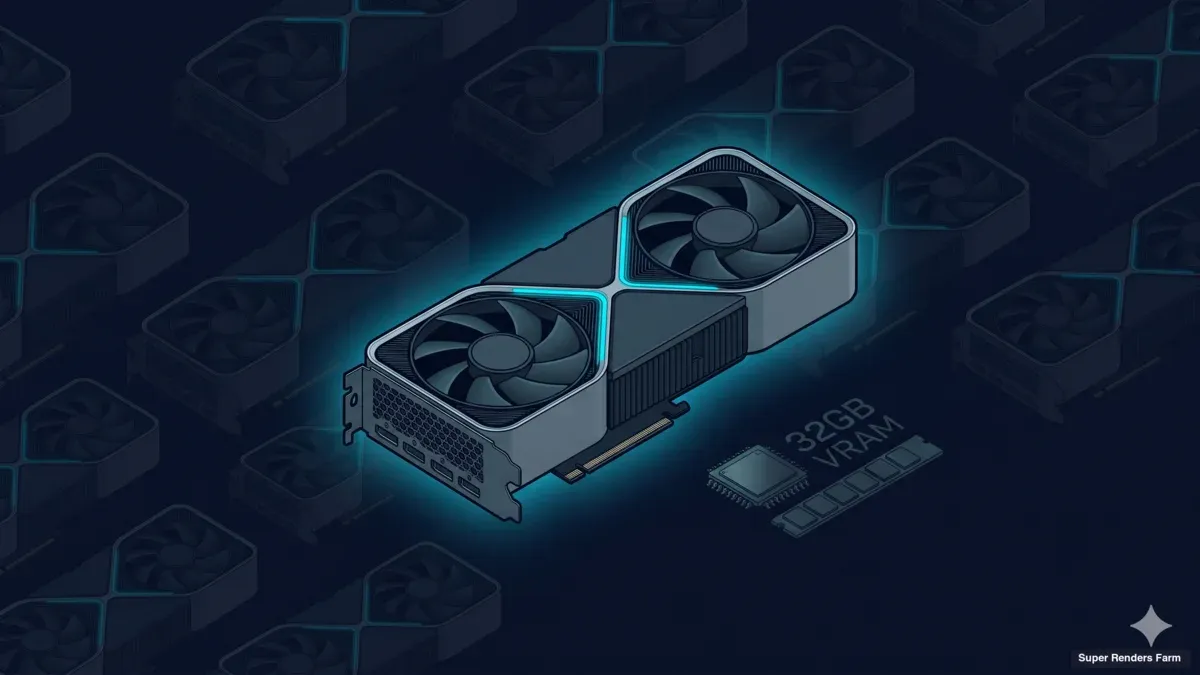
When studios start sizing a dedicated GPU render farm for Redshift, Octane, or V-Ray GPU work in 2026, the RTX 5090 keeps coming up. Per-dollar performance on production GPU renderers has stayed on the consumer-flagship card for several generations, and the 32 GB of VRAM on the 5090 finally puts most production scenes inside a single GPU's memory without out-of-core spillover.
What card reviews rarely cover is what happens once you put 20 of these cards behind a queue and start measuring real throughput against real schedules. Cooling envelope, driver-consistency burden, bandwidth to keep all those GPUs fed — those are operator concerns. We've been deploying dedicated GPU clusters with the RTX 5090 since the card became broadly available.
This guide is the operator's view: what the 5090 gives you at cluster scale, what it doesn't, and when 20× RTX 5090 is the right fleet shape vs the alternatives (RTX 4090, RTX A6000, RTX 6000 Pro Blackwell). Numbers are illustrative — based on workloads typical across Cinema 4D, Houdini, and 3ds Max pipelines with Redshift, Octane, and V-Ray GPU. Specific figures are vendor-published or derived from typical production scenes, not pulled from individual customer work.
RTX 5090 Specs Deep-Dive
The RTX 5090 sits on NVIDIA's Blackwell architecture — the successor to the Ada Lovelace generation that powered the RTX 4090. From a render-farm standpoint, four spec lines matter more than the rest: VRAM capacity, memory bandwidth, CUDA core count, and the RT/Tensor core uplift.
VRAM: 32 GB GDDR7. The single biggest change for render-farm work. The 24 GB on the RTX 4090 was the constraint that pushed many production scenes into out-of-core memory paging in Redshift and Octane — archviz with heavy displacement, VFX with deep volumetrics, product visualization with 8K texture sets. At 32 GB, most production scenes fit cleanly without spillover. GDDR7 also runs at roughly 1.8 TB/s peak bandwidth (vs ~1 TB/s on the 4090), translating directly into faster texture sampling and BVH traversal during ray tracing.
CUDA cores: 21,760. A meaningful jump from the 16,384 cores on the RTX 4090 — about 33% more parallel compute units. For renderers that scale near-linearly with core count (Redshift and Octane both do), this maps to roughly a 30-40% wall-clock lift on most production scenes.
RT cores (4th gen) and Tensor cores (5th gen). Ray-traced workloads — essentially all modern GPU rendering — get a separate uplift from dedicated RT cores; NVIDIA's published Blackwell specs suggest 2x ray-triangle intersection throughput vs the previous generation. Tensor cores matter less for traditional rendering but become relevant if your pipeline uses AI denoising (OptiX, Intel OIDN GPU mode) or emerging neural-rendering features in Octane and Redshift.
NVENC and NVDEC. Dual NVENC (9th gen) and NVDEC (6th gen) blocks. For render farms this matters when nodes encode preview frames or low-res proxies, and when GPU nodes double as Moonlight/Sunshine streaming endpoints for remote desktop. Hardware H.265 and AV1 encoding on the 5090 handles 4K60 streams without measurably impacting render performance.
TDP: 575 W. A single 5090 pulls more power than a full workstation CPU + previous-gen GPU combination. At 20 nodes, that's 11.5 kW of GPU draw alone, before CPU/RAM/storage/networking. Rack density, power delivery, and cooling all need to be sized for this.
Form factor. Triple-slot, ~330 mm long for most AIB designs — rules out many dense workstation chassis and pushes farm builds toward larger 4U or open-frame cases with clearance. Blower-style variants from select vendors (Asus, PNY) work better in tightly packed racks but are harder to source.
20-Node Cluster Aggregate Performance
 A 20-node RTX 5090 cluster array mounted in a data-center rack
Single-card specs are interesting; cluster behavior is what determines whether the fleet actually moves frames. With 20× RTX 5090 nodes behind a single render queue, here's what aggregates:
Aggregate VRAM: 640 GB. Not a unified pool — each node still has 32 GB locally — but for frame-parallel rendering (one frame per node) the effective ceiling is what each node can hold individually. The practical lesson: 32 GB per node is the constraint that matters for 95% of jobs; the 640 GB headline is mostly useful when you're running multiple concurrent jobs (e.g., 4 nodes on Project A, 16 nodes on Project B) and want to know total fleet inventory.
Aggregate CUDA throughput. Twenty cards × 21,760 cores = 435,200 CUDA cores under one queue. In Redshift or Octane this translates into ~20 production frames in parallel — meaning a 240-frame animation that would take 8 hours on a single workstation completes in roughly 25-30 minutes wall-clock. Cluster scaling is rarely perfectly linear (queue overhead, asset pre-cache cost, license check-out, and per-frame I/O all eat a small percentage), but the 80-90% efficiency band is typical for well-tuned production pipelines.
Parallel render slot capacity. Redshift and Octane both license per-node, so 20 nodes = 20 concurrent render slots. Studios running multiple projects can carve the fleet into project-dedicated subsets (10 nodes on a deadline-critical archviz job, 5 on a VFX shot, 5 on overnight catalog renders) and serve all three pipelines simultaneously. This is one reason dedicated cluster rental wins on scheduling flexibility for agencies running parallel client work.
Bandwidth and storage at cluster scale. A single Redshift frame for a moderately complex production scene might need to read 2-8 GB of texture and geometry data on first load. With 20 nodes pulling in parallel from the same shared cache, you can saturate a 10 GbE link during the asset pre-warm phase. Pulling assets once into a fast local cache (SMB3 with a tuned read-ahead, or a dedicated cache box per rack) and serving them at near-line-rate to all 20 nodes is the difference between a 5-minute pre-warm and a 45-minute one. The cache layer becomes the operational bottleneck on cluster farms more often than the GPUs themselves.
Power and cooling envelope. At 20× 575 W = 11.5 kW of GPU draw, plus ~6 kW of supporting infrastructure, you're looking at ~18 kW for a 20-node cluster — roughly half a standard 36 kW data-center rack. Cooling needs to be sized for sustained ~95% GPU utilization across all nodes during burst periods. This is one reason most dedicated cluster deployments live in proper colocation environments rather than improvised office rooms.
For a deeper look at how we approach end-to-end cluster deployment — including the network, cache, and shared-storage layers that surround a GPU fleet — see our 20-node deployment guide.
C4D + Redshift Workflow on RTX 5090
Cinema 4D paired with Redshift is the workflow we see most often on RTX 5090 clusters in 2026, and it's well-suited to the hardware. Redshift is GPU-native, originally designed around CUDA — scaling cleanly on consumer-flagship cards without the workstation features (ECC, NVLink) that justify professional-card premiums.
We go deeper on this workflow specifically in our Cinema 4D Redshift render farm guide.
32 GB VRAM handles 4K-8K production scenes without spillover. The most important practical statement about the 5090 + Redshift combination. With Redshift's memory model — geometry + textures + shaders + ray-tracing data structures all need to fit in VRAM for full GPU rendering — 24 GB was a constant negotiation on the previous generation. Studios disabled 8K texture sets, reduced displacement, or split scenes into multiple passes to stay under the limit. At 32 GB, those compromises mostly go away for scenes in the 4K-8K texture range, including heavy archviz with full vegetation and product shots with complex shading networks.
Out-of-core memory management. Redshift can spill to system RAM when VRAM is full, but the performance hit is significant — typically 3-10x slower depending on how often the renderer fetches data outside the VRAM resident set. The 5090's 32 GB drops the rate at which scenes hit out-of-core mode dramatically. For rare scenes that still don't fit (extreme VFX volumetrics or photogrammetry-derived high-density geometry), Redshift's out-of-core path still works, but you're in territory where restructuring the scene beats pushing the renderer.
Multi-GPU vs distributed. Should you put 2-4 GPUs in a single workstation, or distribute one GPU per node? For render-farm work the answer is almost always one GPU per node. Multi-GPU on a single workstation makes sense for interactive lookdev (one Cinema 4D session seeing all GPUs), but for queue-based rendering, one card per node gives better fault isolation (one driver crash takes out one frame, not four), simpler license accounting, and more flexibility for parallel job scheduling. One 5090 is already enough horsepower for most single-frame tasks — doubling up wastes capacity better spent on another frame.
We put that trade-off on the clock — what a second card adds to a single job versus freeing it for another frame — in our 1-vs-2 GPU render scaling benchmark.
Redshift's GPU-saturation profile. A typical Cinema 4D + Redshift frame goes through three phases: scene loading and BVH construction (CPU-bound), the main ray-tracing pass (GPU-bound, sustained ~95% utilization on the 5090), and post-process denoising (GPU-bound but lighter). The middle phase is what the 5090 accelerates most — on a typical production frame, a single RTX 5090 finishes roughly 30% faster than a single RTX 4090 — reflecting both the ~33% additional CUDA cores and the 32 GB VRAM keeping production scenes off the out-of-core penalty path.
Other GPU renderers behave similarly. Octane shows a comparable uplift (it scales particularly well with CUDA cores — OctaneBench numbers confirm this in the benchmark section). V-Ray GPU is more variable: V-Ray's hybrid CPU+GPU model for some BSDF calculations means per-frame uplift depends on how GPU-heavy the scene is. Arnold GPU benefits too, though most Arnold studios prefer CPU rendering for production work.
For a closer look at V-Ray GPU performance across scene types, see our V-Ray benchmark guide.
For how the Cinema 4D + Redshift pipeline is set up across our farm, the Redshift cloud render farm overview and the Cinema 4D rendering page cover the licensing, plugin support, and submission workflow.
VRAM Optimization for Large Scenes
Even with 32 GB on the 5090, VRAM optimization remains an operational skill — both because some scenes genuinely exceed 32 GB and because efficient VRAM usage shortens render times even when the scene fits.
Scene size estimation. Before sending a job to the farm, knowing whether it will fit in 32 GB saves time. Redshift's memory log reports actual peak VRAM consumption from a previous render — so for any scene rendered locally once, you have a reliable planning number. For new scenes, the rough breakdown is: geometry (20-40% of total), textures (30-50%), ray-tracing data structures plus shaders (the remainder). Heavy displacement, multi-megapixel UDIMs, and dense vegetation are the three categories that push scenes past comfortable VRAM headroom.
When 32 GB is enough. For most production scenes — archviz interiors and exteriors, product visualization, motion-graphics, character animation with film-quality lighting — 32 GB clears the requirement with margin. Studios that used to think about VRAM at every pipeline stage mostly stop thinking about it on the 5090.
When 32 GB is not enough. Three categories still exceed 32 GB: heavy VFX simulations with deep volumetric cache (smoke and fire shots with high-resolution VDB caches can hit 80-150 GB per frame), dense photogrammetry-derived environments (city-scale scans), and high-poly destruction simulations with frame-by-frame geometry caches. For these workloads, even the 96 GB on the RTX 6000 Pro Blackwell often isn't enough — they require scene restructuring (out-of-core proxy workflows, simulation chunking, or fallback to CPU rendering on machines with 256 GB+ of system RAM).
Texture optimization. The biggest single VRAM win is texture-set rationalization. Production scenes routinely ship with 8K UDIMs that the renderer would only sample at 2K resolution given the camera distance. Redshift's automatic texture sampling and mip-mapped texture management help, but they don't replace authoring textures at the resolution actually needed. We routinely see archviz scenes drop from 22 GB to 14 GB VRAM peak just by demoting over-resolved textures.
Geometry instancing. For scenes with large quantities of similar geometry (vegetation, crowd, populated cities), instancing turns a memory blowout into a comfortable fit. Forest Pack and RailClone in 3ds Max, MoGraph Cloners in Cinema 4D, and Scatter in Houdini all generate instanced geometry that Redshift stores once and references many times — orders of magnitude less memory than baking unique copies.
Out-of-core proxy workflow. When a scene genuinely must hold more than 32 GB worth of distinct data, Redshift's proxy workflow (.rs files store compressed geometry on disk and stream into VRAM as needed) gives a controlled spillover path. This is a workflow technique, not a hardware fix — but it's what determines whether a 5090 node can handle a scene that would otherwise require a 96 GB card.
For specific VRAM scenarios from production, the existing RTX 5090 VRAM limit walkthrough covers the exact breakpoints we've measured.
Comparison vs Alternatives
The honest comparison between the RTX 5090 and the alternatives matters a lot for render-farm sizing decisions. There's no single "best" card — there are appropriate cards for specific workloads, budgets, and operational profiles.
RTX 5090 vs RTX 4090 (previous consumer-flagship, 24 GB). The 5090 delivers roughly 33% more CUDA cores, 8 GB more VRAM, ~1.8x memory bandwidth, and a higher TDP. Wall-clock lift on production GPU renderers lands in roughly the 30-40% range depending on workload. The 4090 still has a viable case if it can be sourced under MSRP — but for new fleet purchases in 2026, the 5090's VRAM headroom alone justifies the upgrade for most production work. Supporting two card generations in one queue carries real overhead (different drivers, different per-node performance, different power profiles); if you're starting fresh, picking one generation simplifies the queue significantly.
RTX 5090 vs RTX A6000 (workstation professional, 48 GB). The A6000 carries 48 GB but on the previous (Ampere) architecture, with roughly 10,752 CUDA cores. A single 5090 outperforms a single A6000 by a meaningful margin (often 60-90% faster on Redshift). The A6000's advantage is 48 GB capacity for scenes exceeding 32 GB without hitting the truly extreme range, plus professional-tier driver certification and ECC memory — relevant in CAD/engineering, rarely in production rendering. For 95% of render-farm work, the 5090 is the better per-dollar choice; the A6000 still has a niche for large-scene work that needs 32-48 GB but isn't extreme enough for the 6000 Pro tier.
RTX 5090 vs RTX 6000 Pro Blackwell (datacenter professional, 96 GB). The 6000 Pro is the workstation/datacenter variant of the Blackwell architecture — same chip family as the 5090 but with 96 GB VRAM, blower cooling, professional driver certification, and ECC memory. For workloads that genuinely need 96 GB per frame (extreme VFX, large photogrammetry, deep volumetric simulation), the 6000 Pro is the right card. For everything else, you're paying a significant premium for VRAM you won't use. In cluster economics, three RTX 5090s outperform a single 6000 Pro on aggregate frame-parallel throughput — and three 5090s give you fault isolation and queue flexibility a single high-end card can't match.
Why consumer-class wins for render-farm scale. The case for consumer-flagship cards has been consistent across three generations (3090, 4090, 5090): highest raw performance per dollar for GPU rendering workloads, volume availability from multiple vendors, and minimal operational overhead from "consumer" vs "professional" drivers for batch rendering. Workstation cards win when ECC, certified drivers, or extreme VRAM is genuinely required. Datacenter cards (H100, A100) win in AI training — but neither GPU renderer is meaningfully accelerated by their tensor-heavy designs over the consumer Blackwell architecture.
The practical takeaway: for a 20-node dedicated cluster optimized for Cinema 4D, Houdini, and 3ds Max with Redshift, Octane, or V-Ray GPU rendering in 2026, the RTX 5090 sits at the productivity-cost optimum point. Alternatives become correct only when a specific requirement (extreme VRAM, ECC, certified drivers) justifies the premium.
Benchmark Illustration
 Bar chart comparing RTX 5090 and RTX 4090 OctaneBench render scores
Concrete numbers help with sizing, but they need to be read as ranges rather than commitments. Render times vary substantially based on scene complexity, render settings, output resolution, and the specific renderer version. The figures below are typical for the kind of production scenes we see across Cinema 4D, Houdini, and 3ds Max pipelines — not measurements from any specific customer project.
For the full explanation of how we arrive at these ranges, see our render farm benchmark methodology.
OctaneBench reference scores. Octane's standardized benchmark is the most-cited cross-vendor reference for GPU rendering performance. Published averages (OctaneBench 2025.2.1, single-GPU, as of June 2026): RTX 4090 ~1,308 points, RTX 5090 ~1,730 points — about a 32% gen-over-gen uplift in raw Octane compute, with real production scenes often gaining a bit more once the 32 GB VRAM avoids out-of-core penalties.
Redshift production scene illustration. A moderately complex Cinema 4D + Redshift archviz scene at 4K with full ray-traced global illumination, 16-sample AA, and Redshift's standard denoiser:
- Single RTX 4090: ~18-22 minutes per frame
- Single RTX 5090: ~12-15 minutes per frame
- 20× RTX 5090 cluster: same ~12-15 minutes per single frame (no parallelism benefit on one frame) → a 100-frame sequence completes in ~80-90 minutes wall-clock (vs ~25-30 hours on a single 4090), because 20 frames render simultaneously.
Ranges shift substantially with scene content — heavy volumetrics or hair/fur multiply render time; simple product shots finish in a fraction of these times. The point is the cluster-scaling math, not any specific per-frame number.
Karma test reference. Houdini's native Karma renderer is increasingly the GPU renderer of choice for VFX studios. Karma scales differently from Redshift on the same hardware — it's more bandwidth-bound on dense procedural scenes, so the 5090's bandwidth uplift over the 4090 shows up more than the CUDA core uplift. A typical Karma frame on a procedural VFX shot runs ~25-30% faster on the 5090 vs 4090.
Per-frame economics at cluster scale. The number that matters for production planning is wall-clock per delivered animation second, not per frame. At 24fps with ~12-minute frames on a 20-node 5090 cluster, you deliver ~120 frames (5 seconds of animation) per hour.
This per-machine-versus-fleet-throughput trade-off — and how it compares against a single workstation or on-demand cloud GPU — is the core of our high-performance 3D rendering comparison. A typical 30-second motion-graphics or archviz sequence (720 frames) completes in roughly 6 hours of cluster time, for scenes that fit in 32 GB without spillover. Scenes that don't fit can be 3-10x slower.
Variability disclaimer. Real-world variance on production scenes is wider than people expect. We've measured the same Redshift scene on identical hardware nodes with timings varying 5-15% depending on OS background activity, driver version subtleties, and ambient temperature affecting GPU thermal throttling. The figures above are illustrative ranges, not specifications.
When 20× RTX 5090 IS the Right Fleet
A 20-node RTX 5090 cluster is not the right answer for every studio. It's the right answer for a specific operational profile — and it's worth being honest about when it isn't.
Mid-large agency or studio with sustained GPU workload. Dedicated 20-node economics start making sense when GPU render demand is sustained enough to keep the fleet meaningfully utilized — typically multiple simultaneous projects, or one large project with parallel render demand across episodes, sequences, or variations. A solo freelancer rendering one shot at a time gets more value from on-demand SaaS capacity than a dedicated fleet.
Multi-month projects with predictable load. The other strong fit is projects with predictable render demand to plan fixed-cost dedicated capacity around — episodic content, long-form archviz pitches, ongoing client retainers, or any pipeline running ~5-10 hours of GPU render work per day for the next 3-6 months. This is where per-frame dedicated economics start beating on-demand pricing.
Houdini + Cinema 4D + After Effects pipeline diversity. A 20-node RTX 5090 fleet serves VFX (Karma in Houdini), motion-graphics (Redshift in Cinema 4D), and post (After Effects with GPU plugins) simultaneously because the GPU is the common substrate. Studios with mixed-pipeline rendering needs get more compounding value from a single shared fleet than multiple specialized ones.
Cost-conscious enterprise. Dedicated capacity at scale runs meaningfully cheaper per render-hour than on-demand SaaS for sustained workloads. The crossover varies with rental rates, but for studios above ~40 hours per week of GPU demand, dedicated capacity frequently wins. Below that, on-demand stays cheaper.
Operational profile that supports dedicated infrastructure. A dedicated cluster implies baseline operational sophistication: a queue/scheduler the team is comfortable with, an asset-sync workflow to cluster storage, and either internal capacity or vendor support for cluster operations. Studios needing a fully-managed pipeline with no operational overhead are usually better served by managed SaaS render farms.
When the answer is something else. Smaller studios, sporadic GPU demand, or pipelines that genuinely need 48+ GB VRAM per frame should consider: managed SaaS for sporadic demand, hybrid own + rent models for studios scaling up, or dedicated cluster rental at a different scale (10- or 30-node) if 20 is the wrong number. For the deeper SaaS vs dedicated comparison, see SaaS render farm vs dedicated cluster comparison.
If the scale you need is a node or two rented by the week rather than a 20-node fleet, what renting a GPU server on a render farm involves covers that option.
FAQ
Q: Why RTX 5090 instead of professional cards like the A6000 or RTX 6000 Pro? A: Per-dollar GPU rendering performance has favored consumer-flagship cards (3090, 4090, 5090) over workstation cards for several generations. Professional cards earn their premium when ECC memory, certified drivers, or extreme VRAM (96 GB on the 6000 Pro) is genuinely required — uncommon in render-farm contexts. For Cinema 4D + Redshift, Houdini + Karma, or 3ds Max + V-Ray GPU production work, the 5090 delivers the same architectural generation as the 6000 Pro at a fraction of the per-card cost. Workstation cards win for specific large-scene VFX or CAD/engineering pipelines; for general production rendering at fleet scale, the 5090 is the per-dollar optimum.
Q: What's the typical job throughput per node on a 5090 cluster? A: For a moderately complex Cinema 4D + Redshift frame at 4K with full ray-traced global illumination, expect 12-15 minutes per frame on a single RTX 5090 node. At 20 nodes running frame-parallel, that's ~120 frames per hour wall-clock, or roughly 5 seconds of finished 24fps animation per hour. Numbers vary with scene complexity — heavy volumetrics or hair/fur multiply render times; simple product shots can finish in 2-3 minutes. Octane and V-Ray GPU land in similar ranges.
Q: How does the RTX 5090 compare to the RTX 4090 for render-farm work? A: The 5090 delivers roughly 30-40% faster wall-clock rendering than the 4090 on most production GPU workloads (about a 32% OctaneBench uplift, 1,308 → 1,730 on OctaneBench 2025.2.1), plus 8 GB more VRAM (32 vs 24) — the operationally most significant change. The 24 GB on the 4090 was the constraint pushing many production scenes into out-of-core memory paging in Redshift and Octane; 32 GB on the 5090 puts most production work cleanly inside VRAM. For new fleets in 2026, the 5090 is the default. Existing 4090 fleets remain productive — but mixing generations across a single queue adds operational complexity.
Q: Can I run V-Ray, Arnold, or Karma on the RTX 5090? A: Yes — the RTX 5090 supports all major production GPU renderers: Redshift, Octane, V-Ray GPU, Arnold GPU, Karma, and Cycles. Performance lift varies: Redshift and Octane gain the most (~30-40% faster wall-clock), V-Ray GPU is more variable due to its hybrid CPU+GPU model, and Karma scales between the two depending on whether the scene is CUDA-bound or bandwidth-bound. Arnold GPU is available for lookdev, previews, and GPU-suitable finals up to roughly 28 GB VRAM per frame — for heavy finals, deep-EXR output, or custom shaders, Arnold CPU remains the recommended path. All work cleanly with the standard NVIDIA Studio driver line; production driver consistency matters more than which specific renderer you pick.
Q: What about future RTX cards — will the fleet need to be upgraded again soon? A: NVIDIA's consumer-flagship refresh cadence has been roughly 2 years (3090 in 2020, 4090 in 2022, 5090 in 2024-25). A 5090 fleet purchased in 2026 has a 3-4 year operational lifetime before the per-frame economics on the next generation make partial refresh attractive. Most studios cycle GPU fleets gradually (replacing one third every 18 months) rather than swapping the entire cluster at once. For dedicated cluster rental customers, the refresh decision moves to the rental provider — one reason rental pricing trends downward as hardware amortizes.
Q: How do you handle GPU driver consistency across 20 nodes? A: Driver mismatch between nodes can cause subtle render differences (denoiser behavior, sampling pattern changes) that show up as frame-to-frame inconsistency in final output. Our approach: pin a known-good driver version across all nodes (typically the NVIDIA Studio driver matching the production renderer versions in use), automate deployment through configuration management, and validate consistency on a regular cadence. When a renderer update requires a newer driver, the fleet rolls out in coordinated stages with regression testing on a subset first. This is the kind of operational work easy to underestimate when planning a self-managed cluster — one reason many studios prefer dedicated cluster rental.
About Thierry Marc
3D Rendering Expert with over 10 years of experience in the industry. Specialized in Maya, Arnold, and high-end technical workflows for film and advertising.



