What Is VRAM? How Video Memory Works in Games and 3D Rendering
Overview
Introduction
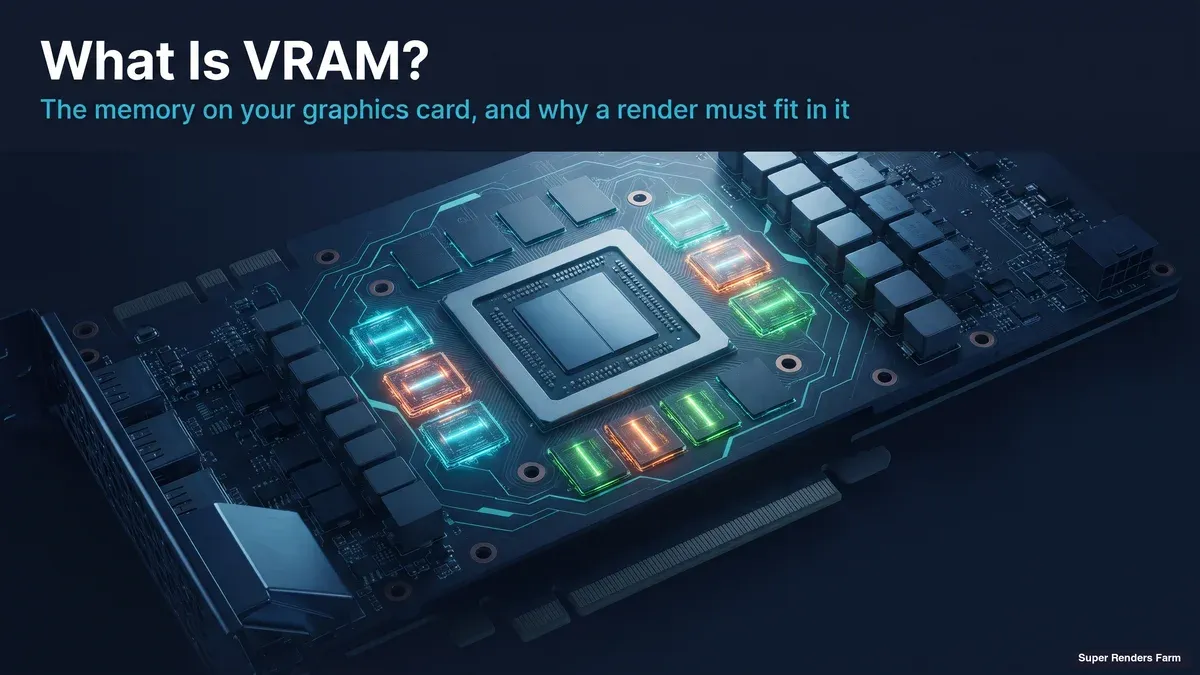
What is VRAM? VRAM, short for video random-access memory, is the memory built onto a graphics card for the GPU's own use. It holds the data the GPU needs close at hand: the image being drawn, the textures, the geometry and, in 3D rendering, nearly everything in the scene.
Most people meet the term when a game warns that a texture setting needs more video memory, or when a GPU render stops with an out-of-memory error. The two situations sound alike but behave differently. A game is built to fit a budget and can trade quality for memory on the fly. An offline GPU renderer, such as Cycles in Blender or Redshift, usually needs the whole scene in memory at once, so the size of the card sets a hard ceiling on what it can render at full speed.
This guide covers the general definition first, then rendering: what fills VRAM during a render, what happens when a scene does not fit, and why two cards do not give you twice the memory. For per-engine observations and scene-reduction techniques on one card, see is 32 GB enough for complex scenes on an RTX 5090; we link to it instead of repeating it.
VRAM in One Paragraph
Wikipedia's article on video random-access memory (read 24 November 2026) describes VRAM as dedicated computer memory used to store the pixels and other graphics data as a framebuffer, often using a different technology from other computer memory so it can be read quickly for display. The name has a history: the article notes that dual-ported video RAM, used in the 1990s, was at the time often called VRAM, and that modern VRAM is typically found in a BGA package soldered onto a graphics card; its example photo shows GDDR5X chips on a GeForce GTX 1080 Ti. In everyday use today, "VRAM" simply means the memory on the graphics card.
What VRAM Holds
The GPU works quickly only on data already in its own memory, so everything it touches during a frame is copied there first. In a game, that typically means:
- The frame buffer. The image being drawn, plus extra buffers such as depth.
- Textures. Color, roughness and normal maps for every visible surface.
- Geometry. Vertex and index data for the meshes on screen.
- Shader programs and their working data. The small programs that decide how each surface looks; our guide to what a shader is explains what they take in.
An offline GPU renderer holds the same kinds of data, usually more of it, plus an acceleration structure for ray tracing and a buffer for every render pass you request. The rendering section below covers each.
VRAM vs System RAM
Your computer has two pools of memory, and they serve different processors.
| VRAM | System RAM | |
|---|---|---|
| Where it sits | On the graphics card, next to the GPU | On the motherboard, next to the CPU |
| Who uses it directly | The GPU | The CPU |
| Typical technology | GDDR (for example GDDR6, GDDR6X, GDDR7) | DDR (for example DDR4, DDR5) |
| Designed for | Very high bandwidth to one processor | General-purpose access, larger capacity |
| Can you add more? | No, it is fixed when the card is made | Usually yes, by adding modules |
Data moves between the two over the PCI Express bus, which is much slower than the GPU's path to its own memory. That is why a GPU renderer that fetches data from system RAM mid-render slows down.
GDDR: The Memory Type on the Card
Wikipedia's GDDR SDRAM article (read 24 November 2026) describes GDDR as a type of synchronous DRAM specifically designed for applications requiring high bandwidth, such as GPUs, and distinct from the DDR4 and DDR5 memory used as system RAM, though the two share features such as double data rate transfers. Its transfer-rate table gives each generation's speed on a 32-lane interface, the width of one GDDR chip:
| Generation | Transfer rate | Bandwidth per chip (32 lanes) |
|---|---|---|
| GDDR5 | 4.0 to 8.0 GT/s | 16.0 to 32.0 GB/s |
| GDDR5X | 8.0 to 14.5 GT/s | 32.0 to 57.9 GB/s |
| GDDR6 | 11.0 to 20.0 GT/s | 44.0 to 80.0 GB/s |
| GDDR6X | 19.0 to 23.0 GT/s | 76.0 to 92.0 GB/s |
| GDDR7 | 28.0 to 40.0 GT/s | 112.0 to 160.0 GB/s |
A card's total bandwidth depends on how many chips it carries and how wide its memory interface is. NVIDIA's GeForce RTX 5090 page (read 24 November 2026) lists 32 GB of GDDR7 on a 512-bit memory interface. For rendering, capacity usually matters first: bandwidth decides how fast the GPU reads the scene, but capacity decides whether the scene fits at all.
How Much VRAM Is Enough? Games vs Creative Work
There is no single number, because the two uses ask different questions.
For games, the need depends on resolution, texture quality and the effects you turn on, and it changes with every new release. The honest guide is the game's own published requirements for the settings you want. Games also give you a way out: a lower texture setting or a lower resolution usually brings memory use down, at a visible cost in detail.
For 3D rendering, the question is stricter: does your heaviest scene fit, with room to spare? A product shot with a few textured objects may use a small part of a card, while a city exterior with scattered vegetation, high-resolution textures and many render passes can fill a large one. The reliable way to know is to render the heaviest frame and read the peak memory the renderer reports.
For creative work there is also a CPU answer. A CPU renderer uses system RAM, which is usually larger than any single card's VRAM and can be extended. Our GPU vs CPU rendering comparison covers which engines run on which processor and where each one is the better fit.
What Fills VRAM in a GPU Render
When a GPU renderer prepares a frame, it loads the scene into VRAM in several parts. Their sizes vary from scene to scene, but the parts are always the same kinds of thing.
- The renderer itself and its working memory. The renderer's own code, the buffers for rays in flight and scratch space for features such as caches. Redshift's documentation describes this directly: its memory page (Cinema 4D help, read 24 November 2026) says the GPU has limited memory and no robust way to allocate it dynamically, so Redshift partitions free GPU memory between its modules at the start of each frame, and by default reserves 90% of the GPU's free memory.
- Geometry. Vertex positions, normals, UVs and triangle indices for every mesh the rays can hit, including meshes outside the camera view, because reflections and bounced light can reach them. Subdivision and displacement add geometry at render time; our normal map guide explains why a normal map is so much cheaper than true displacement.
- The acceleration structure. A ray tracer does not test every ray against every triangle. It builds a hierarchy of bounding boxes, often called a BVH, so each ray can skip most of the scene. That structure lives in VRAM too and grows with the geometry. Our ray tracing explainer covers how rays find surfaces.
- Textures. Every image map the materials read. In texture-heavy scenes this is often the largest single part.
- Frame buffers and AOVs. The image being rendered plus every extra pass (AOV, arbitrary output variable) you request, such as depth, normals, object IDs or separate lighting passes.
Two of these are easy to size with simple arithmetic, which makes the scale concrete.
A 4K texture of 4096 x 4096 pixels with four 8-bit channels (red, green, blue and alpha) holds 16,777,216 pixels x 4 bytes = 67,108,864 bytes, about 67.1 MB. An 8K texture of 8192 x 8192 in the same format is four times larger: 268,435,456 bytes, about 268.4 MB. Those are uncompressed sizes; a renderer may store less by compressing textures or loading only the detail level it needs, or more if it keeps a full mipmap chain. Memory tools that report binary units show these as 64 MiB and 256 MiB, about 5% smaller numbers for the same bytes.
A frame buffer at 3840 x 2160 has 8,294,400 pixels. Stored as four 32-bit float channels, 16 bytes per pixel, one layer takes 132,710,400 bytes, about 132.7 MB. Ten such layers, for a beauty pass and nine AOVs, take 1,327,104,000 bytes, about 1.33 GB.
Here is an illustrative budget on a 32 GB card, built for this article to show proportions. It is not a measurement of any real scene: renderer and working memory 2 GB, geometry 7 GB, acceleration structure 3 GB, textures 13 GB, frame buffers and AOVs 1.3 GB (the ten-layer 4K example above). That adds up to 26.3 GB, leaving 5.7 GB free. Doubling the texture resolution of the main materials could more than use up that headroom on its own, since each step from 4K to 8K multiplies a texture's memory by four.
 Illustrative VRAM budget on a 32 GB card, not a measurement: renderer and working memory 2 GB, geometry 7 GB, acceleration structure 3 GB, textures 13 GB, frame buffers and AOVs 1.3 GB, total 26.3 GB with 5.7 GB free
Why Offline GPU Rendering Differs From a Game
A game and an offline renderer can run on the same card, but they treat VRAM in opposite ways.
A game is designed around the memory it will have. It streams assets in and out as the player moves and can drop to a lower texture level when memory runs short; on a tight budget it still runs, just with less detail.
An offline path tracer cannot ignore what the camera does not see. A ray leaving a mirror, a glass or a bounce of indirect light can hit any object, so the renderer wants the whole scene available before the frame starts, and it has no quality lever of its own: the scene you submit is the scene it renders. The question is not "how much VRAM looks good" but "does this scene fit in this card".
What Happens When a Scene Exceeds VRAM
What happens next depends on the renderer. Two vendors document it clearly.
Cycles in Blender. The Blender manual's GPU rendering page (Blender 5.3 manual, read 24 November 2026) says GPUs have limits in rendering complex scenes because of more limited memory, and that typically the GPU can only use the amount of memory that is on the GPU. It also says that with CUDA, OptiX, HIP and Metal devices, if GPU memory is full Blender will automatically try to use system memory; this has a performance impact, but will usually still be faster than CPU rendering. When even that fails, the out-of-memory error the manual lists usually means there is not enough memory to store the scene for the GPU, and the first fix it suggests is smaller resolution textures.
Redshift. Redshift's memory documentation lists out-of-core texturing and out-of-core geometry among its features. "Out of core" means the renderer does not need all of that data inside VRAM at once and can keep part of it in system memory. The same page notes that texture data is stored in CPU memory before it is sent to the GPU, uses 4GB for that CPU storage by default, and suggests raising it to 8GB or higher if texture-heavy scenes run slowly. The cost is speed: moving data across the PCI Express bus is slower than reading it from VRAM.
Other GPU engines have their own options, and some stop with an error rather than fall back. The usual signs and fixes are in our guide to the five most common GPU rendering crashes, and per-engine settings for the RTX 5090 are in the 32 GB VRAM limit article.
So "the scene must fit" is a simplification: some engines can render a scene larger than VRAM, but they pay for it in render time.
Two Cards, Two Copies: VRAM Does Not Add Up
A common assumption is that two 32 GB cards give a renderer 64 GB. In most cases they do not.
The Blender manual answers this directly in its FAQ, under the question "Would multiple GPUs increase available memory?": typically, no, each GPU can only access its own memory. The exception it names is NVIDIA GPUs connected with NVLink, where multiple GPUs can share memory at a small performance cost, enabled with the Distributed Memory Across Devices option. NVIDIA's RTX 5090 specifications list NVLink as "No", so that exception does not apply to this card.
In practice this means each card works on its own copy of the scene. Two cards can render faster, because they share the work, but the largest scene they can hold is the largest scene one card can hold. If a scene needs more than 32 GB, two 32 GB cards without memory sharing cannot hold it in VRAM any more than one card can. How much faster the second card makes a render is a separate question, which our multi-GPU scaling benchmark measured across four engines.
 Two RTX 5090 cards in one node, each holding its own full copy of the same scene in its own 32 GB of VRAM; the usable scene size is 32 GB, not 64 GB, because the memory is not pooled
Checking Whether a Scene Fits
- Render the heaviest frame first, at final resolution with every AOV you plan to deliver.
- Read the peak memory, not the average, in the renderer's log or status display or in the GPU driver's monitoring tools.
- Leave headroom for the operating system, the driver and the renderer's own buffers.
- Look at textures and subdivided geometry first if you are close to the limit. The RTX 5090 VRAM article lists engine-specific settings.
VRAM on Super Renders Farm
Super Renders Farm is a fully managed farm: you upload the scene and do not set up machines, install software or manage render licenses yourself. Both of our node types are real options for memory-heavy work.
On our GPU cloud render farm, each node carries two NVIDIA RTX 5090 cards with 32 GB of VRAM per card. The memory is per card and is not pooled, so a GPU scene, textures included, has to fit in one card's 32 GB, for the reasons in the section above. Redshift in Maya, Cinema 4D and Houdini, Octane in Cinema 4D, and Cycles and EEVEE in Blender are ready on our GPU nodes without a setup request. One RTX 5090 costs $5.17 per hour of rendering and a two-card node $10.33 per hour, with the same GPU rate at every priority.
On our CPU nodes, the renderer uses system memory instead of VRAM, and our CPU hosts have up to 256 GB of RAM. V-Ray and Corona in 3ds Max, Arnold in Maya, 3ds Max and Cinema 4D, and Cycles and EEVEE in Blender render there. For a Blender scene that does not fit in 32 GB, the same file can usually go to CPU nodes without changing engines. At Standard priority, one CPU worker-hour costs $0.99 to $1.27, depending on the server the worker runs on. The CPU route is a normal choice, not only a fallback; our CPU render farm guide covers when it is the stronger one.
GPU-only engines are the case to plan for. On our farm Redshift and Octane run on GPU nodes only, so a scene in either engine that exceeds one card's VRAM cannot move to CPU nodes. For Redshift there are two routes: its own out-of-core handling, at a cost in render time, or a lighter scene. For Octane, plan for a lighter scene. Other engine and host pairings are listed on the supported software page; where your engine is not shown as ready for your host, or you are unsure whether a scene fits, contact us before you upload.
New accounts receive $25 free render credits, which can cover test frames of your heaviest scene on either node type before you commit a sequence. Our team is on 24/7 live chat for scene checks, and current rates are on the pricing page.
 Decision path for a scene on a render farm: if the heaviest frame fits in one card's 32 GB of VRAM, render on GPU nodes; if it does not and the engine runs on our CPU nodes, such as Cycles in Blender, render on CPU nodes with up to 256 GB of RAM; if it is Redshift, which runs on GPU only on our farm, use out-of-core or a lighter scene
Summary: What to Remember
| If you are asking | Short answer |
|---|---|
| What is VRAM? | The memory on the graphics card that the GPU uses directly |
| How is it different from RAM? | VRAM is GDDR on the card for the GPU; system RAM is DDR on the motherboard for the CPU |
| What fills VRAM in a render? | Geometry, the acceleration structure, textures, frame buffers and AOVs, and the renderer's own working memory |
| How much do I need? | For games, the game's requirements; for rendering, your heaviest frame's peak plus headroom |
| What if a scene does not fit? | Cycles can fall back to system memory, Redshift has out-of-core, others may stop with an error; all of these are slower or blocked |
| Do two cards add up? | Typically no; each card keeps its own copy, unless NVLink memory sharing is available, which the RTX 5090 does not have |
FAQ
Q: What is VRAM in simple terms? A: VRAM is the memory on a graphics card that the GPU uses directly. It holds the image being drawn, the textures, the geometry and other data the GPU needs close at hand. Wikipedia describes it as dedicated memory that stores pixels and other graphics data as a framebuffer.
Q: What is the difference between VRAM and RAM? A: VRAM sits on the graphics card and serves the GPU, while system RAM sits on the motherboard and serves the CPU. VRAM is usually GDDR memory designed for very high bandwidth, and system RAM is usually DDR4 or DDR5. You can often add system RAM, but a card's VRAM is fixed when the card is made.
Q: How much VRAM do I need for 3D rendering? A: Enough to hold your heaviest scene with room to spare. Render the heaviest frame at final resolution with all your passes, read the peak memory the renderer reports, and leave headroom. If no card is large enough, a CPU renderer using system RAM is the other route.
Q: What uses the most VRAM in a render? A: In texture-heavy scenes, textures are often the largest part. An uncompressed 4K texture with four 8-bit channels takes about 67.1 MB, and an 8K one about 268.4 MB. Geometry, the acceleration structure, frame buffers with AOVs and the renderer's own working memory make up the rest.
Q: Do two GPUs double my VRAM? A: Typically no. The Blender manual says each GPU can only access its own memory, so each card keeps its own copy of the scene and the largest scene you can render is the largest one card can hold. The exception is NVIDIA GPUs connected with NVLink, and the RTX 5090 does not support NVLink.
Q: What happens when a scene runs out of VRAM? A: It depends on the renderer. Cycles in Blender automatically tries to use system memory, which is slower, and Redshift supports out-of-core textures and geometry, which keeps part of that data in system memory. Some engines stop with an out-of-memory error instead, and the usual first fix is smaller textures.
Q: What is GDDR7? A: GDDR7 is the newest generation in Wikipedia's GDDR table and the type used on the RTX 5090. Wikipedia's GDDR table lists GDDR7 at 28.0 to 40.0 GT/s, compared with 19.0 to 23.0 GT/s for GDDR6X. NVIDIA lists the RTX 5090 with 32 GB of GDDR7 on a 512-bit interface.
Q: What if my scene needs more than 32 GB on a render farm? A: On our farm a GPU scene must fit in one RTX 5090's 32 GB, because the two cards in a node do not pool memory. A Blender scene that is too large can render on our CPU nodes, which have up to 256 GB of RAM, while Redshift runs on GPU only, so a large Redshift scene relies on out-of-core or a lighter scene. Contact us before you upload if you are unsure.
About Thierry Marc
3D Rendering Expert with over 10 years of experience in the industry. Specialized in Maya, Arnold, and high-end technical workflows for film and advertising.