What Are Caustics? Focused Light in Optics and 3D Rendering
Overview
Introduction
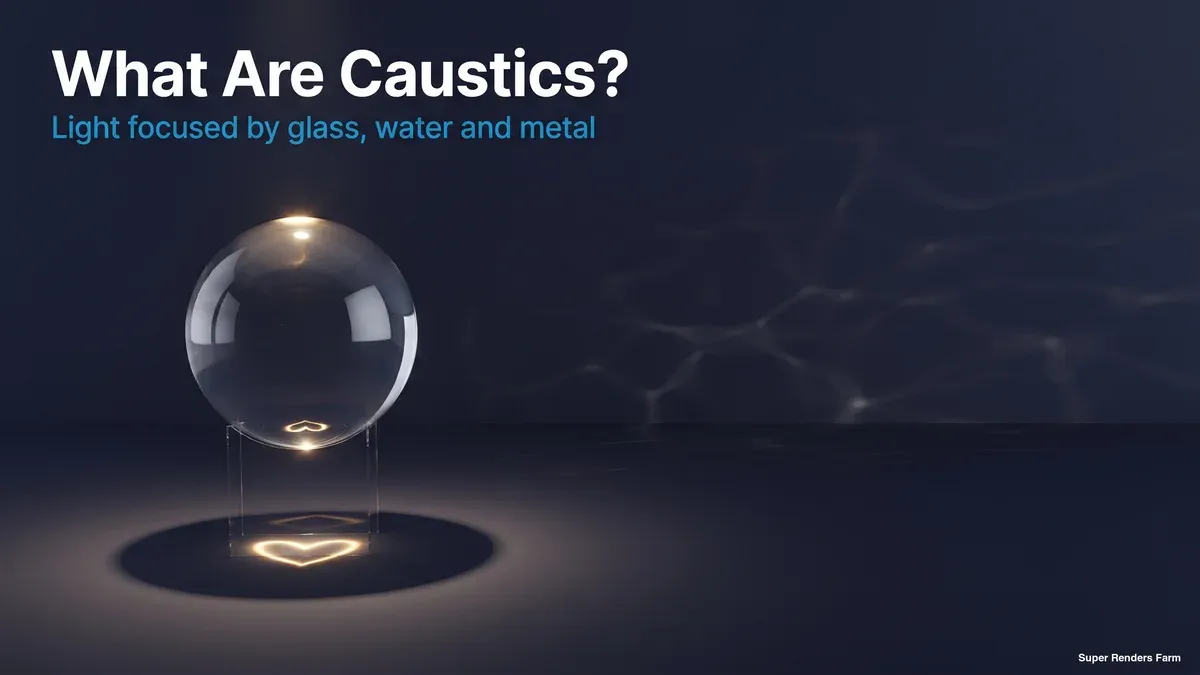
What is caustics? Caustics are the bright, sharply shaped patterns of light that appear when a curved reflective or refractive surface focuses light onto another surface: the moving net of light on the floor of a swimming pool, the bright spot beside a glass of water, the curved line at the bottom of a tea cup. In 3D rendering, caustics are the light paths that travel from a light through glass, water or a mirror before they land on a matte surface, and they are among the hardest effects for a path tracer to render without noise.
This guide covers the optics first (what a caustic is, where the word comes from, why it is so bright), then the rendering: why a standard path tracer struggles, which algorithms find caustics, how Cycles, V-Ray and Corona handle them, common cheats, and the effect on render time.
Neighboring articles cover the wider ground, so we link to them instead of repeating them: what is global illumination for indirect light in general, what is ray tracing for rays, samples and bounces, and ray tracing vs path tracing for how the two methods differ.
Caustics in Optics
Wikipedia's article on caustics in optics (read 24 November 2026) defines a caustic, or caustic network, as "the envelope of light rays" reflected or refracted by a curved surface or object, and describes the caustic as "a curve or surface to which each of the light rays is tangent". In plain terms, a curved surface bends many parallel rays so that they bunch together, and the caustic is the line or sheet where they bunch most tightly.
The same article gives two everyday cases: caustics are commonly visible "when light shines on a drinking glass", and rippling caustics form "when light shines through waves on a body of water". That second case is the pattern on a pool floor and in underwater photographs. The word itself, the article notes, "comes from the Greek καυστός, burnt, via the Latin causticus, burning".
The tea cup is the classic reflective example. Wikipedia's nephroid article (read 24 November 2026) calls the curve "a caustic of the reflection of light off the inside of a cylinder", and its illustration is captioned "Nephroid caustic at bottom of tea cup".
Caustics are bright because the curved surface squeezes light from a wide area into a narrow line or spot, while the area next to it, which lost that light, sits in shadow.
Reflective and Refractive Caustics
Caustics come in two kinds, and renderers often treat them separately.
- Reflective caustics form when light bounces off a curved shiny surface: the inside of a cup or a metal bowl, a ring, a chrome kettle, a curved mirror.
- Refractive caustics form when light passes through a curved transparent surface and bends: a glass of water, a perfume bottle, a gemstone, a lens, or the wavy surface of a pool.
Refractive caustics that fall inside the shadow of a glass object are sometimes called shadow caustics, the bright core inside the shadow of a glass sphere or a wine glass. Blender uses exactly that term for a feature we cover below.
 A glass sphere held above a floor and lit by parallel light from above: the rays bend as they enter and leave the sphere, cross each other below it and bunch into a bright caustic spot inside the sphere's shadow on the floor
Each ray bends twice, entering and leaving the sphere, so the rays converge below it and form a bright caustic inside its shadow.
Why Caustics Are Hard for a Path Tracer
A standard unidirectional path tracer starts each sample at the camera, hits a surface, picks a new direction, and keeps bouncing until it finds light or ends. At each matte hit the renderer also sends a shadow ray straight toward a light, a shortcut called next event estimation, so ordinary direct light is found quickly.
Caustics break that shortcut. Picture a floor point that receives light only through a glass sphere. The shadow ray from the floor toward the light hits the glass, and because glass bends light, the straight line to the light is not a real light path; to the shadow ray, the glass is simply in the way. Wikipedia's path tracing article (read 24 November 2026) says next event estimation "becomes less useful when specular or near-specular BRDFs are present", which is exactly this case.
So the path has to find the light by chance. From the floor it picks a random direction; that direction has to enter the glass at just the right spot, and after refraction, which fixes the outgoing direction exactly, it has to leave pointing at the light. With a small light the target is tiny. With an idealized point light, a randomly chosen path essentially never lands on it, so the caustic is not found at all.
 Path diagram: a camera ray hits a matte floor and scatters in random directions; most directions miss, one enters a glass sphere, refracts along a fixed direction and must hit a small light; the straight shadow ray from the floor toward the light is blocked by the glass
Wikipedia states the result directly: "Path tracing has difficulty rendering caustics", and the result "is usually very noisy, with many "fireflies" (stray bright pixels), or caustics may simply be missing." It names the hard case as caustics from a "small or highly directional light source (such as the sun)". The Blender manual's Light Paths page (Blender 5.2 LTS, read 24 November 2026) gives the same diagnosis from the user's side: "A common source of noise is Caustics", because some paths are hard to find but carry a lot of light, so they are "found in some pixels and not in others, causing Fireflies."
A hypothetical example shows why fireflies appear instead of a dim, even glow. The numbers are invented to show scale. Suppose 1 in 2,000 camera samples in a caustic region happens to reach the light through the glass. At 256 samples per pixel, each pixel there expects 0.128 successful paths. Most pixels get none and stay dark; the few that get one show a very bright dot, because that single path carries the focused light. To collect about 100 successful paths per pixel you would need 200,000 samples per pixel.
The Blender manual adds a material-side remedy: with more roughness, "the highlight gets bigger and softer, and so easier to find".
Algorithms That Find Caustics
Since camera paths rarely reach the light through a specular chain, the fixes start some or all of the work at the light, or solve for the path through the glass.
- Bidirectional path tracing. Wikipedia's path tracing article says these methods "were published in 1993 by Eric Lafortune and Yves Willems, and in 1997 by Eric Veach and Leonidas Guibas", and that "two paths are traced independently: one from the light source and one from the camera." A path that starts at the light passes through the glass the way real light does, lands on the floor, and can be connected to a camera path.
- Light tracing. The light half on its own: trace paths from the lights and connect each matte hit back to the camera. It suits caustics on visible matte surfaces, so it usually works as one strategy inside a bidirectional renderer.
- Photon mapping. Wikipedia's photon mapping article (read 24 November 2026) describes it as "a two-pass global illumination rendering algorithm developed by Henrik Wann Jensen between 1995 and 2001". Photons shot from the lights are stored where they land, and the final render estimates the caustic from their density. The article calls photon mapping "biased" but "consistent": accuracy increases with the number of photons.
- Progressive photon mapping. The same article says progressive photon mapping "starts with ray tracing and then adds more and more photon mapping passes", so the image improves the longer it runs instead of being limited by one fixed photon map.
- Manifold next event estimation (MNEE). This extends the shadow-ray shortcut: instead of a straight shadow ray that the glass blocks, it searches for a path that refracts through the glass surface and still reaches the light. Blender's 3.2 Cycles release notes (read 24 November 2026) describe it as "a method developed for production rendering".
| Approach | Where paths start | Strength for caustics | Main cost |
|---|---|---|---|
| Unidirectional path tracing | Camera | Finds caustics, given enough samples | Fireflies; very slow for small lights |
| Bidirectional path tracing | Camera and light, then connected | Finds caustics on matte surfaces | More work per sample |
| Photon mapping | Light (photons), then camera | Smooth caustics from a fixed photon pass | Bias, blur and photon map memory |
| Progressive photon mapping | Repeated photon passes | Keeps improving with time | Long runs for sharp detail |
| MNEE | Camera, with a solved path through the glass | Shadow caustics through refractive objects | Approximate; narrow set of cases |
How Cycles, V-Ray and Corona Handle Caustics
Cycles in Blender. Cycles is a path tracer, and its Light Paths panel has a Caustics section with three controls. Reflective and Refractive caustics can be switched off separately; the manual explains that "While in principle path tracing supports rendering of caustics with a sufficient number of samples", in practice the noise can be too much, so "This option can be unchecked, to disable reflective caustics." Filter Glossy blurs glossy reflections after blurry bounces, and the manual calls 1.0 "a good starting value to tweak." The Clamping settings limit how bright a single sample can be, and the manual notes that indirect bounces "tend to cause more fireflies than direct bounces".
Since Blender 3.2, Cycles also offers shadow caustics. The release notes describe "selective rendering of caustics in shadows of refractive objects", with "underwater caustics and eye caustics" as example uses. The Blender manual's object settings page (Blender 5.2 LTS, read 24 November 2026) explains the setup: mark objects to Cast Shadow Caustics or Receive Shadow Caustics, used "in conjunction with a Light or World Shader with Shadow Caustics enabled". It says the technique "is based on MNEE". It lists the limits: "Only refractive caustics in the shadows of objects work", the result is "an approximation of caustics" that can be physically inaccurate, the caster needs smooth normals, bump and normal maps are ignored, and a caustic ray can pass through up to 6 caster surfaces before it is terminated.
V-Ray in 3ds Max. The V-Ray for 3ds Max caustics page (read 24 November 2026) says V-Ray renders caustics "by using one of the following techniques: photon mapping or progressive." Photon mapping is a two-pass technique: photons shot from the lights are recorded where they hit surfaces, and the final render calculates the caustics "by using density estimation techniques on the photon hits stored during the first pass." The Max density setting "Limits the resolution (and thus the memory) of the caustics photon map." The progressive solver, the page says, "is able to trace as many photons as required without suffering" the memory constraints of photon mapping, and its limitations list states it is "currently not supported by the GPU engine". The page also notes that "Affect Shadows should be off in refractive materials if they are to generate caustics."
Corona in 3ds Max. Corona's Performance Tab page (read 24 November 2026) describes a Caustics Solver with an Enable checkbox that "Generates physically correct caustics at the cost of lower rendering performance." Refractive caustics also have to be enabled in the material: "to render refractive caustics you need to enable them in CoronaMtl." An include/exclude list limits which objects receive caustics, and one option renders caustics "only in special CShading_Caustics render element", which keeps them out of the beauty pass so they can be adjusted in compositing.
Production Cheats for Caustics
Physically correct caustics are not always worth their cost. Productions use a handful of cheats, alone or together.
- Turn them off. A window pane or a thin glass shelf rarely needs a caustic, and disabling caustics removes a major source of fireflies.
- Blur them. Filter Glossy in Cycles, or slightly rougher glass, trades a sharp caustic for a softer one that is far easier to find.
- Clamp them. Clamping indirect light caps fireflies. It also removes energy, so a clamped caustic is dimmer than the real one.
- Fake them with a texture. A pool or underwater shot can project an animated caustic texture through a light, as a gobo or cookie, onto the floor and walls. It renders like any textured light, without caustic noise, and its speed and scale can be art-directed.
- Render them as a separate pass. Corona's CShading_Caustics render element is one example; elsewhere a render layer with only the caustic-casting objects and their lights does a similar job, so the caustic can be graded in compositing without rerendering the beauty pass.
- Use a solver only where it matters. Shadow caustics in Cycles are marked per object, and Corona's include/exclude list limits receivers, so the expensive work stays on the glass on the table and not on the whole room.
Caustics, Noise and Denoising
A denoiser rebuilds a clean image by sharing information between neighboring pixels, which works when every pixel has some signal. A caustic full of fireflies is the opposite: most pixels have no caustic light and a few have far too much. The denoiser may smear the bright dots away, losing the caustic, or keep them as blotches that flicker between frames.
So denoising helps a caustic that is already close to converged, such as one from a photon map or a caustics solver, but it does not rescue one built from a handful of lucky paths. Our article on what denoising is explains where denoisers fail. The practical order: choose the method that finds the caustic, get it reasonably clean, then denoise.
What Caustics Do to Render Time
Caustics raise render time in two ways: the renderer needs many more samples to clear the fireflies, or it runs a dedicated pass or solver that adds work to every frame. As with heavy materials in what is a shader, the extra cost is paid on every frame of the sequence.
Here is an illustrative shot with invented timings, to show scale rather than to predict any real job. A 300-frame shot renders at 10 minutes per frame with caustics off. Turning on physically correct caustics makes each frame 4 times longer, 40 minutes. On one machine the first version needs 50 hours and the second 200 hours. Spread over 50 machines, ignoring upload and queue time, that is about 1 hour against about 4.
 Illustrative arithmetic for a 300-frame shot: 10 minutes per frame with caustics off is 50 hours on one machine, caustics that make each frame 4 times longer, 40 minutes, give 200 hours, and spread over 50 machines the two take about 1 hour and about 4 hours
So render a test frame from the most caustic-heavy part of the shot before the sequence. Our render time optimization guide lists other settings that move per-frame time.
Rendering Caustics on a Render Farm
Caustic-heavy work is common in archviz and product visualization: a swimming pool, glassware on a dining table, a perfume bottle or a piece of jewelry. Much of it runs on CPU engines: on our farm, V-Ray in 3ds Max and Maya, and Corona in 3ds Max and Cinema 4D, render on CPU nodes. Our V-Ray cloud render farm page covers that engine on the farm. Because the V-Ray page above says the progressive caustics solver is not supported by the V-Ray GPU engine, a V-Ray scene that relies on progressive caustics belongs on CPU.
Cycles in Blender runs on both our CPU and GPU nodes. Each GPU node carries two RTX 5090 cards with 32 GB of VRAM per card; memory is per card and is not pooled, so a GPU scene has to fit in 32 GB. The supported software page lists the engines for each host.
Cost follows time. GPU rendering costs $5.17 per RTX 5090 card-hour ($10.33 per two-card node-hour), and CPU rendering at Standard priority costs $0.99 to $1.27 per worker-hour, so a caustics setting that makes each frame 4 times longer also makes the job about 4 times more expensive. Current rates are on the pricing page. New accounts receive $25 free render credits, which can cover test frames of the most caustic-heavy part of a shot, and our team is on 24/7 live chat for scene checks.
Summary: What to Remember
| If you are asking | Short answer |
|---|---|
| What is caustics? | Bright patterns of light focused by a curved reflective or refractive surface |
| Where does the word come from? | From the Greek for "burnt", via the Latin causticus, "burning" |
| What are the two kinds? | Reflective (cups, rings, metal) and refractive (glass, water, gems) |
| Why are they noisy in a path tracer? | Camera paths rarely reach a small light through glass, so a few pixels get bright fireflies |
| What finds them better? | Bidirectional path tracing, photon mapping, progressive photon mapping, MNEE |
| What do productions do? | Disable, blur, clamp, fake with a projected texture, or render as a separate pass |
| What about render time? | More samples or a dedicated solver, so test the heaviest frame first |
FAQ
Q: What is caustics in simple terms? A: Caustics are bright patterns of light that form when a curved reflective or refractive surface, such as a glass of water, a rippling pool surface or the inside of a cup, focuses light onto another surface. The curve squeezes light from a wide area into a narrow line or spot. In 3D rendering, the word also names the light paths that produce those patterns.
Q: What causes the light patterns on the bottom of a swimming pool? A: They are refractive caustics. Sunlight bends as it passes through the wavy water surface, and the bent rays bunch into a moving net of bright lines on the pool floor. Wikipedia describes rippling caustics forming when light shines through waves on a body of water.
Q: What is the difference between reflective and refractive caustics? A: Reflective caustics come from light bouncing off a curved shiny surface, such as the inside of a cup, a ring or a metal bowl. Refractive caustics come from light bending as it passes through a transparent surface, such as glass, water or a gemstone. Cycles in Blender lets you disable each kind separately in its Light Paths settings.
Q: Why do caustics cause fireflies in rendering? A: A path tracer starts its paths at the camera, and a path only finds a caustic if it happens to reach the light through the glass or mirror. With a small light that is rare, so most pixels get no caustic light and a few get one very bright sample, which shows as a firefly. Wikipedia notes that path-traced caustics are usually very noisy, with many fireflies, and the Blender manual calls caustics a common source of noise.
Q: How do you render caustics in Blender? A: Cycles path traces reflective and refractive caustics when the Caustics options in Light Paths are enabled; Filter Glossy, rougher materials and clamping reduce their noise. Since Blender 3.2, shadow caustics let you mark caster and receiver objects and enable Shadow Caustics on a light or the world shader, a technique based on MNEE. Only refractive caustics in shadows work, and the result is an approximation.
Q: How do V-Ray and Corona render caustics? A: V-Ray for 3ds Max offers photon mapping and a progressive caustics solver, and its documentation says the progressive solver is currently not supported by the V-Ray GPU engine. Corona for 3ds Max has a Caustics Solver that generates physically correct caustics at the cost of lower rendering performance; refractive caustics must also be enabled in the material, and caustics can go into a separate CShading_Caustics render element.
Q: Do caustics increase render time on a render farm? A: Usually, yes. Caustics need either many more samples to clear the noise or a dedicated pass or solver, and either adds time to every frame. Because farm cost follows render time, a setting that makes each frame 4 times longer makes the job about 4 times more expensive, so render a test frame of the heaviest caustic shot first.
About Thierry Marc
3D Rendering Expert with over 10 years of experience in the industry. Specialized in Maya, Arnold, and high-end technical workflows for film and advertising.