
Moonlight vs Parsec vs RDP: Remote Desktop for GPU Rendering in 2026
Overview
Introduction
Remote desktop has quietly become a load-bearing piece of cloud rendering workflows. When an artist in Berlin needs to inspect an interactive preview render on a GPU node sitting in a Virginia data center, the remote desktop layer is what decides whether the experience feels like working locally or like fighting through a laggy video stream. For text editing or light image work, almost any remote desktop tool gets the job done. For 3D viewport interaction, IPR (interactive preview rendering) in Redshift or Karma, Houdini playblasts, or color-critical compositing in Nuke, the choice of protocol becomes the difference between a usable workstation and an unusable one.
The market has consolidated around four practical options for GPU-accelerated remote desktop: Moonlight paired with Sunshine (open-source, NVIDIA NVENC-based), Parsec (commercial-managed, similar codec stack), Microsoft Remote Desktop with RDP 10+ AVC444 (built into Windows), and VNC variants (TightVNC, TigerVNC, NoMachine, RustDesk). Each has a defensible niche, and the right answer depends on whether your priority is latency, quality, security, NAT traversal, licensing cost, or onboarding simplicity.
This guide walks through the trade-offs of each protocol, the configuration quality gate we use before pronouncing a remote desktop fit for production 3D work, and the protocol stack we deploy by default on dedicated GPU render clusters. For broader context, our dedicated GPU cluster rental page covers customer-owned-credentials and cross-country deployment patterns, and our complete deployment guide walks through the network architecture end-to-end.
Moonlight + Sunshine Deep-Dive
Moonlight and Sunshine are the open-source pairing that produces the most responsive out-of-the-box GPU remote desktop experience we have measured for 3D interactive work. Sunshine is the host-side server (installed on the machine you want to remote into), Moonlight is the client. The protocol underneath is NVIDIA's GameStream, originally designed to stream GPU games from a workstation to a Shield TV at 4K 60 Hz with single-digit-millisecond encode latency. NVIDIA discontinued the official GameStream server in 2023; Sunshine re-implemented the host side as open-source and extended it to AMD and Intel hardware encoders.
The reason Moonlight + Sunshine wins for GPU rendering work comes down to hardware encoding. On an RTX 5090, NVENC is a dedicated silicon block that handles H.264, H.265, and AV1 encoding without touching the CUDA cores. Encoding a 4K 60fps stream costs a single-digit percentage of GPU compute and adds roughly 5 to 15 milliseconds of latency from render to network. Software encoding (which most VNC variants use) can add 30 to 100 milliseconds and consume 20 to 40 percent of one CPU core per stream. For an artist scrubbing a Houdini timeline or rotating a Redshift IPR view, the difference is visceral.
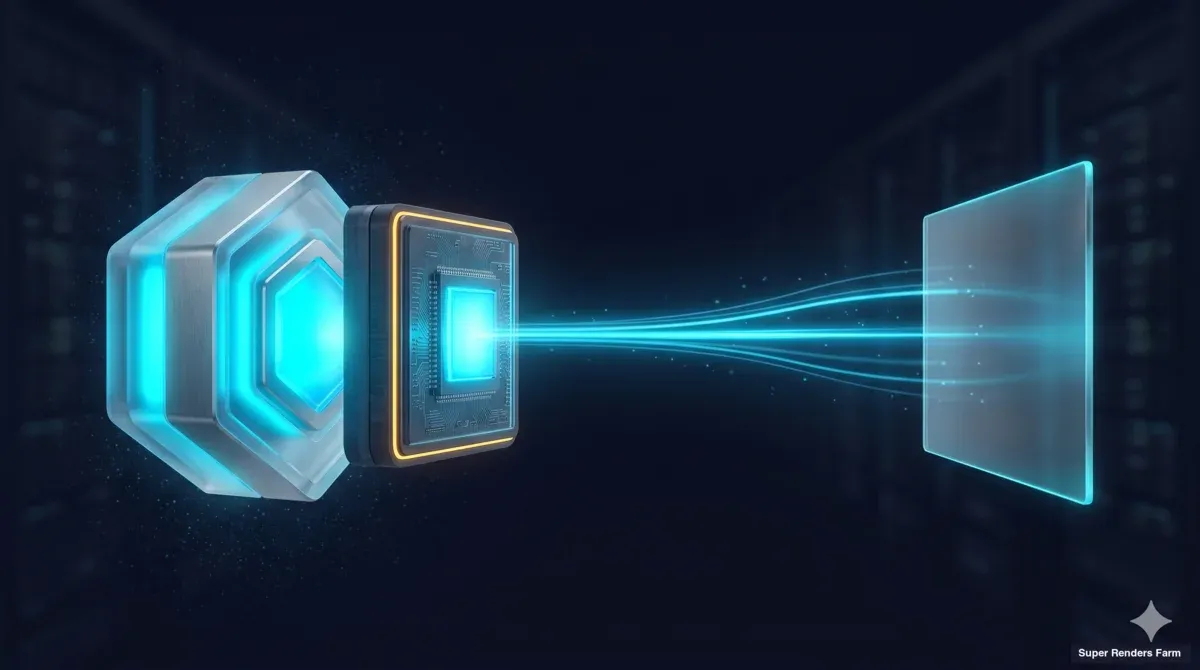 Pipeline diagram showing how a render workstation captures, encodes via NVENC, and streams a GPU viewport to a remote client.
Quality settings on Moonlight are unusually configurable for a free tool. The client exposes a target resolution (up to 4K, with multi-monitor support on Sunshine 0.20 and later), a target frame rate (commonly 60 fps; 120 fps on capable links), a bitrate ceiling (5 to 150 Mbps depending on link), and codec selection (H.264 baseline, H.265 Main 10 for HDR-aware work, AV1 on RTX 40-series hosts and newer). For most archviz and motion-graphics work, a default of 4K at 60 fps with H.265 at 80 Mbps is comfortable on a 100 Mbps uplink, visually indistinguishable from local for interactive viewport work, and well within NVENC's encode budget on an RTX 5090.
Multi-monitor support matters more than first-time users expect. Sunshine streams one display at a time. On a multi-monitor host it selects which display to capture and can switch between displays with a hotkey during a session. Streaming several displays at once is not supported today; it remains an open feature request in the upstream Moonlight project. Click events land on the display that is currently selected, so a Houdini node editor on monitor two and a Karma render preview on monitor one are reached by switching between them, not by viewing both in one stream.
The piece Moonlight does not handle out of the box is NAT traversal. Sunshine listens on a fixed set of TCP and UDP ports, and a Moonlight client over the open internet needs either a forwarded port on the host's router or a VPN tunnel that puts the client and host on the same logical network. The standard pattern in our deployments is a WireGuard tunnel — the client and host both connect to a small WireGuard endpoint, and traffic between them flows over the encrypted UDP overlay. Moonlight simply sees a low-latency LAN connection. For our WireGuard + network architecture deep-dive, that integration is covered in detail.
Where Moonlight + Sunshine falls short: no commercial support channel, onboarding for non-technical artists requires running an installer and pairing with a one-time PIN, and the Linux client experience varies across distributions. For studios deploying access to a fleet of GPU nodes, per-node setup is manageable; for ad-hoc temporary access, the friction is real.
Parsec Characteristics
Parsec is the commercial-managed counterpart to Moonlight + Sunshine. The technical core is similar — hardware-encoded H.264 or H.265 over UDP with low encode latency — but the productized layer around it solves the onboarding and NAT-traversal problems that open-source Moonlight leaves to the user. The trade-off is licensing cost and a managed connection broker that sits in the data path.
Parsec's free tier covers individual use and small teams, with a Teams tier (paid per-seat, monthly billing) that adds centralized administration, single sign-on, recording, and host assignment without manual pairing. For studios with rotating freelancer access, the centralized admin layer is the headline value — a producer can grant or revoke an artist's access from a web console, without touching the host's WireGuard config or Sunshine pairing.
The connection broker is the piece that distinguishes Parsec mechanically from Moonlight. Both client and host register with Parsec's cloud service, and the broker coordinates the initial handshake (NAT punching, codec negotiation, pairing) before the actual video stream flows peer-to-peer over UDP. In the common case, the stream itself does not flow through Parsec's infrastructure — it goes directly between client and host once the handshake is done. No port forwarding is required on the host's network in most cases, which is the single biggest practical advantage over self-hosted Sunshine. The trade-off is a managed service in the trust path: a Parsec outage can prevent new connections, and the broker has visibility into connection metadata even if not the stream contents.
Latency in Parsec is in the same range as Moonlight when both are well-configured. Measured on the same hardware over the same link, the visible difference for 3D viewport interaction is small. Both handle Houdini scrubbing comfortably and saturate a 100 Mbps link at 4K 60 H.265. The difference shows up in NAT traversal (Parsec is easier out of the box) and Linux host support (Sunshine is more mature on Linux).
Where Parsec shines: managed onboarding, NAT traversal without VPN, centralized access control, a paid support channel. Where it falls short: per-seat licensing across a fleet adds up, and the managed broker is a third-party dependency in the connection path.
Traditional RDP and Microsoft Remote Desktop
Microsoft Remote Desktop Protocol (RDP) is built into every Windows install, has decades of enterprise deployment behind it, and is the default answer for IT departments asked about remote desktop. For 3D work, the answer is more complicated.
RDP's original design optimized for desktop productivity — Word, Excel, Outlook, browser windows. The protocol sends graphics primitives (rectangles, text, bitmaps) rather than encoded video frames, which works extremely well for static or slowly-changing content. For text editing on a remote workstation, RDP feels nearly local. For a Houdini viewport rotating around a procedural scene at 60 fps, RDP can fall apart.
Microsoft addressed the gap in two phases. RemoteFX vGPU (Windows Server 2012 R2) added hardware-accelerated graphics streaming with GPU sharing, but Microsoft deprecated it in 2018 due to security vulnerabilities and removed it fully in Windows Server 2022. RDP 10 and later added AVC444 (H.264 with full 4:4:4 chroma subsampling), which uses the host's GPU encoder when available and produces meaningfully better quality on motion content. AVC444 is the path forward for GPU-accelerated RDP in 2026.
Latency on AVC444 RDP is typically 30 to 100 milliseconds end-to-end, depending on network conditions and encoder choice. That is two to three times slower than Moonlight or Parsec on the same hardware. For text-heavy work and light image editing, the gap does not matter. For 3D viewport interaction, the difference between a 15 ms response and a 60 ms response is the difference between a viewport that tracks your mouse and one that lags behind your input.
Where RDP wins: zero additional licensing cost on Windows, clients on every major OS via Microsoft Remote Desktop, no third-party software on the host, native Active Directory and Group Policy integration, and a known security posture compliance teams accept without question. For Photoshop editing on a remote workstation, light After Effects work, file management, or accessing a Windows-only license server, RDP is a reasonable choice.
Where RDP loses for 3D rendering: latency is in the wrong ballpark for interactive viewport manipulation, color accuracy trails NVENC-encoded H.265 streams visibly, and the protocol has a long history of CVEs requiring regular patching. We do not deploy RDP as the primary remote desktop layer on GPU render nodes; we enable it as a secondary access path for ops tasks that do not need viewport interactivity.
VNC and Other Alternatives
VNC (Virtual Network Computing) is the protocol family that predates most of what came after. TightVNC, TigerVNC, RealVNC, and UltraVNC are the common Windows implementations; TigerVNC and TightVNC are the Linux standard. NoMachine NX is a commercial fork that improved the protocol substantially. RustDesk is the recent open-source contender in this space.
For GPU-accelerated 3D work, the entire VNC family has a structural disadvantage: most implementations rely on software encoding rather than hardware NVENC, which puts them in the same latency bracket as RDP and adds substantial CPU overhead per stream. The protocol was designed in the late 1990s for desktop productivity, and the underlying frame-difference compression model does not produce the visual quality that hardware-encoded H.264 or H.265 streams achieve at comparable bitrates.
NoMachine NX is the strongest VNC-family option for 3D work. The commercial product uses hardware encoding when available, supports multi-monitor capture reasonably well, and runs on Linux hosts where some alternatives struggle. For Linux-host GPU workstations where Sunshine support is patchy or pairing is awkward, NoMachine can fill the gap.
RustDesk is the open-source project that often comes up as "the open-source Parsec." The project is genuinely impressive — a self-hostable connection broker, cross-platform clients, and an active development community. For GPU-accelerated 3D viewport work specifically, we have not made it the default: the encoder integration is less mature than Sunshine's NVENC pipeline, and measured latency and quality at 4K 60 for IPR-heavy workflows trailed Moonlight + Sunshine and Parsec on the same hardware. RustDesk is appropriate for general remote desktop work; for the specific job of remote 3D rendering with GPU acceleration, we have not adopted it for production cluster deployments.
Selection Criteria
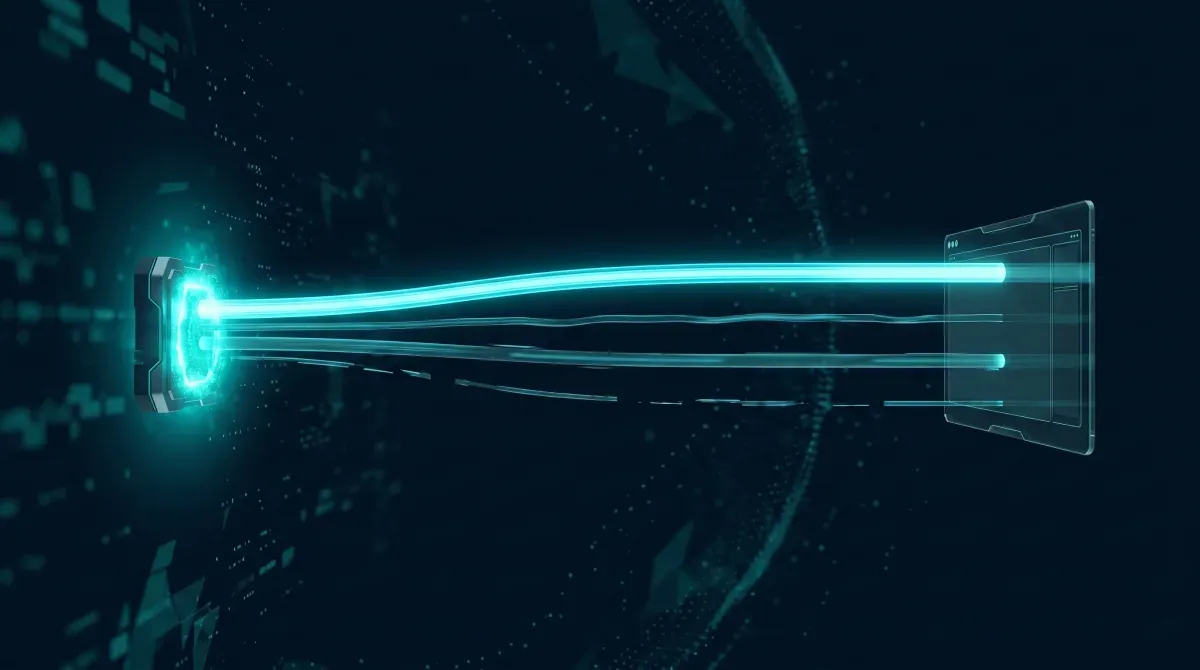 A GPU render host hardware-encoding its viewport and streaming it over the network to a remote artist's client — the path every remote desktop protocol is judged on.
The right remote desktop protocol for a given workload depends on five factors, in roughly this order of importance for 3D production work.
Latency tolerance. For 3D viewport rotation, IPR preview, scrubbing animation timelines, and any interactive task expecting real-time screen response, sub-30 ms end-to-end latency is the comfort zone and sub-50 ms is the ceiling. Above 50 ms, the workflow feels laggy and produces measurable productivity loss. Moonlight + Sunshine and Parsec both deliver sub-30 ms on well-configured LAN or low-RTT WAN links. RDP and VNC tend to land in the 50 to 150 ms range. For non-interactive ops tasks (log inspection, file moves, license server access), any latency below 200 ms is fine.
Visual quality. Color-critical work (final grading in Nuke or Resolve, archviz client review at the final stage) requires 4:4:4 chroma subsampling, ideally HDR-aware. RDP 10+ AVC444 supports 4:4:4. Moonlight + Sunshine with H.265 supports 4:4:4 on capable hardware. Parsec defaults to 4:2:0 (faster encode, smaller bitrate) but supports 4:4:4 on the Warp codec for paying customers. Standard 3D production work (viewport manipulation, IPR review, lookdev) is fine with 4:2:0. Final color sign-off is not.
Security and access control. Enterprise deployments need authentication, audit logging, and clear control over who connects from where. RDP integrates with Active Directory natively. Parsec Teams provides centralized admin with single sign-on. Moonlight + Sunshine relies on a per-host PIN pairing model adequate for small teams but does not scale to fleet-level access control without external tooling (or a WireGuard tunnel acting as the first authentication layer). For our network segmentation security approach, the WireGuard layer is primary access control and remote desktop pairing is secondary.
NAT traversal. Connecting from an artist's home network to a data-center render node requires either a forwarded port on the data center side (which exposes the service to the open internet), a VPN tunnel, or a managed broker that handles NAT punching. Parsec's broker is the easiest. WireGuard plus Sunshine is the most controlled. Direct port forwarding on RDP is the least secure and we recommend against it for production deployments.
Cost. Moonlight + Sunshine is free across the fleet. RDP is included with Windows. Parsec is per-seat (Teams tier is meaningful at scale). NoMachine is per-host. For a multi-node GPU cluster with rotating artist access, the licensing math favors open-source plus WireGuard.
Configuration Quality Gate
Before pronouncing a remote desktop setup fit for production 3D work, we run an eight-test battery on the candidate stack. The tests catch failure modes that show up only under specific workloads, and they are quick enough (~20 minutes per host) to run as part of node commissioning.
Test 1: Viewport rotation under sustained motion. Open a moderately heavy Houdini or 3ds Max scene. Rotate the viewport for 30 seconds continuously. Frame rate at the client should hold above 30 fps with no visible stutters. Stutter means the encoder is throttling or network jitter is unstable.
Test 2: IPR responsiveness. Start a Redshift or Karma IPR render. Modify a material parameter, drag a light, or move a camera. Time from input to first-pixel update should feel comparable to local interaction. Noticeable lag means the setup is not production-ready for lookdev.
Test 3: Animation timeline scrubbing. Scrub a 240-frame animation timeline in After Effects or Houdini. Cached frames should display smoothly at the client without judder.
Test 4: Multi-monitor display selection. With a multi-monitor host, switch the stream from one display to another. The client should show the display you selected, and click events should land on that display and not on the one you left.
Test 5: Color accuracy spot-check. Open a known color reference (Macbeth chart, a calibrated archviz scene) on both host and client. Visual comparison should show no obvious color shift, no banding in gradients, and no visible chroma blur on text. For 4:4:4-required workflows, verify the chroma mode is correctly configured.
Test 6: Audio sync (when used). For workflows that preview video with audio, play a sync-test clip with a visible flash and a corresponding click. Audio and video should be within 50 ms at the client.
Test 7: Packet loss tolerance. Introduce 1 to 2 percent packet loss on the link (tc on Linux, Clumsy on Windows) and repeat Test 1. The stream should degrade gracefully — the connection should not crash. Crashing under 1 percent loss indicates the codec retransmit configuration is wrong.
Test 8: Reconnect after network drop. Disable the client's network connection for 30 seconds, then re-enable it. The remote session should reconnect automatically without losing the user session or in-flight render state.
Any host that fails Test 1, 2, 5, or 8 is not production-ready. Tests 3, 4, 6, and 7 are warnings that often indicate configuration tuning rather than hard failures. The full battery runs in under 30 minutes per host and catches roughly 90 percent of the issues we see in production.
Our Stack Decision: Moonlight + Sunshine Primary, Parsec Fallback
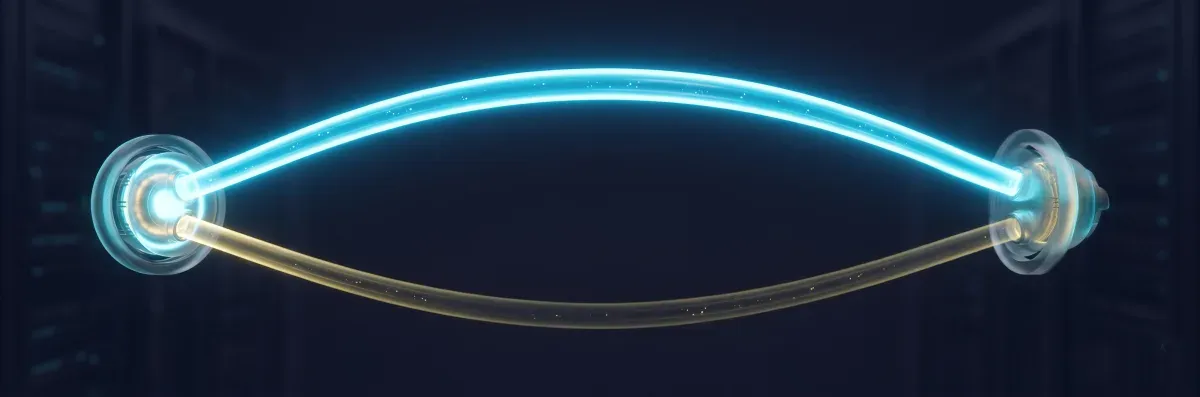 A primary remote desktop path — Moonlight and Sunshine over WireGuard — carrying the main stream, with a secondary Parsec path held in reserve as a fallback for edge cases.
For dedicated GPU cluster deployments, our default remote desktop stack is Moonlight + Sunshine over WireGuard, with Parsec as a fallback for specific cases. The reasoning compounds across several decisions.
Open-source on the encode path. Sunshine runs free across the GPU fleet without per-node licensing. NVENC is included in the RTX 5090 silicon at no marginal cost. The licensing math favors not paying per-seat for a managed broker we do not strictly need.
Single security model. The WireGuard tunnel that carries Moonlight traffic is the same tunnel that carries SMB cache traffic, render submission, log access, and management. One firewall surface, one set of keys, one rotation procedure. Adding Parsec would introduce a second trust boundary (the Parsec broker) for a service WireGuard already covers cleanly.
NVENC hardware encode. Streaming 4K 60 fps to multiple concurrent clients costs single-digit GPU compute percentage on the encoder block — effectively free. Software encoding alternatives consume 20 to 40 percent of CPU per stream and add 30 to 100 ms latency. For a render node where CPU and GPU are both production assets, the hardware encode path is unambiguous.
Cross-platform Moonlight clients. Moonlight has mature clients on Windows, macOS, Linux, iOS, Android, and TV operating systems. Artists on different desktop OSes connect to the same Sunshine host without per-platform licensing differences.
Parsec as fallback for specific cases. We keep Parsec deployed on a subset of nodes for two scenarios: artists in network environments where WireGuard is blocked or unreliable (uncommon but real in some enterprise networks with restrictive outbound policies), and short-term external collaborator access where WireGuard onboarding overhead is not worth it for a few hours of work. The fallback path covers the edge cases cleanly at a fraction of full-fleet Parsec cost.
The stack is the result of trade-off analysis against the eight-test quality gate on real hardware. Other studios will land elsewhere depending on priorities, network topology, and compliance constraints. The framework matters more than the specific answer.
FAQ
Q: Why not just use Microsoft RDP for remote 3D rendering? A: RDP works well for desktop productivity but the protocol's latency budget (typically 30 to 100 ms end-to-end) is wrong for interactive 3D viewport work, IPR preview, or animation scrubbing. For text editing or file management, RDP is fine. For rotating a Houdini camera at 60 fps, the lag becomes apparent within seconds. RDP 10+ AVC444 improves matters but still trails Moonlight or Parsec on the same hardware.
Q: Is Moonlight better than Parsec for production work? A: They are technically comparable for the video stream — both use hardware-encoded H.264 or H.265 over UDP with similar latency profiles. The differences are operational: Moonlight + Sunshine is free and self-hosted, while Parsec adds a managed broker that simplifies NAT traversal and onboarding at a per-seat cost. For a self-hosted GPU cluster with WireGuard tunneling already in place, Moonlight is the cleaner fit. For ad-hoc external collaborator access, Parsec's managed onboarding is worth the cost.
Q: Can multiple artists connect to the same render node simultaneously? A: Sunshine supports multiple concurrent sessions on a single host with separate user accounts, but for GPU-bound 3D work this is usually impractical — two artists running Redshift IPR on the same node will compete for VRAM and compute. The common pattern on dedicated clusters is one artist per node during interactive sessions, with the same nodes joining the render queue when no interactive session is active. For shared review sessions, Parsec supports observer mode where additional users can watch a session without taking over input control.
Q: What about iPad or iPhone clients for remote work? A: Moonlight has a mature iOS client (Moonlight Game Streaming on the App Store) and an Android client, both connecting to Sunshine hosts without configuration differences from the desktop experience. For producers or directors reviewing a render preview from a tablet during a meeting, this works well. Touch controls are suited to navigation rather than precise modeling, but for review and approval workflows the mobile clients are a real productivity tool.
Q: How is audio handled in remote rendering sessions? A: Sunshine captures system audio and ships it through the same UDP stream as the video, with synchronization handled by the protocol. Audio quality is high enough for previewing motion-graphics compositions with their final audio mix, and sync is generally within 50 ms — well below perceptual threshold for video review. For audio-critical work (sound design, mixing), local audio remains the right choice. Parsec handles audio similarly.
Q: What about color-critical work where 4:4:4 chroma matters? A: 4:4:4 chroma subsampling preserves full color resolution rather than the 4:2:0 reduction used by most consumer video codecs, and it matters for final color grading and archviz client sign-off where subtle color shifts are visible. Moonlight + Sunshine with H.265 supports 4:4:4 on capable hardware. RDP 10+ AVC444 is named for this feature and supports it natively. Parsec's Warp codec supports 4:4:4 for paying customers. For lookdev and viewport work that is not the final color sign-off step, 4:2:0 is acceptable and uses meaningfully less bandwidth.
About Thierry Marc
3D Rendering Expert with over 10 years of experience in the industry. Specialized in Maya, Arnold, and high-end technical workflows for film and advertising.



