Blender Render Server: What It Means and How to Choose One
Overview
Introduction
Search "blender render server" and the results pull in two different directions. Some pages mean a single rented machine you administer yourself. Others mean a distributed farm that splits your frames across dozens of nodes. Both get called a "render server," and Blender's own mixed engine lineup, a free built-in path tracer next to paid plugins, makes the confusion worse, not better.
That confusion has a real cost. A still image on a deadline and a 2,000-frame Cycles animation are different problems with different correct answers, even though someone typing "blender render server" into Google might be looking for either one. This guide draws the line clearly: what people usually mean by the term, how each of Blender's engines behaves differently on one machine versus many, and a concrete framework for deciding which setup actually fits your workload. We run Blender jobs across our farm daily at Super Renders Farm, and the pattern in where "one machine" quietly stops being enough is more predictable than it looks from the outside.
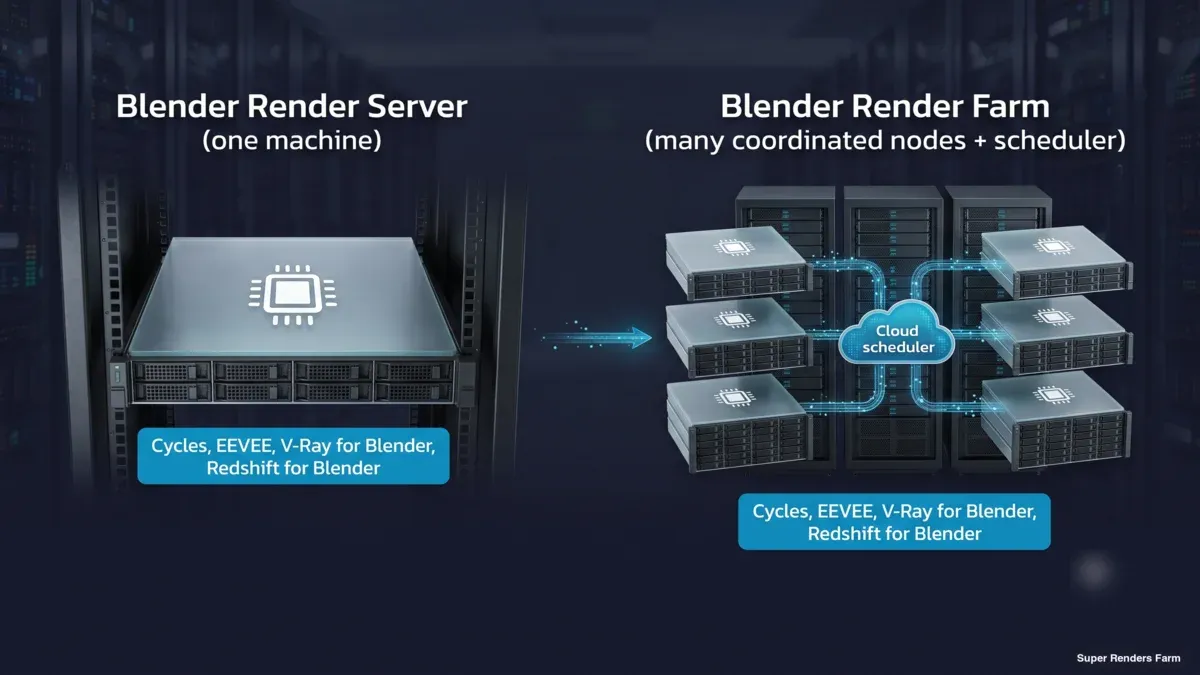 Single Blender render server on one machine versus a distributed Blender render farm with many coordinated nodes and a cloud scheduler, both labelled Cycles and EEVEE, which are ready on every node; the labels also name V-Ray for Blender and Redshift for Blender, which are provisioned on request
What "Blender Render Server" Actually Means
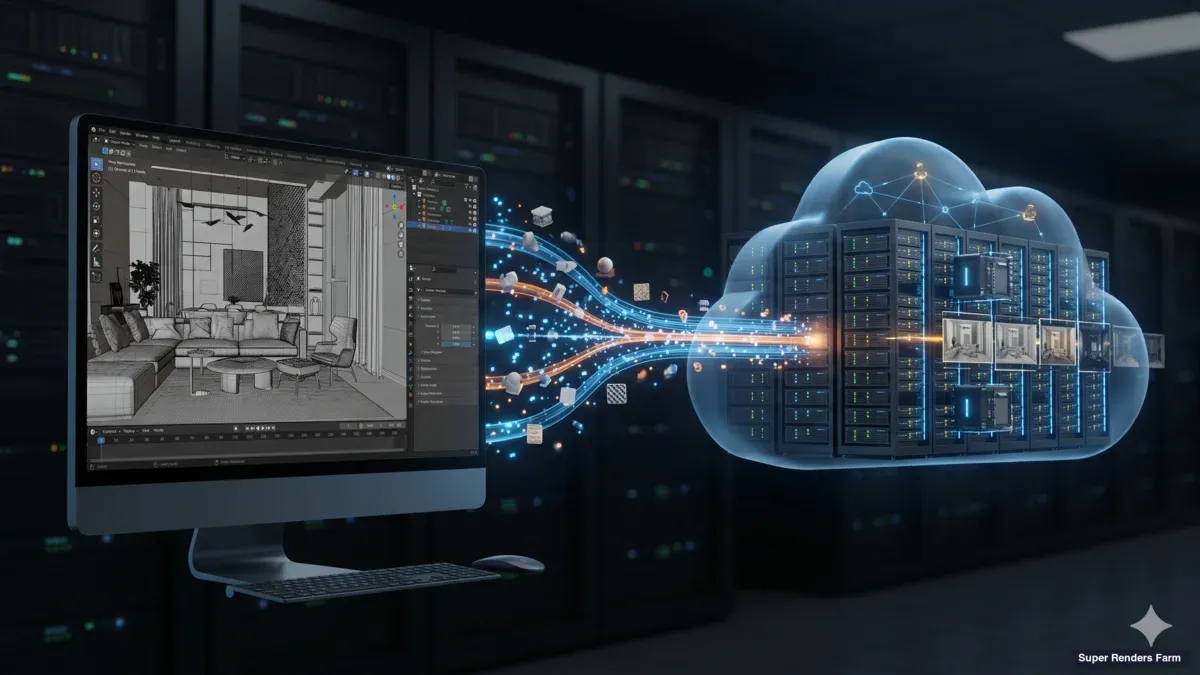
Strictly, a render server is one machine, a workstation stripped down and dedicated to rendering, a rack node in a data center, or a box you rent from a provider and administer yourself. A render farm is many render servers plus a scheduler that splits work across them and reassembles the output. The difference isn't the hardware; a farm node and a standalone server can be identical machines. The difference is coordination: whether you're the one deciding which frame goes where, or whether a scheduler does it for you across a pool you don't have to manage. We cover that distinction in more depth, including the render-service business layer on top of both, in our guide to what a render server actually is.
For Blender specifically, "render server" usually means one of three things in practice: a single dedicated or rented machine set up to run Blender headless, a loosely-used stand-in for "cloud rendering" in general, or a home-built headless node someone is trying to configure themselves. The rest of this guide treats "server" in the strict, single-machine sense, and is explicit about when the honest answer is that a single server isn't the right tool and a coordinated farm is.
The distinction matters more for Blender than for most other DCCs, because Blender ships two very different engines built in, plus two significant paid renderers as add-ons, and each one changes the math differently.
Which engine you run matters as much as the machine under it; our 2026 rundown of Blender render engines covers the trade-offs.
If you're new to Blender rendering entirely, our guide to rendering your first still image walks through the basics before you need to think about servers or farms at all.
Blender's Render Engines, One Server at a Time
A single "Blender render server" behaves very differently depending on which engine is doing the work. Here's how each one actually holds up on one machine versus a coordinated farm.
Cycles is Blender's physically-based path tracer, and it's the engine most render-server and render-farm discussions default to. It runs on CPU, GPU, or both, and every frame renders independently of every other frame, which is exactly what makes it parallelize so cleanly across a farm: frame 1 on one node and frame 400 on another, with zero coordination overhead between them. On a single server, a heavy Cycles animation is precisely the kind of job that pins the machine for hours or days. Cycles is also open-source with no per-node licensing cost, which is part of why it's the default engine for scaling out, whether that's onto a second machine you own or onto a managed farm.
EEVEE is Blender's real-time, GPU-rasterized engine, and this is where a persistent myth needs correcting directly: EEVEE is not locked out of render farms. On our farm, EEVEE runs on our CPU and GPU nodes (the GPU nodes are NVIDIA RTX 5090, 32 GB VRAM each), the same way Cycles does. A single server is often genuinely enough for EEVEE, stills and short sequences render fast per frame on one modern GPU, so the parallelism a farm offers matters less. Where EEVEE benefits from a farm is high frame counts: a long animation or a sequence with heavy per-frame passes adds up across thousands of frames even at a fast per-frame rate, and that's where distributing the work starts to win.
V-Ray for Blender and Redshift for Blender are available on request, not as standing defaults, so contact support to confirm the pairing, and for Redshift the version, before you upload. That is a narrower answer than an unconditional yes, but it is not the "Cycles-only" limitation some older comparisons imply. Both are licensed, paid renderers, and both change the calculation versus the two built-in engines: on Blender, V-Ray for Blender runs on both our CPU and GPU nodes, Redshift for Blender runs on our GPU nodes only, and the GPU paths of both are VRAM-sensitive on complex, texture-heavy scenes. If your studio is standardized on V-Ray or Redshift elsewhere in the pipeline (from 3ds Max or Cinema 4D work, for instance) and is bringing Blender into the same workflow, a single rented server usually can't hold a production-scale Redshift or V-Ray animation the way a farm's per-scene VRAM headroom and parallel nodes can.
The practical takeaway: the "server or farm" question for Blender isn't one answer, it's a function of which engine you're running and how many frames you need. A still or a short EEVEE loop rarely needs more than one machine. A long Cycles animation, or a Redshift/V-Ray sequence with real VRAM demands, is where a single server becomes the bottleneck regardless of how strong that one machine is.
 Comparison table of Blender render engines on a single server versus a farm: Cycles and EEVEE run on CPU or GPU, V-Ray for Blender runs on CPU or GPU and Redshift for Blender on GPU only; both paid engines have the license included in the rate and are provisioned on request.
Choosing a Blender Render Server: A Decision Framework
Once the engine question is settled, the next question is what shape of "server" actually fits the job. The honest trade-off comes down to how steady your rendering workload is, not just raw specs:
| Your situation | One server (yours or rented) | Managed farm |
|---|---|---|
| Single still or a handful of images | Usually enough | Overkill for the job size |
| Short EEVEE loop, a few seconds | Usually enough | Faster, but rarely necessary |
| Long Cycles animation, hundreds+ frames | Becomes the bottleneck | Where parallelism earns its keep |
| Redshift or V-Ray animation with heavy VRAM use | Risk of running out of VRAM or queueing behind yourself | Per-scene headroom across multiple GPU nodes |
| Deadline crunch after a quiet stretch | You pay for the machine whether it's busy or idle | Meter runs only while rendering |
| Steady, near-daily rendering load | Cost-effective if it stays busy | Still works, but a dedicated node may be cheaper at full utilization |
If your answer points toward "one machine," a dedicated rented node is a real product we offer, not just the farm: our GPU rental runs a flat weekly rate per node (two RTX 5090s per node, $1,172.50/node/week at the standard tier), so the billing model is closer to what a self-administered render server looks like, exclusive hardware, predictable cost, and you decide what runs on it. If your answer points toward "many machines," our Blender-capable farm meters by compute actually consumed instead: CPU rendering at $0.004 per GHz-hour and GPU rendering at $0.003 per OctaneBench-hour (a GPU benchmark unit used here as the billing yardstick; one RTX 5090 costs $5.17 per hour of rendering, the same at every priority level), with a $25 trial credit on signup and volume discounts up to 30% on larger top-ups (current rates on our pricing page). Neither model is the "correct" one in the abstract; a studio with constant, predictable Blender output can do well on a flat-rate dedicated node, while bursty or deadline-driven work almost always favors the metered farm, because the meter stops between jobs instead of charging for idle time.
A short checklist for evaluating any "Blender render server" offering, whether it's ours or someone else's:
- Which Blender version and which engines does it actually support? Not just "Blender is supported," but Cycles CPU, Cycles GPU, EEVEE, and whichever paid renderers (V-Ray, Redshift) your pipeline depends on, named individually.
- Is EEVEE genuinely supported, or is the offer quietly Cycles-only? Ask directly; it's a common gap.
- Who provides the renderer license for V-Ray or Redshift, and is it bundled into the rate or billed separately?
- What's the billing model? Flat rate per machine (dedicated server) or metered per compute consumed (farm)? Match it to how steady your workload actually is, not how it feels in the moment.
- Who administers the environment? A rented dedicated server usually means you install the render engine, manage licenses, and troubleshoot driver issues yourself. A managed farm handles that environment for you.
- What GPU and VRAM is actually available? Especially for Redshift or GPU-heavy Cycles scenes, VRAM ceilings matter more than raw core count.
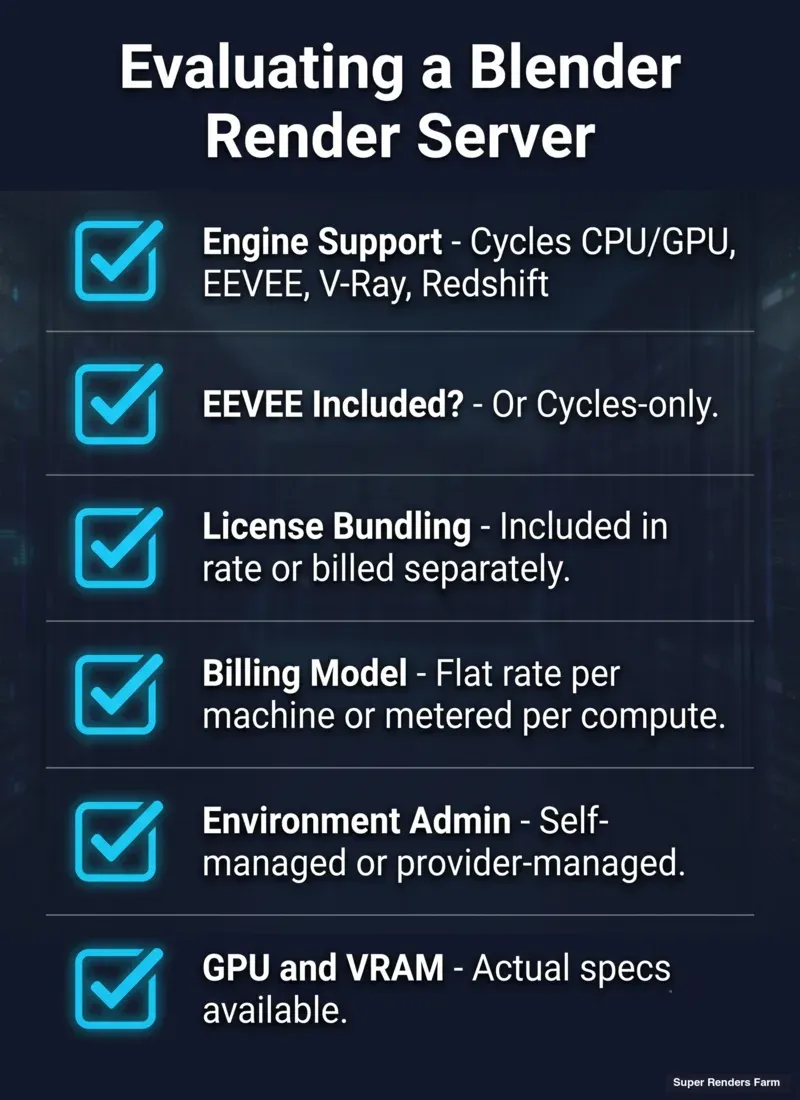 Six-point checklist for evaluating a Blender render server offering: engine support, whether EEVEE is included, license bundling, billing model, environment administration, and GPU and VRAM specs
Where a Rented Blender Render Server Trips People Up
Most of the friction we see with Blender on a remote server, rented or farmed, traces back to a small set of recurring causes:
| Issue | Cause | Fix |
|---|---|---|
| Add-ons missing on the remote machine | A rented or headless server starts clean; your local Blender's installed add-ons aren't automatically present | Confirm which add-ons the environment ships with, or plan to reinstall/pack them into the .blend file before submission |
| Textures or assets show up missing or wrong | File paths saved as absolute local paths (C:\Users\...) instead of relative, don't resolve on a remote machine | Use Blender's "Pack All into .blend" or relative paths before uploading |
| EEVEE renders differently or fails outright | Older or mismatched GPU driver on the render node versus the artist's local machine | Confirm the render environment's driver and Blender version match what you tested locally before a full submission |
| Redshift or V-Ray license errors mid-render | License server unreachable from the remote node, or a license count ceiling hit during a burst submission | Confirm license provisioning and node count with the provider before submitting a large batch |
| A production-scale animation stalls or queues behind itself on one server | A single machine only has so many cores or one GPU; concurrent frames compete for the same resource | This is usually the signal that the job has outgrown a single server and needs a farm's parallel nodes |
None of this is exotic. It's the same class of "it worked locally" problem every remote-rendering workflow eventually runs into, and it's exactly why file prep and environment matching matter more than raw hardware specs when you're choosing where to send a Blender job.
Summary: Server, Rental Node, or Managed Farm
| If you're rendering... | Consider |
|---|---|
| A single image or a handful of stills | One machine, local or a short-term rented server |
| A short EEVEE animation | One machine is usually enough; a farm helps mainly at high frame counts |
| A long Cycles animation | A farm, parallelism collapses render time the most here |
| A Redshift or V-Ray for Blender production sequence | A farm, for VRAM headroom across nodes; the pairing is on request, so confirm with support first |
| Steady, near-daily Blender output at one predictable volume | A dedicated rented node can be more cost-effective than metered compute |
| Bursty, deadline-driven, or unpredictable volume | A metered farm, so you're not paying for idle capacity between jobs |
For the deeper managed-versus-self-administered trade-off underneath both paths, see our fully managed vs. DIY render farm comparison. For a full breakdown of Blender-specific farm features (add-on coverage, submission workflow, and engine-by-engine benchmarks), see our Blender render farm guide.
If your Blender project is coursework or a thesis on a fixed budget, our guide to using a render farm as a student covers how that works in practice.
FAQ
Q: Is EEVEE supported on a render farm, or only Cycles? A: EEVEE is supported. On our farm it runs on our CPU and GPU nodes (the GPU nodes are NVIDIA RTX 5090, 32 GB VRAM), the same fleet that runs Cycles. The idea that render farms only handle Cycles is a common but outdated assumption, not a real limitation.
Q: Does V-Ray for Blender or Redshift for Blender run on a cloud render server? A: Both are available on request, not as standing defaults, so contact support to confirm the pairing, and for Redshift the version, before you upload. Once a pairing is in place, V-Ray for Blender runs on our CPU and GPU nodes and Redshift for Blender runs on our GPU nodes, and the GPU paths of both are sensitive to available VRAM on complex scenes.
Q: What's the difference between a Blender render server and a Blender render farm? A: A render server is a single machine, whether that's a workstation you've dedicated to rendering or a box you rent from a provider. A render farm is many of those machines plus a scheduler that splits your frames across them automatically. Both can run identical hardware; the difference is whether one machine or a coordinated pool is doing the work.
Q: Is a Blender render server the same as remote rendering or network rendering? A: They overlap but aren't identical terms. "Remote rendering" and "network rendering" typically describe sending a job to any machine that isn't your local workstation, which could be a single remote server or a full farm. "Render server" more specifically implies a single machine, while "render farm" implies a coordinated pool.
Q: Can I rent a single dedicated GPU server just for Blender, instead of a full farm? A: Yes. A dedicated rental node is a separate product from farm rendering, billed at a flat weekly rate per node rather than by compute consumed. It's a reasonable fit when your Blender rendering is steady enough to keep one machine busy; bursty or unpredictable workloads usually do better on a metered farm instead.
Q: How is Blender rendering billed on a cloud render server? A: On a metered farm, CPU rendering is billed per GHz-hour and GPU rendering per OctaneBench-hour, with the render-engine license already included in the rate, so a Cycles, EEVEE, V-Ray, or Redshift job on the same hardware costs the same underlying compute rate. A dedicated rented node instead bills a flat rate per machine per week, regardless of how much of that time is spent actually rendering.
Q: Do I need to install my own add-ons on a rented Blender render server? A: Usually, yes, unless the provider confirms otherwise. A rented or headless environment starts clean, so any add-ons your local Blender relies on typically need to be reinstalled on the remote machine or packed into the .blend file before submission. Confirming this before a full production submission avoids a failed first render.
About Thierry Marc
3D Rendering Expert with over 10 years of experience in the industry. Specialized in Maya, Arnold, and high-end technical workflows for film and advertising.