
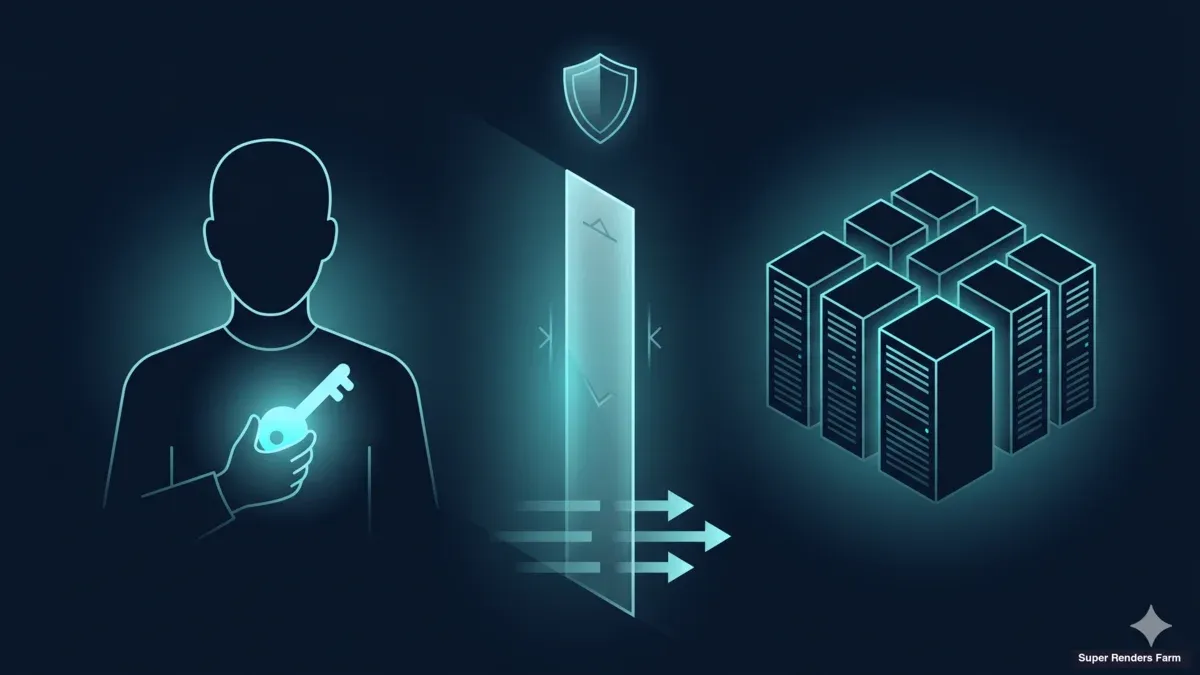
Customer-Owned Credentials in Cloud Rendering: A Practical Guide to BYOC (2026)
Overview
Introduction
When a creative agency or VFX studio evaluates a cloud render farm, the harder question is rarely speed or price
When you control the storage credentials, scripting the transfer yourself becomes part of the workflow; our render farm upload automation with Python guide covers that layer. — it is who holds the keys to the assets. In most managed rendering pipelines the provider signs the customer into a storage backend, brokers the upload, and operates the credential silently on the customer's behalf. That works for most projects, but it does not work for everyone. The gap between "it usually works" and "it cannot work for this contract" is where the Bring-Your-Own-Credentials conversation lives.
We run Super Renders Farm as a managed cloud render farm with a substantial CPU and GPU fleet, and we also build dedicated infrastructure for customers whose workflows require credential isolation. Demand for customer-owned credential handling is concentrated in a small but high-stakes part of the market — agencies handling licensed footage, studios bound by NDA pyramids that extend to every vendor in the chain, and enterprises whose compliance programs forbid a third party from holding the storage login. For these workloads, the model below — Model B, or BYOC — is not a feature preference. It is a precondition.
This guide walks through what BYOC is, why IP-sensitive workflows require it, the architecture, how engagements end with verifiable wipe, and how the design lines up with SOC 2 and ISO 27001 readiness conversations. If you are weighing dedicated BYOC infrastructure against a fully managed render farm, the sections below should help you decide which model your project actually needs.
What is Model B / BYOC?
Bring-Your-Own-Credentials, or BYOC, is a render farm deployment model where the customer holds the login to their own cloud storage or file-streaming platform, and the provider never touches that credential.
For the fundamentals of cloud rendering itself, before the BYOC specifics below, see our cloud rendering explained guide. Operators call it Model B, to contrast with the default Model A — the provider-managed credentials pattern that powers most SaaS render farms, where the provider holds the storage login and brokers asset transfer on the customer's behalf.
The distinction sounds procedural, but it changes the entire trust boundary. In Model A, the provider is functionally a custodian of the customer's storage account; even when access is brokered through a service token, the provider's infrastructure can read the underlying assets. For most customers, this is an acceptable risk — managed SaaS render farms have operated this way for fifteen years, and the benefits (faster onboarding, simpler billing, no infrastructure to maintain) outweigh the marginal risk for project work. In Model B, the provider is no longer a custodian. The customer signs in to their own cloud storage on each render node, the storage session lives only on that node, and the provider's monitoring sees hardware load and network metrics — not the underlying files or the authentication material that opened them.
Model B has three structural requirements that distinguish it from Model A:
- Dedicated infrastructure. The render nodes, cache, network edge, and remote-access tunnel are allocated to a single customer for the duration of the engagement. Shared multi-tenant infrastructure cannot deliver credential isolation because the provider's control plane must by definition see across tenants.
- Customer-held storage authentication. The customer signs in to their cloud storage with their own account, on each node, using a direct interactive login. No automation pulls or stores the credential on the provider's side.
- Closed-loop attestation at end of engagement. When the deployment ends, the provider performs a documented wipe of the cache, reimage of the render nodes, and rotation of the tunnel keys, then issues a written attestation describing what was destroyed and when.
Model A and Model B are complementary, not opposed. The same provider can offer both, and the choice is driven by the customer's contract.
Why It Matters for IP-Sensitive Workflows
The customers who need Model B occupy a recognisable set of workflows where credential custody by a third party is either contractually prohibited or operationally untenable.
Creative agencies with end-client confidentiality clauses. When an agency works on a campaign for a brand in fast-moving categories like consumer electronics or automotive launches, the master services agreement typically forbids disclosing campaign assets to any third party not specifically named in the contract. A provider holding the storage login is, in a strict legal reading, a disclosure. Most agencies negotiate exceptions for managed-service vendors, but some brand contracts do not allow them, and the agency must arrange for the vendor to never hold the credential.
VFX studios bound by NDA pyramids. Feature-film and episodic VFX work flows down through a chain of NDAs — distributor to studio, studio to visual effects house, VFX house to every vendor. Every layer forbids further disclosure or sub-vendor delegation without written consent. A provider that requires storage credentials is a sub-vendor delegation by default. BYOC removes the delegation question because the provider supplies infrastructure, not custody.
Licensed asset workflows. Studios working with licensed stock footage, music libraries, plates, or scan data often have per-asset terms that restrict where the asset can be stored. The cleanest path is for the customer to keep the asset in their own licensed storage and sign in with their own account.
Software licensing follows a different model than asset licensing, with render-engine and plugin seats typically handled at the farm level; see our render farm software licenses included guide.
Enterprise compliance programs. Customers running their own SOC 2 or ISO 27001 programs must enumerate every third party that touches authentication material for systems within scope. Each enumerated party adds vendor risk management overhead — questionnaire cycles, renewal review. BYOC reduces the third-party authentication surface and can move the relationship into a less burdensome category. Insurance policies for media production sometimes layer on additional restrictions, requiring vendors to operate without holding storage credentials at all.
None of these workflows is a majority of the render farm market. Together, however, they represent a substantial and growing share of high-value engagements that justify the architectural overhead of dedicated infrastructure.
We walk through that dedicated-cluster architecture, from the WireGuard hub to the shared SMB3 cache and host firewalling, in our cross-country render farm architecture guide.
How It Works in Practice
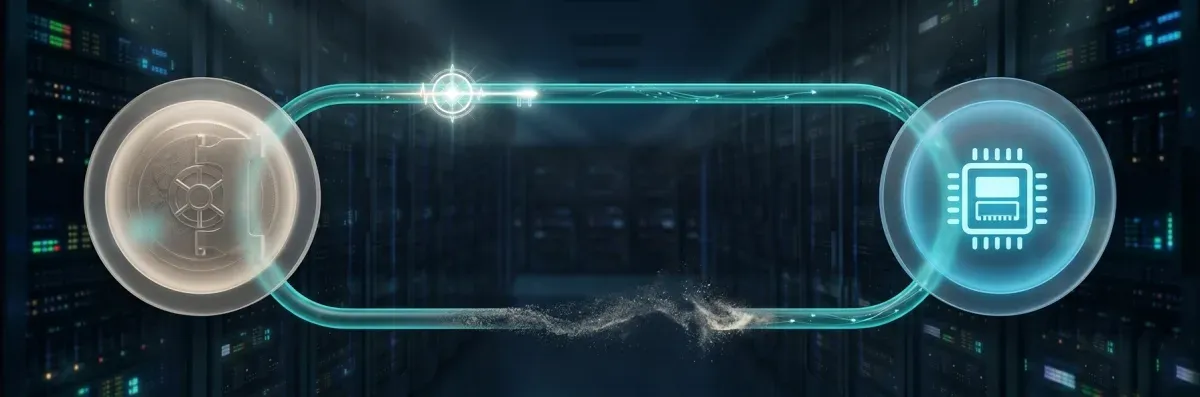 Temporary credential granted for a job then revoked
Step 1 — The provider stands up a dedicated cluster. The provider allocates a dedicated set of render nodes, builds a shared cache server sized for the workload, configures a network edge with a WireGuard tunnel terminator, and applies host firewall rules that segment the customer's nodes from the rest of the provider's infrastructure.
Those host-firewall segmentation rules — how the two-tier model isolates one tenant's nodes from everything else — are detailed in our render farm network segmentation and security guide. For a typical engagement of 10 to 20 nodes with NVIDIA RTX 5090 GPUs, provisioning takes one to three working days. Internal services like dnsmasq and chrony let the cluster operate without relying on the customer's network.
Step 2 — The customer joins the tunnel. The customer receives a WireGuard configuration file with the tunnel address, server public key, and the customer's own pre-generated key pair. After importing it, the tunnel comes up. All traffic between the customer and the cluster is encrypted end to end over UDP. There is no public-facing web portal; the WireGuard tunnel is the only entry point.
Step 3 — The customer signs in to their storage platform on each node. This is the step that defines Model B. The customer opens a remote-desktop session to a render node, launches their cloud storage client, and signs in with their own account. The session lives in the user profile of the interactive Windows session on that node. Nothing on the provider's side automates the login, stores the credential, or proxies the authentication. The credential itself never leaves the node.
Step 4 — Assets stream from the customer's cloud through the shared cache. Once the storage session is established, the customer or the customer's render manager instructs the workers to load assets. The first request pulls from the customer's cloud into the cache; subsequent requests read from cache over the local network. For long projects, the cache is pre-warmed before the first render day to avoid cold-pull latency. Rendered output writes back to the customer's cloud through the same session.
Step 5 — The provider sees hardware metrics, not files. The operations team monitors hardware health (GPU temperature, memory pressure, disk IO, throughput) and tunnel status. Monitoring has no file-system visibility, and operations has no remote-desktop access into the user session without an interactive grant. If a node misbehaves, the standard escalation is a customer-initiated screen-share — never a silent re-entry.
Step 6 — End of engagement: wipe, reimage, attest. When the project ends, the provider executes a documented closeout: cache server SSDs receive a cryptographic erase, render nodes are reimaged with a fresh Windows install, the tunnel keys are rotated and the customer's configuration is invalidated, and a written attestation describing what was destroyed and when is sent to the customer. The full closeout is described below.
This sequence is independent of the customer's storage platform — the same architecture works whether the customer signs in to a file-streaming service, an SFTP server, a corporate OneDrive, or a Google Drive enterprise tenant. What matters is that the credential lives on the node, not on the provider's control plane.
Security Boundary Diagram
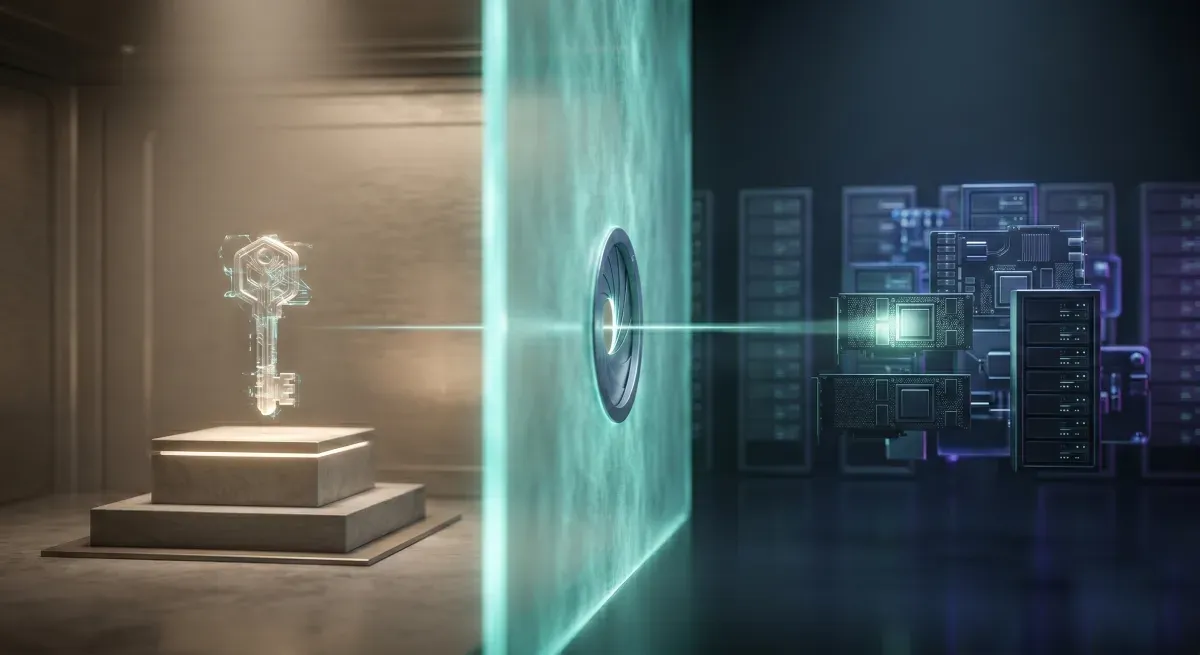 Security boundary separating customer-controlled credentials from the render environment
The cleanest way to understand the BYOC trust model is to look at the three zones the architecture creates, and to be explicit about what crosses each boundary.
┌──────────────────────────────────────────────────────────┐
│  ZONE 1 — Customer's cloud (owned by customer)            │
│   Storage platform; provider has NO account, NO API key   │
└──────────────────┬──────────────────────────────────────┘
                   │  Outbound HTTPS; credential held only on node
                   ▼
┌──────────────────────────────────────────────────────────┐
│  ZONE 2 — Dedicated cluster (customer's tenant)           │
│   Edge + cache box: WireGuard hub, dnsmasq, SMB cache     │
│   Render nodes: customer's storage client + login,        │
│                 render apps, Sunshine remote host         │
│   Provider sees: hardware metrics, tunnel up/down.        │
│   Provider does NOT see: files, credentials, session.     │
└──────────────────┬──────────────────────────────────────┘
                   │  WireGuard tunnel (UDP, mutual key auth)
                   ▼
┌──────────────────────────────────────────────────────────┐
│  ZONE 3 — Provider infrastructure layer                   │
│   Hardware monitoring, hypervisor, internal systems.      │
│   Cluster SEGMENTED from this zone via Tier-1 edge ufw    │
│   + Tier-2 host firewall.                                 │
└──────────────────────────────────────────────────────────┘
The diagram makes two boundary properties explicit. The customer's cloud (Zone 1) and the provider's infrastructure (Zone 3) never communicate directly — all traffic passes through the cluster (Zone 2), which authenticates outbound to Zone 1 using the customer's credential on the node. The cluster is isolated from the provider's broader infrastructure by two firewall layers: a Tier-1 edge filter that controls what the cluster can reach, and a Tier-2 host firewall on each node that controls what the node can serve. Even if one layer failed open, the second would still block lateral movement.
Least-privilege runs through every layer. The cluster's outbound network is restricted to the customer's storage endpoints and the WireGuard tunnel — no general internet access by default. The customer's WireGuard configuration grants tunnel routing only to the cluster. Operations has no standing access to the customer's user session — every intervention is gated on a customer screen-share. For more on the network design, see our network security details for render farms.
End-of-Engagement Data Wipe and Attestation
The wipe sequence is designed to be auditable — every step produces an artefact the customer can hand to their security team or external auditor.
Cache erase. The cache server SSD receives a cryptographic erase. On modern SSDs that support the ATA Security Erase or NVMe Format with Secure Erase command set, this invalidates the encryption keys for all stored data, rendering the underlying ciphertext unrecoverable. Where the SSD does not support hardware-level secure erase, we fall back to a documented overwrite plus filesystem-level wipe. The result is captured in the wipe log with SSD serial number, command issued, timestamp, and operator on duty.
Node reimage. Each render node is reimaged with a fresh Windows installation from a known-good provider image. The reimage formats the system drive, replaces the OS, and reinitialises the cache mount points, the WireGuard configuration, and the storage client installations. Any customer artefacts in the user profile, temp directory, application caches, or system pagefile are destroyed by the format. The reimage log records node serial, image version, and timestamp.
WireGuard tunnel key rotation. The server's static private key is rotated, invalidating every client configuration tied to the previous key. New keys are generated for the next engagement, ensuring residual network-layer trust does not carry forward.
Customer storage logout cannot be enforced by the provider. This is the one part of the wipe the customer must perform. The provider has no path to revoke the customer's storage session — the customer should rotate the storage password, revoke any per-device tokens issued during the engagement, and verify in the storage platform's audit log that no further activity occurs. The attestation letter calls this out explicitly.
Written attestation. The provider produces a signed letter enumerating the actions: cache erase commands and serial numbers, reimage logs with timestamps, the WireGuard key rotation event, and the date the engagement was formally closed. It is delivered as a PDF, archived under the engagement record, and available for the customer to submit to their auditor.
The attestation matters because compliance audits ask the customer to demonstrate, not assert, that a third party did not retain access at the end of an engagement. A documented wipe sequence with timestamps and serial numbers is the artefact that lets the customer answer the audit question.
Comparison: SRF-Managed vs Customer-Owned Credentials
Most projects do not need Model B; choosing it when Model A would have sufficed adds cost and onboarding time without compliance benefit. The reverse is more dangerous — the project cannot proceed if the customer's agreement requires Model B. The decision is contractual before it is technical.
| Dimension | Model A (default SaaS) | Model B (BYOC) |
|---|---|---|
| Storage authentication | Provider holds the login | Customer holds the login on each node |
| Infrastructure model | Shared multi-tenant compute | Dedicated cluster, single tenant |
| Onboarding time | Minutes — sign up, upload, render | One to three working days |
| Pricing model | Per-frame or per-minute, no commitment | Engagement-based, multi-week or multi-month |
| Compliance fit | Most project work | IP-sensitive, NDA-pyramid, licensed-asset, contractually-restricted work |
| Closeout | Storage auto-cleared per retention policy | Documented wipe + reimage + key rotation + written attestation |
| Customer overhead | Low | Moderate — own storage sign-in and credential rotation |
The decision logic is a sequence of contractual questions. Does any contract in your project chain forbid a third party from holding storage credentials? Does any licensing agreement restrict where assets can be stored? Does your compliance program require minimising the third-party authentication surface? If yes to any, Model B is the path. If your project is under three weeks with no IP constraints and budgeted per-frame, Model A is almost certainly the right fit. For multi-month, multi-stage projects, Model B becomes economically attractive even when not contractually required. For the deployment-model trade-off in depth, see our SaaS render farm versus dedicated cluster comparison and the longer operational deployment guide that walks through the dedicated cluster rental architecture.
Compliance Readiness
Customers running their own SOC 2 or ISO 27001 programs frequently ask whether the BYOC architecture is "compliant." The honest answer is that compliance is a property of a program, not of a single vendor. The question is whether the provider's controls fit the customer's program — not whether the provider itself holds a certification.
Super Renders Farm does not currently hold a SOC 2 Type 2 report or an ISO 27001 certificate. We are transparent about that. What we provide is a deployment model whose technical controls are aligned with the requirements those programs typically impose on third parties:
- Access control. WireGuard tunnel with mutual key authentication, customer-held storage credentials, no provider-side standing access to the user session. Maps to SOC 2 CC6 and ISO 27001 A.9.
- Cryptography. WireGuard's modern cipher suite (Curve25519, ChaCha20-Poly1305) for transport. Storage-at-rest is the customer's responsibility on their own cloud. Maps to SOC 2 CC6.7 and ISO 27001 A.10.
- Network segmentation. Tier-1 edge firewall plus Tier-2 host firewall, cluster isolated from provider infrastructure. Maps to SOC 2 CC6.6 and ISO 27001 A.13.
- Operational monitoring. Hardware and tunnel-status monitoring without file-system visibility. Maps to SOC 2 CC7 and ISO 27001 A.12.
- End-of-engagement disposal. Documented cache erase, node reimage, key rotation, written attestation. Maps to SOC 2 CC6.5 and ISO 27001 A.8.3.
A customer running SOC 2 can treat the provider as a sub-service organisation and document the relationship under the carve-out or inclusive method. A customer running ISO 27001 can treat the provider as a supplier under A.15. The customer is still responsible for storage-at-rest configuration, identity management on their cloud account, log retention, and operational practices around the engagement. For customers who require a certified provider as a hard contractual gate, BYOC with Super Renders Farm may not be the right fit today; for customers whose program can accept a non-certified provider whose controls map to framework requirements, the deployment model slots into a broader posture with documented evidence at end-of-engagement.
FAQ
Q: What happens to my data at the end of a BYOC engagement? A: Cache server SSDs receive a cryptographic erase, render nodes are reimaged with a fresh Windows install, WireGuard tunnel keys are rotated, and a written attestation letter documenting these actions is delivered to you for your compliance records. The attestation includes serial numbers, command timestamps, and the date the engagement was formally closed.
Q: Can the provider see my files during the engagement? A: No. Your storage session lives on the node where you signed in, and the provider's monitoring captures hardware metrics, tunnel status, and network throughput aggregates — not file contents or your credential. Operations interventions into your user session require an interactive screen-share you initiate; there is no silent administrative re-entry path.
Q: What if the provider's infrastructure is compromised — is my data at risk? A: The exposure surface is the dedicated cluster you are signed in to, not the provider's broader infrastructure, because the cluster is segmented by a two-tier firewall and your storage credential never leaves the node. A compromise of the provider's hypervisor or monitoring would not, by itself, yield access to the credential or asset content. A compromise of the specific node would expose the active session and cached assets on that node — which is why we recommend pairing BYOC with short-lived sessions, storage-side audit logging, and end-of-engagement key rotation.
Q: Does Model B require dedicated infrastructure? A: Yes. The credential-isolation guarantee depends on the cluster being allocated to a single tenant, because shared multi-tenant infrastructure requires a control plane that necessarily sees across tenants. A dedicated cluster is the only architecture that lets the provider operate the infrastructure without holding the customer's storage credential.
Q: How is the data wipe at the end of an engagement verified? A: The wipe is documented in an attestation letter that includes SSD serial numbers and the secure-erase command issued, render node serial numbers and reimage image version, the WireGuard key rotation event, and timestamps for each action. The customer's compliance team or external auditor can use it as evidence. The customer is also responsible for rotating their storage account credentials and verifying in their storage audit log that no further activity occurs after closeout.
Q: Can my cloud storage be on a different provider than the render farm? A: Yes. BYOC is storage-platform agnostic. The customer signs in to whatever cloud storage their workflow uses, and the render nodes communicate outbound to that platform over the encrypted tunnel. The provider does not need a relationship with the storage provider.
Q: What is the operational trade-off vs provider-managed credentials? A: BYOC adds onboarding time (one to three days versus minutes for SaaS sign-up), shifts storage credential management to the customer, and is priced on an engagement basis rather than per-frame. In exchange, the customer retains full credential custody, satisfies contractual and licensing constraints that managed credentials cannot meet, and receives documented attestation at end-of-engagement.
Q: Is BYOC enough for SOC 2 or ISO 27001 compliance? A: Compliance is a property of your program, not of a single vendor. BYOC provides a deployment model whose technical controls — access control, cryptography, segmentation, monitoring, disposal — map to the requirements those frameworks typically impose on third parties. Super Renders Farm does not currently hold a SOC 2 Type 2 report or ISO 27001 certificate. If your program requires a certified provider as a hard gate, BYOC may not fit; if your program can accept a non-certified provider whose controls map to framework requirements, BYOC can be incorporated into your broader posture with the attestation as supporting evidence.
About Alice Harper
Blender and V-Ray specialist. Passionate about optimizing render workflows, sharing tips, and educating the 3D community to achieve photorealistic results faster.



