What Is Rasterization? How Triangles Become Pixels in 3D Rendering
Overview
Introduction
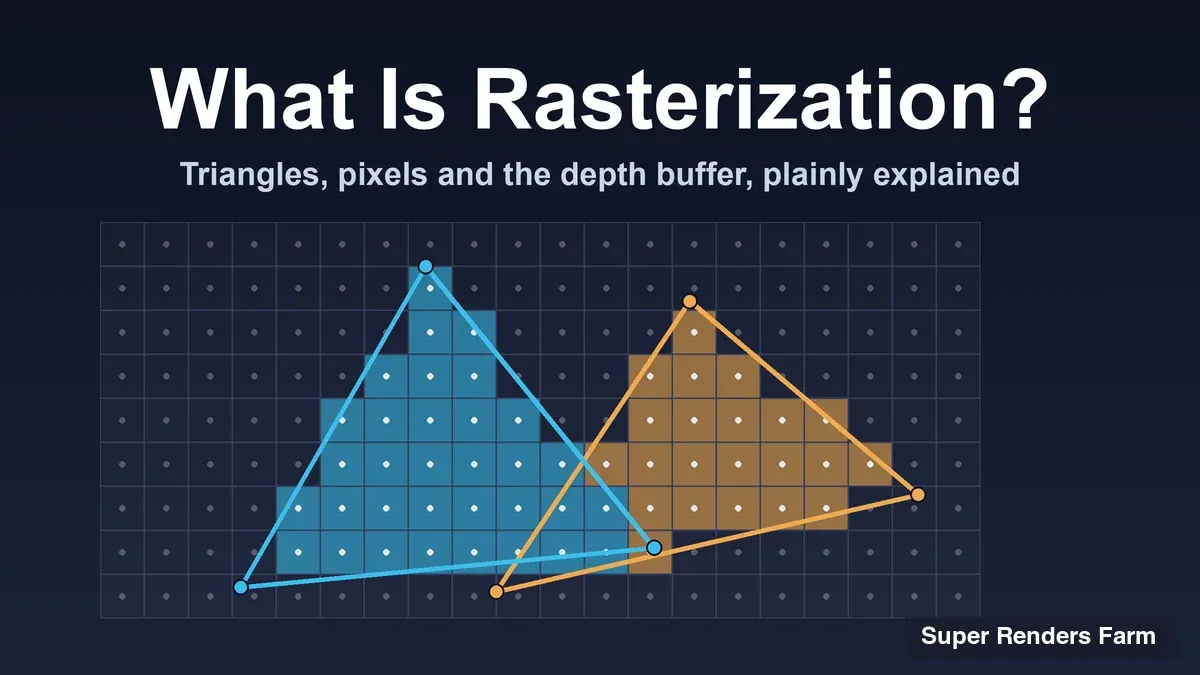
What is rasterization? It is the process of turning shapes into a grid of pixels. In 3D graphics, the shapes are the triangles that make up a model. For each triangle, a rasterizer works out which pixels it covers, keeps the nearest surface wherever triangles overlap, and then runs a shading step that picks each pixel's color. It is how almost every real-time 3D engine draws a frame, and it is also how Blender's EEVEE engine renders.
The word has a second, everyday meaning: in an image editor, to rasterize a vector shape or text layer means to convert it into pixels. It is the same idea one dimension down. This guide covers the 3D meaning step by step, then what rasterization cannot do on its own and what it means for animation work on a render farm.
Three boundaries keep it focused. The ray and camera-ray math behind the other major technique is in what is ray tracing. The decision of when to use a real-time or an offline engine, with its comparison tables, is in real-time vs offline rendering. The history of games adding ray tracing on top of rasterization is in real-time ray tracing in games. We link to those instead of repeating them. For the wider question of what rendering is, see what rendering is in computer graphics.
Rasterization in One Paragraph
Wikipedia's article on rasterisation (read 23 November 2026) defines it as taking an image described as vector shapes and converting it into a raster image, and notes that the term also covers drawing 3D models, which are triangulated first. The word comes from the German Raster, meaning grid. NVIDIA's ray tracing overview (read 23 November 2026) describes the 3D case: objects are built from meshes of virtual triangles, the computer converts those triangles into pixels, and each pixel then goes through shading that accounts for lights and textures. The Scratchapixel lesson on the rasterization algorithm (read 23 November 2026) adds the useful framing: rasterization is primarily a method for solving the visibility problem, which means deciding what the camera can see.
The idea to hold onto: rasterization starts from the geometry and asks each triangle "which pixels do you cover?" The rest of the pipeline answers that quickly and then colors the covered pixels.
The Rasterization Pipeline, Step by Step
Here is what happens to one triangle on its way to the screen:
- Vertices and triangles. The model is a mesh of triangles, and each corner (vertex) carries data such as position, color, texture coordinates and a surface normal, which NVIDIA's overview lists as typical vertex data.
- Place and project. Wikipedia's graphics pipeline article (read 23 November 2026) describes the geometry stage: object coordinates are moved into the world, the scene is transformed so the camera sits at the origin, and perspective projection squeezes the visible volume into a cube. Triangles outside the view are discarded, partly visible ones are clipped, and a final viewport step maps the result to screen coordinates.
- Coverage. For each pixel that might be touched, the rasterizer tests whether the pixel's center lies inside the triangle. Scratchapixel's rasterization stage lesson (read 23 November 2026) does it with an edge function: one test per triangle edge, and a point is inside when all three tests pass. The same page notes the function is linear, so it can be computed incrementally and in parallel, which suits GPUs.
- Interpolate. Inside the triangle, values such as color, normals and texture coordinates are blended from the three corners using barycentric weights, which are three numbers that sum to 1 for any point in the triangle.
- Depth test. If several triangles cover the same pixel, the nearest one should win. A depth buffer (also called a z-buffer) stores the nearest distance found so far for every pixel.
- Shade. A fragment or pixel shader runs for each surviving fragment and computes its final color from lights, textures and material settings.
- Write. The color goes into the frame buffer, ready to display.
 Diagram of one triangle on a 12 by 8 pixel grid: each pixel center gets three edge tests, and 23 of the 96 pixels are covered
A fragment is the candidate pixel a triangle produces; it becomes a real pixel only if it survives the depth test. The Wikipedia rasterisation article (read 23 November 2026) adds that adjacent triangles should leave no holes and no pixel should be rasterized more than once, which is why graphics APIs define a consistent tie-break for pixels exactly on an edge. It also notes that rasterization does not prescribe how a pixel's color is computed. That is the shader's job.
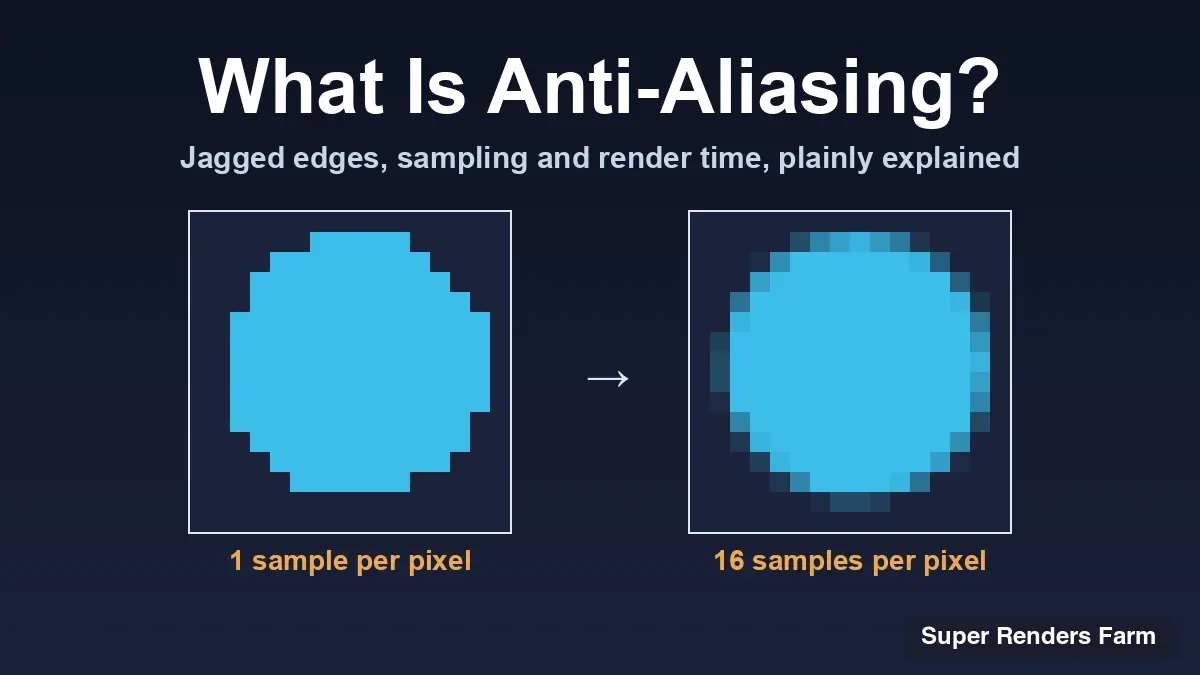
Because a pixel is either covered or not at its center, the edge of a triangle comes out as a staircase. In the figure, the triangle covers 23 of 96 pixels, and each covered pixel is a whole square of one color. Anti-aliasing methods exist to smooth that staircase, which is a topic of its own.
One detail worth knowing is perspective: straight lines stay straight under perspective projection, but equal steps on the screen are not equal steps in the scene. Scratchapixel's perspective-correct interpolation lesson (read 23 November 2026) shows that blending attributes directly with screen-space weights gives wrong results, and that renderers instead interpolate each attribute divided by depth and interpolate the reciprocal of depth linearly. Doing it this way avoids the wrong values that plain screen-space blending produces on receding surfaces.
How the Depth Buffer Picks the Nearest Surface
Wikipedia's z-buffering article (read 23 November 2026) describes the buffer as storing the depth of fragments. Each new fragment's depth is compared with the stored value. If the new one is closer, it replaces the stored depth and its color is written. If not, it is discarded. The same page mentions Wolfgang Straßer's 1974 PhD thesis and says the invention is most often attributed to Edwin Catmull.
The figure below shows one row of ten pixels where two triangles compete. Triangle A is nearest at the left of the row and slopes away. Triangle B starts farther away and slopes toward the camera. The depth values are hypothetical, in arbitrary units, and were computed by interpolating the reciprocal of depth as described above.
 One row of 10 pixels with two triangles: pixels 2 to 6 keep triangle A, pixels 7 to 10 keep triangle B, because each pixel keeps the smaller depth value
At pixel 6, triangle A has depth 3.5 and triangle B has 4.0, so A stays. At pixel 7, A has 4.2 and B has 3.8, so B takes over. Pixel 1 is covered by neither triangle, and pixels 2 and 3 are covered only by A, so A wins them without a comparison. For opaque surfaces the triangles can be drawn in any order and the result is the same, which is the practical advantage over sorting triangles from far to near.
The depth buffer has limits of its own. It keeps one nearest value per pixel, so see-through surfaces need extra blending steps, which the graphics pipeline article lists for transparency. Depth precision is finite too: the z-buffering article says a traditional 16-bit buffer can produce artifacts when two surfaces are very close, called z-fighting, and that 24-bit or 32-bit buffers behave better.
What Rasterization Does Well
Wikipedia's rasterisation article calls it extremely fast and says most real-time 3D engines use it. NVIDIA's overview says it is less computationally intensive than ray tracing. Three properties explain this:
- The work follows the triangles. Scratchapixel notes that rasterization loops over the triangles in the scene and, for each one, over the pixels it can affect, while ray tracing loops over pixels and, for each one, over the objects. Restricting the pixel loop to the triangle's bounding box keeps the per-triangle cost small.
- Pixels are independent. The coverage test is simple arithmetic repeated across a grid, so it spreads across many GPU cores.
- No sampling noise. Each pixel gets a definite answer to the coverage test, so there is no random sampling to average and no noise to wait out.
The trade-off is that rasterization only answers the visibility question.
What Rasterization Cannot Do on Its Own
Light. Rasterization says which triangle is visible at a pixel, not how much light arrives there. Shadows, reflections and bounced light come from separate techniques layered on top, each an approximation.
Anything outside the view. Many of those techniques work from what the camera already has on screen. Blender's manual page on EEVEE ray tracing settings (Blender 5.2 LTS, read 23 November 2026) describes a Screen-Trace method that tests rays against the screen depth buffer and falls back to light probes if a ray leaves the view. It also says the Fast GI approximation is a screen-space effect and inherits the limitations that come with that.
 Top-down sketch of a camera view: a reflection ray from a mirror leaves the camera's view, so the object it would hit is not in the screen depth buffer
In the sketch, a reflection ray leaves the mirror and exits the camera's view. The object it would hit is not in the depth buffer, so a screen-space method has nothing to look at and needs a fallback such as a prepared light probe. A ray tracer can follow the ray into the scene wherever it goes.
Physically accurate light by default. Blender's EEVEE manual page (Blender 5.2 LTS, read 23 November 2026) says EEVEE is based on rasterization and is not a path tracer: it works out which surfaces are visible, then estimates the light with many algorithms. The same page says Cycles will always provide more physically accurate renders.
Rasterization Versus Ray Tracing
Both techniques solve the same visibility problem from opposite ends. The table is deliberately short; the detailed comparisons live in the linked guides.
| Rasterization | Ray tracing | |
|---|---|---|
| Starts from | The triangles | The pixels |
| Question it asks | Which pixels does this triangle cover? | What does this ray hit first? |
| Hidden surfaces | Depth buffer keeps the nearest fragment | The nearest hit along the ray wins |
| Shadows, reflections, bounced light | Added with approximations | Followed with extra rays |
| Per-frame cost grows with | Triangles and the pixels they cover | Rays per pixel and bounces |
| Typical home | Real-time engines, EEVEE | Offline renderers, plus RT hardware in games |
NVIDIA's overview says ray tracing is best used for physically accurate reflections, refractions and shadows, and that hybrid rendering uses rasterization and ray tracing together in games and other applications to reach high quality at good frame rates. In what is ray tracing the ray side is explained from the other direction, and the real-time vs offline rendering guide covers which approach fits which job.
Where You Meet Rasterization
Game engines. A real-time engine has about 16.7 milliseconds per frame at 60 frames per second (1000 divided by 60), so it relies on rasterization and adds ray-traced effects where the budget allows. Our Unreal Engine guide shows how one such engine separates real-time playback from its offline movie render path.
EEVEE in Blender. Blender's manual calls EEVEE a realtime render engine focused on speed and interactivity that works in the 3D viewport and for final renders. It uses the same shader nodes as Cycles, so it can preview Cycles materials in real time. Its ray tracing setting is optional: with it off, EEVEE falls back on pre-filtered light probes, which the manual calls more stable but less accurate. For a farm-side comparison of the two Blender engines, see EEVEE vs Cycles on a cloud render farm.
Image editors. Rasterizing a text or shape layer is the same operation without depth: vector outlines become pixels at a chosen resolution. Wikipedia's raster graphics article (read 23 November 2026) notes that raster images are resolution dependent, so a rasterized layer cannot be enlarged without losing apparent quality.
Why a Rasterized Animation Can Still Need a Farm
A rasterizing engine is usually cheaper per frame than a path tracer, but animation multiplies frames, and frame count decides whether one computer is enough.
A hypothetical example, for illustration only: a three-minute animation at 30 frames per second is 180 x 30 = 5,400 frames. If each frame took 20 seconds on one machine (a made-up figure, not a benchmark of any engine), that is 108,000 seconds, or 30 hours. Frames are independent, so on 10 machines the same sequence takes about 3 hours of waiting, if the scene loads cleanly on each. The total compute stays; the wait shrinks.
Long sequences, high resolution or heavy scenes, and client revisions that mean rendering every frame again all push a project the same way: the multiplication by frame count is what a farm shortens.
Test the hardest frame first, with the settings you plan to use. That time, multiplied by the frame count, is the figure that matters.
Rasterized Frames on Super Renders Farm
A rasterized animation renders on a farm like any other: frames are processed in parallel as batch jobs.
Super Renders Farm is a fully managed farm: you upload the scene and do not set up machines, install software or manage render licenses yourself. In Blender, Cycles and EEVEE are ready without a setup request, on both CPU and GPU nodes. Some other engine and host pairings are provisioned on request, and some do not exist as products, so check the supported software page or contact us to confirm before you upload. Unreal Engine is a separate case: it is a machine-rental workflow where you install your own copy of the engine on a rented node, which our Unreal Engine guide explains. Real-time viewers such as Enscape, D5 Render or Lumion are not rendered on the farm; it renders offline frames.
GPU jobs render on our GPU cloud render farm, where each node carries two RTX 5090 cards with 32 GB of VRAM per card. Memory is per card and is not pooled, so a GPU scene has to fit in 32 GB. New accounts receive $25 free render credits, which you can use on test frames of your heaviest shot before committing a sequence, and our team is on 24/7 live chat for scene checks. Current rates are on the pricing page.
Common Misunderstandings
"Rasterization is the same as rendering." Rendering is the whole job of producing an image from a scene. Rasterization is one way of solving the visibility part, and a renderer can use it, ray tracing, or both.
"Rasterized means low quality." Quality depends on materials, lighting, resolution and settings, not on the method alone. Blender's manual says EEVEE can be used for final renders, while also stating that Cycles is more physically accurate. The right choice depends on the look you need and the time you have.
Summary: What to Remember
| If you are asking | Short answer |
|---|---|
| What is rasterization? | Turning shapes, in 3D mostly triangles, into pixels by testing which pixels each shape covers |
| How is the nearest surface chosen? | A depth buffer keeps the smallest depth per pixel |
| What does it not do by itself? | Lighting, shadows and reflections, which are added with approximations |
| How does it differ from ray tracing? | It starts from triangles and loops over pixels they cover; ray tracing starts from pixels and follows rays |
| Is EEVEE rasterization? | Yes, per Blender's manual, with an optional ray tracing setting |
| Does it still need a farm? | If the sequence is long, the frame count decides, not the per-frame cost |
FAQ
Q: What is rasterization in simple terms? A: Rasterization is turning shapes into pixels. In 3D graphics, a model is a mesh of triangles, and the rasterizer checks which screen pixels each triangle covers, keeps the nearest one where triangles overlap, and passes the covered pixels to a shader that picks their color. It is the standard way real-time engines draw a frame.
Q: What does rasterize mean? A: To rasterize is to convert shapes described by math, such as vector outlines or 3D triangles, into a grid of pixels. In an image editor, it means turning a vector or text layer into pixels at a fixed resolution. In 3D rendering, it means projecting triangles onto the screen and working out which pixels they cover.
Q: What is a rasterizer? A: A rasterizer is the part of a graphics pipeline that performs rasterization. It takes triangles after they have been projected to screen coordinates, finds the pixels each one covers, and hands those fragments to the shading stage. On a modern GPU this stage is often fixed-function hardware inside the graphics pipeline, and the shading that follows is programmable.
Q: What is rasterization in games? A: In games, rasterization is the main way each frame is drawn within a budget of about 16.7 milliseconds at 60 frames per second. Triangles are projected, covered pixels are found, the depth buffer hides what is behind, and shaders color the rest. Games can also add ray-traced reflections or shadows on top, a hybrid approach.
Q: What is the difference between rasterization and ray tracing? A: Rasterization starts from each triangle and finds the pixels it covers. Ray tracing starts from each pixel and follows a ray to find what it hits. Rasterization is less computationally intensive and suits real-time use, while ray tracing handles reflections, refractions and shadows more accurately. Many engines combine the two.
Q: Is rasterization faster than ray tracing? A: Generally, yes. NVIDIA describes rasterization as less computationally intensive than ray tracing, which is why real-time engines are built on it. The gap depends on the scene and the quality target, since an offline ray tracer is allowed minutes per frame and a rasterizer must finish in milliseconds.
Q: Is EEVEE rasterization or ray tracing? A: Blender's manual says EEVEE is based on rasterization and is not a path tracer. It has an optional ray tracing setting that traces rays against the screen depth buffer or light probes to improve indirect lighting. Cycles is the path tracer in Blender and gives more physically accurate results.
Q: Does a rasterized animation need a render farm? A: It depends on the frame count more than the per-frame cost. A short clip may finish on one machine, but a long sequence multiplies even a fast frame by thousands, and a farm renders frames in parallel to shorten the wait. On Super Renders Farm, Cycles and EEVEE in Blender are ready without a setup request. Some other pairings are provisioned on request and some do not exist, so contact us to confirm before you upload.
About Thierry Marc
3D Rendering Expert with over 10 years of experience in the industry. Specialized in Maya, Arnold, and high-end technical workflows for film and advertising.