What Is Unreal Engine? Epic's Real-Time Engine Explained: Uses, Licensing and Rendering
Overview
Introduction
What is Unreal Engine? Unreal Engine is a real-time 3D engine made by Epic Games. It started as the technology behind a first-person shooter, and it is now also used to build architectural walkthroughs, virtual production stages, film and television shots and automotive design tools. Its defining trait is that it draws images fast enough to react to you as you move, which is what "real-time" means.
This guide explains what Unreal Engine is, where it came from, what it is used for outside games, how its licensing works at a high level, and how it produces final images when "fast enough to play" is not the goal. That last point is where most confusion sits, because an engine that runs a game at interactive speed can also render an image sequence offline, and those are two different jobs. The theory is in Real-Time vs Offline 3D Rendering, so here we stay with how Unreal itself handles both.
 Map of what Unreal Engine is used for: games, architectural visualization, virtual production, film and television, and automotive design
What Is Unreal Engine, in One Paragraph
Unreal Engine is developed by Epic Games, and according to the Wikipedia entry on Unreal Engine (read 10 November 2026), its original author is Tim Sweeney. The first version was developed in 1995 for the 1998 first-person shooter Unreal. The engine is written in C++, and it runs on Windows, Linux and macOS while targeting desktop, mobile, console and virtual reality platforms. The same entry describes it as source-available commercial software, with its source code available on GitHub.
The idea to hold onto is that Unreal Engine is a toolkit for building interactive 3D experiences, and a game is only one kind of experience. The same scene can be played, walked through, projected onto an LED wall or rendered out frame by frame.
A Short History: From Unreal to Unreal Engine 5
The Wikipedia entry (read 10 November 2026) gives a compact timeline. UE2 shipped its first game in 2002, and its last update came in 2005. UE3's first games arrived at the end of 2006. UE4's first game came out in April 2014, and the entry notes that UE4 introduced Blueprints, a visual scripting system, and was the first version free to download, with royalty payments on game revenue. UE4 also removed the older UnrealScript language in favour of C++.
Unreal Engine 5 was revealed in May 2020 and released in April 2022. Its headline features are Nanite, which handles virtualized geometry, and Lumen, which handles global illumination and reflections in real time. The same page reports that Epic announced Unreal Engine 6 on 24 May 2026, with early access targeted for around late 2027. That makes the 5.x line the current one to plan around for anything you intend to render in the near term.
What Unreal Engine Is Used For
Games are the origin, but the same entry lists several other uses. The table sets out the main ones and what you deliver at the end of each.
| Field | How Unreal Engine is used | What you deliver |
|---|---|---|
| Games | Interactive worlds, characters and gameplay | A playable build |
| Architecture | A virtual environment to explore and design new buildings | A walkthrough, stills or an image sequence |
| Virtual production | Real-time sets shown on LED screens | Footage captured in camera |
| Film and television | Shots built in the engine, then output as rendered frames | Image sequences for editing and compositing |
| Automotive | Design exploration and in-car displays | Design visuals, or software running in the vehicle |
On virtual production, Wikipedia (read 10 November 2026) says real-time virtual sets rendered on LED screens were used in The Mandalorian, Westworld and Fallout. For architecture it describes Unreal as a virtual environment to explore and design new buildings. For automotive it mentions design exploration, plus infotainment systems such as Rivian's and the 2024 Ford Mustang's digital cluster and touchscreen.
The practical point is that two different outputs hide behind the word "Unreal": a live image on a screen, and a finished frame handed to a compositor. If you are new to how those frames fit into a larger pipeline, our explainer on what VFX is covers the stages around them, and our Nuke to Unreal Engine pipeline guide covers the compositing hand-off in detail.
Licensing at a High Level
The licensing model is the first thing people ask about, so here is the short version without figures. Unreal Engine is free to download, and the Wikipedia entry (read 10 November 2026) says UE4 was the first version offered that way, with royalties on revenue rather than an upfront price. Those royalty terms are written around games and other off-the-shelf products sold to end users. Work that is not sold that way, such as film, animation, architectural visualization and interactive walkthroughs made for a client, is licensed differently, and for some companies that can mean seat-based terms rather than a royalty.
The exact thresholds, rates and any seat charges depend on what you make and who you are, and they have changed over the years. We deliberately do not quote figures here, because a number copied into an explainer goes stale. Read Epic's own Unreal Engine licensing page and the end user licence agreement for current terms before you plan a budget around them.
One consequence matters for rendering. Unreal is software you install and license yourself, so a render farm that runs it is running your installation under your terms, not reselling the engine.
Real-Time Playback Versus Rendered Output
Inside Unreal Engine there are two ways to turn a scene into images, and knowing which one you are using explains most of the "why does it look different" questions.
Real-time playback. In the editor viewport or a packaged build, the engine renders continuously so you can interact with the scene. Quality is limited by what can be drawn in a small slice of time.
Offline output. Epic's documentation on the Movie Render Pipeline (read 10 November 2026) describes it as Unreal's solution for rendering movies and image sequences offline, aimed at linear content. It explains that offline rendering allows settings that improve the quality and accuracy of features such as ray-traced global illumination and reflections, and that it gives better motion blur and removes unwanted anti-aliasing artifacts compared with traditional real-time rendering. The pipeline is reached through three tools: the Movie Render Queue for batch queuing with presets and scripts, the Movie Render Graph for node-based setups, and Quick Render, a one-click real-time export for review.
Epic describes Quick Render as a real-time export for review, not a high-quality offline render, so the queue and the graph are the tools for final frames.
 Two paths inside Unreal Engine: real-time playback in the editor or a packaged build gives interactive output, while Movie Render Queue or Movie Render Graph uses a Deferred or Path Tracer pass to write an image sequence
Movie Render Queue and Movie Render Graph
Epic's transition guide (read 10 November 2026) describes the Movie Render Graph as a node-based tool for creating high-quality render output. Its default graph is nearly identical to the default Movie Render Queue configuration, and the main change is that settings become nodes that suit layered rendering. Several details change place. File naming and OCIO colour settings move to the File Type Output node, so they can differ per render layer. Temporal samples sit in the Sampling Method node, while spatial samples and the anti-aliasing method sit in the Renderer node. You choose between the Path Tracer and the Deferred path by connecting the matching node, which can also be set per layer.
The same page lists features that Movie Render Queue has and the graph does not, including nDisplay, High Resolution Rendering, the Apple ProRes plugin and Final Cut Pro XML. If your project depends on one of those, check it against your engine version before choosing a tool, because Epic's pages are versioned.
The remote option matters for farms. The Movie Render Pipeline page explains that local rendering runs in the same process as the editor, while remote rendering starts a separate process for queued jobs, which suits render farms. The page adds that the launch command is written to the Output Log and can serve as a reference when building automated render farms, including with third-party farm software.
The Path Tracer: What It Is and Where It Stops
Unreal's default renderer is a deferred one. The Path Tracer is the alternative for final-quality images. Epic's Path Tracer documentation (read 10 November 2026) calls it a progressive, hardware-accelerated rendering mode that provides physically correct global illumination, reflection and refraction of materials, aimed at final renders and ground-truth comparisons against real-time scenes. We explain the underlying method in Ray Tracing vs Path Tracing, so here we only cover how it behaves in Unreal.
What it needs. The page lists a project with hardware ray tracing enabled, Windows 10 version 1809 or later, and an NVIDIA RTX card, or a GTX series card with DXR-enabled drivers. These are hardware and driver requirements, so the machine that renders Path Tracer frames has to meet them, not only the editor install.
How it works with the queue. The Path Tracer module lets Movie Render Queue output path-traced frames. Post Process Volumes control settings such as bounces, emissive support and exposure, and samples per pixel set in the volume are ignored when using Movie Render Queue.
Where it stops. The same page lists limitations worth knowing before you plan a shot:
- Bright materials slow interior renders. Albedo values near 1.0 lengthen render times because light paths take more bounces, and the page recommends keeping diffuse Base Color below 0.8.
- Dynamic elements such as moving lights and animated skinned meshes do not invalidate path tracing in the editor and appear as blurred or streaking artifacts in the viewport, so the page recommends Movie Render Queue for final output.
- The HDRIBackdrop component is not compatible with the Path Tracer, because its current implementation leads to double-counted illumination.
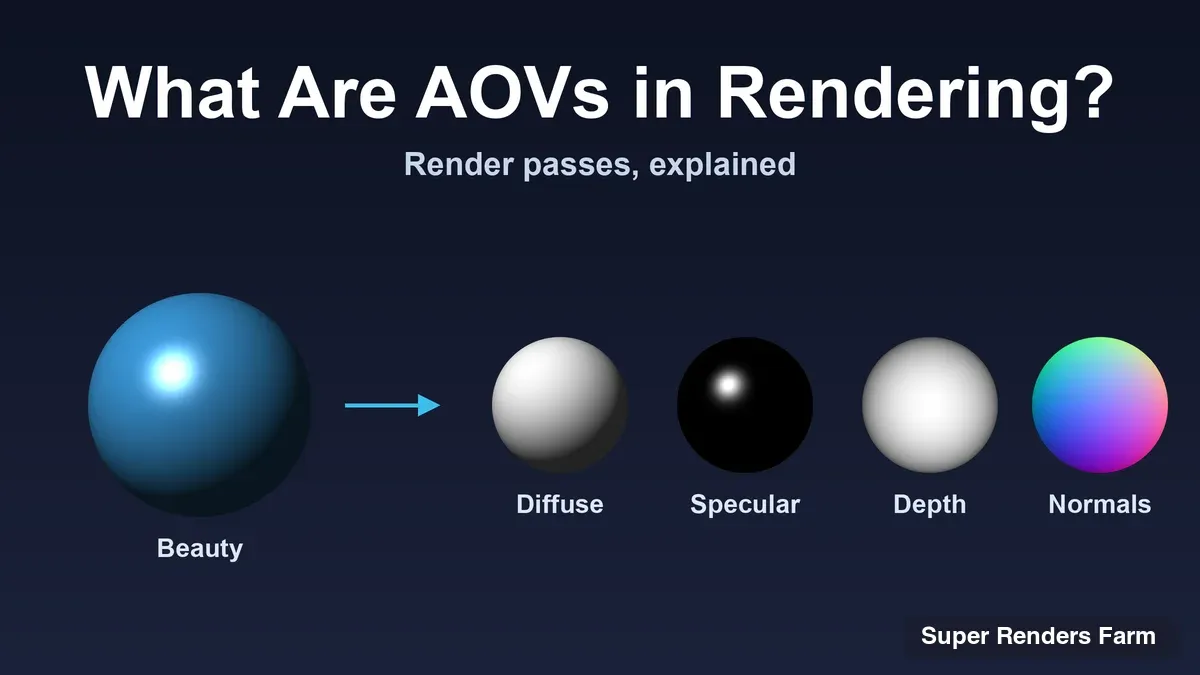
The limitation that surprises compositors most is render passes. Epic's render passes page (read 10 November 2026) says Movie Render Queue supports different types of output images in separate passes, but also says that common AOVs from other packages, such as Ambient Occlusion or Sub-surface Scattering, are unavailable in Unreal Engine. It adds that a large number of spatial samples is needed to denoise a Path Tracer render. Artists coming from Arnold or V-Ray often expect separated lighting AOVs such as direct and indirect diffuse. A thread on Epic's own forums dated 23 February 2026 (read 10 November 2026) reports that the Path Tracer currently lacks native AOV and render pass support for Direct Diffuse, Indirect Diffuse, Direct Specular, Indirect Specular and Emissive. That thread is a user report, not Epic documentation, and no Epic reply appears in it, so treat it as a prompt to test your own pass requirements.
If your compositing relies on separated lighting passes, test a representative frame with those passes before you build a sequence around the Path Tracer. Our Nuke to Unreal Engine guide goes further on passes and AOVs.
Rendering Unreal Engine Projects on Rented Machines
Unreal Engine fits a rental workflow because the engine is something you install, configure and license yourself, and a project is tied to an engine version, plug-ins and a GPU driver. The sensible model is to rent a dedicated machine and run your own installation on it.
That is how Super Renders Farm supports Unreal Engine. It is a machine-rental workflow, not a managed render service: you install your own copy of Unreal Engine, any 5.x release, on a rented node. Movie Render Queue and Movie Render Graph work on the nodes, and Deadline is available if you want a queue manager. Path Tracer output is supported with its known AOV limitations, which is why this article states them above rather than promising around them. Licence obligations for the engine stay with you, under Epic's terms.
The rented GPU nodes carry two RTX 5090 cards each, with 32 GB of VRAM per card. Memory is per card and is not pooled across the two cards, so a scene has to fit in 32 GB of GPU memory. If you want the detail on how dedicated rental differs from per-frame cloud rendering, see Rent a GPU Server for Rendering. The setup, the node options and the way a quote is built are on our render farm rental page.
 Checklist for rendering an Unreal Engine project on rented machines: install the same 5.x engine version, confirm the GPU driver with support, render as a remote process with Movie Render Queue or Movie Render Graph, then collect the image sequence
Pin the Engine and the Driver
Two things should never drift between the frame you approved and the frame you render at scale: the engine version and the GPU driver. Unreal projects can behave differently when opened in another engine release, and the Path Tracer's requirements include driver-enabled hardware, so the driver is part of the setup. Our advice:
- Install the exact engine release you authored the project with, and keep it for the length of the job.
- Confirm the GPU driver on the rented node with support before a long run, instead of assuming it matches your workstation.
- Render one representative frame, with the passes your compositor needs, before you queue a sequence.
- Keep plug-in versions identical to the authoring machine.
If your pipeline needs something unusual, ask first. Super Renders Farm also offers a free test render for rental scopes, matched to your engine version, so you can see how your own project behaves before you commit to a rental block.
Common Misunderstandings About Unreal Engine
"Unreal Engine is only for games." Games are the origin, but the Wikipedia entry (read 10 November 2026) lists film and television virtual production, architecture and automotive uses as well.
"If it looks right in the editor, the render will match." The editor viewport and the queue are different render paths, and the Path Tracer documentation itself recommends Movie Render Queue for final output.
Summary: Where Unreal Engine Fits
| If your goal is | Unreal Engine fit | What to check next |
|---|---|---|
| Interactive games or real-time experiences | High | Target platform and your licence terms |
| Architectural walkthroughs and stills | High | Whether you need real-time or rendered frames |
| Virtual production on LED stages | High | Real-time pipeline and stage hardware |
| Final frames for film or television | Medium to high | Path Tracer pass limits and your compositing needs |
| Automotive design work | High | Visual fidelity targets and output format |
| You need a full set of lighting AOVs | Test first | Pass support in your engine release |
FAQ
Q: What is Unreal Engine used for? A: Unreal Engine is used to build games and other interactive 3D experiences. Outside games it is used for architectural visualization, virtual production on LED screens, film and television shots, and automotive design. A project can be played in real time or rendered offline as an image sequence.
Q: Who made Unreal Engine? A: Epic Games develops Unreal Engine, and Wikipedia credits Tim Sweeney as the original author. The first version was developed in 1995 for the 1998 first-person shooter Unreal.
Q: Is Unreal Engine free? A: It is free to download, and Wikipedia says UE4 was the first version offered that way, with royalty payments on game revenue. Terms for commercial use vary, so read Epic's current licensing page rather than rely on a summary.
Q: What programming language does Unreal Engine use? A: The engine is written in C++. UE4 introduced Blueprints, a visual scripting system, and removed the older UnrealScript language in favour of C++. Wikipedia also notes Verse, a newer language, used for scripting in Unreal Editor for Fortnite and Unreal Engine.
Q: When did Unreal Engine 5 come out? A: Unreal Engine 5 was revealed in May 2020 and released in April 2022, according to Wikipedia. It introduced Nanite for virtualized geometry and Lumen for global illumination and reflections.
Q: What is the difference between Movie Render Queue and Movie Render Graph? A: Both are part of Unreal's Movie Render Pipeline for offline output. Movie Render Queue is the preset-based batch tool, and Movie Render Graph is the node-based tool. Epic lists some features, such as nDisplay and High Resolution Rendering, as unsupported in the graph, so check your engine release.
Q: Can Unreal Engine projects be rendered on a render farm? A: Yes, as a rental workflow. At Super Renders Farm you rent a dedicated node, install your own Unreal Engine 5.x release, and render with Movie Render Queue or Movie Render Graph, with Deadline available. Path Tracer output works with its known AOV limitations, and you should confirm engine and driver versions with support before a long run.
About Thierry Marc
3D Rendering Expert with over 10 years of experience in the industry. Specialized in Maya, Arnold, and high-end technical workflows for film and advertising.