What Is Denoising? How Denoisers Clean Up Path-Traced Renders
Overview
Introduction
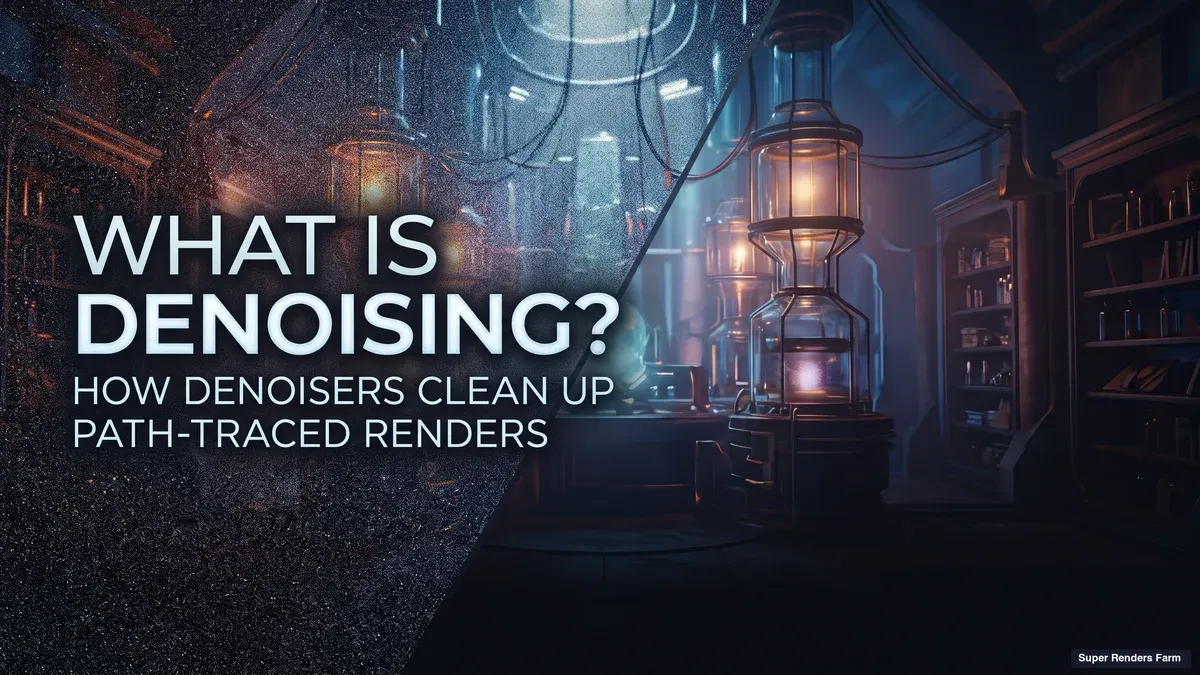
What is denoising? In 3D rendering, denoising is a filtering step that removes the grain a path-traced image carries when it was rendered with too few samples to converge. A denoiser looks at the noisy pixels, usually together with extra data from the renderer, and estimates what each pixel would have looked like if the render had kept sampling. Done well, it lets you stop a frame at a fraction of the samples and still deliver a clean image. Done badly, it smears texture, invents artifacts and makes an animation shimmer.
This guide covers why path-traced renders are noisy, what a denoiser does with the buffers that guide it, which denoisers you will meet, the arithmetic of trading samples for a denoise pass, and the limits. It does not walk through Arnold's variance-AOV setup, which is covered in How to Denoise AOVs Effectively. How a path tracer traces light is explained in Ray Tracing vs Path Tracing.
Why a Path-Traced Render Is Noisy
A path tracer builds each pixel by firing random light paths from the camera and averaging what they find. One path may hit a light directly, another may bounce twice and find only a dark corner. With few paths per pixel, that average wobbles around the true answer, and the wobble is the grain you see. Statisticians call it variance, and the method is Monte Carlo integration.
The error shrinks slowly, roughly with the square root of the sample count, so halving the noise takes about four times the samples. Our Ray Tracing vs Path Tracing guide shows what that looks like at 16, 64, 256 and 1,024 samples per pixel.
Noise is not spread evenly. It collects where light is hard to find: soft shadows, indirect light, glossy reflections, glass, volumes. That matters later, because a denoiser must decide pixel by pixel whether a bright speck is noise or a real feature. And because of the square-root law, the last few percent of cleanliness is the most expensive part of a render. Denoising attacks that tail: stop earlier, then filter the remainder.
What a Denoiser Does
A denoiser takes a noisy image and returns a cleaner estimate of what each pixel would converge to. The naive way is to average each pixel with its neighbours, which is a blur. A blur removes noise and detail together, so a checker pattern, a sharp shadow edge and a strand of hair dissolve as fast as the grain.
The real work is telling noise from signal, and two broad families do it differently.
Algorithmic filters use hand-designed rules, weighting neighbours by how similar and how close they are. Altus, one of three denoisers in Redshift, is described in Maxon's Redshift documentation (read 19 November 2026) as built on traditional methods rather than deep learning.
Learned denoisers are neural networks trained on noisy and converged renders. NVIDIA says its OptiX denoiser was trained on tens of thousands of images rendered from one thousand 3D scenes (NVIDIA OptiX denoiser, read 19 November 2026), and Maxon says the same of OptiX and Intel Open Image Denoise: deep learning models trained on tens of thousands of images. A trained network has seen what noise looks like next to real structure, so it can keep edges a blur would erase. It can also be wrong in ways an algorithmic filter is not.
Intel describes Open Image Denoise as an open source library of denoising filters for ray-traced images, whose filters handle anything from very low sample counts to nearly converged images (Open Image Denoise, read 19 November 2026). That is the point of denoising: you give it a frame that is noisy but not hopeless.
What a Denoiser Is Given: Noisy Beauty, Albedo and Normal
A renderer knows things a camera never would: the colour of each surface before lighting, called albedo, and which way each surface faces, called the normal. Both can be produced with little or no noise. They make ideal guides, because where albedo changes sharply there is a real texture edge, and where the normal turns there is a real change of shape.
Intel's page says Open Image Denoise can work from the noisy beauty image alone or use auxiliary feature buffers such as albedo and normal to preserve more detail. Cycles exposes the same idea: the Passes setting offers color only, albedo, or albedo plus normal, and the manual recommends at least albedo because color-only denoising can blur details (Blender 5.3 manual, Cycles sampling, read 19 November 2026).
 Diagram of what a denoiser is given: a noisy image at 2 samples per pixel, a noise-free albedo buffer and a noise-free normal buffer go into the denoiser, which outputs a cleaner image
The diagram was made with a deliberately simple filter on a toy scene, a sphere on a checker floor rendered by a Monte Carlo script at 2 samples per pixel. The buffers tell the filter where the checker edges are and where the sphere turns, so it averages only across pixels that agree. Note what it cannot see: the soft shadow appears in neither buffer, so it is smoothed more than the checker edges. Production denoisers are far more capable, but detail the feature buffers do not show is still easier to lose, so shadow edges and reflections are where to look first.
The Main Denoisers
| Denoiser | Approach | Runs on | Where you meet it |
|---|---|---|---|
| Intel Open Image Denoise (OIDN) | Deep-learning filters, open source under Apache 2.0 | CPUs (Intel 64 with SSE4.1, ARM64 including Apple silicon) and GPUs from Intel, NVIDIA (Turing and newer), AMD (RDNA 2 and newer) and Apple (M1 and newer) | Cycles, Redshift and Arnold list it as an option |
| NVIDIA OptiX AI-accelerated denoiser | Deep-learning model, can use Tensor Cores | NVIDIA GPUs only | Cycles, Redshift and Arnold; NVIDIA also lists Houdini and Thea Render |
| Altus | Algorithmic filter, not a neural network | All hardware | Redshift only |
The hardware column comes from Intel's and Maxon's pages as read on 19 November 2026 and changes with each release, so check the vendor page before planning around a card. V-Ray and Corona ship denoisers of their own, with their own settings, and Arnold lists both OIDN and OptiX as denoiser options; for Arnold specifics use the Arnold denoiser guide.
Which is better depends on the job. Blender's manual says OpenImageDenoise typically provides the highest quality, while OptiX is available only on NVIDIA GPUs and supports acceleration on some older cards where OpenImageDenoise does not. In Redshift, Altus works only in bucket rendering, while OptiX and OIDN work in bucket and progressive modes. In practice the choice usually comes down to three questions: is there an NVIDIA GPU, does the engine offer the denoiser you want, and are you denoising stills or a sequence.
The Trade: Fewer Samples Plus a Denoise Pass
Take a hypothetical frame that looks clean at 1,024 samples per pixel and takes 40 minutes. Render time scales roughly with samples, so 256 samples take about 10 minutes. You have cut the samples by four, so the noise is roughly twice as high, and that is what the denoiser must remove.
 Bar chart of a hypothetical example: 40 minutes per frame at 1,024 samples with no denoiser versus 10 minutes per frame plus a small denoise step at 256 samples, which over 240 frames is 160 machine-hours versus 40 machine-hours plus denoising
A 10-second shot at 24 fps is 240 frames: 160 machine-hours at 40 minutes each, or 40 machine-hours plus the denoise step at 10. The numbers are invented to show the ratio, and your scene will differ, but the shape is general: sampling cost grows with every doubling, while a denoise pass is a comparatively small addition.
Small is not free. Maxon's Redshift help says OptiX and OIDN can run after each progressive pass or bucket according to a denoise overhead setting, where zero denoises once, at the end. It adds that Altus takes several seconds per denoise and, in Dual Pass mode, renders the frame twice first. Measure the step on your own scene.
Denoising also combines with other savings. Cycles' Noise Threshold stops sampling areas that are already clean enough, with typical values between 0.1 and 0.001 according to the manual, and the denoiser cleans what is left. The wider checklist of what drives render time is in our Render Time Optimization guide.
One rule holds throughout. Maxon's Redshift page calls denoising not a silver bullet and describes it as most useful on the last few percent of noise. A denoiser reduces the samples you need. It does not replace them.
Where Denoising Goes Wrong
Every denoiser trades noise for risk, and each failure has a different fix.
Lost fine detail. Maxon lists oversmoothing that loses texture and small geometric detail among the failure modes. Fabric weave, hair, thin wires and small text are the usual victims.
Painterly artifacts. The same page describes artifacts resembling brush strokes, a sign the filter has invented structure from noise it could not classify.
Unfamiliar noise. OptiX and OIDN can miss noise patterns absent from their training data, so unusual materials, heavy volumes or extreme depth of field may be left in or smeared.
Residue instead of grain. Maxon warns that in animations leftover noise can appear as flickering splotches that may be more distracting than the original noise.
Most of these shrink as the sample count rises, because a cleaner input leaves less to guess. The practical method is to find the lowest sample count where the denoised result survives inspection at 100 percent, then add a margin.
Animation: Flicker and Temporal Denoising
A still is denoised once. An animation is denoised frame after frame, and every frame has its own random noise. Even if the scene barely moves, the denoiser sees a different input each frame and may return a slightly different answer. That reads as shimmer in areas that should be steady.
 Three consecutive frames of the same static scene rendered with different noise, their denoised results, and an amplified difference image between two denoised frames that shows the frame-to-frame flicker
The figure shows it with the same toy filter. The scene is static, so a flawless denoiser would return identical frames and the difference image would be black. It is not, because each frame's noise pushed the filter to a slightly different answer. Production denoisers do much better, but the principle is the same.
Two things reduce it. A lower-noise input changes less from frame to frame, so more samples help. And the noise pattern can be held steady: Maxon's Redshift help recommends turning off Randomize Pattern on Each Frame so the noise stays fixed to the camera. The Cycles page suggests the opposite-looking Use Animated Seed for animations, because a varying pattern is less noticeable. Our reading is that these solve different problems: the Cycles advice hides raw grain when you are not denoising, the Redshift advice steadies the denoiser's input when you are.
The fuller answer is temporal denoising, where the filter also looks at neighbouring frames. NVIDIA's OptiX page says its denoiser is based on NVIDIA research on reconstructing Monte Carlo image sequences. Whether a given renderer exposes a temporal mode is a question for its documentation. Test before assuming. Render 10 to 20 consecutive frames of your hardest shot at the intended sample count and watch them in motion: flicker that is invisible in one frame is often obvious in playback.
Denoising Passes and AOVs
Compositors split a render into passes, called AOVs, to adjust reflections, lighting and shadows separately. If you denoise the beauty but not the passes, or the reverse, they stop adding up cleanly and you see seams or colour shifts. Decide on one approach per project. Our guide to What Are AOVs in Rendering covers passes and multilayer files.
If you denoise after rendering instead of during it, the albedo and normal buffers must be saved with every frame, at the same resolution and from the same camera, or the denoiser loses its guides.
Denoising on a Render Farm
A farm renders each frame as a separate task on its own machine. That suits denoising at render time, which needs nothing from other frames, and suits temporal denoising less well, because a pass that reads neighbouring frames needs the whole sequence and normally runs after the frames return.
Hardware matters. OptiX needs an NVIDIA GPU, while OIDN also runs on CPUs. Blender's manual adds that GPU denoising is significantly faster than on the CPU but needs extra GPU memory, and suggests turning it off for large scenes that run short. On a Super Renders Farm GPU node, each of the two RTX 5090 cards has 32 GB and the two do not pool, so a GPU denoiser shares one card's 32 GB with the scene. For a heavy scene, check the headroom before a long job.
The denoiser is a render setting, so check it with sample counts and output paths. Render one representative frame at final settings on the machine type you plan to use and inspect it at 100 percent. CPU and GPU time are billed on different bases, so a sample-heavy CPU render and a denoise-assisted GPU render are different budgets; the pricing page explains how each is billed.
Denoising in Photos and Video Versus Renders
Search results for denoising are full of photo and video tools. A photo denoiser has only the picture and must guess what is sensor noise and what is detail. A render denoiser deals with Monte Carlo noise and can be handed noise-free guides. The goal is the same, but the noise and failure modes differ, so settings do not transfer.
FAQ
Q: What is denoising in 3D rendering? A: Denoising is a filtering step that removes grain from a path-traced image rendered with too few samples. A denoiser estimates what each pixel would look like if the render had kept sampling, often using noise-free albedo and normal buffers to protect edges and texture. It is not a blur, which removes noise and detail together.
Q: Does denoising reduce render time? A: Usually. Cutting samples by four roughly cuts render time by four at the cost of about twice the noise, and the denoiser removes much of it for a comparatively small extra step. A frame that is mostly noise will not be rescued, and the denoise step takes time you should measure.
Q: What is the difference between OptiX and Open Image Denoise? A: Both are learned denoisers, but OptiX runs only on NVIDIA GPUs, while Intel's Open Image Denoise is open source and runs on CPUs and on GPUs from Intel, NVIDIA, AMD and Apple. Blender's manual says Open Image Denoise typically gives the highest quality, and that OptiX covers some older NVIDIA GPUs that it does not.
Q: Why does denoising make animation flicker? A: Each frame has different random noise, so a denoiser that treats frames one at a time can return slightly different results on consecutive frames. Higher sample counts, a fixed noise pattern where the engine offers one and temporal denoising where it is available all reduce it. Test a short sequence in motion.
Q: What are albedo and normal buffers for in denoising? A: They are noise-free guides. Albedo shows where surface colour changes and the normal shows where shape changes, so the denoiser can tell a real edge from a speck of noise. Blender's manual recommends at least albedo, because denoising from color alone can blur details.
Q: How many samples do I need before denoising? A: There is no universal number, because noise depends on lighting, materials and motion. Intel says its filters handle very low sample counts up to nearly converged images, but quality varies. Render test frames at decreasing sample counts, find the lowest one that survives inspection at 100 percent, and add a margin.
About Alice Harper
Blender and V-Ray specialist. Passionate about optimizing render workflows, sharing tips, and educating the 3D community to achieve photorealistic results faster.