
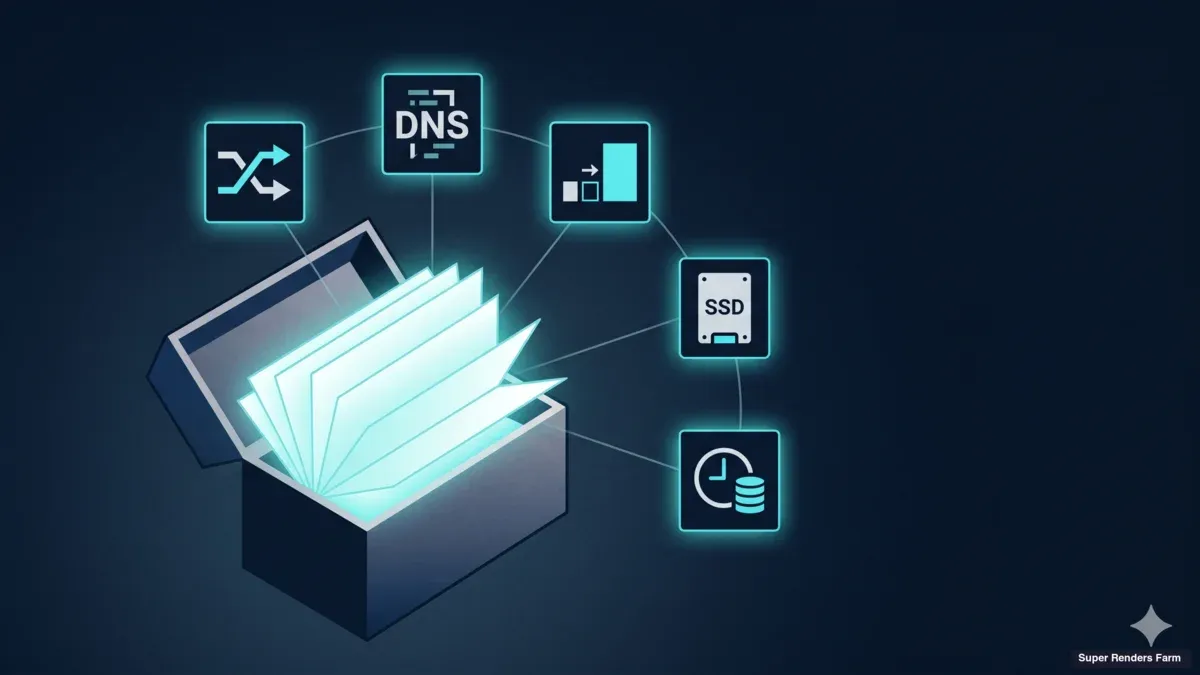
Cross-Country Render Farm Deployment: Six Lessons From the Field in 2026
Overview
Introduction: Architecture Diagrams Lie, Production Logs Do Not
 Clean architecture plan vs messy production reality
There is a gap between the architecture diagram you draw in a planning doc and the system that actually runs renders for a customer on a Tuesday afternoon. Every cross-country render farm we have deployed has closed that gap the hard way — through commands that locked us out of our own gateway, through DNS queries that silently timed out while ICMP said the network was fine, through TCP handshakes that completed cleanly and then dropped the moment a large packet tried to cross the tunnel.
This article is not a tutorial on how to build a render farm. It is a record of what we have actually broken and fixed deploying dedicated GPU clusters for customers whose artists work in one country while the hardware runs in another. The lessons here are deliberately operational, not architectural. They are the kind of thing that does not appear in a vendor's product page and rarely makes it into a public conference talk, because they read less like engineering and more like field notes.
We have been operating fully managed cloud render farm infrastructure at Super Renders Farm for more than a decade. When teams need a dedicated cluster that spans continents — artists on one side, GPUs on the other — these are the six lessons we wish we had read before our first deployment instead of after our third one. We also include an honest counter-lessons section: the components we tried, decided against, or deliberately did not deploy. Read this article alongside our complete operational guide and our architecture deep-dive if you want the full picture.
Lesson 1: The Dual-Home Gateway Routing Trap
The first time we deployed a gateway machine with two network interfaces — one facing the public internet, one facing the internal LAN — we changed the default route before we had set the internal route. Inside three seconds, our SSH session dropped. We could not reconnect. The machine was sitting in a datacenter rack with no out-of-band console, and the only path back was a remote-hands ticket.
This is the dual-home gateway routing trap, and it has bitten every operator we know at least once.
Getting that public-versus-internal boundary right is the foundation of cluster segmentation; our render farm network segmentation and security guide covers the two-tier firewall model and per-role isolation that build on it. The mechanics are simple: when a machine has two NICs, the kernel has to be told which gateway handles which network. If you change the default route to point at the public interface (so external traffic egresses through the WireGuard endpoint, the NAT exit, or wherever your design demands), and you have not yet pinned the route for the internal LAN, your SSH session — which is coming in over the internal LAN — suddenly has no return path. Every packet you send back to your laptop tries to leave through the public interface, gets dropped by the upstream router because the source IP makes no sense from that direction, and your terminal hangs.
The fix is mechanical: always set the internal route first, then change the default. On a Linux gateway running Ubuntu 22.04, that sequence looks roughly like this. First, you add an explicit route for the LAN subnet via the LAN gateway. Then, and only then, you change the default route to whatever your egress design requires.
# Step 1: pin the internal LAN route via the LAN-facing gateway
sudo ip route add 10.0.0.0/24 via 10.0.0.1 dev eth1

# Step 2: only NOW change the default route
sudo ip route replace default via <public-gateway-ip> dev eth0
Two operational habits make this safer in practice. First, use a tool like tmux or screen for any routing change. If you do lose your session, the work survives the disconnect and you can recover the moment you reconnect. Second, on any gateway change that touches the default route, set a watchdog: a cron job that reverts the routing tables to a known-good state in five minutes unless you cancel it. That cron job has saved us from a remote-hands ticket more than once.
The generalizable lesson is that on any dual-homed machine, the order of operations matters more than the correctness of the final state. The same configuration applied in the wrong order produces a different outcome than the same configuration applied in the right one — and the difference is whether or not you keep your shell.
Lesson 2: The WireGuard Plus DNS Configuration Gotcha
A render node opens a WireGuard tunnel to the gateway. The tunnel comes up. ICMP works in both directions — the operator on the artist side can ping every internal IP. Confident the network is healthy, the operator launches a render job. The job stalls. Logs show DNS resolution timeouts. Confusion sets in, because the operator just ping-tested every internal address and they all responded.
This is the WireGuard plus DNS configuration gotcha. The pattern is one of the most counterintuitive debugging experiences in a cross-country render farm deployment, because the standard "is the network up?" check (ICMP) returns green while the actual user-facing failure is happening at a different protocol layer.
The root cause is almost always dnsmasq — or whatever internal DNS resolver you are running on the gateway — not being configured to listen on the WireGuard interface. By default, dnsmasq binds to the interfaces it knows about at startup time. The WireGuard interface (wg0) comes up after dnsmasq does, and unless you have explicitly told dnsmasq to listen on it, queries arriving through the tunnel never reach the resolver. They time out at the client, while every other protocol — including ICMP, TCP to internal IPs, even direct SMB mounts by IP literal — works.
The fix is one line in the dnsmasq config:
# /etc/dnsmasq.conf
interface=wg0
interface=eth1
bind-interfaces
The bind-interfaces directive is important too. Without it, dnsmasq listens on the wildcard 0.0.0.0, which works in many cases but interacts badly with some firewall configurations. Being explicit about which interfaces serve DNS is safer.
The diagnosis pitfall is the dangerous part. When ICMP works, the natural human instinct is to rule out the network and look at the application layer. We have seen this debugging path eat hours: an operator chases firewall rules on the render node, then checks license servers, then suspects a stale Deadline configuration, then finally — three hours in — runs dig @internal-dns-ip cache.lan from the artist side and gets the timeout. Once you have done this debugging session once, you never forget it. The general lesson is to add DNS resolution to your network-health smoke test. ICMP alone is not enough.
Lesson 3: TCP MSS Clamping for Long Tunnels
The third lesson is the one that costs the most time when you have not seen it before, because the failure mode looks like everything else. Small operations work. SSH sessions stay connected. telnet to a port succeeds. A short HTTP GET returns headers. Then somebody tries to mount an SMB share over the tunnel, or initiate a TLS handshake, or start an RDP session — and the connection hangs forever. No error, no reset, just silence.
This is the MTU blackhole problem, and on long tunnels it is essentially guaranteed unless you do something about it. WireGuard adds roughly 60 bytes of overhead to every packet for the encrypted envelope plus headers, which drops the effective MTU inside the tunnel below the standard 1500-byte Ethernet MTU. When two endpoints try to send a full-size packet across the tunnel, the router in the middle either fragments it (often disallowed) or sends back an ICMP "fragmentation needed" message so the sender can retry smaller.
ICMP fragmentation-needed messages are routinely dropped by intermediate firewalls. When path MTU discovery breaks this way, the sender keeps sending oversized packets that silently fail to traverse the tunnel. Small packets get through; large packets — TLS handshakes carrying server certificates, SMB negotiations, RDP framing — disappear. The session waits for a response that never arrives.
The fix is TCP MSS clamping. On the WireGuard gateway, you add an iptables rule in the mangle table that rewrites the TCP MSS option on every packet leaving through wg0 to whatever the path MTU actually supports. The kernel takes care of the math:
sudo iptables -t mangle -A FORWARD -o wg0 \
  -p tcp --tcp-flags SYN,RST SYN \
  -j TCPMSS --clamp-mss-to-pmtu
The diagnostic to catch this before users do is straightforward: send a deliberately large packet through the tunnel and watch what happens. A ping -s 1400 with the don't-fragment bit set will fail if MSS clamping is missing and PMTUD is broken. We add this to our deployment smoke test alongside the DNS check from Lesson 2, because the two failures together cover the majority of "the network works but the app does not" reports we have triaged.
The generalizable lesson is that on any tunneled overlay, "TCP works" is not the same as "TCP works for large payloads." Always test a large packet end-to-end before declaring the network healthy.
Lesson 4: Right-Sizing Versus Over-Engineering
There is an operational temptation, when you sit down to design a dedicated render cluster, to specify the kind of storage stack you would find in a hyperscaler whitepaper. RAID 10 across four drives for redundancy, LUKS for at-rest encryption, XFS for the cache filesystem because somebody once said XFS handles large files better. The diagram looks impressive. The bill of materials adds three drives and a controller you did not need. And every layer you add is another layer that can fail.
For one of the cross-country deployments we have done, the original plan called for exactly that stack. The deployed reality was a single 8 TB SATA SSD with ext4 and no encryption at rest. The cache server lives behind WireGuard, the data on it is replayable from cloud storage in hours rather than days, and the customer's threat model did not include physical attacker access to a datacenter rack behind multiple layers of network isolation. RAID 10 solved a problem the deployment did not have. LUKS duplicated encryption that the cloud-side storage already provided. XFS added a filesystem choice for a workload (sequential reads of cached scene assets) that ext4 handles fine.
The general rule we apply now: do not add a layer unless the layer fixes a real failure mode in the actual deployment. Storage redundancy on a cache server is unnecessary when the master data lives in cloud storage and a full cache re-warm takes a few hours. At-rest encryption is unnecessary on hardware whose contents are already encrypted in transit and at the cloud source. Choosing a less common filesystem because of theoretical benchmarks is unnecessary when the workload sits well within the default choice's tested envelope.
The tradeoff we did acknowledge: a single SSD has no on-cluster redundancy. If that drive fails, the cache is gone until we restore. Our mitigation is straightforward — a nightly rsync to a separate NAS, monitoring on the SSD's SMART counters, and a documented re-warm procedure that rebuilds the cache from cloud storage inside the SLA window. The point is not that redundancy is bad; the point is that redundancy belongs where it fixes a failure mode you can articulate, not as a default reflex.
Over-engineering also has a cost in operational legibility. Every layer is a layer the next operator has to understand to debug. A single ext4 filesystem on a single SSD is something every Linux operator can troubleshoot from first principles. When the deployment is running unattended and a remote operator needs to recover it at 2 a.m., simpler wins.
Lesson 5: Pre-Warm the Cache Before D-Day
 A reservoir filling with light ahead of an approaching deadline glow
Render farms hide a cold-start problem that is easy to miss until the customer's first production day. On day one, twenty render nodes come online for the first time and start pulling assets they need. If the cache is empty, every one of those nodes hits the cloud storage at the same time, competing for the same upstream bandwidth. The cloud-side rate limits kick in. The shared internet pipe saturates. The render queue stalls. The customer's first impression of the cluster is that it is slower than their old workstation.
This is the cold-pull problem, and it is entirely preventable. The solution is to pre-warm the cache twenty-four to forty-eight hours before the customer's first scheduled render. The mechanics are simple: ahead of D-day, work with the customer to get the asset list — the project files, the textures, the simulation caches, the plugin libraries that will be referenced. Pull all of it down to the cache server while there is no production load on the cluster, so that on day one, the render nodes find a warm cache waiting for them on the local LAN.
A pre-warm pass also serves as a smoke test. If the asset list contains a path that does not resolve, you find out in the calm of the pre-warm window rather than in the panic of the first render. If there is a permission issue between the customer's cloud account and the storage path you are pulling from, you find that out too. If the asset list adds up to a volume that will not fit on the cache, you have time to resize the cache or to negotiate a tighter scope. None of these conversations should happen for the first time when the render queue is already submitted.
A related practice: a smoke-test render with a small batch of frames before the production batch goes in. Twenty frames at full quality, end-to-end through the pipeline, on day zero. If anything is misconfigured — a missing plugin license, a wrong output path, an OCIO drift between the artist's workstation and the cluster — the smoke test surfaces it. Twenty frames is cheap insurance against finding the same problem on frame 800 of a 2,000-frame production batch.
The general lesson is that the first render on a fresh cluster is always slower and more error-prone than the steady state. Engineer around it. Do not deliver the cluster cold.
Lesson 6: Documentation Is an Operational Tool, Not an Afterthought
The sixth lesson is a bonus one, because it is less about a technical pattern and more about how the deployment becomes a thing the team can support later. We have learned to build the runbook during the deploy, not after it.
Every deployment we run generates a build log in real time: a numbered changelog of entries in chronological order, with the actual commands that were run, the actual outputs that came back, and operator commentary about why a particular decision was made. We do not write this log retroactively, because the details are gone by then. We write it as we work, and we treat it as a deliverable equal in weight to the running infrastructure.
The build log has two audiences. The first is the next operator to touch the cluster — usually a teammate, sometimes the future version of the operator who set it up. The second is the customer, in the form of a handover document that distills the build log into a clean as-built reference, the recovery procedures if something breaks, and the operational boundaries between what their team owns and what we own.
The cost of documenting during the deploy is roughly fifteen percent of the deployment time. The cost of not documenting is a support cycle every time something needs to be recovered, and a steep learning curve for any teammate taking over the system. The build log has paid for itself within the first month every time.
Honest Counter-Lessons: What We Did Not Do
There is a temptation, in any operational write-up, to describe the final stack as if it were the obvious choice from the start. It rarely is. Here are the components we considered, tried, or deliberately did not deploy — included so that you do not waste cycles repeating the experiments we already ran.
We did not deploy RustDesk for remote desktop. RustDesk is serviceable for general office work, but the streaming quality and color fidelity were not where they needed to be for 3D and GPU rendering. Artists noticed compression artifacts on textured surfaces and color shifts in viewport previews. We standardized on Moonlight with Sunshine instead, which uses NVIDIA NVENC hardware encoding and was designed for high-frame-rate, high-fidelity streaming. Parsec is a reasonable fallback; RustDesk is not the right fit for this workload.
We did not deploy BBR version 3. TCP BBR is a congestion-control algorithm that handles long, jitter-prone international links better than the kernel default. We use it — but we use BBR version 1, not version 3. BBRv3 is newer, theoretically improved, and not yet at the kernel maturity where we would put it in front of a customer's production deadline. BBRv1 is well-understood, ships standard in modern Linux kernels, and does the job.
We did not run the edge router as a VM on the NAS. An earlier plan considered consolidating the edge gateway onto a virtual machine on the same Network Attached Storage box that holds the cache. The reality is separation of concerns: when the edge router and the cache live on the same physical machine, a kernel update on the NAS takes the gateway down too. A misbehaving disk can starve the gateway of I/O. A dedicated cache box that does cache work and nothing else is operationally cleaner.
We did not deploy AWS Global Accelerator or Cloudflare Tunnel. Both are reasonable optional components, and either would reduce latency for some customers. They are also unnecessary for the baseline. The WireGuard tunnel with BBR and MSS clamping handles long international links well enough that the marginal improvement does not justify the operational complexity. We have specified Global Accelerator and Cloudflare Tunnel as phase-two optional components in our architecture documentation, but neither shipped with our default cross-country builds. If a customer's latency requirements turn out tighter than the baseline can support, we revisit. Until then, we do not deploy what we do not need.
The general counter-lesson: an honest deployment write-up should include the things that did not ship. Otherwise the next operator assumes the final stack was inevitable and repeats experiments we already paid for.
FAQ
Q: How long does it take to deploy a 20-node dedicated cross-country render farm cluster? A: From hardware procurement to customer-ready, our typical timeline runs two to four weeks. Hardware build and OS imaging is the predictable portion. Network configuration — WireGuard, BBR, MSS clamping, DNS, NTP, firewall — adds a few days. Pre-warm and smoke testing consume another day or two. Variability comes from customer-side prerequisites: cloud account access, asset-list agreement, and artist client setup.
Q: What is the most common cause of deploy delay? A: Customer-side credential and access provisioning. The infrastructure work runs to schedule. The bottleneck is typically getting the customer's cloud storage credentials onto the cluster in a way that works with their security policy, and getting the artist-side client tools (WireGuard, Moonlight) installed on the actual workstations artists will use. We have learned to start that conversation on day one, not in the last week.
Q: Can I follow these lessons for my own DIY render farm setup? A: Yes. The lessons here are infrastructure patterns, not business secrets. The dual-home routing trap, the DNS gotcha, MSS clamping, and right-sizing discipline all apply to any cross-network deployment, ten nodes or two hundred. If you would rather not run the infrastructure yourself, our fully managed render farm handles all of this on shared infrastructure, and our dedicated cluster offering does the same for customers who want hardware that is theirs alone.
Q: Do you offer consulting on render farm infrastructure separately from your hosted service? A: We focus on operating the infrastructure ourselves rather than selling consulting hours. For teams considering whether to build versus rent, our build versus cloud total cost guide lays out the economics, and the team is happy to talk through architecture questions for prospective customers evaluating a dedicated cluster on our hardware.
Q: What is the longest cross-country render farm deployment you have done in terms of distance? A: The deployments we operate today span continents — artists working from North America while the rendering hardware runs in Southeast Asia. The longer the link, the more these lessons matter. Short LAN-only deployments can ignore MSS clamping and pre-warm. Continent-spanning deployments cannot.
Q: What is the smallest cluster size where these lessons still apply? A: Most of these patterns matter from the first node onward, not the twentieth. The dual-home routing trap applies to any gateway with more than one interface. The DNS plus WireGuard gotcha applies to any tunneled overlay with internal name resolution. The MSS clamping requirement applies to any TCP traffic crossing a tunnel of meaningful length. Cache pre-warm matters more as the node count grows, because cold-pull bandwidth contention scales with the number of nodes hitting the cloud at once.
About Thierry Marc
3D Rendering Expert with over 10 years of experience in the industry. Specialized in Maya, Arnold, and high-end technical workflows for film and advertising.



