

3D Modeling Software Compared (2026): Blender vs Cinema 4D vs Maya vs 3ds Max
Overview
Introduction
Choosing 3D modeling software in 2026 usually comes down to four names: Blender, Cinema 4D, Maya, and 3ds Max. Each one has a clear sweet spot — and a cost that most comparisons only count halfway. The license is the obvious number. The one that gets left out is what happens when you actually hit render and your single workstation can no longer keep up.
We run all four of these applications on the same cloud hardware every week, so this guide compares them on the axes that decide real projects: modeling and animation toolsets, motion-design strength, learning curve, license cost, and how cleanly each one renders once a project moves off your desk and onto a render farm. Wherever a one-on-one breakdown goes deeper than a four-way overview can, we link the dedicated comparison so you can drill down without re-reading the basics.
There is no single winner here. The honest answer is that the right tool depends on what you build and who builds it with you — and the render bill that follows.
The Four at a Glance (2026)
This is the scannable summary. Each row is a decision axis; pick the columns that match your work and the shortlist usually picks itself.
| Axis | Blender | Cinema 4D | Maya | 3ds Max |
|---|---|---|---|---|
| License (2026, approx) | Free (GPL) | ~$839/yr | ~$1,945/yr | ~$1,945/yr |
| Operating system | Windows / macOS / Linux | Windows / macOS | Windows / macOS / Linux | Windows only |
| Best-known strength | All-round, free | Motion graphics | Animation / VFX | Archviz / hard-surface |
| Modeling | Strong, plus sculpting | Designer-friendly | Strong | Strongest hard-surface |
| Animation | Capable | Capable | Category standard | Capable |
| Motion design | Growing | Benchmark (MoGraph) | Capable | Limited |
| Native / bundled render engine | Cycles (path-traced) | Redshift bundled | Arnold bundled | Arnold bundled |
| Learning curve | Moderate to steep | Easiest for designers | Steep | Moderate |
| Best fit | Indie, budget, character, open pipeline | Motion, broadcast, design teams | Film, VFX studios | Archviz, product viz |
Prices above are approximate as of 2026 — subscription rates change often, so verify current pricing at maxon.net and autodesk.com before you commit. (Verified June 2026: Cinema 4D ~$839/yr incl. Redshift; Maya ~$1,945/yr; 3ds Max ~$1,945/yr — Autodesk prices Maya and 3ds Max the same, and both bundle Arnold.)
Blender — Free, Broad, Open
Blender (blender.org) leads with its price: nothing. It is free and open-source under the GPL, with no seat caps, no license server, and no per-project cost. That alone makes it the default starting point for students, freelancers, and budget-conscious studios. But "free" undersells what it actually is in 2026 — a full pipeline that takes you from modeling and sculpting through animation, simulation, and final render with Cycles, its production path-tracer, all in one package.
Where Blender shines: sculpting and retopology, character work, Grease Pencil 2D/3D hybrid animation, and a fast-moving ecosystem of mostly-free add-ons. The trade-offs are real too. The interface has a large surface area to learn, and because it is community-driven you do not get the kind of vendor support contract a large studio sometimes needs for pipeline guarantees. For most indie and mid-size teams, those trade-offs are easy to live with.
For a focused head-to-head, see our breakdowns of Blender vs Maya and Cinema 4D vs Blender.
Cinema 4D — Motion Design Benchmark
If your work lives in motion graphics, broadcast, or commercial design, Cinema 4D (Maxon) is the tool most studios reach for. Its MoGraph toolset and Fields system remain the category benchmark for procedural motion design, and its interface is widely considered the friendliest of the four for designers who came from After Effects or print rather than from a traditional 3D background. Onboarding a design team onto C4D tends to take the least time of the four.
Cinema 4D runs on a subscription of roughly $839 per year, and every current subscription bundles Redshift, Maxon's GPU renderer (plus a few Team Render nodes) — so you get a capable production engine without buying it separately. The main trade-off versus Blender is simply the recurring cost. For studios where the speed of getting designers productive matters more than license budget, that cost is usually justified.
Compare it directly in our Cinema 4D vs Maya and Cinema 4D vs Blender guides.
Maya — Animation and VFX Pipeline Standard
Maya (Autodesk) is the long-standing standard in film and high-end VFX. Its animation toolset is deep, its rigging and character systems are mature, and its scripting and pipeline extensibility make it the natural fit for studios that need to wire 3D into a larger production pipeline shared across many artists. When a job requires studio-standard interoperability and a known animation workflow, Maya is the safe choice.
The trade-offs are cost and complexity. Maya runs around $1,945 per year, the learning curve is steep, and it is a heavier application than Cinema 4D or Blender. Arnold, Autodesk's renderer, is bundled with current versions. None of that is a problem for the studios Maya is built for — it is overkill for a solo motion designer, and right at home in a 30-artist animation house.
Dig deeper with Blender vs Maya and Cinema 4D vs Maya.
3ds Max — Archviz and Hard-Surface Workhorse
For architectural visualization, product visualization, and hard-surface modeling, 3ds Max (Autodesk) is the workhorse. Its modeling toolset and modifier stack are excellent for precise, non-organic geometry, and its plugin ecosystem — Forest Pack and RailClone for scatter and parametric geometry, plus V-Ray and Corona for rendering — is the deepest in the archviz world. If you build buildings, products, or machines, this is where the specialized tools live.
The trade-offs: it runs around $1,945 per year (Autodesk prices it the same as Maya), and it is Windows-only, so a Mac-based studio is out from the start. Arnold ships bundled, though many archviz studios pair Max with V-Ray or Corona instead. For organic and character work it is the weakest of the four, but for its core verticals it is hard to beat.
For the renderer-pipeline angle, see V-Ray for Blender vs 3ds Max.
Cost: License + the Render Bill Nobody Mentions
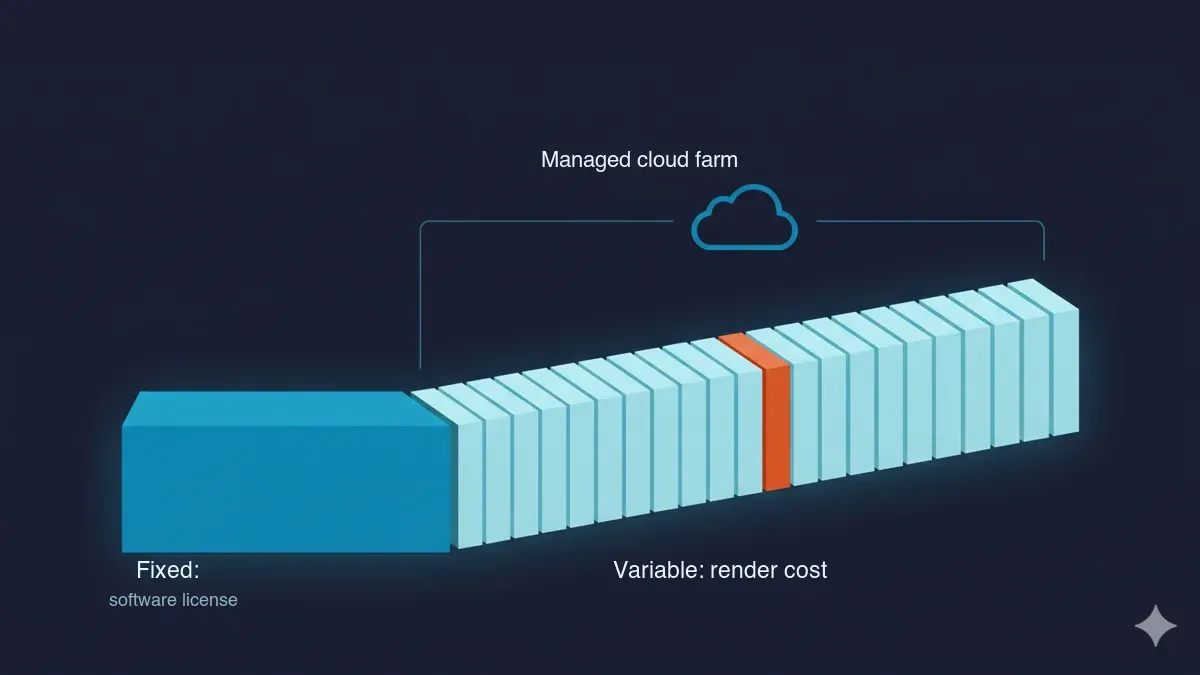 The total cost of 3D software as a fixed annual license cost plus a variable render cost, with the render-engine license folding into compute on a managed cloud render farm.
Most comparisons stop at the license price. That is only half the math. Every tool choice has a downstream render cost — and on a render farm, the way that cost works changes the picture.
| Software | 2026 license (verify at vendor) | Render-engine licensing on a managed farm |
|---|---|---|
| Blender | Free, open-source | None needed |
| Cinema 4D | ~$839/yr (maxon.net) | Cinema 4D + Redshift typically included |
| Maya | ~$1,945/yr (autodesk.com) | Arnold typically included |
| 3ds Max | ~$1,945/yr (autodesk.com) | Arnold / V-Ray typically included (varies) |
Here is the part that catches people out. When you render locally, your own license covers it. When you move to a render farm, the question becomes: do you have to carry a license to the cloud too? With Blender the answer is simple — it is free and open-source, so there is no license to carry, on your machine or on a farm. With Cinema 4D, Maya, and 3ds Max, the modeling-application and render-engine licensing is, on a fully managed farm, typically built into the rendering price. You pay for compute, not for a second floating seat. We include the major render-engine licenses (V-Ray, Corona, Redshift, Arnold, and Octane) in our pricing for exactly this reason; only Blender's Cycles needs no license because it is open-source. Always confirm license inclusion with any provider before you upload, because this genuinely varies between farms.
A quick sense of the compute side: our CPU rendering is billed at $0.004 per GHz-hour (rising with priority up to $0.016), and GPU rendering at $0.003 per OctaneBench-hour. So a CPU job that needs, say, 2,000 GHz-hours of compute lands around $8 in render cost — independent of which of these four applications built the scene. New accounts get $25 in free render credit, which never expires, so the cleanest way to settle a "which renders better for us" debate is to render the same test frame both ways and read the actual numbers.
Which Renders Best on a Cloud Farm
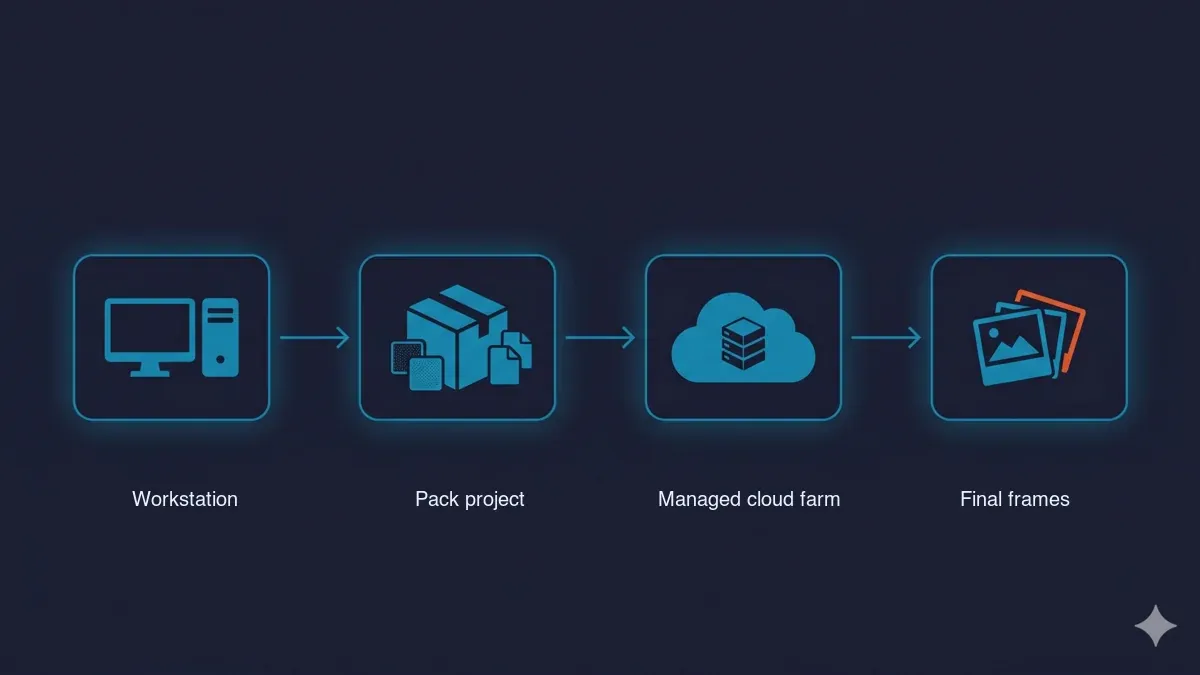 The cloud render pipeline — local workstation, a correctly packed project bundle, a managed cloud render farm, and downloaded final frames.
Once a project leaves your workstation, the modeling application matters less than how the project is packaged and which engine does the work. A few things we see every week:
- Asset packing differs by format. A
.blendfile can be saved fully self-contained, which makes it forgiving to ship..maxand.c4dprojects rely more on linked external assets — textures, proxies, IES files — so packing everything correctly before upload is what prevents missing-texture surprises in the final render. - The engine drives render time, not the modeler. Whether a scene was built in Maya or in Blender, render time on identical hardware is governed by the render engine and how the scene is constructed — light count, sampling, geometry density — far more than by the application it came from.
- Fully managed removes the busywork. The differentiator that matters most when you scale up is not having to remote-desktop into machines, install software yourself, or juggle licenses by hand. You upload the project, it renders, you download the frames. That managed model is what separates a service like ours from raw infrastructure-rental farms where you do all of that setup yourself.
All four applications render cleanly on a cloud farm when the project is packed correctly. Super Renders Farm is a US-headquartered company — Super Renders Farm LLC, based in Santa Ana, California — with US billing in USD, 24/7 live chat support, a US support phone line (001-714-383-0800), and US legal accountability, which some teams weigh when choosing who to trust with a production deadline. If you want the per-application detail, we have dedicated guides for Blender, Cinema 4D, and 3ds Max on a render farm, plus the Cinema 4D, Maya, and 3ds Max cloud-rendering pages.
How to Choose (Decision Framework)
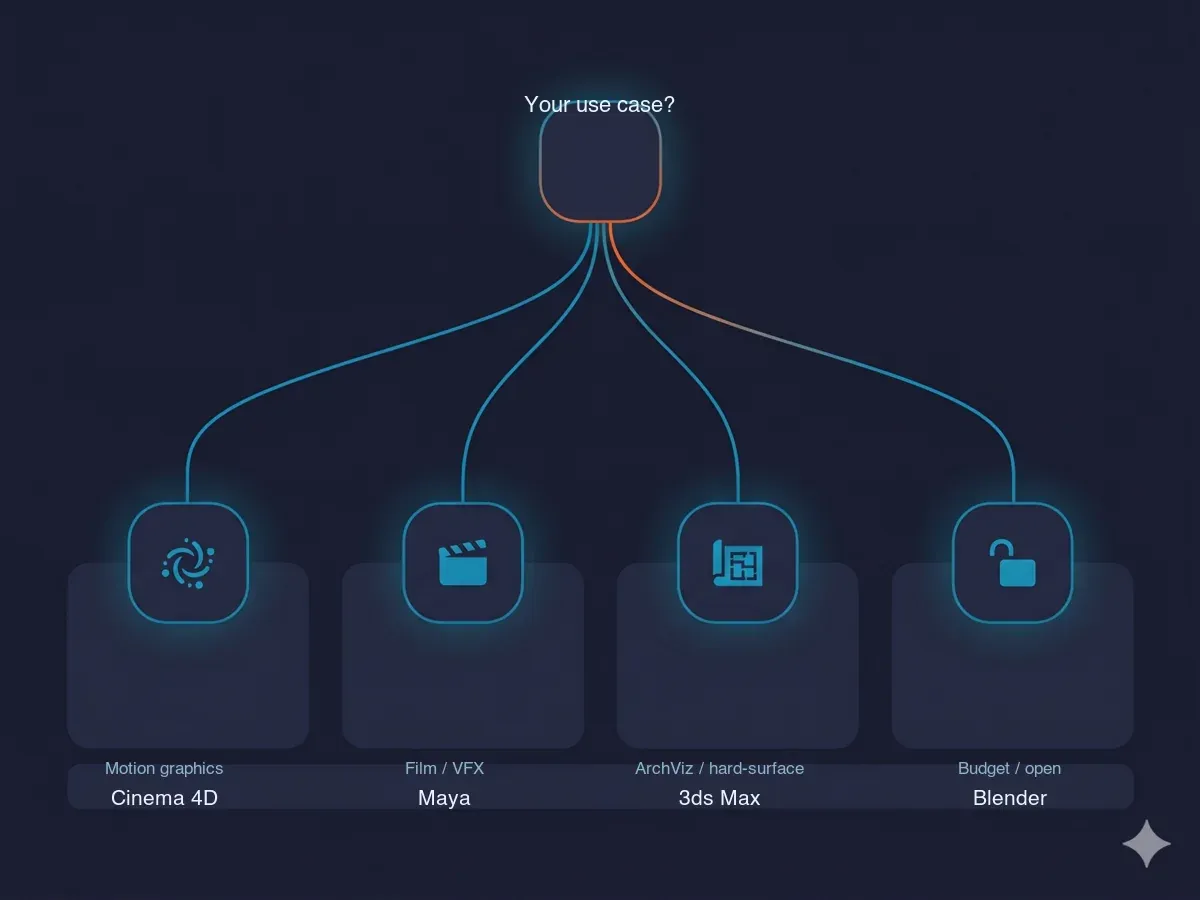 Use-case to software routing — motion graphics to Cinema 4D, film and VFX to Maya, architectural and hard-surface to 3ds Max, and budget or open-pipeline work to Blender.
Match the tool to the primary job, not to a leaderboard:
- Motion graphics, broadcast, commercial design → Cinema 4D. MoGraph and Fields plus the quickest designer onboarding.
- Film, episodic, and high-end VFX → Maya. Deep animation and pipeline interoperability for multi-artist studios.
- Architectural visualization, product viz, hard-surface → 3ds Max. The modifier stack and the archviz plugin ecosystem.
- Budget, indie, character work, or an open pipeline → Blender. Free, full-featured, and no license to carry to the cloud.
- Your work spans several of these worlds → it is common and reasonable to keep two: for example Blender for modeling and Cinema 4D for motion, or 3ds Max for archviz with Maya for character animation.
Whatever you choose, the render math is worth running before you scale. The license is a fixed annual number; the render cost grows with every project — and on a managed farm it stays predictable per frame regardless of which of these four you build in.
FAQ
Q: What is the best 3D modeling software in 2026? A: There is no single best — Blender wins on price and breadth, Cinema 4D on motion graphics, Maya on animation and VFX, and 3ds Max on architectural and hard-surface modeling, so the right choice depends on your primary use case and budget rather than an overall ranking.
Q: Which 3D software is best for beginners? A: Cinema 4D is generally the easiest to learn for designers thanks to its guided interface, while Blender is the most popular free starting point because it is completely free and has an enormous tutorial ecosystem, so beginners usually pick between onboarding speed (Cinema 4D) and zero cost with full features (Blender).
Q: Is Blender good enough to replace Maya, Cinema 4D, or 3ds Max professionally? A: For many indie studios, freelancers, and character-focused or budget-conscious teams Blender is fully production-capable and free, but large animation, broadcast, and archviz pipelines often stay on Maya, Cinema 4D, or 3ds Max for specific toolsets and studio-standard interoperability, so whether it can replace them depends on your pipeline rather than raw capability.
Q: How much does each 3D modeling program cost in 2026? A: Blender is free under the GPL, Cinema 4D runs roughly $839 per year (Redshift included), and Maya and 3ds Max are about $1,945 per year each as of 2026 — always verify current rates at maxon.net and autodesk.com because subscription pricing changes frequently.
Q: Do I need to own the software license to render these files on a cloud render farm? A: Blender needs no license on a farm because it is free, while Cinema 4D, Maya, and 3ds Max licensing and their render engines are typically included in a fully managed farm's price so you do not carry your own seat to the cloud — confirm license inclusion with any provider before uploading, since this varies.
Q: Which 3D software renders most efficiently on a render farm? A: Render efficiency on identical cloud hardware depends far more on the render engine and how the scene is built than on the modeling software — a raster-style preview engine finishes much sooner than a path-traced one, while GPU path-tracers such as Redshift and Cycles land in a broadly similar range, so the modeling tool you choose matters less for render time than the engine and the scene complexity.
Q: Can I use more than one of these tools in the same pipeline? A: Yes, and many studios do — common pairings are Blender or 3ds Max for modeling with Cinema 4D for motion design, or 3ds Max for archviz alongside Maya for character animation, since standard interchange formats let geometry, cameras, and animation move between them, and a managed render farm can take the final scene from any of the four.
About Alice Harper
Blender and V-Ray specialist. Passionate about optimizing render workflows, sharing tips, and educating the 3D community to achieve photorealistic results faster.



