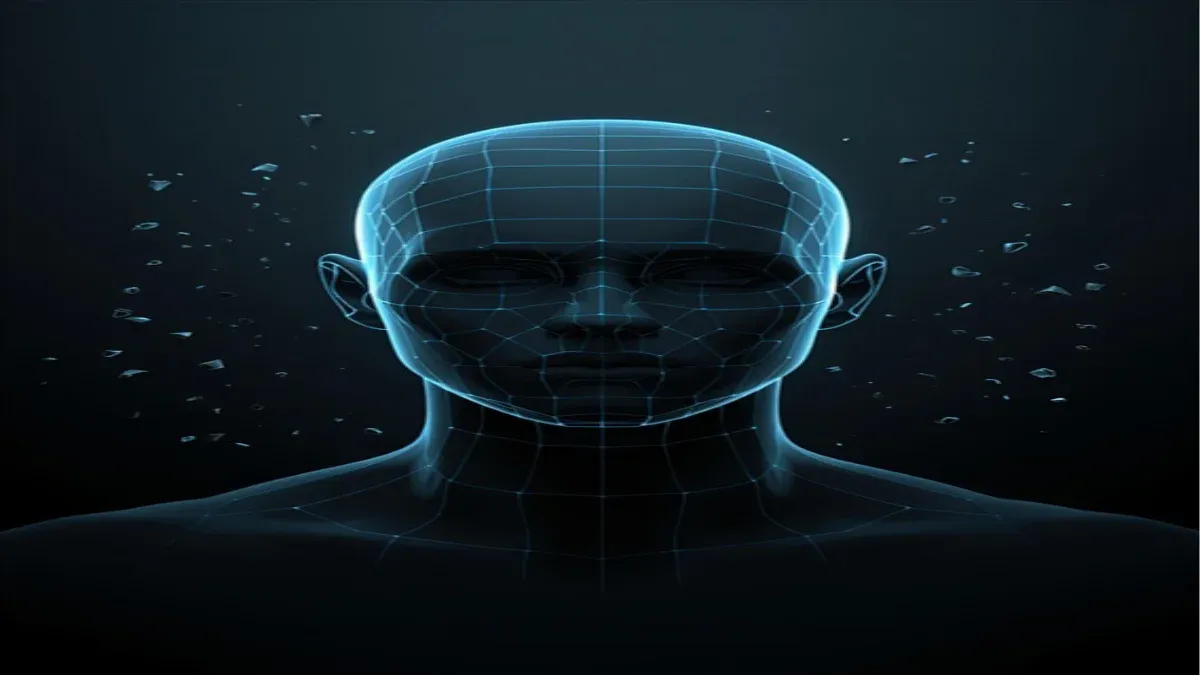
Quad Remesher para Blender: Guía de Retopología Automatizada
Resumen
Introducción
En Super Renders Farm hemos la retopología — reconstruir geometría de alto polígono en una topología limpia y editable — es una de las tareas más tediosas y que consume más tiempo en 3D. La retopología tradicional implica colocar manualmente bucles de aristas en un modelo de alto polígono, bucle por bucle, lo que puede consumir 8–16 horas para un personaje complejo. Quad Remesher, desarrollado por Maxime Rouca, automatiza este proceso en Blender, generando topología lista para producción a partir de escaneos o esculturas de alto polígono en segundos.
Hemos implementado Quad Remesher en archviz, producción de personajes y assets. La herramienta ha reducido el tiempo de retopología en un 85–90% comparado con enfoques manuales, y lo más importante, la calidad de la topología generada es notablemente consistente. La usamos para bases de rigging de personajes, optimización antes de envío a granja de render, y limpieza rápida de escaneos fotogramétricos.
Esta guía explica qué es la retopología, por qué importa, cómo funciona Quad Remesher, sus alternativas, precios, y consejos prácticos para integrarla en pipelines de granja de render.
¿Qué es la retopología y por qué importa?
La retopología es el arte de reconstruir geometría con una topología optimizada para un objetivo específico. Comienza con un modelo de alto polígono — quizás 2 millones de polígonos de un escaneo fotogramétrico o escultura ZBrush — y crea una nueva malla más limpia que coincida con la forma pero use 50.000–200.000 quads bien organizados.
Por qué la retopología importa:
-
Rigging de personajes: Los quads limpios alineados con el flujo anatómico permiten deformación y skinning naturales. Un escaneo de alto polígono tiene polígonos aleatorios; la geometría retopologizada tiene bucles que siguen la estructura muscular y ósea para deformación esquelética predecible.
-
Optimización para renderizado: Menos polígonos = tiempos de renderizado más rápidos. Nuestra granja procesa personajes rigidos de 85.000 polígonos en la mitad del tiempo de escaneos de un millón de polígonos. Para renderizado por lotes, esto se acumula a través de fotogramas.
-
Preparación para animación: La geometría de alto polígono es difícil de rigear y animar. La geometría retopologizada es fácil de usar para modelado, rigging y animación.
-
Subdivisión y LOD: La topología limpia se subdivide predeciblemente (usa subdivisión Catmull-Clark para ir de 85k a 400k bajo demanda). Los sistemas LOD funcionan mejor con topología intencional que con alto polígono decimado.
-
Desempaque UV: El trabajo UV manual en alto polígono es engorroso. La geometría retopologizada se desempaqueta de forma más lógica y eficiente.
En producción, casi siempre retopologiza antes del trabajo significativo descendente. El esfuerzo inicial genera enormes dividendos en eficiencia de modelado, rigging, animación y renderizado.
¿Cómo funciona Quad Remesher?
Quad Remesher analiza su malla de alto polígono y genera automáticamente una topología basada en quads que se ajusta a la superficie. El algoritmo:
-
Detecta aristas duras y pliegues en su modelo de alto polígono. Si hay un pliegue (ángulo > 30°, configurable), Quad Remesher coloca límites de topología allí, preservando la arista dura en la malla retopologizada.
-
Analiza la curvatura de la superficie para determinar dónde deben fluir los bucles de aristas. En una cara, la topología sigue la estructura facial. En una mano, los bucles siguen la anatomía de los dedos.
-
Distribuye polígonos proporcionalmente en la malla — las áreas de alto detalle obtienen más quads, las áreas planas obtienen menos. Controla la densidad general con un recuento de polígonos objetivo o un deslizador de detalle.
-
Genera geometría limpia con una sola acción del usuario. En Blender, seleccione el objeto de alto polígono, elija "Remesh" del menú Quad Remesher, establezca el recuento de polígonos objetivo, y en 5–30 segundos tiene un modelo retopologizado terminado.
El resultado es una malla variedad (sin aristas no-variedad), con normales orientadas correctamente, lista para rigging, renderizado o refinamiento adicional. Para fundamentos de topología y teoría de mallas, consulte la documentación de diseño de mallas de Blender.
Quad Remesher vs. herramientas de remallado integradas de Blender
Blender tiene varias opciones de remallado, pero sirven para diferentes propósitos:
Remallado voxel: Convierte cualquier malla en vóxeles cúbicos con una resolución especificada. Rápido pero crea topología bloqueada inadecuada para personajes orgánicos. Útil para accesorios sci-fi de superficie dura o limpieza rápida, no para rigging de personajes.
Remallado suave: Aplica suavizado sin optimización de topología. Reduce el recuento de polígonos pero no genera quads o topología alineada con el flujo. Los resultados son de menor calidad que Quad Remesher.
QuadriFlow (heredado): Una herramienta más antigua de generación automática de quads. Quad Remesher es más rápido y produce topología más limpia. Hemos reemplazado todos los workflows de QuadriFlow con Quad Remesher.
Quad Remesher: Estándar de la industria. Genera quads limpios y alineados con el flujo en segundos. La opción de facto para retopología de personajes en Blender.
Resumen de comparación: Remallado voxel para superficies duras y bloqueo rápido, Quad Remesher para work de personajes en producción y assets orgánicos.
Instalación, licencias y compatibilidad
Quad Remesher es un addon de Blender distribuido a través de Gumroad. Instalación:
- Descargue el archivo
.zipde su biblioteca de Gumroad. - En Blender, vaya a Edición → Preferencias → Addons → Instalar.
- Seleccione el archivo
.zip. - Habilite el addon y reinicie Blender.
Precio: Quad Remesher cuesta $79 USD como licencia perpetua por usuario. Prueba gratuita disponible en Gumroad. Para un estudio de 10 artistas, el costo total es $790 — fácilmente justificado considerando el ahorro de tiempo en un solo asset de personaje.
Licencias: Licencia por usuario vinculada a la cuenta de Gumroad. Sin licencias flotantes o licencias de sitio. Si actualiza Blender, el addon se transfiere a nuevas versiones.
Compatibilidad: Funciona con Blender 3.0 y superior. Hemos probado en Blender 3.6, 4.0 y 4.1 sin problemas. El plugin se mantiene y recibe actualizaciones para nuevas versiones de Blender.
Uso sin conexión: Una vez instalado, Quad Remesher funciona sin conexión — no se requiere conexión a Internet. Útil para entornos de estudio seguros.
Flujo de trabajo de retopología práctico con Quad Remesher
Aquí está nuestro flujo de trabajo estándar:
Fase 1: Importar y preparar la fuente de alto polígono
- Cargue su malla de alto polígono en Blender (desde ZBrush, fotogrametría, etc.).
- Ejecute Merge by Distance para eliminar vértices duplicados — la fotogrametría a menudo crea superposiciones leves que confunden la generación de topología.
- Marque aristas duras en su malla fuente donde quiere que la topología respete pliegues. Esto es crítico: si marca un pómulo como duro, el retopologizador colocará límites de topología allí.
- Use Paint Face Marks en modo Sculpt para destacar áreas que necesitan detalle extra — topología densa en ojos y labios, más dispersa en el cuello.
Fase 2: Generar retopología
- Seleccione la malla de alto polígono.
- Abra el panel de Quad Remesher (usualmente en el panel lateral, pestaña "QR").
- Establezca el deslizador Density en su objetivo. Para personajes, típicamente apuntamos a 80.000–120.000 quads. Para accesorios, 30.000–60.000. Use la vista previa para estimar.
- Habilite Use Face Marks si pintó áreas de detalle (paso 4 arriba).
- Haga clic en Remesh y espere 5–60 segundos dependiendo de la complejidad del modelo.
Resultado: Un nuevo objeto con topología quad limpia, nombrado algo como "Remesh.001".
Fase 3: Limpieza y refinamiento
- Elimine u oculte la fuente de alto polígono.
- Importe su guía limpia de bajo polígono (por ejemplo, modelo CAD de basemesh) para comparar la retopología contra la referencia visual.
- Use Proportional Edit o la herramienta Grab de Blender para ajustar el flujo de topología si es necesario — usualmente solo ajustes sutiles.
- Ejecute Merge by Distance nuevamente para limpiar cualquier artefacto numérico de la generación.
- Seleccione todo y ejecute Recalculate Normals (Shift+N) para asegurar orientación de cara correcta.
Fase 4: Validación
- Entre en Weight Paint Mode con un esqueleto simple (rigging de esqueleto rápido).
- Verifique la deformación en áreas problemáticas: hombro, codo, cadera. Si la topología fluye bien, la deformación será suave.
- Si existen problemas, use Proportional Edit para ajustar manualmente los bucles de aristas. Usualmente se requiere ajuste mínimo.
Fase 5: Exportación y envío a granja de render
- Si subdivide aún más la malla, aplique un Subdivision Surface Modifier y horneado si es necesario.
- Asegúrese de que los UVs estén presentes (o marque como "Unwrap" para generación UV descendente).
- Exporte como
.blendpara renderizado en Blender, o.fbx/.objpara uso multiplataforma. - Envíe a una granja de render Blender — la geometría retopologizada renderiza eficientemente. Para más información sobre optimización de renderizado, consulte nuestra guía de renderizado en la nube GPU.
Este workflow completo toma 30–90 minutos por personaje, versus 12–20 horas de retopología manual.
Consejos de optimización para rendimiento de granja de render
Una vez retopologizada, la malla está optimizada por definición. Sin embargo, algunos pasos adicionales maximizan la eficiencia de la granja de render:
1. Hornee subdivisión si no deforma: Si retopologiza solo para renderizado (no rigging), aplique Subdivision Surface y hornee a una malla estática. Esto salta el cálculo de subdivisión en workers de la granja.
2. Decime si es posible: Si 80k quads es excesivo para su toma (por ejemplo, paisaje de gran angular con personajes pequeños), use el Modifier Decimate de Blender antes del envío a la granja. Reduce la geometría 30–40% = reduce el tiempo de renderizado 20–30%.
3. Desempaque UV: Quad Remesher no genera UVs. Use Smart UV Project o Unwrap de Blender para generar UVs paramétricos. Los UVs limpios texturizan eficientemente; los UVs pobres causan distorsión de textura y evaluación de material más lenta.
4. Horneado de material: Si renderiza con redes de material complejas (muchas búsquedas de textura), hornee texturas de alta resolución a materiales simplificados antes del envío. Menos operaciones de I/O de textura = renderizado más rápido.
5. Pruebe en hardware equivalente a granja: La velocidad de renderizado de Blender varía según el tipo de GPU. Pruebe una escena retopologizada en una GPU de granja de render idéntica a los workers de producción antes del envío completo.
Alternativas externas y cuándo usar Quad Remesher
Zbrush Topology Brush: Manual pero preciso. Use cuando necesite control artístico completo y la salida de Quad Remesher requiera revisión extensiva. Para más información sobre alternativas de modelado procedural, consulte nuestra guía Houdini Modeler.
3ds Max Quad Chamfer o CAT: Para retopología de superficie dura, estas herramientas a veces superan a Quad Remesher, que se optimiza para superficies orgánicas.
Instant Meshes (gratuito, código abierto): Genera topología quad pero es más lento y de menor calidad. Buena alternativa gratuita si el presupuesto es cero.
RizomUV: Principalmente una herramienta UV, pero el módulo de retopología es excelente para superficies duras complejas. Más caro ($500+) pero vale la pena para assets técnicos.
TopoGun: Software de retopología independiente. Flujo de trabajo más lento que Quad Remesher pero ofrece más control manual.
Para estudios de Blender, Quad Remesher es la opción unánime — rentable, integrado, rápido y de calidad de producción.
FAQ
¿Quad Remesher preserva datos de color y textura de la fuente de alto polígono?
No. Quad Remesher transfiere solo geometría, no colores de vértice o UVs. Debe transferir colores vía Bake (color de alto polígono a textura de bajo polígono) o repintar manualmente. El flujo de trabajo UV es: retopologice con Quad Remesher, luego genere nuevos UVs paramétricos en geometría de bajo polígono.
¿Cómo afecta el recuento de polígonos al tiempo de generación?
Una malla fuente de 100k quads se remalla en 5–10 segundos. Un escaneo fotogramétrico de 5 millones de quads puede tomar 30–60 segundos o más, dependiendo de su CPU. Las fuentes muy densas pueden agotar el tiempo — considere decimalar la fuente primero si la generación se detiene.
¿Puedo retopologizar múltiples objetos separados en un lote?
Debe ejecutar Quad Remesher en cada objeto individualmente. Para retopología por lotes, podría escribir un script Python para iterar sobre objetos seleccionados, pero la iteración manual es típica en la mayoría de estudios.
¿Cuál es el recuento de polígonos mínimo y máximo que debo apuntar?
Mínimo ~15k quads para geometría simple (accesorios, personajes simples). Máximo ~300k si quiere espacio de subdivisión y rigging detallado. Más allá de 300k, se acerca al recuento de alto polígono — cuestione si la retopología es necesaria.
¿La malla retopologizada coincide perfectamente con la fuente de alto polígono?
Coincide visualmente pero no es coincidente. Típicamente hay 1–3mm de desviación. Para primeros planos de héroe, podría necesitar usar el alto polígono como capa de detalle o normal map. Para tomas a distancia media, la coincidencia es imperceptible.
¿Puedo usar mallas retopologizadas con displacement mapping?
Sí. Hornee displacement desde el alto polígono al bajo polígono, luego aplique la textura de displacement a la malla retopologizada. Los resultados son excelentes — obtiene eficiencia de renderizado de bajo polígono más detalle de superficie de alto polígono.
¿Funciona Quad Remesher con modelos asimétricos?
Sí. Respeta cualquier geometría que le dé. Para rigging, podría retopologizar, luego hacer la retopología simétricamente espejada — Blender tiene herramientas espejo para este paso post-remesh.
¿Qué sucede si Quad Remesher no genera topología limpia?
Raro, pero posible en fuentes muy complejas o malformadas. Soluciones: (1) Merge by Distance para eliminar duplicados de vértices. (2) Decime primero para simplificar. (3) Marque aristas duras más cuidadosamente. (4) Ajuste el deslizador Density. (5) Recurra a retopología manual si nada de lo anterior funciona.