What Are AOVs in Rendering? Render Passes, Naming and Output Explained
Overview
Introduction
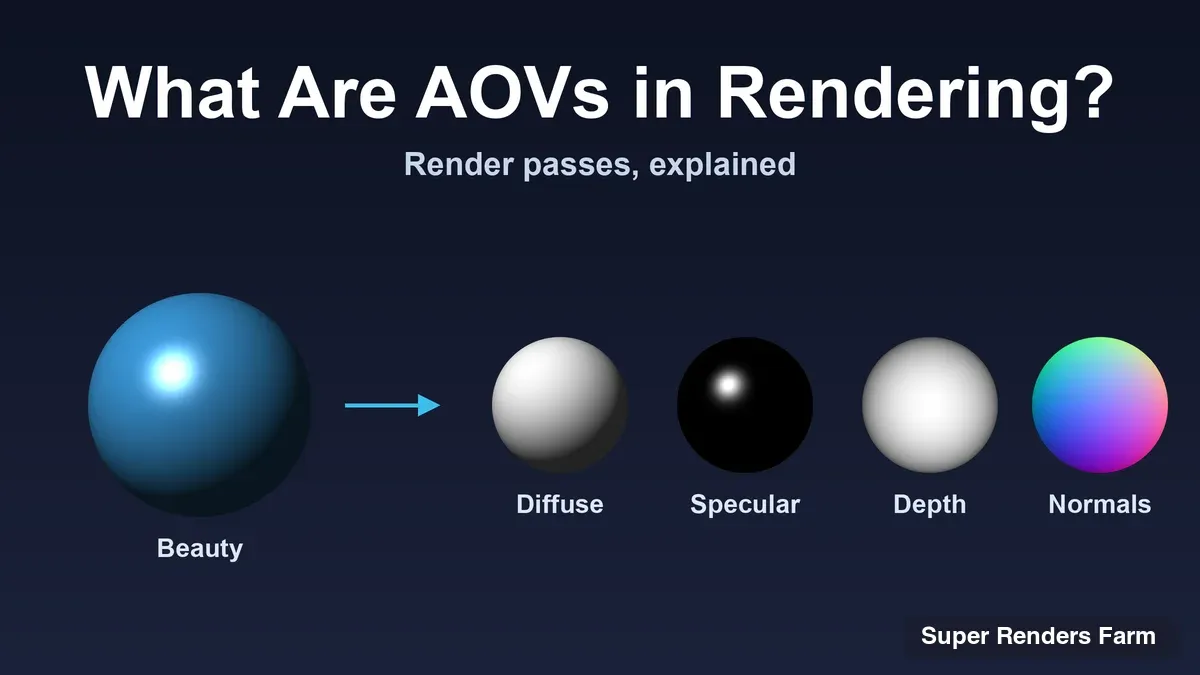
What are AOVs in rendering? AOV stands for Arbitrary Output Variable: a separate image that a renderer writes alongside the finished picture, holding one ingredient of it, such as the diffuse lighting, the distance from the camera or the direction each surface faces. Artists also say render passes, render elements or multipasses, depending on the software. It is one idea with several names.
A quick disambiguation, because the abbreviation travels. In online retail, AOV usually means average order value, and in camera talk it can mean angle of view. This article is only about the rendering meaning.
AOVs exist because a finished frame is hard to change once the renderer has baked everything together, and re-rendering a long frame to fix one thing is expensive. Saved separately, those ingredients let a compositor adjust them in minutes. This guide covers what the common passes hold, how Arnold, V-Ray, Redshift, Cycles and Corona name and enable them, when one multilayer EXR beats many files, and what AOVs change when frames render on a farm.
Arnold-specific denoiser setup is in How to Denoise AOVs Effectively, color management in ACES Color Management Explained, and the wider picture of how a scene becomes a frame in What Is Rendering? A Complete Guide.
What an AOV Is, in Plain Terms
Autodesk's Arnold user guide (read 10 November 2026) defines AOVs as a way to render any arbitrary shading network component into different images. Maxon's Redshift documentation (read 10 November 2026) puts it from the data side: AOVs are the different types of per-pixel information the renderer can produce. A normal render gives one color per pixel; an AOV gives another per-pixel quantity, saved as its own image or as a layer inside a file.
Those quantities fall into two families.
Lighting components. These split the image into what light and material produced: diffuse, specular, transmission, emission and so on. Arnold's guide notes that simply adding such AOVs together is all that is needed to rebuild the beauty AOV, which is why compositors like them: each part can be graded alone and the sum still equals the frame.
Data passes. These hold facts about the scene rather than light: distance from the camera, surface direction, object identity, motion between frames. Redshift's documentation calls them utility AOVs, and V-Ray files them under geometry and utility element types.
The trade-off is stated plainly in Arnold's guide: more AOVs give more control in compositing, but also extra work to handle, and they take up more memory and disk space, especially combined with light groups.
 Five lighting passes (diffuse direct, diffuse indirect, specular, transmission and emission) feeding into a single box labelled beauty, the sum of the passes
Beauty Passes and Utility Passes
Names vary by engine (the next section covers that), but the contents are consistent.
| Pass | What it holds | Typical use in compositing |
|---|---|---|
| Beauty | The complete lit image | The base layer; every other pass is judged against it |
| Diffuse (direct and indirect) | Light scattered by matte surfaces, split by how it arrived | Regrade surface light without touching reflections |
| Specular or reflection | Highlights and mirror-like reflections | Strengthen or soften highlights |
| Transmission or refraction | Light passing through glass and water | Adjust glass separately from what is behind it |
| Emission | Light given off by glowing surfaces | Add or shape glow |
| Albedo | Surface color without lighting or shadows | Denoising help and clean-up |
| Z or depth | Distance from the camera, per pixel | Depth of field, fog and atmosphere |
| Normals | The direction each surface faces | Relighting and edge-aware effects |
| Motion vectors | Screen-space motion of each pixel | Motion blur applied in comp |
| Object ID, material ID, Cryptomatte | Which object or material a pixel belongs to | Selections and masks without re-rendering |
| Light groups or light select | The image lit only by chosen lights | Rebalancing individual lamps |
Some of these have definitions straight from the vendor. In Arnold's guide, Z is the depth of the shading points as seen from the camera, P is their position in world space, N is the smooth world-space normal, and ID is a random number derived from the name of the shape. The motion vector AOV is a 2D vector for screen-space motion, and the guide adds that you must set an instantaneous shutter for the camera, the kind of detail that costs an afternoon when found by trial and error.
How the Major Engines Name and Enable Them
Every engine exposes the same idea through its own vocabulary and panel. This is a map, not a manual: menu paths change between host applications and versions, so check the documentation for your exact version.
| Engine | What it calls them | Where you switch them on | Worth knowing |
|---|---|---|---|
| Arnold | AOVs | The AOVs tab of the render settings (Arnold for Maya lists Available and Active AOVs) | Built-in AOVs such as depth, position, normals, ID, lighting components and motion vector are always available |
| V-Ray | Render elements, also called render passes | The Render Elements tab of the render settings | Dozens of element types grouped as beauty, matte, geometry and utility |
| Redshift | AOVs | The AOV list in the render settings | Grouped as integrated, utility and custom; Cryptomatte is its own AOV |
| Cycles (Blender) | Render passes | Properties, View Layer, Passes | Data passes, light passes, Cryptomatte and light groups |
| Corona | Render elements (3ds Max), multipasses (Cinema 4D) | The render element or multipass settings of the host | Includes Virtual Beauty and matte passes plus a Cryptomatte element |
The detail behind each row, with sources read on 10 November 2026:
Arnold. The Arnold for Maya AOV page says each AOV is backed by three nodes: the AOV itself, a driver and a filter. It also states that the Output Denoising AOVs option writes diffuse_albedo, Z and N, which in Maya currently requires EXR with Merge AOVs enabled.
V-Ray. The V-Ray for Maya render elements page describes render elements as a way to break renders into component parts such as diffuse color, reflections, shadows and mattes. It also holds the detail that catches people out: V-Ray writes elements to files only if you enable one of the V-Ray raw image file outputs or the Separate render channels option.
Redshift. Maxon's introduction to AOVs lists integrated AOVs (reflections, refractions, global illumination), utility AOVs (depth, motion vectors, world position) and custom AOVs you define, with light groups extending the integrated ones. Each AOV file name is the shared file name prefix plus a suffix, which matters for naming later.
Cycles. The Blender manual's Passes page lists data passes (such as Depth, Position, Normal, Vector, UV and object and material indexes) and light passes (diffuse, glossy and transmission split into direct, indirect and color, plus emission, environment and ambient occlusion), then Cryptomatte and light groups.
Corona. Chaos's Corona feature page says Corona offers many render elements in 3ds Max and multipasses in Cinema 4D, including Virtual Beauty and matte passes, and describes a Cryptomatte render element that generates render channels stored in a multichannel OpenEXR file.
Cryptomatte and Light Groups: Two Special Cases
Two kinds of pass change how much data a frame carries.
Cryptomatte builds ID mattes automatically from object and material names already in the scene. Redshift, Cycles and Corona all list it, as in the sections above. In practice a Cryptomatte pass adds several channels to every frame. Our EXR-IO and Cryptomatte guide walks through using those mattes in Photoshop, so the compositing steps are not repeated here.
Light groups render the scene as if only certain lights were on, one image per group. Blender's manual describes a light group as a limited Combined pass where the scene is lit only by certain lights. Groups give per-lamp control in comp and multiply the image count, because the lighting passes can be split again by group. That is the case Arnold's memory and disk warning has in mind. Add groups for the lamps you expect to rebalance, not for every light in the scene.
Multilayer EXR Versus Separate Files
Once the AOVs are chosen, the next decision is how they are saved.
| Question | One multilayer EXR per frame | Separate file per pass |
|---|---|---|
| Files per frame | One, holding every pass as a layer | One per pass, so ten passes means ten files for every frame |
| Keeping passes in sync | All passes for a frame travel together | Every sequence must stay complete and frame-aligned |
| Opening it in comp | One read, then split the layers apart | One read per sequence |
| Per-pass settings | One set of file options | Each pass can use its own compression where the engine allows it |
| Typical home | VFX and compositing pipelines | Simple pipelines, or tools that cannot read layered files |
The engines differ in how they get you there. In Arnold, Merge AOVs enables multichannel EXRs, and the Maya documentation notes that multipart and non-merged EXR AOVs can use different compression types. In Redshift, all AOVs with the same custom prefix are stored in the same EXR file when you work with multi-layered EXR. In V-Ray for Maya, element output depends on the raw image file or Separate render channels option, as above.
 Two lanes comparing separate files, where one frame produces four separate EXR files, with a multilayer EXR, where the same frame produces one file holding four layers
For most compositing work, one multilayer file per frame is easier to carry around and harder to break. VFX Compositing and Cloud Rendering covers what a comp does with such files, including the memory it needs, and Render Farm for Motion Design shows the multi-part EXR hand-off into After Effects.
Choosing Which AOVs to Render
Ticking every box is understandable and usually wrong. A workable approach:
- Ask the comp what it will touch. A shot that only needs depth-based fog does not need twelve lighting passes.
- Always keep the beauty. It is your check that the passes still add up.
- Add data passes for specific jobs. Depth for defocus or fog, motion vectors for blur, Cryptomatte for selections, normals or position for relighting.
- Treat denoising data as its own category. Arnold's Output Denoising AOVs option writes diffuse_albedo, Z and N, and Cycles lists Denoising Data passes. They feed a denoiser and are not creative passes; the Arnold-specific setup is in the denoiser guide.
- Test one frame first. Confirm in the comp that every pass is there and rebuilds the beauty.
How the lighting passes are color managed belongs to your color pipeline, which the ACES article explains.
What AOVs Change When Frames Render on a Farm
A farm distributes frames across many machines, and AOVs do not change that. They change how much each frame produces and what has to come home afterwards.
Output size per frame. Every pass is more channels per pixel. OpenEXR stores a half-float channel in 2 bytes and a full-float channel in 4. Take a hypothetical 1920 x 1080 frame, which has 2,073,600 pixels. A beauty-only RGBA image in half float is 8 bytes per pixel, about 16.6 MB uncompressed. Now suppose beauty plus 12 three-channel AOVs plus one full-float depth channel: 84 bytes per pixel, about 174 MB per frame, roughly ten times more. Over 240 frames that is about 4.0 GB against 41.8 GB. EXR compression shrinks real files, by an amount that depends on the image, so read these as proportions, not predictions.
 Output size per 1920 x 1080 frame: beauty only is 8 bytes per pixel, 16.6 MB per frame, 4.0 GB for 240 frames; beauty plus 12 RGB AOVs plus depth is 84 bytes per pixel, 174 MB per frame, 41.8 GB for 240 frames, uncompressed and hypothetical
Transfer and storage. Finishing a render is not the end of the job; the files have to reach your drive. Results on Super Renders Farm can be downloaded from the web interface or pulled down automatically by the SuperRenders Client App. A sequence ten times larger takes correspondingly longer to move and needs correspondingly more local disk.
Engine and host availability. We render Arnold, V-Ray, Redshift, Corona and Cycles jobs, and the AOV workflows above apply to each. Redshift renders on GPU nodes. Some host and engine pairings, such as Redshift for Blender, V-Ray for Blender and Arnold for Houdini, are provisioned on request, so contact us to confirm before you upload a scene that depends on one. How credits and rates work is on the pricing page.
Naming Conventions So the Comp Picks Everything Up
Some AOV problems are naming problems rather than render problems. A compositor opening a sequence wants every pass findable and every frame lined up, and with Redshift, for example, the prefix you choose is the backbone of every AOV file name. A convention that survives hand-offs:
| Element | Example | Why |
|---|---|---|
| Shot and version in the prefix | shot010_v003 | Keeps versions apart and sortable |
| Pass name as a suffix | _beauty, _depth | The pass is readable from the file name |
| Fixed-length frame padding | .1001.exr | Sequences sort correctly and tools detect the range |
| One folder per version | shot010/v003/ | A re-render never overwrites the approved one |
| Plain characters | letters, digits, underscore | Spaces and symbols break scripts and relinking |
Put the convention in your scene template and use it for local test renders too, so a frame that comes back from a farm is named exactly like one rendered on your workstation and the comp needs no relinking.
Common AOV Mistakes and How to Spot Them
The V-Ray, Merge AOVs and motion vector pitfalls are covered above. Three more show up regardless of engine.
| Symptom | Likely cause | Fix |
|---|---|---|
| Depth or normals look clipped or banded | Data passes written to an 8-bit format such as JPEG or PNG, which cannot hold float values | Write data passes to EXR |
| Comp cannot find passes or frames do not line up | Inconsistent prefixes, suffixes or frame padding | Apply one naming convention to every pass |
| Downloads and disk use far above plan | Every frame carries a long pass list, possibly with light groups | Cut the list to what the comp uses |
Summary: An AOV Checklist
- AOV means Arbitrary Output Variable: an extra per-pixel image written next to the beauty.
- Lighting passes rebuild the beauty; data passes describe the scene.
- Names and panels differ by engine, so verify against your version's documentation.
- Prefer one multilayer EXR per frame, render only the passes the comp will use, and size the output before you submit.
- Use one naming convention locally and on the farm, and test one frame before the sequence.
FAQ
Q: What does AOV stand for in rendering? A: AOV stands for Arbitrary Output Variable. It is an extra image or image layer that a renderer writes alongside the beauty render, holding one per-pixel quantity such as diffuse lighting, depth, normals or an object ID.
Q: Are AOVs the same as render passes? A: In practice, yes. Arnold and Redshift say AOVs, V-Ray says render elements, Blender Cycles says render passes, and Corona uses render elements in 3ds Max and multipasses in Cinema 4D.
Q: What is the difference between beauty passes and utility passes? A: Beauty or lighting passes, such as diffuse, specular and emission, hold light and can be added together to rebuild the final image. Utility or data passes, such as depth, normals, position, motion vectors and IDs, hold scene information rather than light and are used for effects and selections in compositing.
Q: Should I save AOVs as one multilayer EXR or as separate files? A: For compositing, one multilayer EXR per frame is usually simpler because all passes for a frame travel together and cannot drift out of sync. Separate files make sense when a tool cannot read layered files or when you want different compression per pass.
Q: Do AOVs make renders slower or larger? A: Larger, yes: Arnold's documentation says more AOVs take up more memory and disk space, especially with light groups. The effect on render time varies by engine and by pass, so time one test frame with and without the extra passes before submitting a sequence.
Q: Can AOVs be rendered on a render farm? A: Yes. Frames render as usual and each one writes the passes you enabled. On our farm we render Arnold, V-Ray, Redshift, Corona and Cycles jobs, and some host and engine pairings are provisioned on request, so contact us to confirm before you upload a scene that depends on one. Run one test frame first and check that every pass comes back.
Q: Is AOV in rendering the same as AOV in e-commerce? A: No. In rendering it means Arbitrary Output Variable. In online retail it normally means average order value, and in photography a similar abbreviation can refer to angle of view. They share letters and nothing else.
About Alice Harper
Blender and V-Ray specialist. Passionate about optimizing render workflows, sharing tips, and educating the 3D community to achieve photorealistic results faster.