¿Vale la pena una sola RTX 5090 para renderizado? Análisis de costos para artistas independientes en 2026
Resumen
Introducción
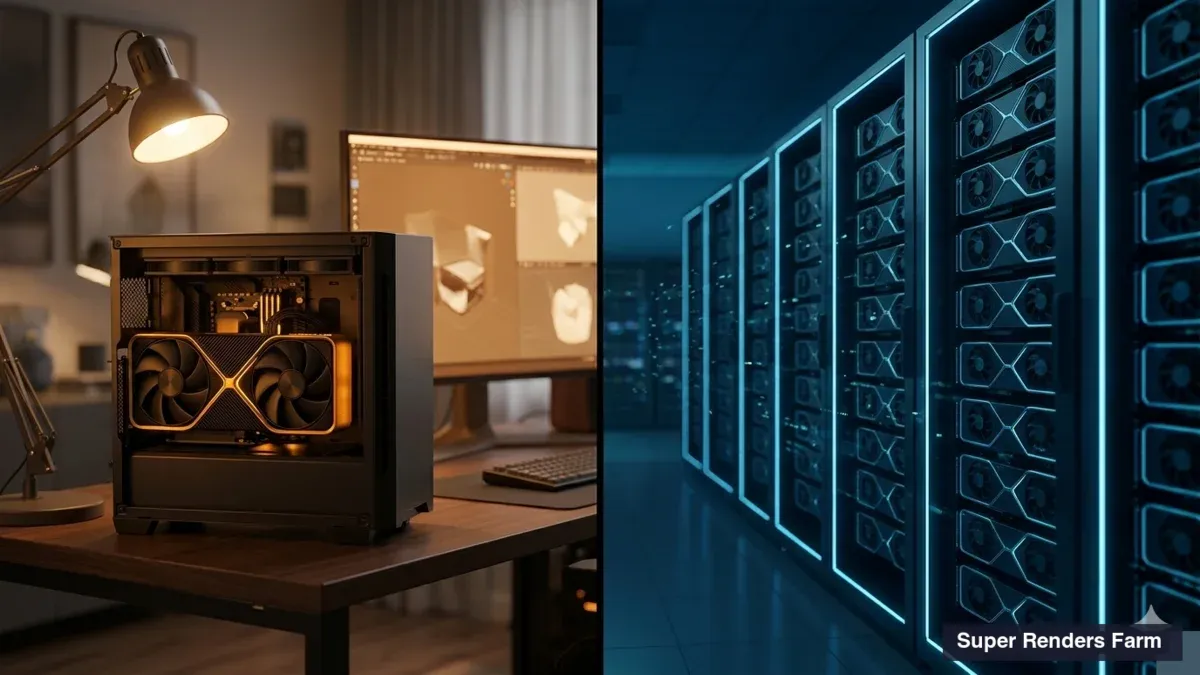
Cada pocas semanas, un freelancer o un pequeño estudio de motion design de una o dos personas nos hace la misma pregunta: "Estoy pensando en comprar una RTX 5090 solo para mis renders finales. ¿Vale la pena, o debería seguir usando la nube?" La matemática detrás de esa decisión es genuinamente diferente de la que hemos publicado antes para render farms a escala de estudio — un equipo de archviz de 12 personas con un render farm de 10 nodos CPU opera en un régimen de costos muy distinto al de un artista de Cinema 4D independiente que evalúa si invertir $3.500 en una sola GPU.
Llevamos más de 15 años operando Super Renders Farm y hemos visto a una corriente constante de artistas independientes tomar esta decisión de compra. Algunos regresan a la nube después de seis meses porque la estación de trabajo seguía bloqueada renderizando en lugar de estar disponible para el trabajo creativo. Otros construyen un equipo con 5090 y no vuelven la vista atrás porque su volumen justifica genuinamente la inversión. El patrón que decide a qué grupo pertenece cada artista no es el precio — es la cantidad de horas de renderizado al mes y el valor del tiempo durante esas horas.
Este artículo analiza el costo de tener una estación de trabajo RTX 5090 frente al costo de pagar por hora por renderizado en la nube, específicamente a escala de artista independiente. Cifras reales de los precios de venta al público en 2026, tarifas eléctricas reales en EE. UU., y las realidades operativas que vemos en los flujos de trabajo de los freelancers. El umbral de punto de equilibrio para una sola estación de trabajo es mucho más bajo que el de nuestro análisis del costo total de construir un render farm vs la nube a escala de estudio: unas 30-40 horas de renderizado GPU mensuales en costo directo, en lugar de 400+, porque un operador independiente no carga con costos de IT y una hora de RTX 5090 en un render farm gestionado se factura a unos $5,20 antes de descuentos. Pero el costo directo es solo la mitad de la respuesta para quien factura trabajo a clientes: una estación de trabajo bloqueada renderizando durante el horario laboral, y una animación con fecha de entrega que necesita días en una sola tarjeta, inclinan la matemática de nuevo hacia la nube.
 Costo directo a cuatro años con 100 horas de GPU al mes: una estación de trabajo RTX 5090 a $7.152 frente a $19.968-$22.464 en renderizado en la nube tras el descuento por volumen
Qué ofrece realmente una RTX 5090 en 2026
Antes de analizar los costos, conviene ser preciso sobre lo que se está comprando. La NVIDIA RTX 5090 salió al mercado con un MSRP de $1.999 a principios de 2025, pero el precio de venta real en abril de 2026 se sitúa entre $2.500 y $3.800 debido a la escasez de memoria GDDR7 y a la demanda persistente de computación para IA, que acapara la oferta de los canales de consumo. Las variantes con refrigeración líquida o premium superan los $5.000.
La tarjeta ofrece 32 GB de VRAM GDDR7 — la especificación determinante para la producción de renderizado GPU. Ese margen es suficiente para la mayoría de los interiores de archviz, activos de motion design y escenas de visualización de productos sin necesidad de recurrir al renderizado fuera de núcleo. Para entornos VFX a gran escala o pipelines de personajes CG protagonistas con desplazamiento completo y texturas 8K, los 32 GB siguen teniendo límites — consulte nuestro análisis de los límites de VRAM de la RTX 5090 para escenas complejas para ver en qué cargas de trabajo funciona bien y en cuáles no.
En cargas de trabajo de Redshift, Octane, V-Ray GPU y Cycles, una RTX 5090 ofrece una clara mejora generacional sobre una RTX 4090 (los números motor por motor están en nuestra guía de rendimiento de renderizado RTX 5090). Es una mejora generacional real, no de marketing. La tarjeta también consume 575W TDP solo para la GPU, lo que importa en un equipo de una sola estación de trabajo, ya que el resto del sistema eleva el consumo real en renderizado sostenido a 750-900W.
Lo que no ofrece: solución al problema de disponibilidad de la estación de trabajo que describimos a continuación. Una sola 5090 renderizando a plena potencia es también una sola 5090 no disponible para interacción en viewport, lookdev, caché de simulaciones u cualquiera de las otras tareas vinculadas a GPU que un pipeline 3D moderno ejecuta junto al renderizado.
El costo total de comprar una estación de trabajo 5090
Construir una estación de trabajo RTX 5090 completa en 2026 implica más que el precio de la GPU. Aquí hay una lista de componentes realista para 2026, pensada para una estación de trabajo que no limite a la GPU:
| Componente | Rango de precio |
|---|---|
| RTX 5090 (32 GB GDDR7) | $2.500-$3.800 |
| CPU (Ryzen 9 9950X o Intel Core Ultra 9) | $550-$700 |
| Placa base (X870/Z890 de alta calidad) | $300-$500 |
| 64 GB DDR5-6000 ECC RAM | $300-$450 |
| SSD NVMe Gen 5 de 2 TB | $200-$300 |
| PSU 1200W 80+ Platinum | $200-$300 |
| Carcasa + refrigeración airflow + AIO | $250-$400 |
| Sistema completo | $4.300-$6.450 |
Ese es el costo de capital inicial. Algunos artistas ya tienen la mayor parte de estos componentes y solo necesitan la GPU — en ese caso, el costo marginal es de $2.500-$3.800. Otros están actualizando desde un equipo para gaming que no puede manejar correctamente una tarjeta de 575W y necesitan una reconstrucción completa, incluidos la fuente de alimentación y el sistema de refrigeración, lo que los acerca al límite superior.
El hardware se deprecia en el momento en que se enciende. Observamos que las tarjetas GPU para renderizado pierden aproximadamente el 25% de su valor de reventa anualmente, con una utilidad de producción práctica de 3-4 años antes de que el rendimiento quede significativamente por detrás de lo que llegue después. Una RTX 4090 comprada a finales de 2022 por $1.600 se vende hoy de segunda mano por unos $700-$1.100 y ejecuta escenas de Redshift a aproximadamente la mitad de la velocidad de una 5090 actual. En 2029, una 5090 probablemente estará en la misma posición respecto a la arquitectura sucesora de Blackwell que la reemplace.
Amortizado en 4 años, un sistema de $5.500 cuesta $1.375 al año solo en capital — antes de electricidad, software o cualquiera de los factores operativos que se describen a continuación.
Costos ocultos que los artistas independientes subestiman sistemáticamente
El artículo sobre construir un render farm a escala de estudio vs la nube se centra en la mano de obra de IT, los servidores de licencias y la coordinación de versiones entre múltiples nodos. Nada de eso se aplica a una estación de trabajo independiente. Pero sí se aplican otros tres costos — y son los que los freelancers habitualmente omiten de sus hojas de cálculo.
Electricidad en el enchufe, no en la GPU
Una GPU 5090 bajo carga sostenida de Redshift u Octane consume 575W. El sistema completo — CPU a frecuencias de boost, NVMe a pico, ventiladores al 100% — consume 750-900W de la toma de corriente. A la tarifa eléctrica residencial promedio en EE. UU. de aproximadamente $0,17/kWh, 100 horas de renderizado mensuales a 800W consumen 80 kWh, lo que cuesta unos $13,60 al mes o $163 al año.
Eso es modesto de forma aislada. Pero las horas de renderizado suelen concentrarse antes de las fechas límite, a menudo de noche, y la estación de trabajo también consume energía en reposo durante las horas de trabajo normal. Para artistas que trabajan desde un estudio en casa en California, Massachusetts o Hawaii — donde las tarifas oscilan entre $0,30-$0,45/kWh — la electricidad anual dedicada al renderizado para 100 horas mensuales asciende a $290-$430 en cambio. El costo de oportunidad que describimos a continuación eclipsa esta cifra, pero sigue siendo dinero real.
Las licencias de software siguen aplicándose (y la matemática juega en contra del artista independiente)
Los motores de renderizado GPU cobran por uso en render farm tanto si se tienen diez nodos como uno. Licencias anuales de un solo puesto en 2026:
- Redshift: $264/año individual, $299/año Teams (mínimo 3 puestos, no apto para uso individual)
- Octane: aproximadamente $240/año en el nivel Octane Studio+ con el renderizador incluido (el precio varía según el nivel y el número de puestos)
- V-Ray (GPU): $208/año para la licencia estándar de una sola máquina
- Cycles (Blender): gratuito, pero el trabajo de producción generalmente requiere un gestor de renderizado de pago o un plugin de terceros
Un artista independiente que usa un solo motor paga entre $208 y $264 al año en licencias. Un artista que usa dos motores para diversificar su oferta a clientes (algo frecuente entre los diseñadores de motion que usan tanto Redshift como Octane) paga $450-$500. Ninguno de estos costos desaparece con el volumen — son costos anuales recurrentes independientemente de las horas renderizadas.
El renderizado en la nube en una plataforma completamente gestionada incluye estas licencias en la tarifa por hora. Para los estudios que comparan opciones, esto es una ecuación significativa; para un freelancer que hace 50-150 horas al mes, las licencias integradas eliminan por completo una línea de costo fijo anual.
Costo de oportunidad — el que los freelancers no ponen en su hoja de cálculo
Este es el costo que casi ningún artista independiente contabiliza: cuando la estación de trabajo está bloqueada renderizando, no se puede modelar, texturizar, animar, componer ni hacer revisiones de clientes en ella. Para un operador independiente con una sola máquina, el tiempo de renderizado compite directamente con el tiempo de trabajo facturable.
Un freelancer que factura $50-$100 por hora de trabajo a clientes y bloquea la estación de trabajo durante 8 horas de renderizado nocturno no pierde dinero durante esas horas nocturnas — de todos modos estaba durmiendo. Pero bloquear la misma estación de trabajo durante 8 horas de trabajo diurno en plena crisis de fecha límite significa elegir entre revisiones y renders. El render queda en cola, el cliente recibe una respuesta más lenta, y el artista acaba trabajando hasta tarde o posponiendo la entrega.
Hemos visto esto desarrollarse en flujos de trabajo reales de freelancers. Los artistas que tratan su estación de trabajo como "máquina de renderizado primero, herramienta creativa después" terminan reportando la misma queja: su velocidad de iteración bajó, la comunicación con los clientes empeoró, y el hardware que compraron para ser productivos terminó siendo una limitación para la productividad. Los artistas que tratan la estación de trabajo como "herramienta creativa primero, máquina de renderizado de forma secundaria" tienden a enviar los renders más pesados a la nube y a reservar el hardware local para el trabajo interactivo.
No existe un valor monetario limpio que asignar al costo de oportunidad — depende de la tarifa horaria de facturación y de con qué frecuencia la contención de renders bloquea realmente las revisiones. Pero ignorarlo por completo es el error más común que vemos en las hojas de cálculo de comparación entre compra y nube para artistas independientes.
Qué cuesta realmente el renderizado en la nube a escala de artista independiente
Los modelos de precios del renderizado en la nube varían ampliamente. En un render farm de nube completamente gestionado — donde las licencias, la instalación de software y la gestión de trabajos están incluidas en la tarifa por hora — los costos a escala de artista independiente son predecibles.
Las tarifas publicadas de Super Renders Farm son $0,004/GHz-hora para renderizado CPU y $0,003/OB-hora para renderizado GPU, con la cifra de CPU como tarifa de prioridad estándar y el trabajo de GPU facturado a una sola tarifa. En el lado de GPU eso equivale a unos $5,20 por hora de tarjeta RTX 5090, antes de un descuento por volumen automático en las recargas de créditos que comienza en un 5% (desde 100 créditos; 1 crédito = $1 a precio de lista) y llega a un 30% con una sola recarga de 10.000 o más créditos. Los nuevos usuarios comienzan con $25 en créditos gratuitos que no caducan. Renderizar 100 GPU-horas al mes (típico para un diseñador de motion que trabaja con animaciones 4K) usa unos 520 créditos al mes, o 6.240 al año: $6.240 a precio de lista, unos $5.616 con recargas mensuales (descuento del 10%) y unos $4.992 si se compran los créditos de todo el año en una sola recarga (descuento del 20%). Los créditos no caducan, así que una recarga anual no pone en riesgo horas sin usar. Para obtener más detalles sobre cómo los modelos de precios por hora se comparan con las alternativas de suscripción, por fotograma y basadas en créditos, consulte nuestra comparación de modelos de precios de render farm y el desglose por fotograma en nuestra guía de costo por fotograma en renderizado en la nube.
El costo varía según la escala de uso. Cada hora de RTX 5090 consume unos 5,2 créditos; el rango con descuento va desde una sola recarga al año (cifra menor) hasta recargas mensuales (cifra mayor):
| Horas de renderizado GPU mensuales | Créditos por año | Costo anual en la nube a precio de lista | Costo anual en la nube tras el descuento por volumen |
|---|---|---|---|
| 25 horas/mes | 1.560 | $1.560 | $1.326-$1.482 |
| 50 horas/mes | 3.120 | $3.120 | $2.652-$2.964 |
| 100 horas/mes | 6.240 | $6.240 | $4.992-$5.616 |
| 150 horas/mes | 9.360 | $9.360 | $7.488-$8.424 |
| 200 horas/mes | 12.480 | $12.480 | $8.736-$10.608 |
Estas cifras cubren el costo completo — tiempo de renderizado, licencias de motor de renderizado, infraestructura, soporte. No hay tarifa de licencia adicional, no hay actualización de fuente de alimentación, no hay throttling térmico a las 4 de la mañana durante una ola de calor.
El renderizado en la nube a escala de artista independiente también evita la trampa del IaaS. Las tarifas de pago por hora de proveedores de infraestructura como Runpod o Vast.ai parecen más bajas por hora, pero el artista asume toda la carga operativa — instalar los motores de renderizado, gestionar las licencias, solucionar trabajos fallidos, configurar el almacenamiento compartido. Profundizamos en esta distinción en nuestra comparación entre renderizado en la nube gestionado y DIY; en resumen, "$1,50/hora de IaaS más $400/año de licencia más 5 horas/mes de configuración" generalmente se acerca al costo de una tarifa completamente gestionada que incluye todo, o lo supera, una vez que se contabiliza el tiempo de configuración.
Matemática del punto de equilibrio para una sola estación de trabajo
Para render farms a escala de estudio con 10+ nodos, el punto de equilibrio frente al renderizado en la nube se sitúa en torno a las 400 horas de renderizado mensuales constantes. Para una sola estación de trabajo sin personal de IT dedicado, la matemática es mucho más favorable a la propiedad: en torno a las 30-40 horas de GPU al mes en costo directo, antes de contabilizar el costo de oportunidad.
Aquí está el cálculo, ignorando el costo de oportunidad (es decir, asumiendo que la estación de trabajo renderiza durante horas en las que de todos modos no se estaría haciendo nada):
- Costo anual en la nube a H horas/mes = 12 × H × $5,20 × (1 - d) = $62,40 × H × (1 - d), donde d es el descuento por volumen que alcanzan las recargas (0% por debajo de 100 créditos, 5-15% para recargas típicas de un artista independiente a este volumen, 30% solo desde 10.000 créditos en una sola recarga)
- Costo anual de la estación de trabajo a H horas/mes = $1.375 (hardware amortizado) + $1,63 × H (electricidad a tarifas residenciales) + $250 (licencia de un motor) = $1.625 + $1,63H
Igualando a precio de lista: $1.625 + $1,63H = $62,40H, lo que da H ≈ 27 horas/mes. A unas 30 horas al mes se usan aproximadamente 1.900 créditos al año, así que el descuento que realmente se alcanza va del 5% (recargas mensuales de unos 160 créditos) al 15% (una sola recarga anual), lo que mueve el punto de equilibrio a unas 28-32 horas/mes. Incluso con el techo del 30%, que exige una sola recarga de 10.000 créditos, solo llega a unas 39 horas/mes. Digamos 30-40 horas/mes, donde el extremo superior absorbe las tarifas eléctricas más altas en algunas regiones de EE. UU. y los costos de reposición de la fuente de alimentación y refrigeración durante el período de amortización de 4 años.
Por debajo de unas 30 horas/mes, la nube es más económica solo en costos directos. Por encima de unas 40 horas/mes de renderizado constante, tener una 5090 es más económico en costos directos, y la brecha crece rápido: a 100 horas/mes, la nube cuesta unos $5.000-$5.600 al año frente a unos $1.790 de la estación de trabajo. Lo que la línea de costo directo deja fuera es el tiempo. Una animación de 48 horas en una sola GPU termina en 4-6 horas repartida entre 8-12 GPUs en la nube, con aproximadamente el mismo número de horas de GPU facturadas, y una estación de trabajo bloqueada durante horas facturables tiene un costo propio. Así que por encima de 40 horas/mes la pregunta pasa del costo al momento: si los renderizados son consistentemente trabajos nocturnos o de fin de semana en lotes, la estación de trabajo tiene sentido; si caen en picos de fecha de entrega o en horas de trabajo facturable, enviar esos finales a la nube mantiene libre la estación de trabajo para el trabajo por el que pagan los clientes.
 Gráfico de punto de equilibrio: una estación de trabajo RTX 5090 frente al renderizado en la nube con tarjetas RTX 5090, con cruce en torno a 27-39 horas de GPU al mes según el descuento por volumen
El punto de equilibrio de estudio en 400 horas/mes es más alto porque los estudios tienen costos de mano de obra de IT ($13.000-$26.000/año) que los operadores independientes simplemente no tienen. Un freelancer es su propio administrador de sistemas, y el tiempo empleado en solucionar una actualización de drivers es real pero no se puede facturar como una línea de costo separada. Esa es la diferencia estructural entre el cálculo del TCO para independientes y para estudios.
El modelo híbrido: local para trabajo interactivo, nube para renders finales
El patrón más común que vemos entre los artistas independientes productivos no es "todo en la nube" ni "todo en local" — es un modelo híbrido que usa cada herramienta para lo que genuinamente se le da bien.
5090 local (o cualquier GPU capaz) para:
- Navegación en viewport en tiempo real y lookdev
- Iteración de iluminación con renderizadores progresivos
- Renders de prueba a resolución de borrador y recuentos de muestras reducidos
- Caché de simulaciones (fluidos, partículas, telas)
- Composición, gradación de color, motion graphics en After Effects o Nuke
- Game engines, herramientas en tiempo real (Unreal, Unity), texturizado en Substance
Renderizado en la nube para:
- Fotogramas finales a resolución de producción
- Secuencias de animación (la estación de trabajo no puede bloquearse 12+ horas)
- Renders de alta calidad con gran número de muestras para entrega al cliente
- Crisis de fecha límite cuando el hardware local bloquearía las revisiones
- Interiores de archviz pesados con GI de trazado de rayos completo y resolución 4K-8K
- Renders multi-cámara o multi-pase
Esta división mantiene la GPU rápida de la estación de trabajo disponible para el trabajo interactivo donde la latencia importa, y traslada el renderizado de cola larga — el trabajo donde el tiempo de reloj es lo que importa, no la velocidad de interacción — a infraestructura que no compite con las herramientas creativas por los recursos. Además es resiliente: un fallo de hardware en la estación de trabajo no arruina las fechas límite de producción, porque el render farm en la nube continúa renderizando. Hemos visto freelancers cambiar fuentes de alimentación averiadas un viernes por la tarde mientras su entrega final se renderizaba en nuestro render farm durante la noche sin perder la reunión con el cliente del lunes.
La economía de una configuración híbrida es genuinamente favorable para los artistas independientes — la estación de trabajo se usa para las horas interactivas de alto valor y la nube absorbe las horas de volumen pico impredecibles. Ninguna herramienta permanece ociosa, y ninguna carga con todo el peso.
Cuándo comprar una 5090 sigue teniendo sentido para artistas independientes
En costos directos, el análisis favorece el renderizado en la nube solo por debajo de unas 30 horas al mes; por encima de eso, una 5090 que se mantiene ocupada resulta más económica de operar. En cualquier caso, el costo no es el único factor. Estos son los escenarios en los que comprar una 5090 tiene más sentido para operadores independientes:
- Flujos de trabajo en tiempo real y vinculados al viewport. Unreal Engine, Unity, Substance Painter, ZBrush, Nuke — estas herramientas se benefician de una GPU local de gama alta independientemente de si alguna vez se usa para renderizado en lote. Si el trabajo creativo diario utiliza software interactivo intensivo en GPU, una 5090 es una actualización de estación de trabajo, no un render farm disfrazado.
- Renderizado de alto volumen predecible. Si se renderizan consistentemente 40+ horas al mes, algo habitual para animadores que producen contenido semanalmente o diseñadores de motion con volumen estable de clientes, la estación de trabajo recupera el costo de su hardware solo con costos directos en unos 3 años a 40 horas/mes y en poco más de un año a 100 horas/mes.
- Iteración sensible a la latencia. Los pases de lookdev, las iteraciones de iluminación y la depuración de shaders se benefician de retroalimentación en menos de un segundo que los viajes de ida y vuelta a un render farm en la nube no pueden igualar. Si el flujo de trabajo está dominado por estos pases, el hardware local gana.
- Uso dual para gaming o creación de contenido. Una 5090 es la misma tarjeta tanto si está ejecutando V-Ray GPU a las 2 de la madrugada como Cyberpunk 2077 a las 7 de la tarde. Si la mitad de la justificación de la compra es trabajo ajeno al renderizado, el cálculo de costos cambia — no se está comprando una máquina de renderizado, sino una estación de trabajo que también renderiza.
- Trabajo con restricciones de air-gap o NDA estrictos. Algunos clientes exigen que todos los datos de renderizado permanezcan en las instalaciones. La nube es estructuralmente inviable para estos proyectos, independientemente del costo. Hemos visto esto en visualización de defensa, ciertos proyectos de estudio y lanzamientos de productos propietarios bajo embargo.
Si tres o más de estos factores se aplican al trabajo, adquirir una 5090 es la respuesta correcta. Si solo se aplican uno o dos, el modelo híbrido descrito anteriormente suele ser una mejor opción.
Marco de decisión para artistas independientes
| Factor | Compra de 5090 favorable | Renderizado en la nube favorable |
|---|---|---|
| Horas de renderizado mensuales | 40+ de forma constante | Menos de 30, o variable con picos en las fechas de entrega |
| Tipo de flujo de trabajo | GPU interactiva intensiva (lookdev, tiempo real) | Renderizado en lote de fotogramas finales |
| Horario de renderizado | Nocturno/fin de semana (sin contención) | Horas de trabajo diurnas (con contención) |
| Tarifa de facturación al cliente | Tarifa horaria baja (costo de oportunidad menor) | Tarifa alta (costo de oportunidad dominante) |
| Presupuesto de hardware | $4.500+ disponibles como capex | Preferencia por opex por proyecto |
| Stack de software | Un solo motor de renderizado | Múltiples motores (acumulación de licencias) |
| Tarifas eléctricas | Promedio bajo en EE. UU. ($0,10-$0,17/kWh) | Tarifas altas en zonas costeras ($0,30+/kWh) |
| Configuración existente | Ya posee la mayor parte del sistema | Comienza desde un portátil o escritorio antiguo |
| Riesgo de continuidad del trabajo | Aceptable un retraso por fallos de hardware | Orientado a plazos, sin tiempo de inactividad aceptable |
Si la mayoría de las filas indican "Renderizado en la nube favorable", comience con la nube y compruebe si las horas de renderizado crecen hasta la zona de compra en 6-12 meses. Si la mayoría indica "Compra de 5090 favorable", la compra tiene sentido.
FAQ
Q: ¿Vale la pena comprar una sola RTX 5090 solo para renderizado 3D? A: En costos directos, una 5090 que se mantiene ocupada es más económica que el renderizado en la nube por hora por encima de aproximadamente 30-40 horas de renderizado al mes; por debajo de eso, la nube es más económica. Sin embargo, el costo directo no es toda la respuesta: una estación de trabajo bloqueada renderizando durante horas facturables cuesta revisiones y tiempo de entrega, y una animación con fecha de entrega que tarda dos días en una sola tarjeta termina en pocas horas repartida entre GPUs en la nube. El patrón que vemos con más frecuencia es una 5090 para trabajo interactivo y renderizados nocturnos, con los finales de fecha de entrega enviados a la nube.
Q: ¿Puedo usar la 5090 tanto para gaming como para renderizado sin comprometer ninguno de los dos? A: Sí — una 5090 es el mismo hardware independientemente de la carga de trabajo, y los drivers modernos gestionan el cambio de contexto entre gaming y renderizadores de producción sin problemas. La advertencia práctica es que una sesión de renderizado largo y una sesión de gaming no pueden ejecutarse simultáneamente; una 5090 cargada al máximo para una cola de Redshift a 575W no está disponible para nada más. Si el gaming y el renderizado ocurren en diferentes momentos del día, el uso dual funciona bien; si necesitan solaparse, se necesitan dos GPUs o renderizado en la nube para el trabajo de producción.
Q: ¿Cuánto tiempo tarda una 5090 en amortizarse para un freelancer? A: A 100 horas de renderizado mensuales, poseer una 5090 cuesta aproximadamente $1.790 al año (hardware amortizado más electricidad más licencia de un motor) frente a unos $5.000-$5.600 al año por las mismas horas de GPU en un render farm gestionado tras el descuento por volumen. En costos directos, el hardware se paga solo en poco más de un año a ese volumen, en unos 3 años a 40 horas al mes, y no dentro de sus 4 años de vida útil por debajo de unas 30 horas al mes. Añadir el valor de la estación de trabajo para trabajo interactivo no relacionado con el renderizado acorta la amortización independientemente del volumen de renderizado.
Q: ¿Qué hay de comprar una RTX 4090 de segunda mano en lugar de una 5090 nueva? A: Una RTX 4090 de segunda mano en buen estado cuesta $700-$1.100 en 2026 y ofrece aproximadamente el 50-65% del rendimiento de renderizado GPU de la 5090. Para artistas que ya usan la nube para los renders de producción y solo quieren una GPU interactiva sólida, una 4090 de segunda mano suele ser una compra con mejor relación precio/fotograma que una 5090 nueva — en particular porque los 24 GB de VRAM siguen siendo suficientes para la mayoría de las escenas de archviz y motion design sin penalizaciones de renderizado fuera de núcleo. Vemos a muchos freelancers en activo utilizando 4090 como GPU principal de su estación de trabajo y usando la nube para los renders finales.
Q: ¿Se notará un aumento significativo en la factura eléctrica si se usa una 5090 para renderizado en casa? A: Para 100 horas de renderizado mensuales a la tarifa residencial promedio en EE. UU. de $0,17/kWh, se esperan unos $13-$15 al mes en costo eléctrico marginal — aproximadamente el precio de una suscripción de streaming. En regiones de tarifas altas (Hawaii, California, Massachusetts) a $0,30-$0,45/kWh, el mismo uso asciende a $25-$45 al mes. La mayor preocupación en un estudio doméstico no es la factura — es la disipación de calor. Una 5090 bajo carga de renderizado sostenida añade 600-800W de calor a la habitación y elevará notablemente la carga del aire acondicionado en verano en una oficina pequeña.
Q: ¿Se necesita una tarjeta profesional como la RTX 6000 Ada en lugar de una 5090 de consumo? A: Para prácticamente todo el trabajo de archviz, motion design, VFX y visualización de productos, no — las tarjetas GeForce de consumo ejecutan todos los renderizadores de producción principales (Redshift, Octane, V-Ray GPU, Cycles, Arnold GPU) sin restricciones, y los 32 GB de VRAM de la 5090 tienen un precio mucho menor que los 48 GB de la RTX 6000 Ada de generación anterior. Las tarjetas profesionales son relevantes para requisitos de memoria ECC, compatibilidad de drivers certificada en software CAD/CAE específico, o requisitos de VRAM superiores a 32 GB para producción CG de alta gama. Para el 95% del renderizado 3D independiente, una 5090 de consumo es la compra correcta.
Q: ¿Cómo se compara el renderizado en la nube con mi sola 5090 para Redshift u Octane específicamente? A: El renderizado en la nube en un render farm completamente gestionado con GPUs 5090 (la misma generación que la tarjeta local) ofrece resultados por fotograma prácticamente idénticos — mismo motor, mismo nivel de hardware, mismos drivers. La diferencia está en el rendimiento: una sola estación de trabajo renderiza un fotograma a la vez, mientras que el renderizado en la nube paraleliza en múltiples GPUs para comprimir el tiempo de reloj. Para pases de lookdev interactivos, la 5090 local gana en velocidad de iteración; para un final de animación de 1.440 fotogramas a 2 minutos cada uno (48 horas de tiempo en una sola GPU), la nube termina el mismo trabajo en 4-6 horas distribuyendo los fotogramas entre 8-12 GPUs simultáneamente. La herramienta adecuada depende de si se está optimizando para la interactividad o para el tiempo total hasta la entrega.
Q: ¿Cuál es el ciclo de actualización — seguirá valiendo la pena ejecutar una 5090 en 2028? A: Una RTX 5090 comprada en 2026 probablemente ejecutará cargas de trabajo GPU de producción de forma competente hasta 2029-2030, pero su rendimiento relativo se erosionará a medida que lleguen las tarjetas de próxima generación. Basándonos en el patrón histórico (3090 en 2022 → aproximadamente la mitad del rendimiento vs 5090 en 2026), una 5090 a finales de 2028 probablemente ofrecerá el 50-65% de lo que ofrezca el próximo flagship de gama alta en cargas de trabajo equivalentes. No es obsolescencia — mucho trabajo de producción sigue haciéndose en RTX 4090 en 2026 — pero si el modelo de negocio depende de tener velocidad de renderizado de última generación, se debe esperar un ciclo de actualización en torno al tercer o cuarto año. El renderizado en la nube evita esto por completo; el render farm actualiza el hardware según su propio calendario y siempre se renderiza en la generación actual.
About Thierry Marc
3D Rendering Expert with over 10 years of experience in the industry. Specialized in Maya, Arnold, and high-end technical workflows for film and advertising.