
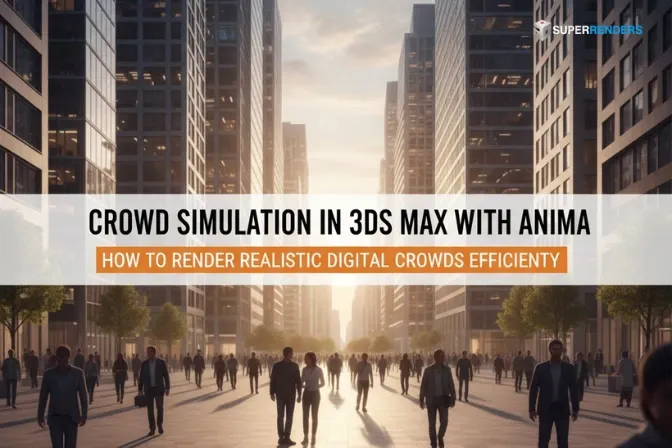
Simulación de multitudes en 3ds Max con el plugin Anima: cómo renderizar multitudes digitales realistas de forma eficiente
Resumen
Renderizado eficiente de simulaciones de multitudes con Anima en 3ds Max
La simulación de multitudes en la producción moderna de archviz y VFX ya no es opcional: se espera. Las plazas vacías, las calles silenciosas y los interiores desiertos resultan huecos. Pero incorporar multitudes realistas genera nuevos desafíos: archivos que se disparan de tamaño, tiempos de renderizado que alargan los plazos y una complejidad de licencias que toma desprevenidos a los equipos.
Aquí es donde el plugin Anima para 3ds Max cambia por completo el flujo de trabajo. Como partner oficial de render de AXYZ Design, hemos procesado miles de renders de multitudes de Anima en la infraestructura de nuestra render farm. Lo que hemos aprendido es que la eficiencia al renderizar con Anima no depende de la suerte, sino de comprender cómo se diseñó la herramienta y de aprovechar las render farms de forma estratégica.
Este artículo recorre el pipeline completo, desde la configuración de la escena hasta el envío a la render farm, y se centra en los cuellos de botella reales que retrasan la producción y en cómo evitarlos.
Qué es Anima y por qué importa para el renderizado de multitudes
Anima es un plugin de simulación de multitudes para 3ds Max desarrollado por AXYZ Design, que hoy forma parte del ecosistema de Chaos. Permite a los artistas poblar escenas arquitectónicas y de entorno con humanos digitales realistas, llamados actores digitales, sin animar ni colocar manualmente cada personaje. Puede obtener más información sobre Anima en el sitio web oficial de AXYZ Design.
A diferencia de las bibliotecas de multitudes estáticas o de las animaciones hechas a mano, Anima ofrece movimiento humano generado de forma procedimental que responde a la geometría de la escena y a las indicaciones del animador. Cada personaje de una multitud de Anima posee datos de movimiento únicos, variación de tiempos e interacción con el entorno.
El plugin utiliza el formato propietario 4D Digital Human, que comprime los datos de animación como una combinación de geometría esquelética y textura de video comprimida. Este formato es considerablemente más pequeño que los archivos de caché Alembic equivalentes, y suele ser un 60–80% más eficiente en la transferencia de datos. Para el envío a una render farm, esto significa cargas más rápidas, menores costos de ancho de banda y un arranque de trabajos más ágil en los nodos de render.
Comprender el formato 4D Digital Human
El formato 4D es fundamental para la eficiencia de Anima. No es un modelo de personaje con rig tradicional. Es un formato de movimiento precalculado que incluye datos de animación tanto geométricos como de textura. Esto es lo que implica para su pipeline:
La geometría esquelética se almacena como deformaciones ligeras de mesh, no como modelos de personaje a plena resolución. Cada fotograma de movimiento actualiza la posición y la deformación del esqueleto sin almacenar información de geometría redundante.
La animación de texturas y la variación de materiales se codifican como flujos de video comprimidos. Las arrugas de la ropa, el detalle de la piel y los cambios sutiles de superficie se capturan en el video de textura en lugar de calcularse en el momento del render. Esto permite que exista detalle de textura sin necesidad de archivos de textura bitmap masivos ni de materiales procedurales complejos.
Cuando importa un actor de Anima en 3ds Max, no está importando un personaje con rig estándar. Está importando un motor de reproducción que reconstruye los datos 4D fotograma a fotograma. El viewport de 3ds Max muestra una vista previa del movimiento, mientras que las capas de detalle de textura y de geometría se aplican en el momento del render.
Este enfoque genera ganancias de eficiencia significativas: archivos de proyecto más pequeños, mejor rendimiento del viewport y menor complejidad de materiales. En nuestra render farm, las escenas de Anima suelen renderizarse 3–5× más rápido que multitudes equivalentes animadas a mano con cachés de personajes Alembic tradicionales.
Configuración de escenas de multitudes de Anima en 3ds Max
Antes de optimizar, es necesario configurar correctamente una escena de multitud básica. Esto implica colocar actores, definir trayectorias y controlar la densidad.
Personajes proxy y gestión de la biblioteca de actores
Al trabajar con Anima, no se importan personajes 4D a plena resolución en la escena principal. En su lugar, se utilizan referencias proxy. El proxy es un marcador de posición ligero que apunta a los datos 4D reales en el disco.
Importe los actores digitales que necesite, ya sea de la biblioteca de AXYZ Design o modelos personalizados, a una carpeta de recursos designada en su equipo local. Esta carpeta se convierte en su directorio resource_cache, un elemento crítico para el despliegue en la render farm.
Dentro de 3ds Max, cree instancias proxy de multitud que hagan referencia a estos recursos. Cada proxy mantiene un vínculo con el archivo 4D de origen sin incrustar los datos completos de animación y textura en su archivo de escena. Esto mantiene el tamaño del archivo de escena en un nivel manejable y permite que los nodos de render carguen los datos 4D reales desde una caché de recursos central.
Definición de trayectorias y control de densidad
El movimiento de las multitudes de Anima está restringido a trayectorias. Defina las trayectorias con objetos spline de 3ds Max que representen por dónde caminarán, se detendrán o se congregarán las multitudes. Estas trayectorias pueden seguir la geometría arquitectónica (pasillos, plazas, escaleras) o ser puramente abstractas.
El control de densidad determina cuántos personajes pueblan una trayectoria. Una mayor densidad aumenta el realismo, pero también el tiempo de renderizado y el consumo de memoria. Recomendamos comenzar con una densidad moderada (0,3–0,5 personajes por unidad de longitud de trayectoria) y probar renders antes de comprometerse con la densidad a plena resolución.
En las escenas de archviz, la densidad relativa a la cámara es crítica. Los personajes lejanos a la cámara pueden usar actores más simples o variaciones con menos polígonos, mientras que los personajes protagonistas cercanos a la cámara exigen mayor fidelidad.
Técnicas de optimización: cómo lograr que las escenas de Anima se rendericen más rápido
Los datos de multitud sin procesar son pesados. La optimización es lo que transforma una escena difícil de manejar en algo que se renderiza de forma eficiente en una render farm.
El sistema LOD 4D y la reducción de geometría
Anima incluye un sistema de nivel de detalle (LOD) diseñado específicamente para el renderizado de multitudes. Este sistema reduce automáticamente el número de polígonos del personaje y el detalle de animación según la distancia a la cámara.
Configure el sistema LOD desde los ajustes del plugin Anima. Establezca umbrales de LOD agresivos: los personajes situados más allá de cierta distancia usan geometría simplificada, con menos huesos y menos detalle de animación. El componente de video de textura del formato 4D permanece intacto, lo que preserva la calidad visual incluso cuando se simplifica la geometría.
En nuestra experiencia, un LOD bien configurado reduce el uso máximo de memoria en un 30–50% sin pérdida de calidad visible en los renders finales. Esto se traduce directamente en tiempos de renderizado más rápidos y en la posibilidad de renderizar multitudes más grandes y densas con el mismo presupuesto de memoria.
Estrategias de instancing y reutilización de personajes
No cree instancias de personaje únicas para cada posición de su multitud. En su lugar, utilice instancing: coloque varios actores de la multitud en distintas posiciones, rotaciones y desfases de animación, haciendo que todos hagan referencia a los mismos datos de personaje 4D.
Anima permite variar el desfase de reproducción de la animación (de modo que el mismo personaje parezca estar en momentos distintos de su ciclo de movimiento) sin almacenar datos de animación duplicados. Una multitud de 50 personas puede hacer referencia a entre 3 y 5 personajes únicos con distintos desfases de animación, lo que crea diversidad visual y minimiza el uso de memoria.
La reutilización de instancias es automática si configura correctamente las referencias proxy, pero confirme en los ajustes de su motor de renderizado que el instancing esté activado.
Baking de animaciones y precálculo del movimiento
En escenas donde el movimiento de la multitud está cerrado y no está sujeto a revisión, considere hacer baking de las animaciones de Anima a un formato tradicional de point cache o Alembic. Parece contraintuitivo, pero en ciertos escenarios puede ser más rápido.
Si los nodos de su render farm tienen un acceso a disco más rápido que la evaluación por CPU, hacer baking de las animaciones a disco y usar la reproducción de caché nativa puede reducir la sobrecarga de inicialización por fotograma. Sin embargo, esto aumenta el tamaño de los archivos, por lo que solo se recomienda para render farms grandes con almacenamiento de alta velocidad.
La mayoría de los flujos de trabajo de producción mantienen Anima como datos en vivo, sin baking, y optimizan mediante LOD e instancing.
Comparativa de motores de render e integración nativa
Cada motor de render gestiona Anima de forma distinta. Comprender estas diferencias determina su enfoque de optimización.
| Motor de render | Compatibilidad con Anima | Integración de materiales | Notas de rendimiento |
|---|---|---|---|
| V-Ray | Nativa (a través de Chaos) | Los materiales se transfieren automáticamente | Streaming nativo de texturas 4D; integración sólida |
| Corona | Nativa (a través de Chaos) | Los materiales se transfieren automáticamente | Excelente para archviz; vista previa de materiales sólida |
| Redshift | Parcial (geometría correcta, texturas manuales) | Requiere reconstrucción manual de materiales | Iteración rápida; complejidad en la configuración de texturas |
| Octane | Parcial (geometría correcta, texturas manuales) | Requiere reconstrucción manual de materiales | Alto uso de memoria con multitudes grandes |
| Arnold | Básica (geometría mediante proxy, texturas limitadas) | Compatibilidad nativa mínima | Limitada; no recomendado para multitudes grandes |
V-Ray y Corona, ambos parte del ecosistema de Chaos, ofrecen la integración más profunda con Anima. Las propiedades de los materiales, las texturas de la ropa y el detalle de la piel se transfieren automáticamente del formato 4D al motor de render. Esto supone una configuración manual de materiales mínima, un ahorro de tiempo considerable en producción. La tecnología V-Ray de Chaos y Corona Renderer ofrecen compatibilidad nativa con el streaming de texturas 4D de Anima.
Si utiliza Redshift u Octane, prepárese para reconstruir los materiales manualmente a partir de las definiciones de actor que reciba de AXYZ Design. Esto añade esfuerzo adicional, pero sigue siendo más rápido que animar las multitudes a mano.
Integración con la render farm: cómo hacer que Anima funcione en todos los nodos de render
Aquí es donde tropiezan la mayoría de los equipos. El envío a una render farm exige prestar mucha atención a las dependencias de archivos y a las licencias.
Configuración de la estructura de carpetas de resource_cache
Su carpeta resource_cache es el corazón del envío a la render farm. Debe contener todos los datos de actores 4D de Anima, los materiales y los archivos externos referenciados. Estructúrela así:
resource_cache/
├── anima_actors/
│   ├── business_male_01.4d
│   ├── business_female_01.4d
│   ├── casual_male_02.4d
│   └── ...
├── textures/
│   ├── actor_materials.exr
│   └── ...
└── external_refs/
    └── (any external geometry references)
Cuando envía un trabajo a una render farm, toda la carpeta resource_cache se carga junto con su archivo de escena. Los nodos de render acceden a los datos 4D desde su copia local de resource_cache, no desde su equipo.
El fallo más común de Anima en una render farm es una carpeta resource_cache ausente o incompleta. Si falta incluso un solo archivo de actor, todo el trabajo falla con errores de «actor not found». Verifique que esté completa antes de enviar.
Rutas UNC y referencias de red
En un entorno de render farm, evite las rutas locales como C:\Users\.... En su lugar, utilice rutas UNC: \\server\share\resource_cache\anima_actors\.
Al configurar su escena de multitud de Anima, haga referencia a los actores y las texturas mediante rutas UNC que apunten al almacenamiento de red de su render farm. Los nodos de render podrán entonces resolver estas rutas hacia su copia local en caché de resource_cache.
Licencias: Anima PRO frente a Anima ALL
El licenciamiento de Anima se basa en nodos, no en escenas. Debe contar con una licencia de Anima para cada nodo de render que vaya a ejecutar su trabajo.
Anima PRO ofrece acceso a la simulación de multitudes básica y a un subconjunto de la biblioteca de actores digitales. Anima ALL incluye la biblioteca de actores completa y funciones avanzadas.
Para el envío a una render farm, confirme con su proveedor qué licencias de Anima están disponibles en sus nodos. Muchas render farms ofrecen el licenciamiento de Anima como servicio complementario. Si su render farm no tiene instaladas licencias de Anima PRO, su trabajo fallará al iniciarse.
Solución de problemas comunes de Anima en la render farm
| Problema | Causa | Solución |
|---|---|---|
| Error «Actor not found» | Faltan archivos .4d en resource_cache | Verifique que todos los actores referenciados estén en resource_cache; vuelva a cargarlos |
| Tiempo de arranque de nodo elevado | Carga de datos 4D desde almacenamiento lento | Use una caché SSD de alta velocidad en los nodos de la render farm; contacte con el soporte de la render farm |
| Texturas negras o ausentes | Video de textura no encontrado o dañado | Verifique los archivos .exr o de video de textura en resource_cache; pruebe primero en local |
| Errores de desfase en la reproducción de la animación | Desajuste en la numeración de fotogramas entre el nodo maestro y los nodos de render | Bloquee los fotogramas de inicio de la animación; desactive el cálculo dinámico de fotogramas |
| Agotamiento de memoria en nodos de render GPU | LOD sin optimizar; densidad de multitud demasiado alta | Reduzca el número de polígonos de los actores; aumente los umbrales de distancia del LOD |
Pruebas antes del envío completo a la render farm
Recomendamos encarecidamente probar entre 5 y 10 fotogramas en local antes de enviar una secuencia completa a la render farm.
Renderice un solo fotograma con el motor de render elegido y su configuración de multitud de Anima. Verifique que las texturas se muestren correctamente, que los tiempos del movimiento se vean naturales y que no haya huecos de geometría ni clipping.
Si utiliza una cloud render farm por primera vez con Anima, envíe un trabajo de prueba con solo 1–5 fotogramas y supervise con atención los logs de la render farm. Esto permite detectar problemas de licencias, dependencias de archivos y rutas antes de lanzar una secuencia de 400 fotogramas.
FAQ: renderizado de Anima en render farms
Q: ¿Cuánto más pequeños son los datos 4D de Anima en comparación con Alembic? A: El formato 4D suele ser un 60–80% más compacto que las cachés de personajes Alembic equivalentes, porque los datos de animación y de textura se comprimen como video en lugar de almacenarse como geometría completa por fotograma.
Q: ¿Puedo renderizar multitudes de Anima en Arnold? A: La compatibilidad con Arnold se limita a la reproducción básica de proxies de geometría. Las texturas y las funciones de material no se transfieren de forma nativa, lo que lo hace menos eficiente que V-Ray o Corona.
Q: ¿Necesito licencias de Anima distintas para el renderizado local y para el renderizado en una render farm? A: Sí. Cada nodo de render que procese datos de Anima necesita su propia licencia de Anima. El renderizado local utiliza la licencia de su estación de trabajo; el renderizado en una render farm requiere licencias en cada nodo de la render farm.
Q: ¿Qué mejora de velocidad se obtiene normalmente al usar una render farm para multitudes de Anima frente al renderizado local? A: Depende de su hardware local, pero en nuestra render farm, renderizar la misma escena de Anima en 256 núcleos de CPU reduce el tiempo de renderizado de 8–12 horas en local a 15–20 minutos.
Q: ¿Debo hacer baking de las animaciones de Anima a Alembic para reducir el tamaño de los archivos? A: Solo si su render farm tiene un acceso a disco más rápido que la evaluación por CPU. Para la mayoría de los flujos de trabajo, mantenga Anima como datos en vivo y optimice mediante LOD e instancing.
Q: ¿Cómo pruebo mi configuración de Anima antes de enviar una secuencia completa? A: Renderice entre 5 y 10 fotogramas de prueba en local con el mismo motor de render y los mismos ajustes de Anima que planea usar en la render farm. Así se detectan con antelación problemas de rutas, archivos ausentes y licencias.
Recursos relacionados
- Optimización de multitudes de Anima: técnicas avanzadas para la máxima eficiencia
- Cómo renderizar multitudes en 3ds Max con Anima: paso a paso
- Anima + render farm: guía de configuración, licencias y solución de problemas
- Cloud render farm para V-Ray
Última actualización: 18 de marzo de 2026
About Alice Harper
Blender and V-Ray specialist. Passionate about optimizing render workflows, sharing tips, and educating the 3D community to achieve photorealistic results faster.



