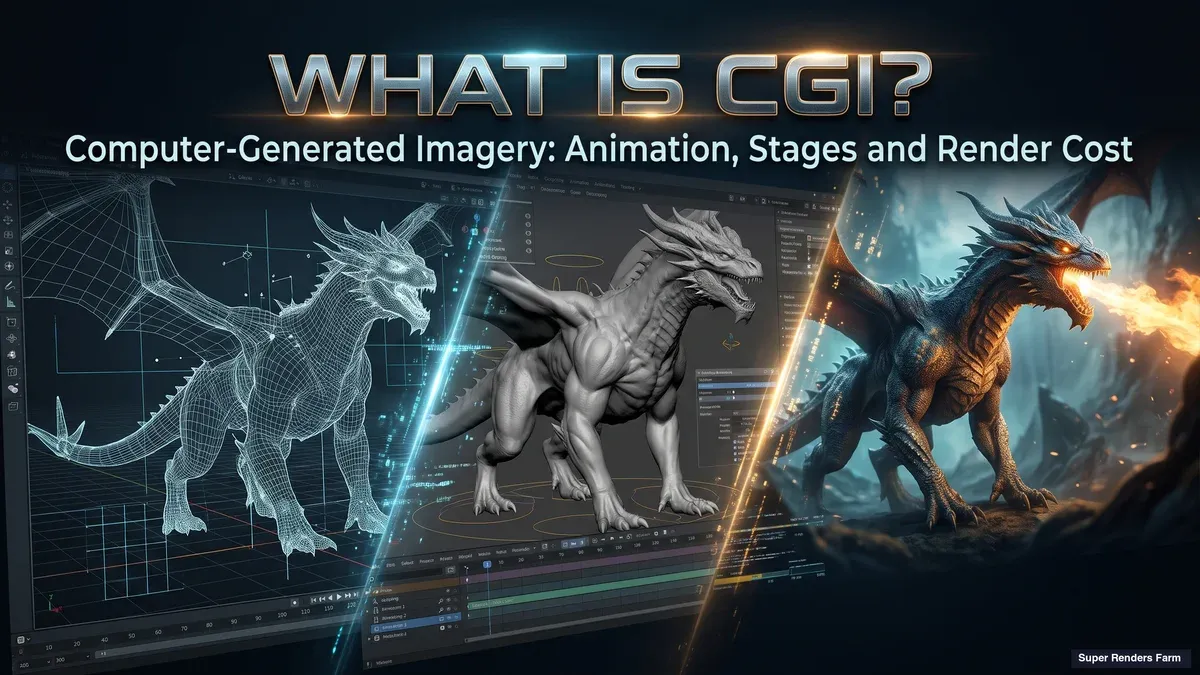
What Is CGI? Computer-Generated Imagery Explained: Animation, Stages and Render Cost
Overview
Introduction
What is CGI? CGI stands for computer-generated imagery: still or moving pictures made with computer graphics instead of being captured by a camera or drawn by hand. The creature in a blockbuster, the building in an architectural render, the car in a commercial and the characters in a computer-animated film are all CGI.
This guide explains what the term covers, how it relates to animation and VFX (it is a synonym for neither), the stages a CGI shot goes through, and what one costs in computer time, which is where students and junior artists are most often surprised. The wording question of CG versus CGI is answered in our CG vs CGI explainer, so we have not repeated it here, and the effects side of the industry has its own guide in what VFX is.
What CGI Means
The Wikipedia entry on computer-generated imagery (read 19 November 2026) describes CGI as a specific application of computer graphics for creating or improving images, and lists art, printed media, simulators, video and video games among its uses. TechTarget's CGI definition (published 18 October 2023, read 19 November 2026) puts it more briefly as "the creation of still or animated visual content using imaging software".
Three practical points follow from those definitions.
Stills count. CGI is not only a film term. A product render on a shopping page, an architectural image of a building that does not exist yet and a magazine cover illustration are all CGI, and none of them moves.
2D and 3D both count. Wikipedia notes that CGI covers 2D and 3D computer graphics, with 3D the more frequent usage. In everyday speech, "CGI" almost always means 3D: a scene of models, materials, lights and a camera that a renderer turns into pictures.
Real-time counts too. Video game graphics are computer-generated imagery that is drawn live while you play. Film, television and advertising CGI is usually rendered ahead of time instead, as a separate offline process, a distinction we come back to below.
The word that matters is "imagery". What sets CGI apart from older image-making is that the picture is computed from a description (shapes, surfaces, lights, a camera position) rather than recorded through a lens or painted by hand.
A Short History of CGI
"Who did CGI first?" has several honest answers, because it depends on how strictly you define the term. Wikipedia's entry gives these milestones:
- Vertigo (1958): named as the first feature film to use CGI, through abstract computer graphics by John Whitney in the opening credits.
- Westworld (1973): the first feature film to use CGI together with live action in its storyline.
- Young Sherlock Holmes (1985): the first feature film with a fully CGI character, a knight made of stained glass.
- Toy Story (1995): Pixar's film, described as the first entirely computer-animated feature film.
Other sources draw the lines differently, so treat any single "first" with care. The history of why "CGI" became the popular term in the late 1980s and early 1990s is covered in the CG vs CGI explainer.
Is CGI Animation?
Sometimes, but the two words answer different questions. CGI describes how an image was made: with computer graphics. Animation describes whether it moves by design: someone planned the motion over time. An image can be one, both or neither.
Wikipedia's computer animation page (read 19 November 2026) treats CGI as the broader term, covering still and moving images, while computer animation covers moving images only. Its CGI entry describes computer animation as the application of CGI to creating or improving animations. So "CGI animation" means animation made with CGI, and it is one kind of CGI rather than a synonym for it.
The overlap runs in both directions:
- A computer-animated feature film is CGI and animation.
- An architectural still render is CGI but not animation, because nothing moves.
- A stop-motion film with clay puppets is animation but not CGI. TechTarget's definition explicitly leaves hand-drawn and stop-motion animation outside CGI because a computer did not generate them.
 Matrix of examples against three questions: a computer-animated feature is CGI and animation, an architectural still render is CGI only, a CG creature in a live-action film is CGI, animation and VFX, and stop-motion with clay puppets is animation only
How CGI Differs From VFX in Practice
VFX adds a third question: was the imagery created or changed to sit inside live-action footage? In practice the three terms sort a shot by different criteria. CGI asks how the pixels were produced. Animation asks whether the motion was authored. VFX asks whether the result has to match something a camera filmed.
A CG dragon flying through a filmed valley answers yes to all three. A fully computer-animated feature has no filmed plate, so most people call it animation rather than VFX even though it is CGI throughout. And plenty of VFX work, such as extending a set with photographed material, uses little or no 3D CGI. Our VFX guide has the full comparison of SFX, VFX and CGI, so we will not repeat its table here.
The practical difference shows up in how you work. A VFX artist has to match a real camera's lens, grain and lighting so the CG disappears into the footage. An animated-feature artist controls the camera and every light, so there is nothing to match, but the whole frame is rendered rather than one element.
The Stages of a CGI Shot
Studios organise the work differently, but a CGI shot follows the same basic order.
 Six stages of a CGI shot in order: model, texture, rig and animate, light, render, composite, with render marked as the stage that is mostly machine time
- Model. Artists build the shapes: characters, props, buildings, environments.
- Texture. Surfaces get colour, roughness and fine detail, so metal reads as metal and skin as skin.
- Rig and animate. Characters and objects get control systems and are animated by hand, by motion capture or both. A still image skips this stage, and an architectural fly-through usually moves only the camera.
- Light. Lights and a camera are set up to create the look. Artists render test frames here, so this stage already uses some compute.
- Render. The renderer calculates the final images, one frame at a time.
- Composite. Layers are combined and adjusted into the finished picture, whether that is a still, a shot for a film or a frame of a commercial.
VFX adds stages before these, such as previsualisation and matchmoving, and our VFX pipeline walkthrough covers them. The point to take from the list above is where the time goes: most stages are artist time, and one stage, rendering, is almost entirely machine time. That one stage is also where costs can grow without anyone touching the scene.
What Happens at the Render Stage
A render is the calculation that turns a 3D scene into a 2D picture. For each pixel the renderer works out what the camera sees: which surface is there, how the lights reach it, what it reflects, what shadows fall on it. Our guide to what rendering is explains the methods in detail.
What matters here is the time budget. A game engine drawing 60 frames per second has about 16.7 milliseconds per frame, so real-time CGI trades some accuracy for speed. Offline rendering has no such limit. A film or commercial frame can spend minutes or hours being computed, which is why the lighting in a film frame can include effects that a real-time engine would struggle to afford. Wikipedia's computer animation page says the same: rendering for films and shorts is usually a separate, offline process, while for games it can happen in real time. The cost model below applies to the offline case, which is where render farms come in.
What a CGI Shot Costs in Compute
The compute cost of animated CGI is simple to state and easy to underestimate:
total machine time = number of frames x time per frame
The number of frames is the length in seconds times the frame rate. Film commonly runs at 24 frames per second, so every second of finished footage is 24 separate images to render. Here are three hypothetical examples, for illustration only:
| Job | Frames | Time per frame | Total machine time |
|---|---|---|---|
| One still image | 1 | 30 minutes | 0.5 hours |
| 10-second shot at 24 fps | 240 | 12 minutes | 48 hours |
| 30-second spot at 24 fps | 720 | 20 minutes | 240 hours |
One machine rendering the 240 hours of the third job around the clock needs 10 days. The frames are independent of each other, so they can be rendered on many machines at the same time. In the ideal case 120 equal machines finish the same 240 machine-hours in about two hours. The total compute does not shrink, only the waiting time does. Real jobs add upload time, queueing and the occasional failed frame, so treat the ideal figure as a floor.
A real-world anchor shows how far this can scale. Wikipedia's Toy Story entry (read 19 November 2026) states that the film required 800,000 machine hours and 114,240 frames of animation, divided between 1,561 shots totalling over 77 minutes, and that Pixar used Sun Microsystems computers running around the clock. Dividing those two figures gives roughly 7 machine hours per frame on average, our own arithmetic rather than a number the entry gives, and on a single machine 800,000 hours would be more than 90 years. Those were 1995 computers, so the figure shows the shape of the problem, not what the same film would need today.
 Bar chart on a log scale of total machine-hours: a 30-minute still takes 0.5 hours, a 10-second shot 48 hours, a 30-second spot 240 hours, and Toy Story 800,000 hours
Four things move the time per frame more than anything else:
- Resolution. A 4K frame (3840 x 2160) has four times the pixels of a 1080p frame (1920 x 1080), and render time generally rises with pixel count, though not by a fixed ratio.
- Image quality settings. Cleaner, less noisy output usually means more samples per pixel and more time.
- Scene complexity. Dense geometry, large textures, hair, smoke, glass and many lights all cost more per frame than a simple interior.
- Extras. Motion blur, depth of field and separate render layers for compositing each add work.
Revisions multiply the bill. A change that touches lighting or materials across a whole shot means rendering the shot again, so the 240 hours above can become 480 after one round of notes.
A sound habit is to render the heaviest frame first, time it, and multiply by the frame count before committing to a sequence. Our render time optimization guide covers where the minutes usually hide, and the cost per frame guide shows how to turn a frame time into a budget.
CGI Versus AI-Generated Images
A frequent question is whether CGI and AI imagery are the same thing. They are different methods. A CGI scene is an explicit description: every object, material, light and camera is a setting you can inspect and change, and the renderer computes the picture from it. Re-rendering after changing one light leaves everything else exactly as it was. Generative AI tools instead produce images from a model trained on existing images, steered by prompts rather than by a scene file.
The frames-times-minutes arithmetic in this guide applies to rendering a 3D scene, not to generating images from a prompt.
Common Misunderstandings About CGI
"CGI is the same as VFX." VFX is a role in a production, and CGI is one of its tools. CGI is also used outside film entirely, in advertising, architecture, games and product design.
"The computer does the creative work." Artists build, texture, light and animate everything in the scene. The computer's job is the calculation of light, which is the render stage.
"A good computer renders instantly." Real-time graphics do, within limits. Offline CGI frames take minutes or hours each on strong hardware, and a sequence has thousands of them.
Rendering CGI on Super Renders Farm
Whatever package a scene was built in, a finished shot ends as a sequence of frames, and that sequence is the part that can be rendered on a farm. Frames are independent, so a farm assigns them to many machines at once, which is how a 240-hour job becomes a matter of hours rather than days.
Super Renders Farm is a fully managed farm: you upload the scene and do not set up machines, install software or manage render licences yourself. CPU render engines run on our CPU nodes and GPU render engines on our GPU nodes, which carry two RTX 5090 cards per node with 32 GB of VRAM per card. That memory is per card and is not pooled, so a GPU scene has to fit in 32 GB. New accounts receive $25 free render credits, which is enough to render test frames and time them before committing a full sequence, and students can ask our support team about a student discount. Current rates are on our pricing page.
Summary: Where to Go Next
| If you want to... | Read |
|---|---|
| Settle the CG versus CGI wording | CG vs CGI explainer |
| See how CGI fits into effects work | What VFX is |
| Understand how a renderer makes an image | What rendering is |
| Turn a frame time into a budget | Cost per frame guide |
| Understand how a render farm works | What a render farm is |
FAQ
Q: What is CGI in simple terms? A: CGI is computer-generated imagery: pictures, still or moving, made with computer graphics instead of being filmed or drawn by hand. In practice it usually means a 3D scene of models, materials and lights that a renderer turns into images, used in films, advertising, architecture and games.
Q: What does CGI stand for? A: CGI stands for computer-generated imagery. You will also see it written C.G.I. The related term CG means computer graphics, and the difference between the two is covered in our CG vs CGI explainer.
Q: Is CGI animation? A: Not always. CGI describes how an image is made, while animation describes whether it moves by design. Computer animation is the application of CGI to moving images, so a computer-animated film is both. An architectural still render is CGI but not animation, and stop-motion with clay puppets is animation but not CGI.
Q: When was CGI invented? A: It depends on the definition. Wikipedia names Vertigo (1958) as the first feature film to use CGI, through abstract graphics in its opening credits, Westworld (1973) as the first to combine CGI with live action in its story, Young Sherlock Holmes (1985) as the first with a fully CGI character and Toy Story (1995) as the first entirely computer-animated feature.
Q: How is CGI made? A: Artists model the shapes, texture the surfaces, rig and animate anything that moves, set up lights and a camera, and then a renderer calculates the final frames. The frames are combined and adjusted in compositing. Rendering is the stage where the computer does most of the work.
Q: Why does CGI take so long to render? A: Each frame is a separate calculation of how light reaches the camera, and a second of film footage is 24 frames. A frame can take minutes or hours depending on resolution, image quality settings and scene complexity, so total time is frames multiplied by minutes per frame. Spreading frames across many machines shortens the wait without reducing the total compute.
Q: Is CGI the same as AI? A: No. CGI computes images from an explicit 3D scene that an artist builds and can change setting by setting. Generative AI tools produce images from a trained model steered by prompts. The two can both end up as pictures, but the controls and the render cost model are different.
Q: Can CGI be rendered on a render farm? A: Yes. A finished CGI shot is a sequence of independent frames, so a render farm can process them in parallel as batch jobs. On Super Renders Farm you upload the scene and do not install software or manage render licences yourself, and new accounts receive $25 free render credits to test frames first.
About Thierry Marc
3D Rendering Expert with over 10 years of experience in the industry. Specialized in Maya, Arnold, and high-end technical workflows for film and advertising.