OctaneRender vs Redshift: A Practical Comparison for 3D Artists
Overview
Introduction
Choosing between OctaneRender and Redshift is one of the most common decisions GPU-based 3D artists face in 2026. Both engines have matured significantly over the past few years, and both deliver production-quality results — but they take fundamentally different approaches to get there.
We run both Octane and Redshift on our GPU fleet daily.
If you have settled on Octane and want farm-specific guidance, our Octane render cloud farm guide covers submission, VRAM, and cost on the GPU fleet. Scenes come in from motion designers, archviz studios, product visualization teams, and VFX houses — and the split between the two engines gives us a practical perspective that goes beyond marketing specs. This guide walks through the real differences we see in production, so you can decide which engine fits your workflow.
This is not a "which one is better" article. The answer depends on your project type, team size, DCC ecosystem, and rendering priorities. We will cover rendering approach, speed, image quality, DCC integration, pricing, and render farm compatibility — with honest observations from running thousands of jobs through both engines.
How Octane and Redshift Approach Rendering
The most fundamental difference between the two engines is their rendering philosophy.
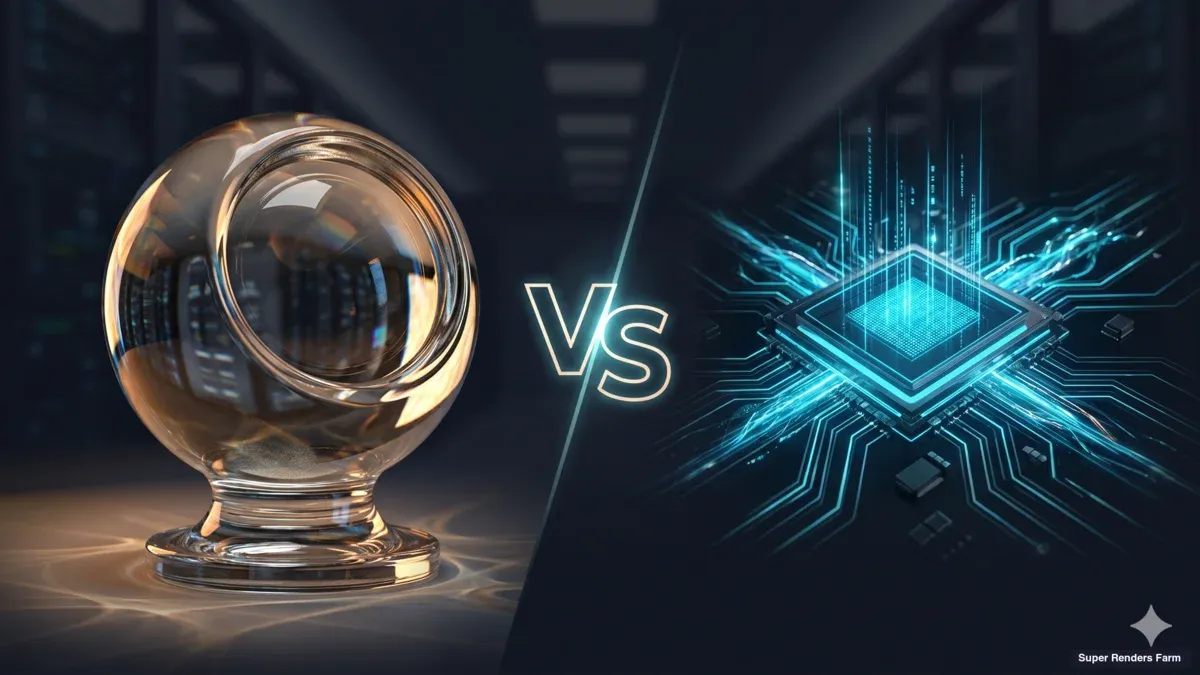
OctaneRender is an unbiased path tracer. It simulates light transport physically, tracing rays through the scene without shortcuts. Every pixel gets the same treatment — the engine converges toward a mathematically accurate result given enough samples. This means effects like caustics, subsurface scattering, and complex glass refraction look realistic with minimal manual tweaking.
Redshift is a biased renderer. It uses production-grade approximations and sampling strategies to concentrate compute where it matters most visually. This means Redshift can skip expensive calculations in areas that won't significantly affect the final image — shadows in distant geometry, reflections on off-screen surfaces, indirect lighting in dark corners. The result is faster render times, but with a tradeoff: the artist needs to understand the bias controls to get optimal results.
In practice, the distinction matters less than it did five years ago. Redshift has steadily improved its physically accurate mode, and Octane has added optimization features. But the core philosophy still shapes the experience: Octane defaults to accuracy, Redshift defaults to efficiency. For a broader look at how GPU rendering compares to CPU-based engines like V-Ray and Corona, see our GPU rendering vs CPU rendering comparison.
 Diagram comparing unbiased rendering in OctaneRender vs biased rendering in Redshift
Render Speed and Performance
Speed is often the first question artists ask, and the answer depends heavily on scene complexity.
Final frame rendering: Redshift typically renders final frames faster than Octane on equivalent hardware, especially for animation sequences. Its biased approach lets it allocate samples intelligently — spending compute on visible, important areas and reducing work elsewhere. For studios rendering thousands of frames, this efficiency adds up significantly.
Interactive/viewport rendering: Octane's IPR (Interactive Photo-Realistic) renderer provides fast, responsive feedback during look development. Changes to materials, lighting, and camera angles reflect almost immediately. Redshift's viewport rendering has improved substantially with Redshift Live (introduced in Redshift 2026.4), but Octane's real-time feedback loop remains a strength for iterative creative work.
Large scene handling: Redshift handles heavy scenes more gracefully. Its out-of-core architecture can spill data from GPU VRAM to system RAM when scenes exceed GPU memory, which means complex production scenes with millions of polygons, thousands of textures, and volumetric effects are less likely to crash. Octane requires scenes to fit in GPU VRAM, making memory management more critical with Octane on complex projects.
Multi-GPU scaling: Both engines scale across multiple GPUs, but with different approaches. Redshift assigns individual frames or render buckets to separate GPUs, which is efficient for batch rendering. Octane distributes the workload for a single frame across all available GPUs, which accelerates individual frame render times. For animation, Redshift's approach often produces higher throughput; for single high-resolution stills, Octane's approach can be advantageous. Hardware choice also matters — our RTX 5090 GPU cloud rendering performance analysis shows how current-generation GPUs handle both engines.
For a closer look at how frame distribution and bucket assignment behave across a full cluster, see our multi-GPU scaling benchmark.
| Factor | OctaneRender | Redshift |
|---|---|---|
| Final frame speed | Good — converges to clean result | Faster — biased sampling reduces render time |
| Interactive preview | Excellent IPR feedback | Improved with Redshift Live (2026.4) |
| VRAM management | Scene must fit in GPU memory | Out-of-core: spills to system RAM |
| Multi-GPU approach | All GPUs on one frame | Frame/bucket distribution across GPUs |
| Animation throughput | Moderate | Higher — efficient batch rendering |
Image Quality
Both engines produce professional-quality output, but they get there differently.
Octane excels at physically accurate light behavior. Caustics from glass and water, subsurface scattering in skin and wax, and complex multi-bounce reflections look correct without much manual intervention. The unbiased approach means that if you set up materials and lighting physically, the result will be physically plausible. This is a significant advantage for product visualization and archviz, where material accuracy is critical.
Redshift produces excellent results but requires more knowledge of its sampling and bias settings to match the same level of physical accuracy. Where Redshift shines is in giving artists fine-grained control over quality-speed tradeoffs. Need a quick preview of an animation? Lower the global samples and get a fast, clean result. Need hero-quality stills? Crank up the samples and enable brute-force GI. This flexibility is powerful for studios with mixed workloads.
In our experience running both engines, Octane scenes tend to arrive with fewer rendering artifacts — fewer fireflies, more consistent glass behavior, cleaner volumetrics. Redshift scenes occasionally need sampling adjustments when moved from a local workstation to a render farm, because local settings may have been tuned for a specific GPU configuration.
For motion design and broadcast work, both engines deliver excellent results. The quality gap has narrowed considerably, and for most animated content at 1080p or 4K delivery, the difference is negligible to viewers.
DCC Integration and Ecosystem
Both engines support the major 3D applications, but the depth of integration varies.
Redshift is developed by Maxon, which also develops Cinema 4D. This gives Redshift a deep, native integration with Cinema 4D that is hard to match — native MoGraph support, Takes system integration, and first-party maintenance. Redshift also supports Maya, 3ds Max, Houdini, Katana, and Vectorworks (as of 2026.4).
OctaneRender supports over 20 DCC applications through its plugin system, including Cinema 4D, Maya, 3ds Max, Blender, Houdini, DAZ Studio, and Nuke. This breadth is wider than any competing GPU renderer. Octane also includes its own standalone application, which can be useful for lighting and material development independent of any DCC.
| DCC Application | Redshift | OctaneRender |
|---|---|---|
| Cinema 4D | Native (Maxon-developed) | Plugin |
| Maya | Plugin | Plugin |
| 3ds Max | Plugin | Plugin |
| Houdini | Plugin | Plugin |
| Blender | Not supported | Plugin |
| Nuke | Not supported | Plugin |
| Katana | Plugin | Not supported |
| Vectorworks | Plugin (2026.4+) | Not supported |
 DCC application support comparison between OctaneRender and Redshift render engines
Cinema 4D users have a genuine choice: Redshift's native integration is smoother, with fewer compatibility issues on updates. Octane's C4D plugin is mature and widely used in motion design, particularly for its material system and live viewer. Many Cinema 4D motion designers prefer Octane for creative exploration and Redshift for final production rendering.
Maya and 3ds Max users will find both engines well-supported. Redshift has a strong following in VFX studios using Maya pipelines. Octane's Maya and 3ds Max plugins are functional but historically lag slightly behind the C4D plugin in feature updates.
Blender users can only use Octane — Redshift does not support Blender. This is a significant differentiator for Blender-centric studios.
Pricing and Licensing
Both engines have moved to subscription-only models, though the pricing structures differ. Pricing below reflects publicly listed rates as of early 2026 — verify current rates at each vendor's site before purchasing.
Redshift is available through Maxon at $49/month (billed monthly) or approximately $24/month when billed annually ($289/year). The subscription includes all DCC plugins and updates. Redshift is also included in the Maxon One bundle, which adds Cinema 4D, ZBrush, Red Giant, Universe, and other Maxon products.
OctaneRender is available as OctaneStudio+ at approximately €20/month (annual) or €24/month (monthly). The subscription includes the standalone application, all DCC plugins, unlimited network rendering across 10+ nodes, and access to additional OTOY tools including EmberGen and WorldCreator for Octane. OTOY occasionally offers promotional pricing.
| Pricing Factor | Redshift | OctaneRender |
|---|---|---|
| Monthly subscription | ~$49/month | ~€24/month (~$26) |
| Annual subscription | ~$289/year (~$24/month) | ~€240/year (~€20/month) |
| Included plugins | All supported DCCs | All supported DCCs + standalone |
| Network rendering | Included | Included (10+ nodes) |
| Bundle option | Maxon One (Cinema 4D + more) | OctaneStudio+ (EmberGen + more) |
Octane is generally less expensive as a standalone subscription. However, for Cinema 4D users already on Maxon One, Redshift is included at no additional cost — making it effectively free for that user base.
If your project pipeline includes Arnold alongside Octane or Redshift — common in studios that ship Maya and 3ds Max work — the farm-side considerations are different again. Arnold is bundled with Maya and 3ds Max as the default renderer and runs in both CPU and GPU modes. Our Arnold renderer cloud render farm guide covers the licensing model, AOV setup, and CPU-vs-GPU mode selection that determine cost and turnaround on a managed farm.
Render Farm Compatibility
For artists using cloud render farms, compatibility is a practical concern.
Both Octane and Redshift are supported on GPU render farms, including ours. The farm handles licensing automatically — artists do not need to bring their own render engine licenses. This is a key advantage of fully managed render farms over DIY cloud GPU setups, where license management can become complicated.
Redshift on a render farm tends to scale predictably. Its biased rendering approach and out-of-core architecture mean that scenes which work locally usually work on farm hardware without modification. Render time estimates transfer reliably from local tests.
On the Redshift side, Super Renders Farm is an official Maxon partner — Redshift licensing is covered on every GPU node, so studios comparing the two engines don't need to factor in a separate Redshift license purchase for cloud rendering.
Octane on a render farm works well but requires attention to VRAM limits. Our GPU fleet runs NVIDIA RTX 5090 cards with 32 GB VRAM each. Most Octane scenes fit comfortably, but extremely heavy scenes — dense particle simulations, very high-resolution textures, or deep volumetric data — may need optimization before submission. We typically flag these during job validation.
Both engines benefit significantly from GPU farm hardware. A scene that takes 20 minutes on a single local GPU can render in a fraction of that time when distributed across dedicated GPU nodes with current-generation hardware.
For studios rendering animations, the workflow is straightforward with either engine: upload your project files, select the render engine, configure output settings, and submit. On a fully managed farm, the infrastructure handles software installation, licensing, frame distribution, and output delivery automatically — no remote desktop or manual setup required.
If you are evaluating render farms for GPU work, our GPU render farm service supports both Octane and Redshift with current-generation NVIDIA RTX 5090 hardware. For Redshift-specific workflows and Cinema 4D integration, see our Redshift cloud render farm page.
For Cinema 4D users specifically, our Cinema 4D Redshift render farm guide covers the complete cloud rendering workflow — from scene preparation and Redshift licensing through GPU performance optimization.
If you are still choosing which engine to commit to before evaluating farms, our best Cinema 4D render farm comparison for 2026 puts Redshift, Octane, Arnold, and V-Ray side-by-side on cloud hardware — covering per-frame cost, plugin support, and the trade-offs that matter once your work moves off a workstation.
When to Choose Octane vs Redshift
Rather than declaring a winner, here is a decision framework based on the workflows we see most often.
Choose OctaneRender if:
- You prioritize material accuracy and physically correct light behavior with minimal tweaking
- Your primary work is stills, product visualization, or look development
- You use Blender as your main DCC
- You value fast interactive feedback during creative exploration
- You work across many different DCC applications and want one renderer everywhere
Choose Redshift if:
- You render long animations or high frame-count sequences where per-frame efficiency matters
- You work in Cinema 4D and want the deepest possible integration
- Your scenes are extremely heavy (millions of polygons, complex VDB volumes, thousands of textures)
- You are part of a VFX studio pipeline using Maya or Houdini
- You already use Maxon One and want to avoid additional subscription costs
Either engine works well for:
- Motion design and broadcast graphics
- Archviz rendering (both produce excellent architectural imagery)
- Product visualization at scale
- GPU cloud rendering on managed render farms
Material System Comparison
The material workflow differs significantly between the two engines and is worth discussing for artists evaluating a switch.
Octane uses a node-based material system built around physically based shading. Materials are constructed from mix materials, specular layers, and texture nodes. The system is intuitive for artists who think in terms of physical material properties — roughness, IOR, absorption color. Octane's material library and LiveDB provide a large collection of ready-to-use materials.
Redshift also uses a node-based system, centered around the RS Standard Material (and the newer RS Standard Surface based on the MaterialX standard). Redshift materials offer more explicit control over non-physical effects — utility outputs, custom AOVs, render-time procedurals. The RS Standard Surface material aligns with the industry-standard MaterialX specification, which is increasingly important for pipeline interoperability.
For studios working across multiple renderers or DCCs, Redshift's MaterialX compatibility offers a path toward portable material definitions — a practical advantage in mixed-renderer pipelines.
FAQ
Q: Is OctaneRender faster than Redshift? A: For final frame rendering, Redshift is generally faster due to its biased rendering approach that allocates compute efficiently. Octane provides faster interactive viewport feedback for look development. The speed difference depends on scene complexity and render settings.
Q: Can I use both Octane and Redshift on a cloud render farm? A: Yes. Fully managed render farms like Super Renders Farm include both Octane and Redshift licensing. You upload your scene, select the engine, and render — no license management needed on your end.
Q: Does Redshift support Blender? A: No. As of 2026, Redshift does not have a Blender plugin. OctaneRender does support Blender, making it the primary choice for Blender users who want a third-party GPU renderer.
Q: Which engine is better for Cinema 4D motion design? A: Both are widely used. Redshift has deeper Cinema 4D integration (native MoGraph support, Takes compatibility) since Maxon develops both products. Octane is popular in the motion design community for its fast IPR and intuitive material system. Many C4D studios use both depending on the project.
Q: How much VRAM do I need for Octane vs Redshift? A: Octane requires scenes to fit in GPU VRAM, so 16 GB is a practical minimum for production work, with 24-32 GB recommended for complex scenes. Redshift's out-of-core architecture can use system RAM as overflow, making it more forgiving with memory-heavy scenes, though performance drops when spilling to RAM.
Q: Is OctaneRender cheaper than Redshift? A: OctaneRender's standalone subscription (approximately €20/month annual) is less expensive than Redshift's standalone subscription ($289/year, approximately $24/month). However, Redshift is included in the Maxon One bundle — if you already subscribe to Cinema 4D through Maxon One, Redshift comes at no additional cost.
Q: Which renderer produces more realistic images? A: Octane's unbiased path tracing produces physically accurate results by default, particularly for caustics, glass, and subsurface scattering. Redshift can match this quality with proper sampling settings but requires more manual tuning. For most production work, both engines deliver results that are indistinguishable to end viewers.
Q: Can I switch from Octane to Redshift or vice versa easily? A: Switching requires material conversion since each engine has its own material system. Scene geometry and animation transfer through the DCC, but materials, render settings, and AOV configurations need to be rebuilt. Some third-party tools assist with material conversion, but expect manual adjustment for production-quality results.
About Alice Harper
Blender and V-Ray specialist. Passionate about optimizing render workflows, sharing tips, and educating the 3D community to achieve photorealistic results faster.