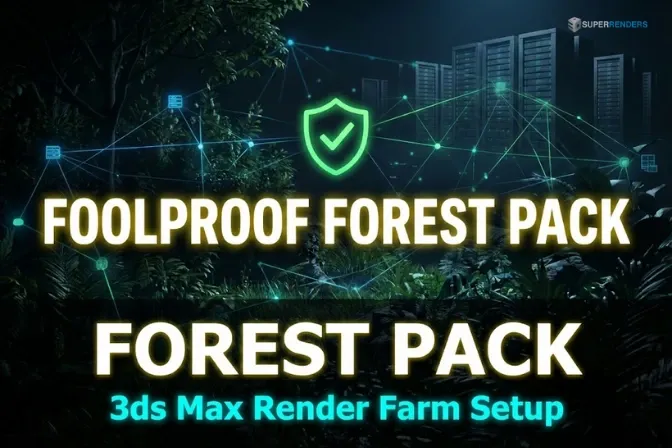
Preparar escenas de Forest Pack para granjas de renderizado 3ds Max: una guía profesional
Resumen
Guía paso a paso de envío de Forest Pack a la granja
Enviar una escena de Forest Pack a una granja de renderizado es simple cuando sigue una lista de verificación. Si omite pasos, su trabajo fallará a mitad de camino, desperdiciando horas de recursos informáticos y tiempo de calendario.
Esta guía lo lleva a través del proceso exacto que usamos para validar envíos de Forest Pack antes de que lleguen a nuestra infraestructura de granja.
Auditoría de escena previa al envío
Antes de empaquetar nada, audite su escena de 3ds Max para preparación de Forest Pack. Para estrategias de optimización antes del envío, consulte nuestra guía de optimización.
Paso 1: Verificar la instalación del complemento
- Abra su escena de 3ds Max localmente
- Asegúrese de que Forest Pack esté instalado y licenciado (Forest Pack Pro para características avanzadas; Forest Pack Lite es gratuito pero limitado)
- Vaya a Customize > Configure User Interface, busque "Forest Pack" para confirmar que está cargado
- Si Forest Pack no aparece, instálelo antes de continuar
- Verifique que la versión del complemento coincida con la instalada en sus nodos de renderizado de granja
Paso 2: Verificar la estabilidad de la escena
- Renderice un fotograma de prueba único localmente para asegurar que no haya bloqueos ni errores
- Abra el registro de renderizado y busque advertencias relacionadas con Forest Pack (errores de ruta, complementos faltantes, etc.)
- Si aparecen errores, resuélvalos antes del envío
- Intente abrir la escena nuevamente después de cerrar 3ds Max; esto detecta corrupción de archivos temprano
Paso 3: Documentar especificaciones de la escena
Tenga en cuenta lo siguiente para sus notas de envío:
- Número de objetos de Forest Pack en la escena
- Recuento total de instancias (Mírelo en el panel de propiedades de Forest Pack: Distribution > Statistics)
- Motor de renderizado (V-Ray, Corona, etc.) y número de versión
- Rango de animación (si aplica; números de fotogramas, no solo recuento de fotogramas)
- Uso estimado de memoria (renderice un fotograma único y verifique el Administrador de tareas / Monitor de actividad)
- Si se está utilizando geometría proxy
- Cualquier script personalizado o código MAXScript del que dependa Forest Pack
Conversión de rutas a formato UNC
Esto es crítico: el error #1 de granja de Forest Pack que vemos son rutas de unidad local en lugar de rutas UNC.
Si sus texturas se almacenan en C:\Users\Artist\Desktop\My_Project\Textures\, un nodo de renderizado no puede acceder a ellas. Las rutas UNC son accesibles desde la red: \\server\projects\My_Project\Textures\.
Convertir todas las rutas:
- En 3ds Max, vaya a Customize > Configure User Paths > External Files
- Para cada directorio (Textures, Proxies, Caches), actualice a formato UNC
- En las propiedades del objeto Forest Pack, verifique que todas las rutas hagan referencia a estas ubicaciones actualizadas
- Si Forest Pack utiliza geometría en caché, actualice también la ruta del caché a UNC
- Verifique las rutas de su motor de renderizado (V-Ray/Corona) por separado—pueden tener su propia configuración de rutas
Ejemplo de conversión:
- Antes:
C:\3D_Projects\Archviz_Farm\textures\bark.jpg - Después:
\\renderserver\projects\Archviz_Farm\textures\bark.jpg
Prueba de accesibilidad de ruta UNC:
Desde su máquina local, navegue manualmente a la ruta UNC usando Explorador de Windows:
- Escriba la ruta en la barra de direcciones
- Confirme que pueda leer y escribir archivos
- Si la ruta no funciona, pida a su equipo de TI que configure la asignación de red o proporcione la ruta correcta
- Copie la ruta que funciona exactamente y úsela en su configuración de 3ds Max
La mayoría de granjas de renderizado proporcionan remapeo automático de rutas, pero las rutas UNC explícitas son mucho más confiables. Nunca confíe en el remapeo automático para rutas críticas.
Conversión de malla proxy
Forest Pack puede funcionar con geometría completamente detallada o mallas proxy simplificadas. Para renderizado de granja, los proxies casi siempre son preferibles.
Cuándo usar proxies:
- Recuento de instancias > 10 millones (los proxies reducen la memoria en 50–80%)
- El presupuesto de memoria es limitado (las máquinas de granja tienen 128–256 GB; la geometría de detalle completo a menudo excede esto)
- Distancia de cámara > 20 metros (los proxies son visualmente indistinguibles a distancia)
- El tiempo de renderizado es crítico (los proxies renderizan 3–5× más rápido)
Crear proxies:
- Seleccione su geometría dispersa (el modelo que usa para instancias)
- Simplifique usando el Simplify Modifier de 3ds Max o herramientas externas (Meshlab, diezmación ZBrush, Instant Meshes)
- Objetivo: 1.000–5.000 polígonos para árboles, 500–2.000 para arbustos, 200–1.000 para accesorios pequeños
- Guarde la malla proxy como archivo 3DS, OBJ o FBX separado
- Verifique proxy en la vista con distancia de renderizado (¿se ve aceptable?)
Asignación de proxies en Forest Pack:
- Seleccione el objeto Forest Pack
- Abra Distribution > Geometry
- En la lista de geometría, seleccione su modelo original
- En el campo Render Proxy, asigne la malla proxy simplificada
- Renderice un fotograma de prueba para confirmar que el proxy se renderiza correctamente
- Compare el renderizado de proxy con el renderizado de geometría completa y verifique que la diferencia de calidad visual sea aceptable
Los proxies se utilizan solo en tiempo de renderizado; su vista continúa usando la geometría original completamente detallada.
Organización de archivos proxy:
Almacene proxies junto a la geometría original:
Project/
├── 3D/
│   ├── Trees_Hero.max (original, detallado)
│   ├── Trees_Proxy_LOD1.max (1.000 polígonos, distancia lejana)
│   ├── Trees_Proxy_LOD2.max (3.000 polígonos, distancia media)
│   └── Trees_Proxy_LOD3.max (8.000 polígonos, cerca de la cámara)
├── Textures/
Preparación de caché de Forest Pack
Si está renderizando animaciones o necesita consistencia garantizada en nodos de granja, pre-calcule el caché de Forest Pack.
Calcular el caché:
- Seleccione su objeto Forest Pack
- Abra Distribution > Cache
- Establezca su rango de animación (fotogramas de inicio y fin, por ejemplo, 001–250)
- Haga clic en Bake Cache
- Monitoree la barra de progreso; la cocción consume mucha CPU y toma tiempo
Forest Pack genera una secuencia de archivos de caché (uno por fotograma). Almacenamiento: aproximadamente 500 MB–2 GB por fotograma en caché dependiendo del recuento de instancias.
Cálculo de almacenamiento de caché:
- 50 millones de instancias × 1 GB por archivo de caché × 1.000 fotogramas = 1 TB total
- Asegúrese de que su granja tenga suficiente almacenamiento de red antes de calcular
Almacenamiento de caché para acceso a granja:
- Coloque archivos de caché en una unidad de red con acceso a ruta UNC
- Actualice Cache Path en Forest Pack para que apunte a esta ubicación de red
- Verifique que la granja pueda acceder a la ruta del caché antes del envío de trabajo
- Cree un archivo de manifiesto listando todos los archivos de caché y sus números de fotograma
Recopilación y organización de texturas
Las granjas de renderizado deben tener acceso a cada textura que usa su escena. Las texturas faltantes causan fallos de renderizado y reinicios.
Paso 1: Recopilar todas las texturas
En 3ds Max, vaya a File > Asset Tracking > Collect All para recopilar automáticamente todas las texturas en una única carpeta.
Paso 2: Verificar rutas de textura
- Navegue a Customize > Configure User Paths > External Files
- Asegúrese de que el directorio de texturas se establezca en su ruta de textura recopilada
- Actualice todas las referencias en materiales de Forest Pack para usar esta ruta
Paso 3: Convertir a rutas UNC
Cambie referencias de directorio de texturas a formato UNC.
Paso 4: Incluir en paquete de trabajo
Al enviar a la granja, incluya todo el directorio de texturas en su carga de trabajo.
Lista de verificación de validación de textura:
- Todas las texturas se copian a la carpeta de recopilación
- Sin referencias de archivo rotas en Material Editor
- Todas las rutas en formato UNC
- Asset Tracking muestra 0 archivos faltantes
- Verifique 5–10 texturas para confirmar que aparecen correctamente en la geometría
Configuración del motor de renderizado
Configuración de V-Ray para envío a granja:
- Geometry > Use instancing: DEBE estar habilitado
- Ray Cutoff: Establezca en 0,001–0,01
- Max Depth: 25–30
- Motion Blur: Desactive si no es necesario
- Denoising: Habilite
- Override Material Group: Desactive
Configuración de Corona para envío a granja:
- Light Tracing: Habilitado
- Adaptive Sampling: Establezca apropiadamente
- Clamping: Habilite para evitar luciérnagas
- Ray Bounces: 20–25
- Denoising: Habilite para escenas ricas en dispersión
Lista de verificación de validación previa al envío
Antes de cargar su trabajo:
- El complemento Forest Pack está instalado y licenciado en su máquina local
- Todas las rutas están en formato UNC (texturas, caché, proxies)
- El fotograma de prueba se renderiza localmente sin errores
- Las mallas proxy se crean y asignan (si usa proxies)
- El caché está calculado (si anima)
- Las texturas se recopilan y verifican accesibles
- El motor de renderizado está configurado para renderizado de granja
- El recuento total de instancias está documentado
- El uso estimado de memoria se anota
- Todos los complementos de 3ds Max se enumeran
- El archivo de escena se guarda con los últimos cambios
- No quedan rutas absolutas locales en la escena
Fallos de envío comunes y correcciones
Error "Texturas faltantes" o "ruta no encontrada":
- Verifique que todas las rutas de textura estén en formato UNC
- Recopile texturas nuevamente usando Asset Tracking
- Confirme que la granja tiene acceso de lectura a rutas de red de textura
Error "Forest Pack no encontrado":
- Forest Pack no está instalado en nodos de renderizado de granja
- Verifique que su granja admita Forest Pack
- Asegúrese de usar una versión compatible de Forest Pack
Renderizado produce geometría pero con apariencia incorrecta:
- La malla proxy podría faltar o estar asignada incorrectamente
- La variación de material podría no transferirse
- Pruebe el fotograma localmente antes del envío a la granja
Límites de memoria excedidos:
- Aplique reducción LOD para geometría distante
- Cambie a renderizado solo proxy
- Reduzca resolución de textura
- Descarte instancias fuera de vista de cámara
- Divida el trabajo en rangos de fotogramas más pequeños
Tiempos de renderizado extremos (2+ horas por fotograma):
- Probablemente un cuello de botella de expansión de geometría
- Habilite cocción de caché para omitir expansión en nodos de granja
- Aplique LOD y descarte agresivamente
- Reduzca profundidad de rayo y habilite denoising
Envío a la granja
Al cargar su trabajo, incluya:
- Su archivo de escena de 3ds Max
- Todos los directorios de texturas
- Mallas proxy de Forest Pack (si aplica)
- Archivos de caché (si se precalcutan)
- Cualquier referencia externa o archivo vinculado
La validación previa al renderizado detecta texturas faltantes y problemas de ruta proxy antes de que comience el renderizado. Siga esta lista de verificación, y sus trabajos de Forest Pack pasarán por la granja sin fricción.
Para orientación adicional, consulte nuestro artículo de optimización y guía de identificación de cuellos de botella. Para especificidades de complemento, consulte documentación de iToo Software.
Super Renders Farm ofrece soporte completo para envíos de Forest Pack con remapeo automático de rutas y validación previa al renderizado.
FAQ
¿Qué archivos necesitan incluirse al enviar escenas de Forest Pack?
Incluya el archivo de escena 3ds Max, todos los directorios de texturas (recopilados y organizados), archivos de malla proxy si usa proxies, archivos de caché si se precalculan, y cualquier referencia externa o asset vinculado.
¿Las granjas de renderizado necesitan que Forest Pack esté instalado?
Sí, todos los nodos de renderizado deben tener Forest Pack instalado y licenciado. La mayoría de granjas de producción lo admiten. Verifique los requisitos del sistema de su granja antes del envío.
¿Cómo convierto rutas locales a rutas UNC?
Reemplace letras de unidad con direcciones de red: C:\Project\ se convierte en \\server\project\. Pruebe la ruta UNC manualmente en Explorador de Windows desde su máquina.
¿Qué sucede si faltan proxies en la granja?
Si Forest Pack intenta cargar una malla proxy que no está en la red de la granja, el renderizado falla con un error "archivo no encontrado". Incluya todos los archivos proxy en su paquete de envío de trabajo.
¿Debo calcular efectos de Forest Pack antes del envío?
Para renderizado estático: el caché es opcional pero recomendado. Para animaciones: el caché es fuertemente recomendado. La cocción toma tiempo de CPU localmente pero ahorra recursos de granja.
About Alice Harper
Blender and V-Ray specialist. Passionate about optimizing render workflows, sharing tips, and educating the 3D community to achieve photorealistic results faster.