What Is Rendering? A Complete Guide to Computer Graphics Rendering
Overview
What Is Rendering in Computer Graphics?
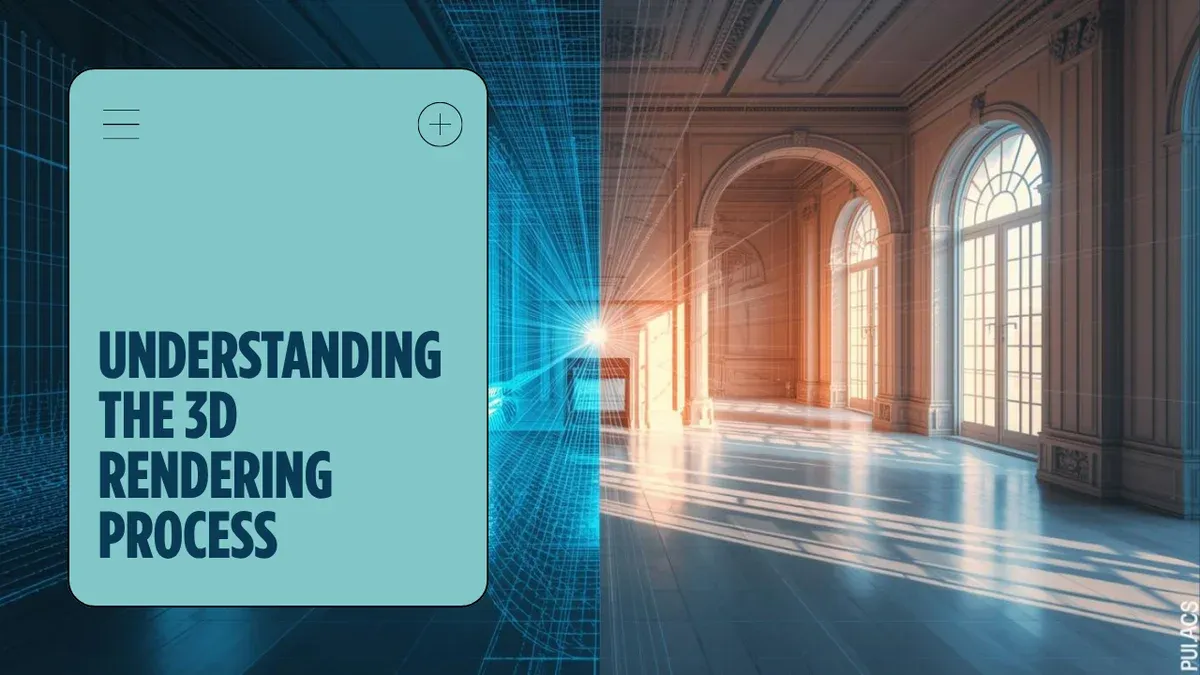
Every image you see in a Pixar film, every frame of an architectural walkthrough, and every explosion in a video game shares a common origin: rendering. At its core, rendering is the process of converting three-dimensional scene data — geometry, materials, lighting, and camera information — into a two-dimensional image that humans can view on a screen or print.
Think of it like photography, but entirely virtual. A traditional photographer arranges a scene, positions a camera, adjusts lighting, and presses the shutter. Rendering follows the same logic: a 3D artist builds a digital scene, places a virtual camera, defines light sources, and then instructs the computer to "take the picture." The difference is that every photon of light, every surface reflection, and every shadow must be calculated mathematically rather than captured optically.
Rendering appears across nearly every visual industry. Film studios use it to create photorealistic characters and environments. Architecture firms produce client presentations that look indistinguishable from photographs. Game developers generate millions of frames per second to keep gameplay smooth. Medical researchers visualize complex anatomical structures. Product designers iterate on prototypes without manufacturing a single physical unit.
This guide walks through how rendering works, the major techniques involved, the software that powers it, and what happens when a single workstation is no longer enough.
Real-Time Rendering vs Offline Rendering
Rendering divides into two fundamental paradigms based on speed requirements: real-time and offline.
Real-time rendering produces images fast enough for interactive use — typically 30 to 120 frames per second. Video games, virtual reality, augmented reality, and interactive architectural visualizations all depend on real-time rendering. The GPU handles most of the computation, using optimized algorithms that prioritize speed over absolute physical accuracy. Technologies like rasterization (projecting 3D triangles onto a 2D screen) and hardware-accelerated ray tracing (introduced with NVIDIA's RTX architecture) make this possible.
Offline rendering (also called pre-rendering) prioritizes image quality over speed. A single frame might take minutes, hours, or even days to compute. Feature films, broadcast animation, architectural still images, and product visualization typically use offline rendering. The goal is photorealism or a specific artistic look, and the extra computation time allows for physically accurate light simulation — global illumination, caustics, subsurface scattering, and volumetric effects that real-time engines approximate but cannot fully replicate.
Hybrid approaches are becoming increasingly common. Real-time ray tracing on modern GPUs (NVIDIA RTX series, AMD RDNA 3+) brings some offline-quality effects into interactive workflows. Progressive rendering in viewport previews — available in engines like V-Ray and Redshift — lets artists see a rough result in seconds that refines over time. AI-assisted techniques such as NVIDIA DLSS use neural networks to upscale lower-resolution renders, effectively multiplying performance without proportional quality loss.
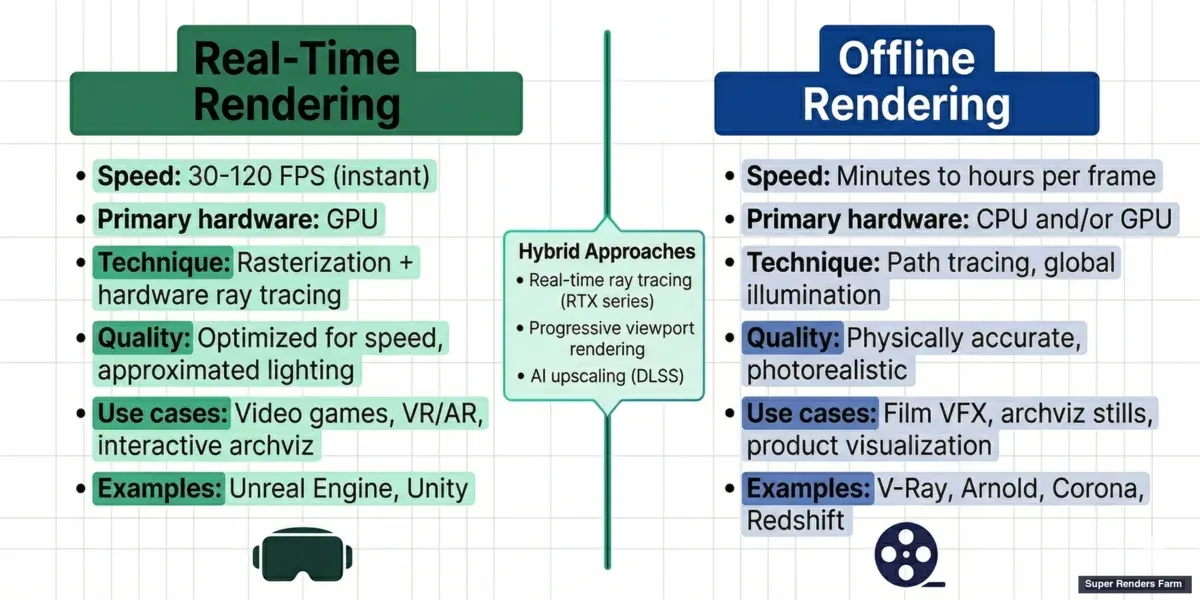
Real-time rendering vs offline rendering comparison — speed, quality, and use cases for games, film, and architecture
How Rendering Works: The Technical Pipeline
Understanding the rendering pipeline helps demystify what happens between clicking "Render" and seeing a finished image.
Scene setup comes first. The artist defines geometry (the 3D shapes — polygons, NURBS, subdivision surfaces), applies materials and textures (how surfaces look — color, reflectivity, roughness, transparency), places lights (directional, point, area, environment maps), and positions a virtual camera (field of view, depth of field, exposure).
The rendering algorithm then processes this scene. The two dominant families of algorithms are:
Rasterization projects each 3D triangle in the scene onto the 2D screen, determining which pixels it covers and what color those pixels should be. It is extremely fast — modern GPUs can rasterize billions of triangles per second — but it handles indirect lighting and reflections through approximations (shadow maps, screen-space reflections, light probes). Rasterization powers virtually all real-time rendering.
Ray tracing simulates light more accurately by tracing the path of individual rays from the camera through each pixel and into the scene. When a ray hits a surface, it can bounce, refract, or scatter, generating secondary rays that interact with other objects. Path tracing is a specific form of ray tracing that follows rays through many bounces to converge on a physically accurate result. Ray tracing handles reflections, refractions, soft shadows, and global illumination naturally but requires significantly more computation.
Other techniques exist for specific use cases. Radiosity calculates the transfer of light energy between surfaces and excels at soft, diffuse inter-reflections in architectural scenes. Photon mapping handles caustics (the focused light patterns you see at the bottom of a swimming pool) more efficiently than pure path tracing.
Output is the final step. A single rendered image is called a frame. For animation, the renderer produces a sequence of frames — typically 24, 25, or 30 per second for film and broadcast, or higher for slow-motion work. Output formats include EXR (high dynamic range, industry standard for VFX compositing), PNG (lossless, suitable for stills), TIFF, and JPEG.
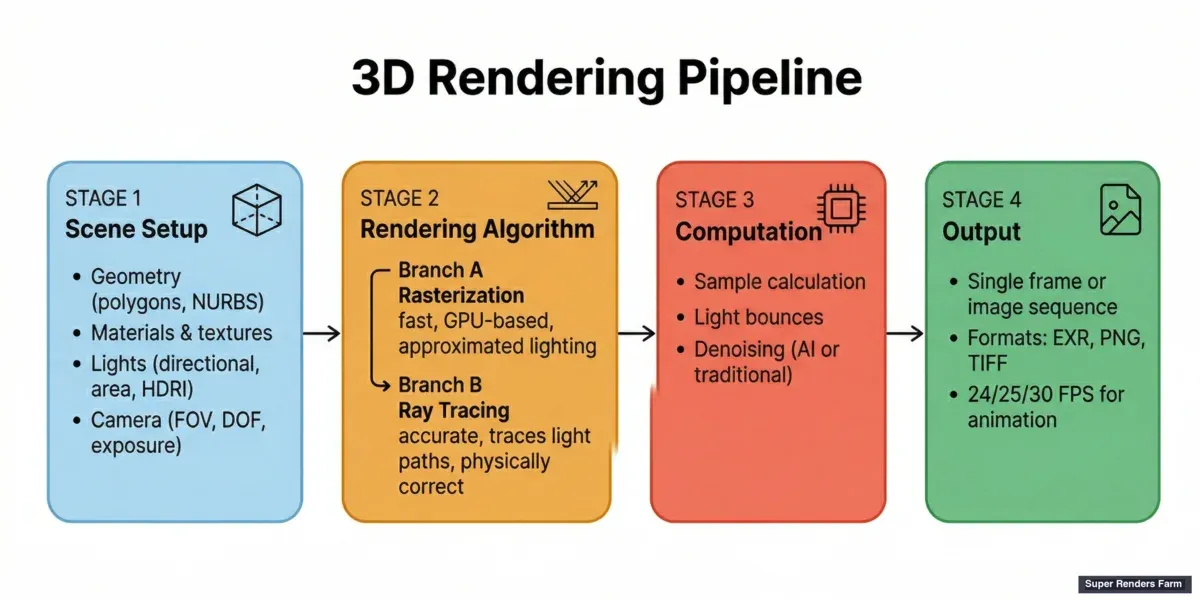
3D rendering pipeline diagram — scene setup, rendering algorithm, and output stages
Render Engines: The Software That Does the Work
A render engine is the software component that executes the rendering algorithm. Most 3D applications ship with a built-in renderer but also support third-party engines that offer specialized capabilities.
CPU-based render engines run primarily on the processor. They can leverage large amounts of system RAM, making them suitable for scenes with massive geometry or texture datasets. Examples include V-Ray (CPU mode), Corona Renderer, and Arnold. V-Ray and Corona are developed by Chaos, while Arnold is an Autodesk product. CPU rendering has been the production standard for decades and remains the workhorse for architectural visualization, broadcast animation, and VFX compositing.
GPU-based render engines run on the graphics card, exploiting the GPU's thousands of parallel cores to accelerate rendering dramatically. Redshift (a Maxon product), Octane Render, V-Ray GPU, and Cycles (Blender's built-in engine) all fall into this category. GPU rendering is typically faster per frame but is constrained by available VRAM — scenes that exceed the GPU's memory must fall back to out-of-core rendering or CPU processing.
Hybrid engines can utilize both CPU and GPU resources. V-Ray, for instance, offers both CPU and GPU rendering modes and can combine them in a single render. Arnold has also added GPU support in recent versions.
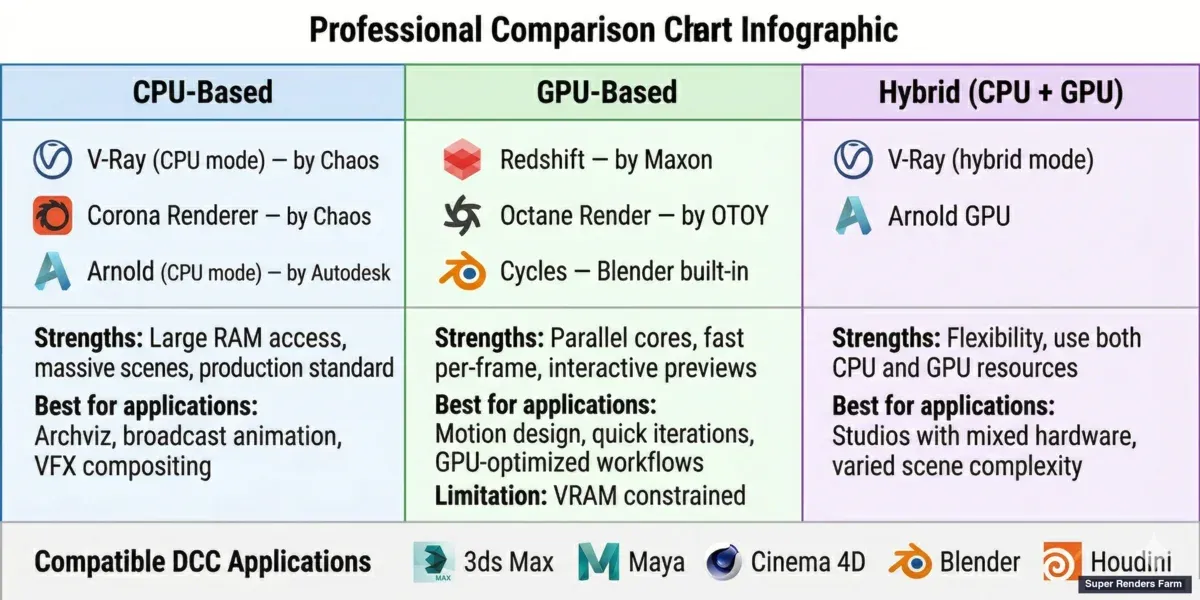
CPU vs GPU render engines comparison — V-Ray, Corona, Arnold, Redshift, Octane, and Cycles
These engines plug into major 3D applications: Autodesk 3ds Max, Autodesk Maya, Maxon Cinema 4D, Blender, and SideFX Houdini. The choice of engine depends on the project's requirements — speed, quality, memory headroom, and pipeline compatibility. For a deeper comparison of how V-Ray performs across different 3D hosts, see our V-Ray for Blender vs 3ds Max comparison.
Common Rendering Challenges
Even with powerful hardware and mature software, rendering presents recurring challenges in production.
Long render times are the most universal bottleneck. A single frame of a complex architectural interior with global illumination, high-resolution textures, and detailed vegetation (Forest Pack, RailClone) can take 20 minutes to several hours on a high-end workstation. Multiply that by thousands of frames for an animation, and a single machine quickly becomes impractical. Our render time optimization guide covers practical techniques to reduce per-frame render times without sacrificing quality.
Memory limitations constrain what a scene can contain. GPU rendering is especially sensitive to VRAM limits — a scene that fits comfortably in 64 GB of system RAM may fail on a GPU with 24 GB of VRAM. Displacement maps, high-poly vegetation, particle systems, and 8K+ texture maps all contribute to memory pressure. Understanding the difference between GPU and CPU rendering helps when planning a pipeline.
Noise and artifacts appear when the renderer has not computed enough light samples. Path tracing produces noise that diminishes as more samples are calculated, but reaching a clean result takes time. Denoisers — both traditional (e.g., Intel Open Image Denoise) and AI-powered (NVIDIA OptiX, V-Ray's built-in denoiser) — can reduce visible noise without requiring the full sample count, but aggressive denoising can smear fine detail.
Color management ensures that rendered images look consistent across different displays and in compositing. ACES (Academy Color Encoding System) has become the standard color pipeline in film and high-end visualization, while sRGB remains common for web and game output.
For a comprehensive troubleshooting reference, our guide to common rendering problems and solutions addresses the issues production teams encounter most frequently.
Render Farms: Scaling Rendering Beyond a Single Machine
When a project's rendering demands exceed what a single workstation can deliver — thousands of animation frames, a tight deadline, or scenes too complex for local hardware — the next step is a render farm.
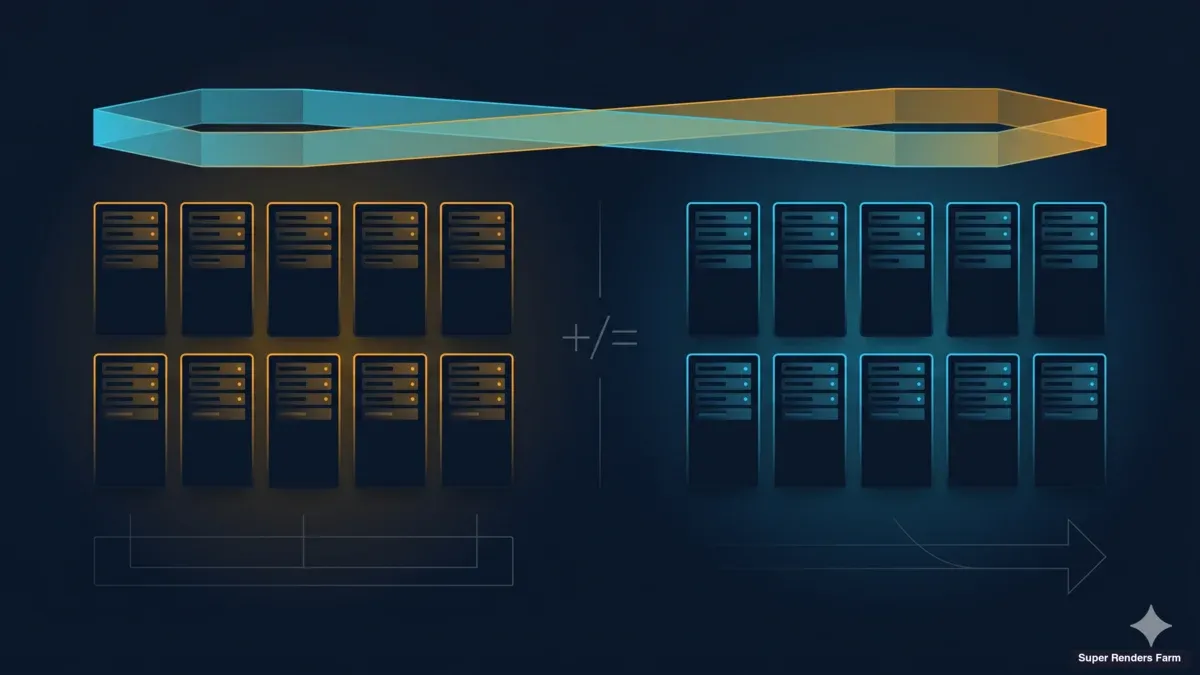
A render farm is a collection of networked computers (called nodes) that divide rendering work among themselves. Instead of one machine spending 100 hours rendering 1,000 frames sequentially, a farm with 100 nodes can complete the same job in roughly 1 hour by rendering frames in parallel. This concept of distributed rendering is how studios of all sizes meet production deadlines without buying hundreds of machines outright.
For a comprehensive look at render farms — including types, costs, software compatibility, and how to evaluate your options — see our complete guide to render farms.
There are two main approaches. Building a private render farm means purchasing, housing, and maintaining your own hardware — an option that makes sense for studios with consistent, high-volume rendering needs and the technical staff to manage infrastructure. Cloud render farms provide the same parallel rendering capability as a service: you upload your scene, the farm renders it across many nodes simultaneously, and you download the finished frames. No hardware purchase, no maintenance, no idle machines between projects. For a broader explanation of cloud-based rendering, see our cloud rendering guide.
Cloud render farms themselves come in two models. Self-service (IaaS) farms give you remote access to virtual machines — you install software, manage licenses, and troubleshoot issues yourself. Fully managed farms handle the entire pipeline: software installation, plugin compatibility, license management, and technical support. You upload a scene file, configure render settings, and receive finished frames. For more on how these models differ, see our comparison of fully managed vs DIY render farms.
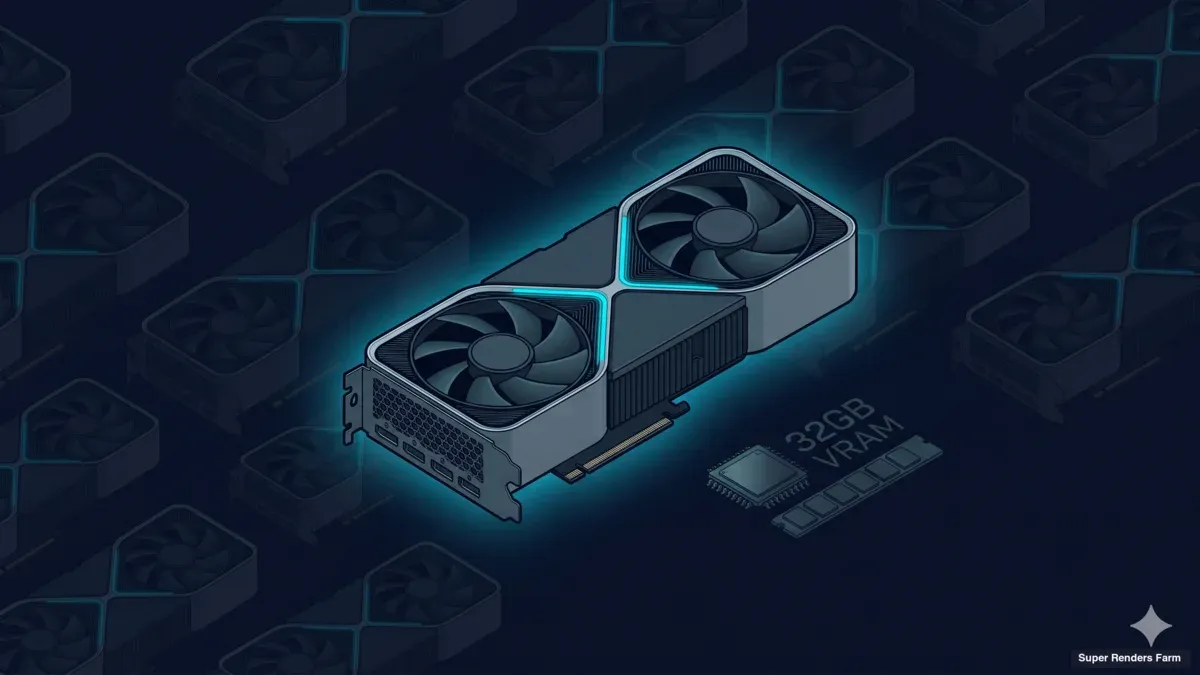
Super Renders Farm operates as a fully managed cloud render farm, supporting major render engines — V-Ray, Corona, Arnold, Redshift, Octane, and Cycles — across 3ds Max, Maya, Cinema 4D, Blender, Houdini, After Effects, and NukeX. As an official Chaos and Maxon render partner, SuperRenders includes licensed rendering for supported engines at no additional cost. The infrastructure runs on 20,000+ CPU cores and a dedicated GPU fleet with NVIDIA RTX 5090 (32 GB VRAM per card), handling both CPU-heavy architectural visualization workloads and GPU-accelerated motion design pipelines.
For a detailed breakdown of what rendering costs look like on a per-frame basis, see our render farm cost guide. Studios considering whether cloud rendering fits their budget may also find our guide on what a cloud render farm is useful as a starting point.
The Future of Rendering
Several trends are shaping where rendering heads next.
AI-assisted rendering is already production-ready. AI denoisers reduce the number of samples needed for a clean image, cutting render times significantly. NVIDIA's DLSS 4, released alongside the RTX 50 series, uses Multi-Frame Generation to produce multiple AI-generated frames per natively rendered frame. Upscaling networks reconstruct high-resolution images from lower-resolution renders with minimal visible quality loss. These tools do not replace the underlying rendering algorithms — they accelerate them.
Neural rendering represents a more fundamental shift. Techniques like Neural Radiance Fields (NeRF) and 3D Gaussian Splatting train neural networks to represent entire scenes, enabling novel view synthesis without traditional geometry-based rendering. As Jensen Huang has emphasized in recent keynotes, neural rendering represents a major direction for the industry. Current production pipelines use neural rendering primarily for previsualization and layout rather than final-quality output, but the gap is closing.
Cloud-native workflows are moving rendering from a local-machine task to an integrated cloud service. Studios increasingly send scenes directly to cloud render farms from within their 3D applications rather than exporting and uploading manually. This reduces friction and makes distributed rendering accessible to freelancers and small studios, not just large facilities.
Real-time path tracing continues to improve. Each GPU generation brings hardware ray tracing closer to offline quality at interactive frame rates. For non-interactive applications like archviz and product visualization, real-time engines are beginning to produce results that previously required offline renderers.
FAQ
Q: What is the difference between rendering and modeling? A: Modeling is the process of creating the 3D geometry — the shapes, surfaces, and structure of objects in a scene. Rendering is what happens after modeling: the computer calculates how light interacts with those surfaces to produce a final 2D image. Modeling defines what the scene looks like structurally; rendering defines what it looks like visually.
Q: How long does rendering take? A: Render times vary enormously depending on scene complexity, resolution, render engine, and hardware. A simple product shot might render in seconds on a modern GPU. A complex architectural interior with global illumination can take 20 minutes to several hours per frame on a high-end workstation. Animation projects with thousands of frames often use render farms to parallelize the workload and meet deadlines.
Q: What is the difference between CPU and GPU rendering? A: CPU rendering uses the computer's processor and system RAM, making it suitable for memory-intensive scenes with large texture datasets. GPU rendering uses the graphics card's parallel processing cores for faster per-frame speeds but is limited by available VRAM. Many modern render engines support both. Many modern render engines support both — the choice depends on scene complexity, memory requirements, and deadline pressure.
Q: What is ray tracing? A: Ray tracing is a rendering technique that simulates light by tracing the path of individual rays from the camera through the scene. When rays hit surfaces, they bounce, refract, or scatter — producing physically accurate reflections, shadows, and lighting. Path tracing extends this by following rays through many bounces to calculate global illumination. Ray tracing produces more realistic results than rasterization but requires more computation.
Q: Do I need a powerful computer to render? A: For simple scenes and real-time work, a mid-range workstation with a modern GPU handles rendering comfortably. For production-quality offline rendering — especially animation sequences or high-resolution stills — more powerful hardware reduces wait times significantly. Cloud render farms offer an alternative: rather than investing in expensive local hardware, you can offload rendering to remote infrastructure and pay only for the compute time used.
Q: What is a render farm? A: A render farm is a network of computers that work together to render frames in parallel. Instead of one machine rendering a 1,000-frame animation sequentially, hundreds of machines can each render different frames simultaneously, reducing total render time from days to hours. Render farms can be built in-house or accessed as a cloud service. Read our complete guide to cloud render farms for a full explanation.
Q: What file formats does rendering produce? A: Common output formats include EXR (high dynamic range, standard for VFX compositing and color grading), PNG (lossless, suitable for web and print), TIFF (lossless, used in print and archival), and JPEG (lossy, smaller file size for previews). For animation, frames are typically rendered as image sequences (one file per frame) rather than video files, giving compositors maximum flexibility in post-production.
Q: Can rendering be done in the cloud? A: Yes. Cloud render farms distribute your rendering workload across many remote machines, delivering finished frames without requiring local hardware investment. Services range from self-service platforms where you manage your own virtual machines to fully managed farms that handle software setup, licensing, and support. Cloud rendering is particularly valuable for animation projects, tight deadlines, and studios that need scalable capacity without maintaining their own infrastructure.
About Alice Harper
Blender and V-Ray specialist. Passionate about optimizing render workflows, sharing tips, and educating the 3D community to achieve photorealistic results faster.