
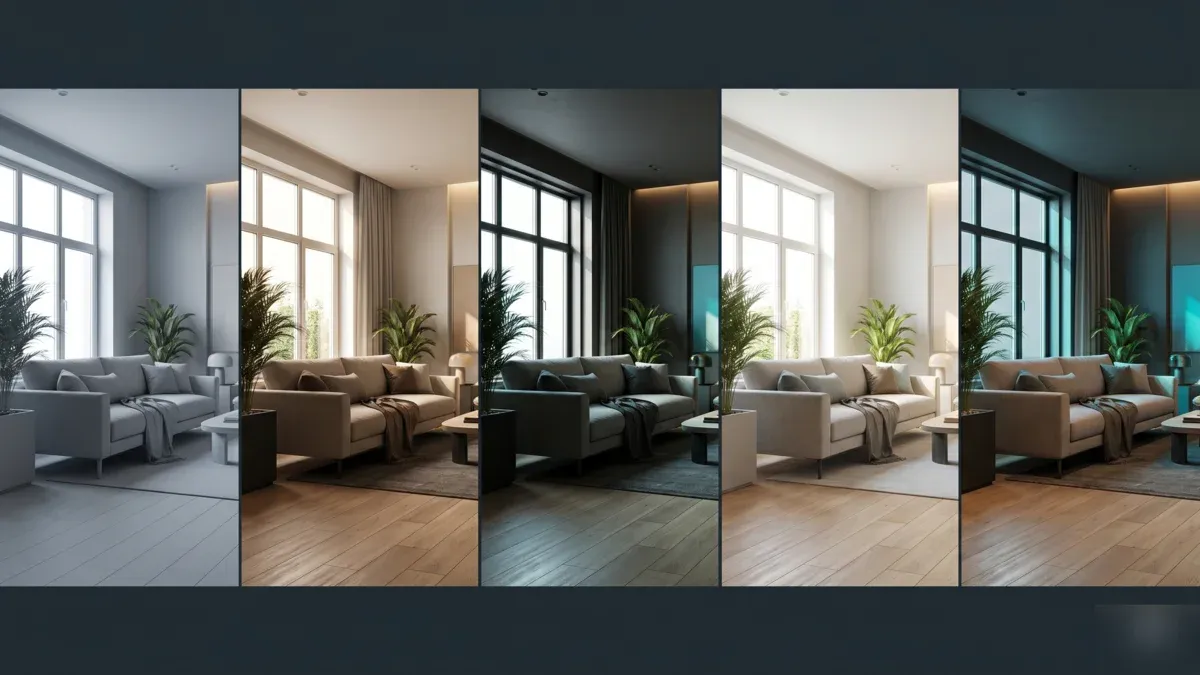
Top Render Engines for 3ds Max in 2026: V-Ray, Corona, Arnold, Redshift, Octane Compared
Overview
Introduction
Choosing a render engine for 3ds Max is one of the longer-lasting decisions a studio makes. The engine shapes how scenes are built, which plugins are pulled in, how artists are trained, and what hardware the pipeline depends on. Once a project library grows past a few hundred scenes, switching engines becomes painful — material conversion alone can consume weeks.
On our farm we render across most of the major engines every day. Roughly 70% of 3ds Max jobs that move through Super Renders Farm are CPU rendering — V-Ray CPU and Corona dominate, with Arnold CPU appearing on the VFX and broadcast side. The remaining 30% is GPU work, mostly from archviz studios pushing for faster iteration and motion design teams chasing real-time-adjacent feedback. V-Ray GPU is ready on every node, while Redshift, Octane and FStorm for 3ds Max are provisioned on request, so contact us to confirm before you upload.
This guide compares the render engines that matter for 3ds Max users in 2026: V-Ray, Corona Renderer, Arnold, Redshift, Octane, FStorm, and a brief note on Mental Ray's legacy status. It covers what each engine is good at, where it struggles, how it handles common 3ds Max plugins, and how each behaves on a cloud render farm. The goal is to give you enough operational detail to match an engine to your project type rather than your hardware budget.
The Render Engine Landscape for 3ds Max in 2026
3ds Max occupies a unique position in the 3D world. It is the dominant archviz application, a long-standing tool in broadcast design and motion graphics, and a frequent contributor to VFX pipelines as a modeling and scene assembly tool. Each of those communities has pulled the render engine market in slightly different directions.
The mainstream engines for 3ds Max in 2026 fall into three groups:
- CPU-first archviz and production renderers: V-Ray (with optional GPU mode), Corona Renderer, Arnold (with optional GPU mode).
- GPU-first production renderers: Redshift, Octane, V-Ray GPU, FStorm.
- Legacy and special-purpose: Mental Ray (end-of-life), Scanline (3ds Max default, internal previews only), Quicksilver Hardware (viewport-level previews).
Most studios run two engines: a primary engine that handles 80–90% of work and a secondary engine for cases the primary cannot cover. A common archviz pairing is V-Ray for stills and complex scenes plus Corona for fast turnaround animations. A common VFX pairing is Arnold for production frames plus Redshift for previs and motion tests. The "best" engine for 3ds Max is the one that fits your project mix, not the one with the highest benchmark score.
Cloud rendering shifts the calculation slightly. On a render farm, hardware constraints that limit local rendering — VRAM caps for GPU engines, slow single-machine CPU times — disappear, because each frame runs on production-grade hardware. That means the engine choice is more about plugin compatibility, licensing, and workflow fit than about whether your local workstation can keep up.
The Blender picture is different; our 2026 rundown of Blender render engines covers that side.
V-Ray
V-Ray from Chaos remains the most widely deployed render engine across 3ds Max studios in 2026. Super Renders Farm is an official Chaos partner, and V-Ray jobs are the single largest workload category on our fleet.
Strengths. V-Ray is a hybrid CPU and GPU renderer. The CPU path is mature, deterministic, and handles the largest scenes you are likely to throw at it — archviz interiors with dense Forest Pack scatters, RailClone arrays, layered Anima crowds. V-Ray's plugin coverage is the broadest in the 3ds Max ecosystem; almost every commercial 3ds Max plugin ships with a V-Ray shader path. The GPU mode in V-Ray 7 has matured significantly and is a reasonable option for scenes that fit in VRAM (32 GB on an NVIDIA RTX 5090, the GPU class we run on our GPU fleet).
Trade-offs. V-Ray's flexibility comes with depth. It has more settings, more material types, and more lighting controls than most teams need. Studios coming from a simpler engine often spend their first few weeks just understanding which settings actually matter for their look. Render times can also vary widely between scenes depending on how irradiance caching, light caching, and brute force settings are configured.
On a cloud render farm. V-Ray CPU on dual-socket Xeon nodes (96–256 GB RAM per node on our fleet) handles complex archviz scenes without scene optimization. V-Ray GPU on RTX 5090 nodes is fast for scenes that fit in 32 GB VRAM. Render-only licensing is included on Chaos-partner farms — you do not need to purchase render node licenses separately.
For a deeper look at V-Ray GPU performance, see our V-Ray GPU render farm speed test.
Corona Renderer
Corona, also from Chaos, is the archviz studio's go-to for ease of use and predictable output. We see Corona on roughly a third of our 3ds Max archviz jobs.
Strengths. Corona is CPU-only. It has no GPU mode, which sounds like a limitation but is actually a feature for many archviz teams — there is no decision to make about which hardware path to use, no scene compatibility testing, no VRAM management. Materials and lighting are simplified compared with V-Ray, which makes Corona faster to learn and faster to set up. The default settings produce strong-looking output without much tweaking, and the output is deterministic frame to frame.
Trade-offs. Corona is CPU-only — if your workstation has a strong GPU and a modest CPU, local rendering will feel slow. On a cloud render farm this matters less because every node is a dual-socket Xeon. Corona also has a narrower plugin ecosystem than V-Ray, though the major archviz plugins (Forest Pack, RailClone, Anima) are fully supported.
On a cloud render farm. Corona scales linearly with CPU cores, which is exactly what a CPU render farm provides. Our fleet runs Dual Intel Xeon E5-2699 V4 nodes, totaling more than 20,000 CPU cores; Corona animations distribute frame-by-frame across that pool predictably. Render-only licensing is covered through our Chaos partnership.
Arnold
Arnold from Autodesk is bundled with 3ds Max as the default production renderer (replacing Scanline in this role). It is the most common engine on VFX and broadcast frames passing through our farm.
Strengths. Arnold is included with 3ds Max indie and commercial licenses, which lowers the barrier to entry. The renderer is built around path tracing with a deep shader system that handles complex VFX materials — SSS, hair, volumetrics, layered surfaces — without much tuning. Arnold's strength is its consistency: artists know what the output will look like before they hit render, and the engine produces clean results without aggressive denoising. For VFX and broadcast pipelines that share assets with Maya or Houdini, Arnold provides a consistent look across DCCs.
Trade-offs. Arnold is not the quickest engine on a single frame. Archviz studios that prioritize iteration speed often prefer V-Ray or Corona for that reason. Arnold's GPU mode exists but is less mature than its CPU mode; most production studios using Arnold stay on CPU for predictable behavior.
On a cloud render farm. Arnold CPU scales well across our fleet. Plugin support for 3ds Max-specific tools is solid but narrower than V-Ray's — projects using heavy Forest Pack or RailClone setups often default to V-Ray or Corona. For VFX and broadcast work, Arnold on cloud is a strong fit. See the Autodesk Arnold overview for engine details.
Redshift
Redshift from Maxon is the dominant GPU renderer for motion design and a growing presence on archviz and VFX teams. Super Renders Farm is an official Maxon partner, and Redshift jobs are the single largest category in our GPU workload.
Strengths. Redshift is built for speed on RTX-class GPUs. Iteration is fast — minutes per frame on scenes that would take much longer on CPU. The renderer is biased rather than purely physically based, which gives artists more direct control over the final look and reduces noise without heavy denoising. Redshift portability across Cinema 4D, Maya, Houdini, and 3ds Max is a real advantage for studios that work across multiple DCCs — material setups and lighting transfer with minimal rework.
Trade-offs. Redshift is GPU-only and constrained by VRAM. The 32 GB VRAM on RTX 5090 covers most archviz and motion design scenes, but very dense Forest Pack scatters or high-resolution displacement work can exceed it, requiring scene optimization or out-of-core memory streaming (slower). Redshift's archviz adoption has grown but the engine still leans toward motion design and VFX in its design philosophy.
On a cloud render farm. Redshift for 3ds Max is provisioned on request on our RTX 5090 GPU nodes, so contact us to confirm before you upload; once set up, it renders fast and scales well across multiple GPUs per scene. Render-only licensing is included through our Maxon partnership. For Cinema 4D Redshift workflows specifically, see our Cinema 4D Redshift render farm guide.
We cover the specifics of that multi-GPU scaling behavior — frame distribution versus bucket assignment — in our multi-GPU scaling benchmark.
Octane
Octane from OTOY is the longest-running GPU renderer in 3ds Max, with a loyal user base in archviz and motion design.
Strengths. Octane is unbiased and physically based, producing photoreal output with relatively few settings. It has matured significantly on RTX-class GPUs and scales well across multiple GPUs in a single scene. The plugin ecosystem includes integrations with most major 3ds Max scattering and procedural tools. Octane's node-based material system is one of the most flexible in the GPU rendering space.
Trade-offs. Octane is GPU-only and VRAM-constrained. Like Redshift, it relies on scene optimization or out-of-core memory streaming for scenes that exceed VRAM. Octane's plugin licensing model is also more complex than V-Ray or Corona — different tiers unlock different feature sets.
On a cloud render farm. Octane for 3ds Max is provisioned on request on our RTX 5090 nodes, so contact us to confirm before you upload; once set up, it runs cleanly and we support render-only deployment through OTOY's render-only licensing program. Scene VRAM budgets need to be planned upfront; complex scatters benefit from instance-level optimization before submission.
FStorm
FStorm is a specialist GPU renderer focused on archviz, with a smaller but committed user base.
Strengths. FStorm produces high-quality archviz output with a workflow optimized for interior and exterior architectural scenes. The renderer is fast on RTX GPUs and is praised for material quality in archviz contexts specifically — daylight setups, glass, fabric, and natural materials render with a look that many archviz artists prefer over more general-purpose engines.
Trade-offs. FStorm's audience is narrower than V-Ray, Corona, or Redshift. Documentation is thinner, the developer community is smaller, and integration with non-archviz plugins is limited. Studios that work across archviz, motion design, and VFX often pick a more general engine to avoid maintaining two pipelines.
On a cloud render farm. FStorm for 3ds Max is provisioned on request on our RTX 5090 GPU nodes, so contact us to confirm before you upload. License handling differs from the larger engines — FStorm uses a render-node licensing approach that needs to be confirmed before submission.
Honorable Mentions and Legacy
Mental Ray was for years the default 3ds Max renderer. NVIDIA discontinued mental ray in late 2017, and Autodesk removed bundled support shortly after. If you have legacy mental ray scenes, the path forward is conversion to Arnold (now bundled with 3ds Max) or V-Ray, depending on which engine matches your team's workflow. We recommend migrating legacy mental ray scenes before the next production cycle.
Scanline remains in 3ds Max for backwards compatibility and quick internal previews. It is not used for production rendering in 2026.
Quicksilver Hardware Renderer provides viewport-level real-time previews for animation blocking. Not a production-grade renderer.
Choosing the Right Engine for Your Workflow
 Six floating platforms arranged in a 2-by-3 grid representing different render engine workflows for 3ds Max
Engine choice is project-driven first, hardware-driven second. Here is a practical framework:
| Workflow | Recommended Engine | Why |
|---|---|---|
| Archviz stills (interior/exterior) | V-Ray (CPU) or Corona | V-Ray for complex scenes with heavy plugins; Corona for fast turnaround |
| Archviz animation | Corona (CPU) or V-Ray (CPU) | Predictable per-frame cost; deterministic output |
| Motion design / broadcast graphics | Redshift (GPU) | Fast iteration; Maxon ecosystem fit |
| VFX (3ds Max as part of larger pipeline) | Arnold (CPU) | Consistent look across Maya/Houdini/Max; bundled with 3ds Max |
| Hybrid archviz + motion design | V-Ray (CPU + GPU) | Single engine covers both workflows |
| Real-time iteration on archviz | Redshift or Octane (GPU) | Minutes-per-frame iteration loops |
| Heavy Forest Pack / RailClone scenes | V-Ray (CPU) or Corona | CPU memory headroom for dense scatters |
| Specialist archviz (interior daylight, materials) | FStorm (GPU) | Dedicated archviz material quality |
A few observations from production work:
- Scene memory drives engine choice more than scene type. If your scene exceeds 32 GB of geometry, textures, and instances combined, GPU engines force compromises. CPU engines do not. See our CPU render farm guide for memory planning details.
- Plugin dependencies lock you in. A Forest Pack-heavy archviz pipeline is hard to move off V-Ray or Corona because the scatter rendering paths are most mature on CPU. Our Forest Pack and RailClone render farm guide covers this in depth.
- Team training is a real cost. Switching from V-Ray to Redshift mid-project will slow the team for weeks. The engine you can operate fluently usually beats the engine that is theoretically faster.
Cloud Rendering Compatibility for 3ds Max Engines
Cloud rendering changes the engine calculation in three specific ways: hardware constraints disappear, licensing simplifies, and scene preparation matters more.
Hardware constraints. Local hardware limits — workstation CPU count, VRAM, system memory — do not constrain cloud rendering. Every job runs on production-grade nodes. On our fleet that means dual-socket Xeon CPU nodes with up to 256 GB RAM and RTX 5090 GPU nodes with 32 GB VRAM. Engines like Corona that scale linearly with CPU cores benefit the most; GPU engines like Redshift and Octane benefit from the consistent GPU class.
Licensing. Render-only licenses are included for Chaos products (V-Ray, Corona) through our Chaos partnership and for Maxon products (Redshift) through our Maxon partnership. Arnold render-only licensing follows Autodesk's render-only program. OTOY (Octane) and OEM-specific engines (FStorm) use their own render-only licensing models. The practical effect: you do not need to purchase additional render node licenses when submitting to our farm.
Scene preparation. Cloud rendering rewards clean scene preparation. Asset paths should resolve through UNC-style references, plugins should be at versions the farm supports, and external references should be packed or pathed correctly. We see roughly 8 of 10 first-time-submission issues trace back to asset path resolution rather than engine compatibility.
For pricing comparisons across engines, see our render farm pricing guide. For hardware-level benchmark context, see our render farm hardware benchmark.
The dedicated 3ds Max cloud render farm page lists the full set of supported engines and plugins for 3ds Max specifically.
A Note on Hybrid Pipelines
A growing pattern in 2026 is the hybrid pipeline — one engine for fast iteration during shot development, a second engine for final frames. Common combinations:
- Redshift (iteration) + V-Ray (final). Common in archviz studios that want fast previs and high-quality stills.
- Octane (look development) + V-Ray (final). Less common, used by studios with strong Octane material libraries.
- Redshift (motion design) + Arnold (VFX hand-off). Used by mixed motion design and VFX teams.
Hybrid pipelines double the engine maintenance overhead — two sets of materials, two sets of plugins, two sets of artist training. They make sense when the speed advantage of GPU iteration meaningfully shortens shot development and the final-frame engine's output is materially different from the iteration engine. For most studios, a single engine pipeline is simpler and equally effective.
FAQ
Q: What is the best render engine for 3ds Max archviz in 2026? A: For most archviz studios, V-Ray and Corona handle the largest share of work. V-Ray suits complex scenes with heavy plugins and deep material control; Corona suits fast-turnaround animation and teams that prefer simpler setup. Both are CPU-first and scale well on a cloud render farm. Choice usually comes down to existing pipeline and team familiarity rather than absolute output quality.
Q: Should I use V-Ray CPU or V-Ray GPU for 3ds Max? A: Use V-Ray CPU when your scene exceeds GPU VRAM, depends on plugins with mature CPU paths (Forest Pack, RailClone at scale, Phoenix FD), or needs deterministic frame-to-frame output for animation. Use V-Ray GPU when scene fits in 32 GB VRAM and iteration speed is the priority. Many studios use both — GPU for previs and CPU for final frames.
Q: Is Corona Renderer GPU-compatible in 2026? A: No. Corona is CPU-only and Chaos has not announced a GPU version. This is intentional — Corona's design philosophy is to keep the engine simple and deterministic, which a GPU path would complicate. On a cloud render farm with high CPU core counts, Corona's CPU-only design is not a practical limitation.
Q: Is Arnold faster than V-Ray on 3ds Max? A: Not consistently. Arnold and V-Ray are competitive on most scene types, with V-Ray often faster on archviz scenes (irradiance caching, light caching) and Arnold often faster on complex VFX shaders. For most 3ds Max users, engine choice comes down to pipeline fit (Arnold ships with 3ds Max; V-Ray is licensed separately) rather than raw speed.
Q: Can I render Forest Pack scenes on GPU engines like Redshift or Octane? A: Yes, but with caveats. Forest Pack geometry renders fine on GPU engines on RTX 5090 (32 GB VRAM) for moderate scatters; Redshift for 3ds Max is provisioned on request, so contact us to confirm before you upload. Very dense scatters — tens of millions of instances — can exceed VRAM and force out-of-core memory streaming, which slows the render significantly. CPU engines like V-Ray and Corona handle dense scatters without this constraint.
Q: Does a cloud render farm cover render engine licensing for 3ds Max engines? A: Generally yes, through render-only licensing programs. On Super Renders Farm, V-Ray and Corona render-only licenses are covered through our Chaos partnership, Redshift through our Maxon partnership, and Arnold through Autodesk's render-only program. OTOY (Octane) and FStorm have their own render-only models; Octane and FStorm for 3ds Max are provisioned on request, so contact us to confirm before you upload. You do not need to purchase additional render node licenses.
Q: What is the best GPU render engine for 3ds Max in 2026? A: For motion design and broadcast work, Redshift is the most widely deployed and benefits from Maxon's ecosystem investment. For archviz, both Octane and FStorm have strong material quality, with FStorm specifically tuned for archviz and Octane more general-purpose. V-Ray GPU is a strong choice for teams that want a single engine across CPU and GPU workflows.
Q: Is Mental Ray still usable for 3ds Max in 2026? A: Mental Ray was discontinued by NVIDIA in 2017 and removed from bundled 3ds Max support shortly after. Legacy scenes still render on archived installations, but new production work should use Arnold (bundled with 3ds Max) or V-Ray. We recommend migrating to a supported engine before your next production cycle.
About Thierry Marc
3D Rendering Expert with over 10 years of experience in the industry. Specialized in Maya, Arnold, and high-end technical workflows for film and advertising.



