
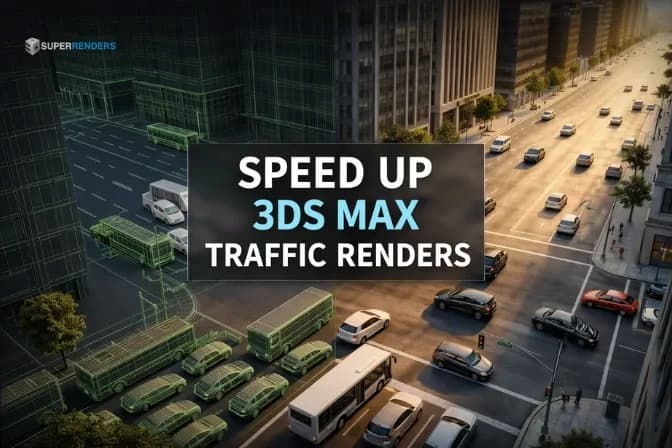
Powerful Ways to Render Large Traffic Animations Faster in 3ds Max
Overview
1. Introduction: Rendering Large Traffic Animations in 3ds Max
Modern architectural visualization increasingly relies on animation rather than static images. Urban flythroughs, infrastructure presentations, and marketing visuals now demand realistic traffic movement to bring city environments to life. However, once artists begin rendering animation 3ds max scenes that include hundreds or thousands of vehicles, they quickly encounter performance limits.
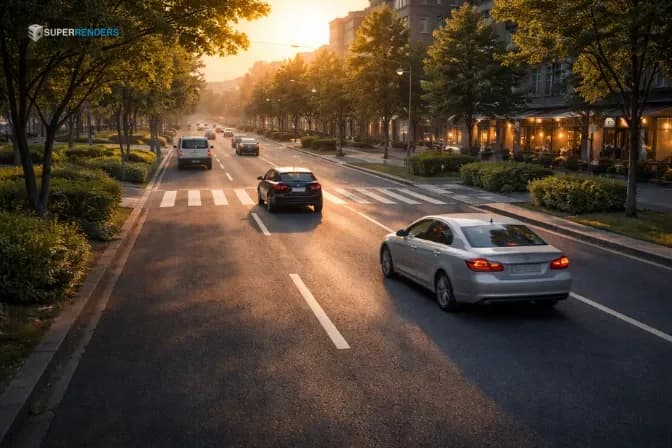
Traffic simulation plugins such as City Traffic can generate impressive vehicle behavior, lane systems, and urban traffic flows. But rendering those scenes is a completely different challenge.
A typical city visualization animation might include:
- 1,000–2,000 animated vehicles
- High-resolution car models with 200,000–800,000 polygons each
- Motion blur and global illumination
- Large urban environments with buildings and vegetation
In many cases, the total geometry in a single scene can exceed one billion polygons. At this scale, even high-end workstations struggle to render frames efficiently.
Why rendering animation becomes slow with traffic scenes
Rendering animation differs from rendering still images in one key way: every frame must be calculated independently.
For example, a 30-second animation at 30 frames per second requires:
- 30 seconds × 30 fps = 900 frames
Each frame requires:
- geometry calculations
- lighting simulations
- motion blur sampling
- texture loading
If one frame takes 20 minutes to render, the entire sequence could take 300 hours on a single computer.
That’s why large studios rarely rely on a single machine. Instead, they distribute rendering across multiple systems or cloud-based render farms.
2. Why Traffic Animation Scenes Are Difficult to Render
Traffic-heavy scenes place extraordinary demands on rendering systems. The complexity comes from the combination of geometry density, animation data, and lighting calculations.

Thousands of animated vehicles increase scene complexity
Each vehicle is more than a simple mesh. A realistic car model usually contains:
- body panels
- interior geometry
- wheels and suspension
- glass materials
- lights and reflections
Professional vehicle assets typically range from 200k to 800k polygons. When a scene contains over 1,000 vehicles, geometry counts can quickly reach billions of polygons.
This massive dataset must be processed by the renderer before a single pixel appears on screen.
Memory limitations in large 3ds Max scenes
Large traffic animations also consume huge amounts of RAM. Scene files may exceed 5 GB, and rendering often requires 64–128 GB of memory depending on:
- number of vehicles
- texture resolution
- lighting calculations
- motion blur segments
If memory runs out, 3ds Max may freeze or crash during the render preparation stage.
According to documentation from Autodesk, high-resolution textures and large scene files are common causes of instability in complex rendering projects.
Motion blur and global illumination increase render time
Realistic traffic animations require motion blur to simulate moving vehicles. Instead of calculating geometry once per frame, the renderer samples geometry multiple times during the shutter interval.
For example:
- 16 motion segments
- 500,000-polygon vehicle
- multiple animated vehicles
This dramatically increases the amount of geometry the renderer must process.
Global illumination adds another challenge. GI must remain temporally consistent across frames. If lighting samples change randomly between frames, the animation may suffer from flickering artifacts.
Render engines like those developed by Chaos Group often require caching techniques to stabilize GI during animations.
3. Common Rendering Problems with Large Traffic Animations
Large traffic scenes frequently expose limitations in both hardware and rendering workflows.
Out-of-memory crashes
Out-of-memory (OOM) errors occur when the renderer requires more RAM than the system can provide.
Typical causes include:
- high-poly vehicle models
- large texture files (4K–8K)
- excessive geometry instances
When memory runs out, the renderer may terminate the job entirely.
Extremely slow frame rendering times
Traffic scenes also increase render time significantly. Motion blur, reflections, and complex lighting can turn a 5-minute still render into a 30-minute animation frame.
For long animations, this quickly becomes impractical.
Frame inconsistencies across machines
When multiple computers render frames independently, differences in software versions or plugin setups may cause:
- missing vehicles
- lighting variations
- incorrect textures
Proper asset management and consistent render environments are critical to avoid these issues.
4. Basic Techniques to Prepare Traffic Scenes for Rendering
Before rendering large traffic animations, artists usually apply several optimization strategies.
Instancing vehicle models
Instancing allows multiple objects to share the same geometry data. Instead of loading thousands of unique meshes, the renderer references one shared model.
This significantly reduces memory usage.
Using proxy objects
Render proxies allow heavy geometry to load only when needed during rendering. Tools like VRayProxy or CoronaProxy help keep the 3ds Max viewport responsive while handling complex models.
Organizing scenes for large projects
Large animation scenes should follow clean project structures:
- organized asset folders
- clear texture paths
- simplified geometry groups
Proper organization ensures render nodes can locate all assets correctly.
Rendering frame sequences instead of video files
Professional animation pipelines always render image sequences, not video files.
Common formats include:
- EXR
- PNG
- TIFF
If a render fails at frame 700 of a 1000-frame sequence, only that frame needs to be re-rendered.
5. Animation Rendering Workflow in 3ds Max
Professional studios follow standardized workflows when rendering animation in 3ds Max.

Frame sequence rendering pipeline
The typical animation pipeline includes:
- Bake simulation data
- Export frame sequence settings
- Submit render job
- Render frames independently
- Assemble frames into video
This workflow ensures stable rendering for long sequences.
Splitting frames across multiple machines
For large projects, frames are distributed across multiple render nodes. Each machine renders a different frame in the sequence.
Example:
- Node 1 → Frame 1
- Node 2 → Frame 2
- Node 3 → Frame 3
This dramatically reduces total render time.
Local network rendering vs distributed rendering
Two main rendering methods exist:
| Rendering Method | Best Use |
|---|---|
| Distributed rendering | single images |
| Network rendering | animation sequences |
Animation rendering relies on network rendering, where each node processes different frames simultaneously.
6. Why Render Farms Are Essential for Large Traffic Animations
When rendering hundreds or thousands of frames, workstation hardware quickly becomes the bottleneck.

Limitations of workstation rendering
A typical archviz animation may include:
- 900–1,800 frames
- 4K resolution
- 15–40 minutes per frame
On a single workstation, this can take weeks or even months to complete.
How render farms accelerate animation rendering
Render farms solve this problem by distributing frames across hundreds of machines.
Instead of rendering frames sequentially:
- 1 workstation → 1800 frames
a render farm may process them simultaneously:
- 200 render nodes → 1800 frames
This reduces total rendering time dramatically.
Scaling rendering for large projects
Modern cloud render farms can automatically scale resources depending on project size. Artists can launch hundreds of render nodes within minutes.
Services like Super Renders Farm provide specialized infrastructure designed for large 3ds Max animation projects, helping studios render complex scenes far faster than local hardware allows.
7. Example: Rendering an Archviz Traffic Animation Project
Consider a typical urban flythrough project.
Project specs might include:
- 1,500 vehicles
- 1200 animation frames
- 4K output resolution
If each frame takes 25 minutes, the total render time becomes:
- 1200 frames × 25 minutes
- = 30,000 minutes
- = 500 hours
With a render farm, those frames can be distributed across hundreds of nodes and completed within hours instead of weeks.
8. Rendering Traffic Animations with Super Renders Farm
For studios working with complex traffic simulations, render farms provide a reliable solution for heavy animation rendering.
When artists should consider a render farm
Render farms become essential when:
-
animations exceed several hundred frames
-
scenes contain thousands of vehicles
-
projects require high resolution output
Benefits for traffic animation projects
Using Super Renders Farm allows artists to:
- distribute rendering across hundreds of CPUs
- handle extremely large 3ds Max scenes
- reduce animation render times dramatically
Because frames are processed independently, render farms also improve reliability. If one frame fails, it can be automatically retried without affecting the rest of the sequence.
9. FAQ: Rendering Traffic Animations in 3ds Max
- How do I render realistic traffic animation in 3ds Max without crashing?
Optimize scenes by using proxies, instancing vehicles, and rendering frames as image sequences. Large projects should also consider render farms for stability.
- Why does rendering traffic animation in 3ds Max take so long?
Traffic scenes contain thousands of animated objects, complex lighting calculations, and motion blur sampling, all of which increase rendering workload.
- How can I render thousands of animated cars efficiently?
Use instanced models, proxy assets, and level-of-detail strategies to reduce memory usage while maintaining visual quality.
- What causes out-of-memory errors in large scenes?
Common causes include high-resolution textures, excessive polygon counts, and insufficient system RAM.
- How do render farms split animation frames?
Render managers assign individual frames to separate machines, allowing hundreds of frames to render simultaneously.
- What file format should I use for animation rendering?
Professional pipelines typically render sequences using EXR or PNG files rather than direct video formats.
10. Conclusion
Rendering large traffic animations in 3ds Max presents significant technical challenges. Thousands of vehicles, complex lighting calculations, and motion blur can push scenes beyond the limits of local workstations.
By understanding professional animation pipelines and preparing scenes properly, artists can improve rendering stability and efficiency.
However, when projects involve hundreds or thousands of frames, scaling rendering across multiple machines becomes essential. Using a cloud solution like Super Renders Farm allows studios to render large urban animations much faster while maintaining high visual quality.
For architectural visualization teams working on city-scale animations, render farms often transform weeks of rendering into just hours—making large traffic simulations practical for real production deadlines.
About Alice Harper
Blender and V-Ray specialist. Passionate about optimizing render workflows, sharing tips, and educating the 3D community to achieve photorealistic results faster.



