Cloud Rendering Cost Per Frame: 2026 Pricing Guide
Overview
Cloud Rendering Cost Per Frame in 2026: What a Frame Actually Costs
"How much does cloud rendering cost per frame?" is one of the questions we hear most often from artists and studios moving their first project off a workstation. It sounds simple, but the honest answer is a range — and the range is wide because a frame is not a unit of work, it is a unit of output. Two frames at the same resolution can take 30 seconds or 30 minutes depending on the engine, samples, geometry, and lighting.
This guide walks through what per-frame cost looks like on the cloud in 2026, why it varies so much, and how the underlying pricing models actually work. We have been operating Super Renders Farm since 2017, and the numbers below come from the project mix we see daily across archviz, motion design, VFX, and feature animation work.
For deep-dive math on how render farms specifically calculate per-frame charges, see our render farm cost per frame guide. For a side-by-side breakdown of five named farms, see the cost-per-frame breakdown for 2026. This article is the concept-level entry point that sits above both — covering cloud rendering as a whole category, including IaaS alternatives like AWS Batch and Azure Batch.
For a complementary view that focuses on what the rate card on a cloud render farm pricing page actually means in dollars-per-render, our cloud render farm pricing explained for 2026 walks through how GHz-hour and OctaneBench-hour rates translate into real invoice numbers across V-Ray, Redshift, Blender Cycles, and Cinema 4D workloads.
TL;DR — Cloud Rendering Cost Per Frame in 2026
Per-frame cost on the cloud in 2026 typically lands in these ranges:
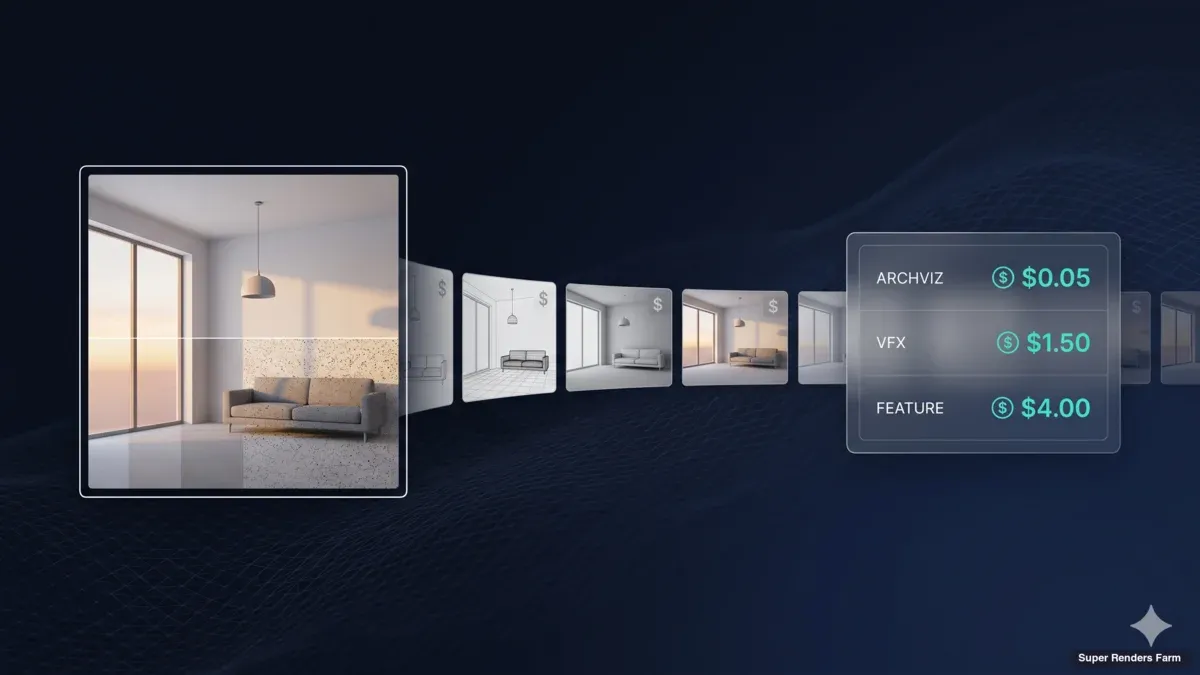
- Archviz still (1080p, V-Ray or Corona): $0.03 – $0.25 per frame
- Archviz animation (1080p, 24–30 fps): $0.08 – $0.65 per frame
- Product visualization (4K, GPU or CPU): $0.15 – $1.20 per frame
- VFX / motion design shot: $0.50 – $3.00 per frame
- Feature animation / heavy CG shot: $1.00 – $5.00 per frame
These numbers cover render compute only — not licensing, asset preparation, or editorial. Per-frame cost varies by scene complexity, render engine, output resolution, sample/quality settings, and the pricing model your provider uses. We unpack each of those drivers below, then show how render farms compare with general-purpose cloud compute platforms (AWS Batch, Azure Batch) for the same workload.
How Much Does Cloud Rendering Cost Per Frame?
The short answer is "between three cents and five dollars per frame, depending on what kind of frame you are rendering." That is not a dodge — the range reflects how different a 1080p archviz still is from a 4K feature animation shot with volumetrics and motion blur.
To make the ranges concrete, here is the per-frame benchmark we use internally when scoping new projects. CPU columns assume V-Ray, Corona, or Arnold on dual Xeon nodes. GPU columns assume Redshift, Octane, or V-Ray GPU on RTX 5090 class hardware (32 GB VRAM).
| Project type | Resolution | CPU $/frame | GPU $/frame | Notes |
|---|---|---|---|---|
| Archviz still — interior | 1920×1080 | $0.05 – $0.25 | $0.04 – $0.18 | Corona / V-Ray; 1–8 min per frame |
| Archviz still — exterior with vegetation | 3840×2160 | $0.20 – $0.80 | $0.15 – $0.55 | Forest Pack, displacement |
| Archviz animation walkthrough | 1920×1080 | $0.08 – $0.40 | $0.06 – $0.28 | 720–4500 frames typical |
| Product visualization | 3840×2160 | $0.25 – $1.20 | $0.15 – $0.90 | Studio lighting, low geometry |
| Motion design / mograph | 1920×1080 | $0.30 – $1.50 | $0.20 – $1.10 | Redshift / Octane dominant |
| VFX shot (mid complexity) | 1920×1080–2K | $0.60 – $2.50 | $0.45 – $1.80 | Sims, displacement, AOVs |
| Feature animation shot | 2K – 4K | $1.20 – $5.00 | $0.90 – $3.80 | Heavy GI, hair, volumetrics |
Two practical takeaways from this table. First, GPU per-frame cost is usually 20–35% lower than CPU on the same scene if the scene is GPU-friendly — meaning textures and geometry fit in 32 GB of VRAM and the engine is one of Redshift, Octane, or V-Ray GPU. Second, the per-frame range within a single project type is often 4–5x wide. That is not provider variance; it is scene variance. A clean Corona interior with a couple of point lights renders very differently from the same room with Forest Pack vegetation outside the windows.
What Does "Per Frame Pricing" Mean in a Render Farm?
"Per-frame pricing" is shorthand for two related but distinct concepts, and conflating them causes a lot of confusion.
Concept 1 — A pricing model. A small number of providers (mostly drag-and-drop services aimed at hobbyists) literally charge a fixed price per frame regardless of how long the frame takes. You see this on simple cloud renderers for Blender Eevee or basic V-Ray scenes. The fee covers the average expected compute time for that engine and resolution.
Concept 2 — A reporting unit. Most production-grade render farms (Super Renders Farm included) charge by the second of compute time, normalized to a hardware unit — typically GHz-hours for CPU or OctaneBench-hours for GPU. The "per-frame cost" you see on your invoice is calculated after the render finishes, by dividing total cost by frame count. It is descriptive, not prescriptive.
Both concepts produce a number that looks like "$0.42 per frame" on a quote or invoice. The difference is that Concept 1 is locked in before you submit; Concept 2 reflects what your scene actually consumed. For predictable workloads (still images, repetitive shots), the difference rarely matters. For experimental scenes — first-time engines, new lighting setups, untested simulations — Concept 2 protects you from paying flat rate on a frame that turned out to be cheap, but exposes you on frames that turn out heavy.
When you see "per-frame pricing" advertised, ask which model the provider uses. The answer affects how you budget the project.
Why Per-Frame Pricing Varies So Much
There are four cost drivers that swing per-frame numbers by an order of magnitude. Understanding them is the difference between a quote that holds and a quote that doubles mid-project.
1. Scene complexity. Polygon count, instance count, displacement subdivisions, hair systems, and volumetric data all multiply render time per pixel. A clean architectural interior at 1080p might render in 3 minutes per frame; the same shot with a Forest Pack vegetation scatter outside, RailClone fences, and a volumetric god ray can balloon to 25 minutes per frame on the same hardware. That is an 8x cost swing from scene content alone.
2. Render engine and renderer settings. V-Ray, Corona, Arnold, Redshift, Octane, and Cycles each have their own efficiency curves. Corona is generally faster for diffuse-heavy interiors; V-Ray has a wider feature ceiling for archviz exteriors. On the GPU side, Redshift biased rendering is faster than Octane brute-force path tracing for the same target quality. Sample count is the single most overrated variable — many archviz scenes can drop from 200 to 50 samples with denoising and look identical, cutting cost roughly 4x.
3. Output resolution. Cost scales close to linearly with pixel count, not with the resolution number. Going from 1080p (2.07 megapixels) to 4K (8.29 megapixels) is a 4x pixel increase and roughly a 3.5–4x cost increase. We see clients underestimate this constantly when a director asks "can we just deliver 4K instead?"
4. Pricing model and hardware tier. A flat per-frame service might be cheaper than a per-second farm for a simple Eevee scene and 5x more expensive for a heavy V-Ray scene. GPU rendering on dedicated 32 GB VRAM hardware (RTX 5090 class) costs more per node-hour than CPU, but per frame it is often cheaper because the frame finishes faster.
A useful mental model: per-frame cost is roughly (scene complexity × resolution × samples) ÷ hardware throughput × hourly rate. Change any factor by 2x and the frame cost moves with it.
Per-Frame Pricing Models: How Render Farms Charge
There are four pricing models in common use across cloud rendering services in 2026. Each one optimizes for a different workload pattern, and choosing the wrong one can double your bill.
| Model | How it works | Fits | Watch out for |
|---|---|---|---|
| Per-frame fixed | Flat fee per frame regardless of compute time | Hobbyists, predictable engines (Eevee, simple Cycles) | Heavy frames cost the provider, who builds margin into the average — you overpay on simple frames |
| Per-compute-time (GHz-hour or OctaneBench-hour) | Pay for the seconds your frame uses on a normalized hardware unit | Production work where scene complexity varies | You absorb the variance — a buggy scene with hidden geometry can balloon |
| Subscription / monthly bucket | Fixed monthly fee unlocks N node-hours or unlimited fair-use | Studios with steady, high-volume monthly throughput | Wasted spend in slow months; throttling at peak |
| Hybrid prepaid credit | Prepaid balance, billed per second at a discounted rate | Project-based studios — most archviz freelancers | Credit expiry; tier discounts that lock you into provider |
For most production work, per-compute-time with prepaid credits is the predictable choice. It rewards efficient scenes (you pay less when you optimize) and never charges you for hours you did not use. Flat per-frame is genuinely cheaper for very narrow use cases — a Blender hobbyist rendering Eevee turntables — but loses money fast on anything with sample variance.
For a deeper breakdown of each pricing model with worked examples, see our render farm pricing models compared guide.
Cloud Rendering Cost Comparison: Render Farms vs Cloud Compute Platforms
"Cloud rendering" is the broader category. Render farms are one option inside it. The other major option is to run rendering jobs directly on general-purpose cloud compute — AWS Batch, Azure Batch, Google Cloud Batch — which give you raw VM time and leave the orchestration to you.
Both approaches deliver the same end product (rendered frames), but the per-frame economics and operational overhead differ significantly. Here is how the two routes compare for a representative production workload.
| Factor | Render farm (managed) | Cloud compute (AWS / Azure Batch) |
|---|---|---|
| Per-frame cost (1080p archviz still) | $0.05 – $0.25 | $0.18 – $0.55 once you include licensing and orchestration overhead |
| License handling | Bundled (V-Ray, Corona, Arnold, Redshift, Octane, Cycles included) | You bring your own license — float licenses, dongles, or BYOL agreements |
| Setup time per project | Minutes — upload, configure, submit | Days to weeks for first project; AMI/container images, license servers, queue config |
| Render manager | Managed by the provider | You configure (Deadline, Tractor, OpenCue, or roll your own queue) |
| Storage cost | Usually included in the per-frame fee | Separate S3 / Blob bill (egress especially adds up) |
| Hardware tier flexibility | Provider's fleet — limited choice | Full instance type catalog (you can pick any GPU SKU AWS offers) |
| Failed frame handling | Automatic re-queue at no extra charge on most farms | You pay for the failed compute; you implement retry logic |
| Typical fit | Archviz, motion design, VFX studios up to ~50 artists | Hyperscale studios with full DevOps team and complex pipelines |
The honest summary: if you are an archviz studio, a motion designer, or a small VFX team, a managed render farm will almost always be cheaper on a finished-frame basis than running your own AWS Batch pipeline — even though AWS's raw instance pricing looks lower on paper. The hidden costs are licensing (V-Ray and Redshift floating licenses are not cheap), DevOps engineering time to build and maintain the pipeline, and storage egress. We have onboarded clients who ran the AWS math and discovered their per-frame cost was 2–3x what a render farm would charge once everything was accounted for.
If you are a hyperscale studio with a dedicated rendering pipeline team — think feature animation house with 200+ artists — running directly on cloud compute makes sense because your fixed engineering costs amortize across a huge frame count. For everyone else, the managed-farm route wins on per-frame cost.
For the conceptual difference between these two approaches in more depth, see our overview of what a cloud render farm is and the broader cloud rendering explained guide.
External pricing references for cross-cloud context: AWS Batch pricing and Azure Batch pricing — note these list raw compute only, with no DCC or render engine licensing included.
2026 Per-Frame Price Benchmarks by Project Type
The benchmark table earlier in this article gives per-frame ranges. This section adds project-level context — how those per-frame numbers translate into total project cost across the work we see most often.
Archviz still pack (8 hero stills, 4K, V-Ray exterior with vegetation). Per frame typically lands at $0.40 – $0.80 on CPU. Total project cost: $3.20 – $6.40. Render time on a managed farm: 30 minutes to 2 hours of wall-clock time depending on parallelization. The same job on a single workstation would tie up the machine overnight.
Archviz animation (60-second walkthrough at 30 fps = 1800 frames, 1080p, Corona interior). Per frame: $0.10 – $0.30. Total: $180 – $540. Wall-clock on a managed farm: 4–10 hours. The economics here are forgiving — even at the higher end, the cost-per-deliverable is lower than a single workstation's electricity over the same render duration.
Product visualization (200 frames, 4K turntable, Redshift on GPU). Per frame: $0.20 – $0.70. Total: $40 – $140. Wall-clock: 30 minutes to 2 hours. GPU rendering really pays off here because product viz scenes are usually clean — small geometry, controlled lighting, fits comfortably in 32 GB VRAM.
Motion design sequence (450 frames at 30 fps, mograph with Redshift, AOVs). Per frame: $0.40 – $1.10. Total: $180 – $495. Wall-clock: 1–3 hours. Cost variance comes from AOV count and motion blur sample settings.
VFX shot (240 frames, 2K, Arnold with displacement and volumetrics). Per frame: $1.20 – $2.80. Total: $290 – $670. Wall-clock: 4–12 hours. This is where per-frame cost starts to feel material, and where rendering cost optimization (sample reduction, denoising, light linking) shows the biggest savings.
Feature animation pickup (50 frames, 4K, full GI + hair + volumetrics). Per frame: $2.50 – $5.00. Total: $125 – $250. Wall-clock: 3–8 hours. At this complexity, the per-frame discipline of a feature pipeline (asset budgets, render checkpoints) really earns its keep.
These ranges are for render compute only. They do not include the cost of artist time, asset preparation, dailies, or storage of source files. For most studios, render compute is 5–15% of the total project budget — significant enough to manage carefully, but rarely the deciding factor in whether a project ships.
When Does Per-Frame Pricing Beat Hourly or Monthly?
Choosing the right pricing model depends on three project characteristics: predictability, volume, and cadence.
Predictability — if you know within ±20% how long each frame will take, per-frame fixed pricing can work. If you do not (most production work), per-compute-time with prepaid credits is the safer choice.
Volume — if you render less than ~500 frames a month, per-second billing with no commitment beats subscription. Above ~5,000 frames a month with steady cadence, a subscription bucket starts to pencil out.
Cadence — bursty workloads (one big project per quarter, then nothing) favor prepaid credits with no expiry. Steady weekly throughput favors subscription.
A simple decision rule we share with clients:
- Hobbyist or freelancer with under 500 frames/month, mixed engines: prepaid credit, per-second billing
- Small archviz studio, 500–5,000 frames/month, predictable mix: prepaid credit at higher tier discount
- Mid-size studio, 5,000–20,000 frames/month, steady cadence: subscription bucket if available, prepaid otherwise
- Hyperscale (20,000+ frames/month): negotiate volume contract directly
The trap to avoid: locking into a subscription "in case you need it." We have seen studios pay for unused capacity for six months because the subscription paperwork was harder to undo than to keep.
How to Estimate Per-Frame Cost Before You Submit
A rough per-frame estimate before submission protects you from project surprises. The method below takes about 10 minutes and is accurate to within ±30% for most production scenes.
Step 1 — Render one test frame on your local workstation. Note the wall-clock time. This is your baseline.
Step 2 — Measure your local hardware throughput. For CPU, that is roughly (cores × clock GHz). A modern Ryzen 9 at 4.5 GHz with 16 cores is 72 GHz of compute. For GPU, run a benchmark like OctaneBench or a Redshift benchmark scene to get a relative score.
Step 3 — Calculate cloud node throughput. A typical render farm node in our fleet is roughly 70–90 GHz of CPU compute (dual Xeon E5-2699 V4 class) or an RTX 5090 (32 GB VRAM) for GPU work. Compare to your local — most workstations are 30–60% the throughput of a single farm node.
Step 4 — Multiply local time by the throughput ratio. If your test frame took 12 minutes on a workstation that is 50% the speed of a farm node, the farm will render it in roughly 6 minutes.
Step 5 — Multiply farm time by the per-second rate. Most production farms publish a per-GHz-hour or per-OctaneBench-hour rate. A frame that takes 6 minutes on a 90 GHz CPU node consumes 9 GHz-hours. On our farm ($0.004 per GHz-hour for CPU), that works out to roughly $0.04 for that frame. Rates vary significantly across providers — plug in whichever farm you are evaluating, multiplied by the farm's own node throughput.
Step 6 — Multiply per-frame cost by frame count, then add 15% buffer. The buffer covers retry frames, AOV variance, and the occasional outlier shot.
For a sanity check against this estimate, our pricing page shows our current GHz-hour and OctaneBench-hour rates with worked examples, and the render farm cost per frame guide has a longer worked walkthrough.
Practical Cost-Reduction Tactics
A few quick wins we see repeatedly cut per-frame cost by 30–60% with no visible quality difference:
- Denoise instead of brute-forcing samples. Modern denoisers (Intel Open Image Denoise, NVIDIA OptiX) let most archviz scenes drop from 200 to 50 samples with imperceptible quality loss.
- Use light linking aggressively. Excluding lights from objects they do not meaningfully illuminate cuts ray tests significantly.
- Render at the resolution you will deliver, not "in case." A 4K render is roughly 4x the cost of a 1080p render of the same scene. Only render 4K if the deliverable is 4K.
- Pre-bake what you can. Lightmaps for static elements, photon caches for interiors, irradiance maps reused across an animation — all reduce per-frame cost without changing the look.
- Match engine to scene. GPU engines (Redshift, Octane) are usually cheaper per frame if the scene fits VRAM. CPU engines (V-Ray, Corona) handle larger geometry budgets at lower cost per frame for archviz exteriors with heavy vegetation.
For an industry perspective on render efficiency benchmarks, the Chaos benchmark database is a useful reference for V-Ray scene timings across hardware tiers.
FAQ
Q: How much does cloud rendering cost per frame? A: In 2026, per-frame cost on the cloud typically ranges from $0.03 for a simple 1080p archviz still up to $5.00 for a heavy 4K feature animation shot. The wide range reflects scene complexity, render engine, output resolution, and the pricing model your provider uses. Mid-range archviz animation lands at $0.08–$0.65 per frame; VFX and motion design shots are usually $0.50–$3.00 per frame.
Q: What is per-frame pricing on a render farm? A: Per-frame pricing is shorthand for two distinct things. Some providers literally charge a fixed fee per frame regardless of compute time — common for simple Blender or Eevee work. Most production farms charge by the second of compute time and present per-frame cost on the invoice as a reporting unit, calculated by dividing total cost by frame count. Both produce a number that looks like "$0.42 per frame," but the first is locked in before submission and the second reflects what your scene actually consumed.
Q: Is GPU rendering cheaper per frame than CPU? A: For GPU-friendly scenes — Redshift, Octane, V-Ray GPU, where textures and geometry fit in 32 GB of VRAM — GPU rendering is usually 20–35% cheaper per frame than CPU rendering of the same scene. For scenes that exceed VRAM, push heavy displacement, or use engines without strong GPU implementations (Corona, classic Arnold CPU), CPU is more cost-effective per frame.
Q: How can I reduce per-frame cloud rendering cost? A: The five highest-impact tactics are: drop sample counts and rely on a denoiser; only render at the resolution you will deliver; use light linking to exclude lights from objects they do not illuminate; pre-bake static lightmaps and photon caches where possible; and match the render engine to the scene (GPU when it fits, CPU for heavy geometry). Together these typically cut per-frame cost 30–60% without visible quality loss.
Q: What is cheaper — per-frame pricing or a monthly subscription? A: It depends on volume and predictability. Below 500 frames per month, per-second billing with prepaid credits is almost always cheaper. Between 500 and 5,000 frames per month with steady cadence, prepaid credit at a tiered discount usually wins. Above 5,000 frames per month with predictable weekly throughput, a subscription bucket starts to pencil out. Bursty quarterly workloads should stay on prepaid credits regardless of total volume.
Q: Do I get charged for failed frames on a cloud render farm? A: On managed render farms (including Super Renders Farm), failed frames are automatically re-queued at no additional charge as long as the failure is on the farm's side — node crashes, disk errors, transient license issues. Failures caused by scene-side problems (missing assets, broken plugins, out-of-memory crashes from over-sized geometry) are usually still billed for the compute consumed up to the crash. On general-purpose cloud compute platforms like AWS Batch, you pay for failed compute regardless of cause unless you build retry logic into your pipeline.
Q: How does cloud rendering cost compare to running my own render nodes? A: For most studios under ~50 artists, cloud rendering is significantly cheaper on a per-frame basis because you only pay for active render time. A single high-end render node sitting idle 70% of the month is expensive depreciation. For very high steady-state utilization (90%+ over years), owning hardware can pencil out — but you also take on power, cooling, hardware refresh cycles, and engineering overhead. The render farm vs build cost comparison walks through the full math.
Q: Why does the same frame cost different amounts on different render farms? A: Three main reasons. First, hardware tier — a farm with newer CPUs or GPUs charges more per second but often finishes the frame faster, so per-frame cost can be lower. Second, included licensing — farms that bundle V-Ray, Redshift, or Octane licenses charge more per second but you save on separate license fees. Third, pricing model — flat per-frame providers build margin into their average expected compute time, so simple scenes overpay and complex scenes get a deal. Always compare per-finished-frame on a representative test scene, not advertised hourly rates.
About Thierry Marc
3D Rendering Expert with over 10 years of experience in the industry. Specialized in Maya, Arnold, and high-end technical workflows for film and advertising.