What's New in Autodesk Maya 2027: Features, AI Tools, and Cloud Rendering
Overview
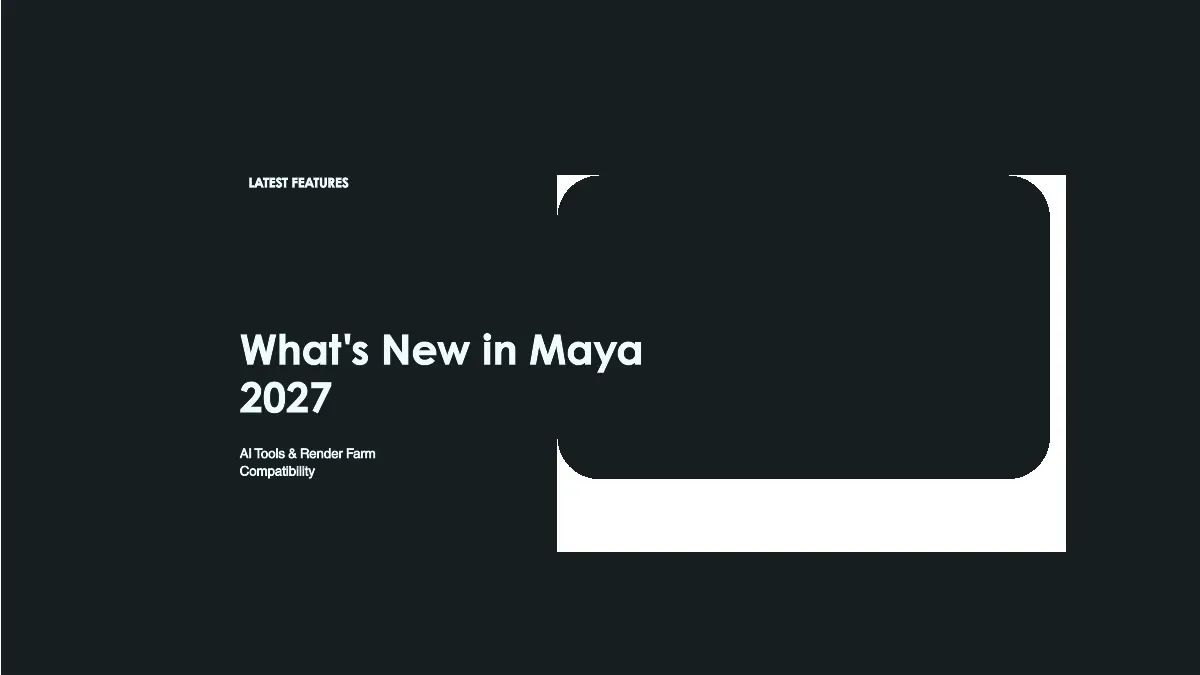
Autodesk Maya 2027 was released on March 25, 2026 (and updated to Maya 2027.1 on May 21, 2026), and we have been running it through our pipelines to evaluate what matters for production rendering. Maya remains one of the core applications on our farm — animation studios, VFX houses, and motion design teams submit Maya scenes daily across both CPU and GPU render pools. This release brings AI-powered animation generation, a modeling tool that finally handles bevels correctly on messy geometry, tighter material authoring for cross-machine workflows, and a rigging integration that our character teams have been requesting for years.
Here is what changed, what it means for rendering at scale, and where we see the practical impact.
Overview of Autodesk Maya 2027
Autodesk has organized this release around three priorities: AI-assisted animation through MotionMaker, modeling refinement with Smart Bevel, and deeper cloud integration through Flow Studio. The underlying architecture remains stable — Maya 2027 scenes use the same core file format lineage, and backward compatibility with Maya 2026 projects holds for standard workflows.
The inclusion of ngSkinTools as a first-party feature and the LookdevX 2.1 update with MaterialX relative path support round out the release. Bifrost reaches version 3.1 with meaningful simulation improvements, and Arnold ships at version 7.5.1.1 via the MtoA 5.6.1.1 plugin.
Update (May 21, 2026): Maya 2027.1 shipped — MtoA 5.6.1.1 / Arnold 7.5.1.1, Bifrost 3.1, LookdevX 2.1, OpenTimelineIO support in the Sequencer, and Smart Bevel quality improvements. (Maya 2027.0 originally launched with Arnold 7.5.0.0 / MtoA 5.6.0.) The component versions in this article reflect Maya 2027.1.
For render farm operations, the MaterialX relative path support stands out as the single most impactful change.
For how Maya 2027 runs on a managed farm, including engine readiness, submission, and migration timing, see our Maya 2027 cloud render farm guide.
And for the fundamentals of cloud rendering itself — how it works, what it costs, and when it makes sense — our cloud rendering explained guide is a good starting point.
We will cover why in the material authoring section below.
Animation and AI: MotionMaker
MotionMaker is the headline feature. This generative AI system produces animation data from text descriptions and path constraints, and Maya 2027 expands it with a new horse archetype — a full 3D character model paired with an AI model trained on real-world motion capture data.
The horse archetype covers core gaits including walks, trots, and gallops, with transitions between them. The character adheres more naturally to defined paths through updated Path Locator attributes, and the MotionMaker Editor now supports hotkeys and right-click context menus for faster iteration.
What this means for rendering: MotionMaker output is standard Maya animation data — keyframes on joints and controls. There is nothing proprietary about the result. Once generated, the animation renders identically to hand-keyed motion on any render farm node. The AI handles the creative generation; the farm handles the pixel output. We have tested MotionMaker scenes on our pipeline and they submit, distribute, and render without any special handling.
For studios producing animation at volume — previz, creature work, crowd cycles — MotionMaker could accelerate the blocking phase significantly. More animation means more frames to render, which is where distributed rendering absorbs the increased output naturally.
Modeling Improvements: Smart Bevel
Smart Bevel generates bevels that follow the surface shape rather than the underlying topology. This matters most on uneven geometry, particularly after Boolean operations where edge flow becomes irregular. Traditional bevel tools in Maya produced inconsistent widths and self-intersecting geometry on such meshes. Smart Bevel handles these cases cleanly.
The tool is non-destructive, maintaining construction history so artists can adjust width, depth, and segment count after the initial operation. It operates with world units, giving predictable results across differently scaled objects.
This is the same Smart Bevel system introduced in 3ds Max 2027, reflecting Autodesk's push toward feature parity across their DCC applications. For studios working across both Maya and 3ds Max, the consistent behavior reduces context-switching when moving between tools.
From a rendering perspective, cleaner geometry means fewer artifacts. Bevels that follow surface curvature produce better normal maps, smoother reflections, and more predictable shading — all of which reduce the troubleshooting we see when badly beveled geometry hits the farm.
Character and Rigging: ngSkinTools Integration
Autodesk has integrated the third-party ngSkinTools plugin directly into Maya 2027 as a first-party feature. This introduces a non-destructive, layer-based approach to skinning with advanced masking and mirror tools built into the core application.
The layer-based workflow allows riggers to stack and blend skin weight adjustments without permanently modifying the base weights. Mirror tools handle symmetric rigs more reliably, and the masking system provides precise control over which vertices receive weight changes — critical for complex characters with overlapping deformation zones.
For render farms, rigging complexity has a direct impact on scene evaluation time. Heavier rigs with more deformation layers require additional computation when Maya evaluates the scene graph before rendering each frame. On our farm, we have observed that complex character rigs can add 5–15 seconds of evaluation overhead per frame. With ngSkinTools integrated natively rather than as a third-party plugin, we expect more predictable behavior across render nodes — no plugin version mismatches, no licensing complications for the skinning system on distributed machines.
Material Authoring and Pipeline: LookdevX 2.1 and MaterialX Relative Paths
LookdevX 2.1 arrives with expanded UV texture menus, improved portability features, and updated icons. The UV Editor now displays all nodes with UV inputs, making texture coordinate workflows more transparent.
The critical update for distributed rendering is MaterialX relative path support. MaterialX documents now support relative file paths in addition to absolute paths. This is the most farm-relevant feature in the entire Maya 2027 release.
Here is why this matters: when a scene moves from an artist's local workstation to a render farm node, every file path in the scene must resolve correctly on the target machine. Absolute paths — like C:\Users\artist\textures\wood_diffuse.exr or /home/artist/textures/wood_diffuse.exr — break immediately because the farm node has a different directory structure, different drive letters, and different mount points.
Relative paths solve this by anchoring file references to the project root. A texture referenced as ./textures/wood_diffuse.exr resolves correctly regardless of where the project folder sits on the filesystem. When we package a scene for rendering, all assets travel together in a self-contained directory. Relative paths ensure that every texture, HDRI, and material resource resolves on the first attempt without path remapping.
Previously, MaterialX documents in Maya only supported absolute paths, forcing studios to either manually rewrite paths before submission or maintain path-mapping configurations per farm. With relative path support in Maya 2027, MaterialX-based look development workflows become portable by default. This reduces submission failures, eliminates a category of debugging on the farm, and makes archiving projects for future rendering straightforward.
Additionally, Archive Scene now works with MaterialX documents, allowing artists to package entire look development setups alongside geometry for reliable hand-off to rendering infrastructure.
Simulation: Bifrost 3.1
Bifrost 3.1 (as of Maya 2027.1) includes surface tension settings for liquid simulations, enabling realistic droplet behavior at high resolution. Ocean surface guides provide art-directable liquid simulation foundations, and new constraint nodes improve rigid body dynamics. Asynchronous evaluation support improves viewport interactivity during simulation playback.
For rendering, Bifrost simulations produce cache files that render nodes read during frame evaluation. Surface tension at high resolution means denser particle counts and potentially larger cache files. Studios running Bifrost-heavy shots on our farm should account for increased storage during asset transfer and ensure sufficient RAM on render nodes for high-particle-count frames.
Cloud and Workflow Integration
Maya 2027 adds a Flow Studio button to the Status Line, providing quick access to Autodesk's cloud-based platform for VFX and animation work. There is no deeper integration at this stage — the button launches Flow Studio in a browser.
Autodesk's cloud tools serve a different purpose than dedicated render farms. Flow Studio handles collaboration, asset management, and lightweight previews. Production rendering — thousands of frames at full resolution with complex shading and simulation — remains the domain of render farms with dedicated hardware. The two approaches complement each other: studios can use Flow Studio for editorial review and collaborative iteration, then submit final-quality frames to a render farm for the heavy computation.
Autodesk Assistant is an AI chatbot in early technical preview that searches documentation to answer workflow questions. It handles queries like "How do I edit keyframes?" by referencing official Maya documentation. It is a convenience feature with no impact on rendering.
Maya Creative 2027
Maya Creative 2027 is a pay-as-you-go edition aimed at smaller studios and freelancers. Pricing starts at $3 per day with a minimum annual commitment of $300. It includes most Maya 2027 features but excludes Bifrost 3.1.
For render farm workflows, the licensing model raises a practical question: can scenes created in Maya Creative render on a farm? Maya Creative uses the same file format as the full Maya edition. Scenes created in Maya Creative open and render in full Maya installations on farm nodes without issues — the distinction is in the authoring license, not the file format. Our farm runs full Maya licenses on render nodes, so Maya Creative scenes render normally.
Render Engine Compatibility
Maya 2027 ships with Arnold 7.5.1.1 via the MtoA 5.6.1.1 plugin, which includes lightweight USD instancing, a new hair scattering mode, and enhanced light sampling flexibility. Nearest Points and Line Shaders are new additions.
Third-party engine compatibility:
| Engine | Compatible Version | Status |
|---|---|---|
| Arnold | 7.5.1.1 (bundled via MtoA 5.6.1.1) | Full support, ships with Maya 2027.1 |
| V-Ray | 7.x | Compatible — verify with Chaos for specific build |
| Redshift | 2026.x (year-based versioning) | Compatible — see Maxon's Maya 2027 compatibility page for the required 2026.x build |
| Corona | Not natively supported for Maya | N/A |
As an official Chaos Group partner, we maintain current V-Ray versions across our render nodes. Arnold compatibility is guaranteed since it ships with Maya. For Redshift, as an official Maxon partner, we update our GPU nodes to match the latest compatible builds.
System Requirements
Maya 2027 supports the following platforms:
| Component | Requirement |
|---|---|
| Operating System | Windows 11, RHEL 8.10/9.7, Rocky Linux 8.10/9.7, macOS 14.0+ |
| RAM | 8 GB minimum (16 GB+ recommended for production) |
| GPU | OpenGL 4.3+ capable; NVIDIA recommended for GPU-accelerated features |
| Disk Space | ~10 GB for installation plus project storage |
| Display | 1920×1080 minimum resolution |
Notable: macOS support continues but Windows and Linux remain the primary platforms for render farm deployment. Our farm runs Maya on Windows nodes, which is the most common configuration for production rendering.
Render Farm Compatibility and Practical Guidelines
Version matching between artist workstations and render farm nodes is non-negotiable. A Maya 2027 scene submitted to a Maya 2026 render node may fail to load or produce incorrect results due to serialization differences.
Asset Path Management
With MaterialX relative path support now available, we recommend adopting relative paths as the default for all MaterialX-based workflows. For traditional Maya file nodes, ensure textures and references use project-relative paths or standardized UNC paths that resolve on both local workstations and farm nodes.
Run Maya's File Path Editor before submission to catch unresolved references. Our submission system validates paths automatically, but catching issues before upload saves time.
Plugin Serialization
Third-party plugins serialize parameters in version-specific formats. A scene using a specific version of a deformation plugin must match the same version on the render node. We maintain a plugin compatibility matrix and validate submissions against it. With ngSkinTools now integrated into Maya core, one fewer plugin version to track across the farm.
Testing Pipeline
Before committing a Maya 2027 project to full production rendering, submit a single test frame through the farm. This validates version compatibility, path resolution, plugin loading, and render engine behavior on the actual hardware that will process the job. A 60-second test frame can prevent hours of failed renders.
Sequencer Improvements
The Sequencer in Maya 2027 adds shot trimming and time-scaling by dragging edges, a dedicated Playblast menu, and organizational tools including color-coding, custom labels, and thumbnails. For studios managing multi-shot sequences, these workflow improvements reduce editorial overhead before shots reach the render farm.
FAQ
Q: Does MotionMaker animation render normally on a render farm? A: Yes. MotionMaker generates standard Maya animation data — keyframes on joints and controls. Once generated, the animation is indistinguishable from hand-keyed motion and renders on any farm node running Maya 2027 with no special configuration.
Q: How do MaterialX relative paths improve render farm compatibility? A: Relative paths anchor texture and resource references to the project root directory. When a scene moves from a local workstation to a farm node with a different directory structure, relative paths resolve correctly without manual remapping. This eliminates a common category of failed renders caused by broken absolute paths.
Q: Can Maya Creative 2027 scenes render on a full render farm? A: Technically, yes — Maya Creative uses the same file format as full Maya. Scenes open and render on farm nodes running full Maya licenses. However, Maya Creative excludes Bifrost 3.1, so simulations authored in the full edition may not open in Creative for editing.
Q: Should I upgrade from Maya 2026 to 2027 for render farm work? A: Evaluate based on your pipeline needs. If your team uses MaterialX workflows, the relative path support alone justifies the upgrade for smoother farm submissions. If MotionMaker or ngSkinTools integration matters to your character pipeline, the upgrade is worthwhile. For purely rendering-focused studios, test compatibility with your engines before committing.
Q: Which Arnold version ships with Maya 2027? A: Maya 2027 includes Arnold 7.5.1.1 via the MtoA 5.6.1.1 plugin (shipped with Maya 2027.1). This version introduces lightweight USD instancing, a new hair scattering mode, and enhanced light sampling flexibility.
Q: Is ngSkinTools still available as a separate plugin, or only through Maya 2027? A: ngSkinTools remains available as a standalone plugin for earlier Maya versions. Maya 2027 integrates it natively, eliminating the need for separate installation and licensing on render farm nodes — one fewer dependency to manage across distributed machines.
Q: What are the minimum system requirements for Maya 2027? A: Maya 2027 requires Windows 11, RHEL/Rocky Linux 8.10 or 9.7, or macOS 14.0+. Minimum 8 GB RAM, though 16 GB or more is recommended for production scenes. An OpenGL 4.3 compatible GPU is required, with NVIDIA cards recommended for GPU-accelerated features.
Moving Forward with Autodesk Maya 2027
Maya 2027 is a measured release that addresses real workflow pain points. MotionMaker's horse archetype expands AI-assisted animation into creature work. Smart Bevel solves a longstanding modeling frustration. ngSkinTools integration removes a third-party dependency from character pipelines. And MaterialX relative paths — the quietest feature in the release notes — delivers the most practical improvement for anyone rendering Maya scenes on distributed infrastructure.
We recommend upgrading artist workstations first and running your standard test scenes through the farm on Maya 2027 nodes before migrating active projects. Verify render engine compatibility for your specific V-Ray or Redshift versions, and take advantage of relative paths in MaterialX to simplify your submission pipeline.
For more information on Maya 2027, see Autodesk's official What's New page.
Related resources:
About Thierry Marc
3D Rendering Expert with over 10 years of experience in the industry. Specialized in Maya, Arnold, and high-end technical workflows for film and advertising.