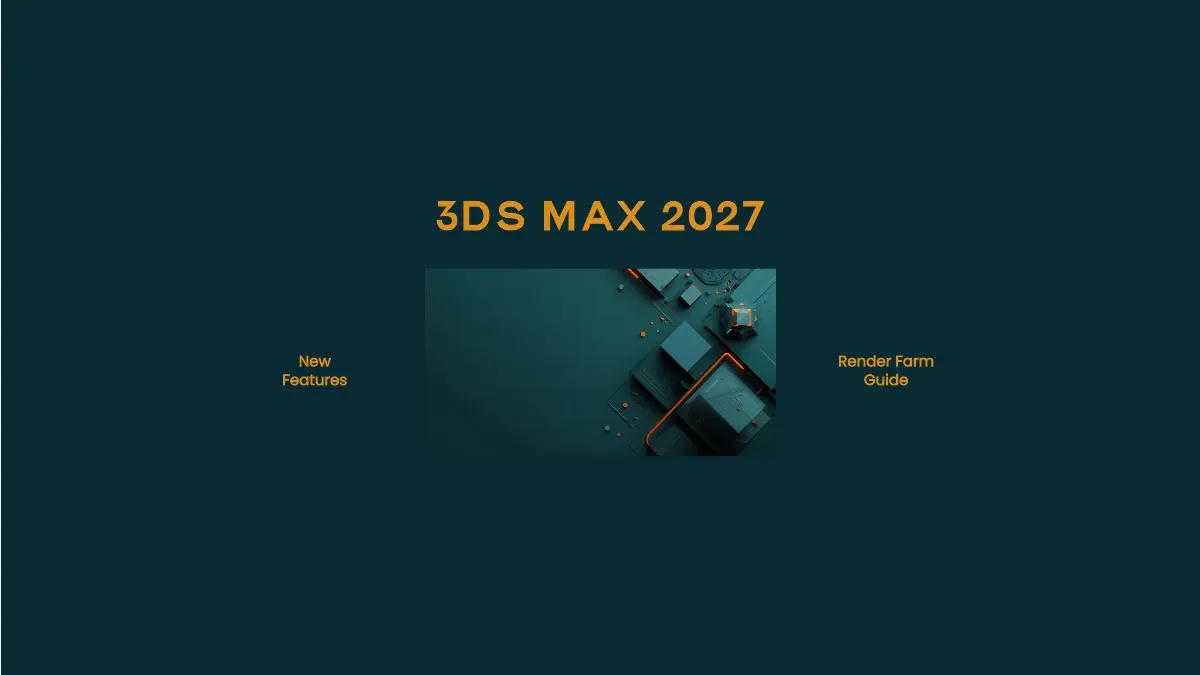
What's New in 3ds Max 2027: Features, Rendering, and Farm Compatibility
Overview
Every 3ds Max release reshapes the daily realities of how we prepare, validate, and render scenes across our farm. The 2027 release lands with meaningful modeling additions—Smart Bevel chief among them—alongside updated Arnold integration, a new procedural noise system, and Autodesk's first steps into AI-assisted workflows. We have been testing this release against our production pipelines, and the changes hit areas that directly affect render farm throughput and scene reliability.
What a 2027 seat costs to license, and how Flex compares with an annual subscription, is set out in our 3ds Max licensing guide for 2026.
Overview of 3ds Max 2027
Autodesk has focused the 2027 cycle on filling long-standing gaps in the modeling toolset rather than overhauling the application architecture. Smart Bevel addresses a problem that Boolean-heavy workflows have struggled with for years. Noise Plus and Field Helper expand procedural capabilities that were previously limited to third-party plugins or workarounds. The Arnold integration moves to version 7.5, and Autodesk introduces Flow Render—a cloud rendering tech preview bundled with subscriptions.
The release also drops Windows 10 support entirely. 3ds Max 2027 requires Windows 11, which is worth noting for studios still running mixed OS environments.
Modeling Improvements
The modeling side of 2027 carries the most impactful changes. These are tools we use daily when preparing client assets for distributed rendering.
Smart Bevel
Smart Bevel is the headline feature, and it earns the attention. Unlike the existing Chamfer modifier, which operates on neighboring polygons and struggles with complex topology, Smart Bevel follows surface shape rather than topology. This distinction matters enormously for Boolean-based modeling workflows.
We routinely receive scenes from archviz and product visualization clients where Boolean operations have created dense, irregular intersection geometry. Chamfer applied to these meshes produces inconsistent edge widths, collapsed faces, and rendering artifacts that our farm nodes flag as geometry errors. Smart Bevel generates cleaner results on these same meshes because it calculates bevel width, depth, and segment count relative to world units and surface curvature rather than polygon adjacency.
The tool operates non-destructively through the modifier stack. Artists can adjust bevel parameters after the fact without collapsing history—a workflow that reduces scene preparation time when clients request geometry revisions late in the pipeline. For our farm, cleaner geometry translates directly to fewer render failures and less time spent diagnosing topology-related artifacts.
Noise Plus Modifier
The legacy Noise modifier in 3ds Max has been functional but limited. Noise Plus replaces it with a Simplex noise engine that supports five fractal noise types, offering substantially more detail and variation than the original Perlin-based system.
Noise Plus supports clamping, inversion, normal direction application, and switching between World and Object space. Several fractal types include a Phase control for animating noise patterns—useful for water surfaces, terrain displacement, and procedural weathering effects. We have tested animated Noise Plus modifiers across our render nodes, and the results are deterministic: every frame produces consistent output regardless of which machine in the farm renders it. This consistency is critical for animation sequences where frame-to-frame flickering from non-deterministic noise would ruin a shot.
Field Helper
Field Helper creates volumetric fields from procedural primitives or watertight mesh objects. These fields can drive the Volume Select modifier with improved accuracy on complex geometry, and new animation controllers allow fields to influence animatable channels on objects, modifiers, and materials.
This is a capability that previously required Houdini or specialized plugins. Having it natively in 3ds Max means simpler scene packages shipped to our farm—fewer external dependencies and smaller asset bundles.
Rendering and Material Updates
Rendering integration in 2027 reflects two distinct directions: a traditional engine update with Arnold 7.5, and Autodesk's new cloud rendering offering.
MAXtoA 5.9.0 and Arnold 7.5.0.0
The bundled Arnold integration updates to MAXtoA 5.9.0 with Arnold 7.5.0.0. Key additions include Nearest Points and Line Shaders for stylized rendering workflows, improved volume rendering quality, updated hair shading models, and refined thin film effects. The volume rendering improvements are particularly relevant for our VFX clients working with fog, smoke, and atmospheric effects—these scenes have historically been among the slowest to converge on our farm, and improved sampling efficiency helps.
Arnold 7.5.1 is also available as a separate download (MAXtoA 5.9.1), adding custom AOVs for volume shaders via aov_write nodes, MikkTSpace normal mapping support, and a modest CPU rendering performance improvement of approximately 4% on Windows. For farm workloads processing hundreds of frames, that 4% accumulates meaningfully.
Flow Render — Autodesk's Cloud Rendering Tech Preview
Autodesk now bundles Flow Render with Arnold, 3ds Max, and Maya subscriptions. During the tech preview period, subscribers receive 40 hours (2,400 minutes) of free cloud rendering per month. Flow Render processes jobs on CPU only, supports a maximum of 10 simultaneous render tasks, and enforces a 12-hour timeout per job.
There are practical limitations to understand. Flow Render supports Arnold exclusively—no V-Ray, Corona, or Redshift. Custom OCIO configurations and third-party plugins are not supported. There is no job prioritization, and the 12-hour timeout means complex scenes that exceed that window are terminated automatically.
For artists working exclusively with Arnold on straightforward scenes, Flow Render provides a useful supplement. For studios using V-Ray, Corona, or Redshift—which account for the majority of scenes we process on our farm—or those with render demands exceeding 40 hours monthly, a dedicated cloud render farm provides broader engine coverage, higher concurrency, and no per-job timeout constraints. The two approaches serve different scales and requirements.
Extrude and Spline Modifier Updates
The Extrude modifier gains a gizmo control for determining extrusion direction, replacing the previous default of local Z axis only. The Spline Chamfer modifier adds a fixed-width setting for consistent circular corners and an auto-weld function that merges overlapping vertices created during chamfering. These are incremental improvements, but they reduce manual cleanup in spline-based modeling workflows that feed into our rendering pipeline.
AI and Workflow Tools
Autodesk Assistant — Tech Preview
Autodesk introduces an AI-powered chatbot directly inside 3ds Max. The Autodesk Assistant searches official documentation to answer workflow questions and help resolve technical issues without leaving the application.
In its current tech preview form, the Assistant is focused on help queries—searching documentation and providing contextual answers. Autodesk has indicated that the long-term goal includes natural-language command capabilities, where artists could describe operations in plain language and have them executed. That future remains speculative, but the documentation search alone addresses a real pain point: 3ds Max's feature set is deep enough that even experienced users regularly need to reference help files.
The Assistant does not affect rendering workflows or farm operations directly. It is a productivity tool for the artist workstation.
Viewport UI Improvements
The viewport receives visual refinements: solid background colors replace the legacy gradient, colored axes improve orientation recognition, and grid lines and axis colors are now customizable. The non-adaptive grid mode gets a fixed layout option. These are quality-of-life changes that improve daily usability without affecting render output or farm compatibility.
Render Engine Compatibility
Compatibility with third-party render engines remains a priority consideration when upgrading 3ds Max versions. Here is the current status for 2027:
| Render Engine | Compatible Version | Status |
|---|---|---|
| Arnold | 7.5.0.0 (bundled) / 7.5.1 (separate) | Full compatibility — ships with 3ds Max 2027 |
| V-Ray | No 2027-compatible build yet | Pending — Chaos has not released a 2027 build |
| Corona | No 2027-compatible build yet | Pending — Chaos has not released a 2027 build |
| Redshift | No 2027-compatible build yet | Pending — Maxon has not released a 2027 build |
As of this writing, V-Ray, Corona, and Redshift do not yet have official builds for 3ds Max 2027. This is normal and expected. Third-party render engine developers need the final stable release of 3ds Max before they can begin development and QA against the new SDK. Based on historical release patterns, nightly or beta builds typically appear within two to six weeks of a new 3ds Max release, with stable production builds following one to three months later.
This means studios should not expect to run V-Ray, Corona, or Redshift scenes on 3ds Max 2027 immediately at launch. Plan to continue using 3ds Max 2026 for V-Ray/Corona/Redshift production work until your engine vendor confirms a 2027-compatible release. Arnold is the only render engine with full 2027 support on day one.
Render engines compile against specific 3ds Max SDK versions. A V-Ray build compiled for 3ds Max 2026 will not load in 2027. Never attempt to force-load a 2026-era plugin into a 2027 environment—it will either fail silently or produce incorrect output. Wait for an explicit 2027-compatible build from your vendor.
As an official Chaos Group partner, we coordinate with Chaos on V-Ray and Corona compatibility testing for each 3ds Max release. We will update our farm node configurations for 2027 once compatible builds are verified. We recommend monitoring Chaos's release notes and Maxon's Redshift updates for announcements.
System Requirements
3ds Max 2027 tightens its platform requirements compared to 2026:
| Component | Requirement |
|---|---|
| Operating System | Windows 11 only (64-bit) — Windows 10 no longer supported |
| Processor | 64-bit Intel or AMD multi-core with SSE4.2 instruction set |
| RAM | 4 GB minimum, 8 GB recommended (32 GB+ for complex scenes) |
| GPU | DirectX 11 compatible; NVIDIA RTX/Quadro or AMD professional recommended |
| Disk Space | 9 GB for installation (plan 80–100 GB with plugins and material libraries) |
| Licensing | Subscription only: $255/month or $2,010/year; Indie: $330/year |
The Windows 11 requirement is the most significant change. Studios still running Windows 10 workstations will need to upgrade before adopting 2027. Our farm nodes already run Windows 11, so this does not affect rendering operations on our side.
For scenes exceeding 50 million polygons or using heavy displacement and volumetric effects, we recommend 32 GB RAM minimum on artist workstations and allocate 24–96 GB on farm nodes depending on scene complexity analysis.
Render Farm Compatibility and Practical Guidelines
Version consistency remains non-negotiable in distributed rendering. A 3ds Max 2027 scene uses 2027-specific serialization that is incompatible with 2026 render nodes.
Asset Path Management
All external references—textures, proxy files, cached simulations, IES light profiles—must resolve identically on every render node. We enforce standardized path conventions and run path validation before dispatching jobs. The 2027 release does not change path handling, but the new Field Helper and Noise Plus modifiers introduce additional dependencies that must be accounted for in scene validation.
Plugin Serialization and Version Matching
Third-party plugins serialize parameters differently across 3ds Max versions. A scene using Forest Pack, RailClone, or Phoenix FD created under 2027 may fail on a node running older plugin builds. Our submission system validates plugin versions automatically and blocks mismatched submissions before they consume render time.
When upgrading to 3ds Max 2027, verify that every plugin in your pipeline has a 2027-compatible release. Do not assume backward compatibility—test explicitly.
Smart Bevel on the Farm
Smart Bevel operates through the modifier stack and evaluates at render time. Scenes using Smart Bevel will process correctly on farm nodes running 3ds Max 2027 without additional configuration. The modifier does not introduce external file dependencies, making it farm-friendly by design.
Testing Pipeline
Before committing to production rendering on 2027, we recommend this validation sequence:
- Render a single test frame on a 2027-equipped farm node
- Compare output against a local render from the artist workstation
- Verify all plugins load correctly in the farm environment
- Check texture and asset path resolution across multiple nodes
- Run a short animation sequence (10–20 frames) to confirm temporal consistency
This catches version-specific issues before burning node hours on failed jobs.
FAQ
Q: Can I upgrade from 3ds Max 2026 to 2027 without reworking existing scenes? A: Yes. 3ds Max 2027 maintains backward compatibility with 2026 scene files. Existing scenes open without conversion. However, scenes saved in 2027 format cannot be opened in 2026, so maintain backups if your team runs mixed versions during the transition period.
Q: How does Flow Render compare to a dedicated render farm? A: Flow Render offers 40 free hours per month of Arnold-only CPU cloud rendering with a 12-hour per-job timeout and 10 concurrent task limit. A dedicated render farm supports multiple engines (V-Ray, Corona, Redshift, Arnold), higher concurrency, no per-job timeouts, and scales beyond 40 hours. Flow Render works for light Arnold workloads; heavier or multi-engine production pipelines need a dedicated farm.
Q: Does Smart Bevel work correctly on render farm nodes? A: Yes. Smart Bevel is a native modifier that evaluates through the standard modifier stack at render time. It does not require external files or plugins, so it processes correctly on any farm node running 3ds Max 2027.
Q: Which render engines are confirmed compatible with 3ds Max 2027? A: Arnold 7.5.0.0 is the only render engine with confirmed 2027 support at launch. V-Ray, Corona, and Redshift do not yet have 2027-compatible builds — this is normal, as third-party developers need the final 3ds Max release before starting QA. Expect beta builds within two to six weeks and stable releases within one to three months. Continue using 3ds Max 2026 for V-Ray, Corona, and Redshift work until your vendor confirms a 2027 build.
Q: What is the recommended upgrade strategy for studios running render farms? A: Upgrade artist workstations first and test representative projects over two to three weeks. Maintain parallel render node pools for 2026 and 2027 during the transition. Migrate farm nodes to 2027 only after verifying plugin compatibility, render output consistency, and asset path resolution across your production pipeline.
Q: Does 3ds Max 2027 require Windows 11? A: Yes. Windows 10 is no longer supported. This applies to both workstations and render farm nodes. Plan OS upgrades before deploying 2027 in production.
Q: Is the Autodesk Assistant AI tool available for production use? A: The Autodesk Assistant is currently a tech preview. It searches documentation and answers workflow questions inside 3ds Max. It does not control rendering or affect scene output. Autodesk has indicated plans for natural-language command capabilities in future releases.
Q: Will Noise Plus produce consistent results across distributed render nodes? A: Yes. We have tested Noise Plus across multiple farm nodes and confirmed deterministic output. The same noise parameters produce identical results on every machine, which is essential for animation sequences where frame-to-frame consistency matters.
Moving Forward with 3ds Max 2027
The 2027 release delivers targeted improvements where they matter most for production pipelines. Smart Bevel solves a genuine modeling problem that has plagued Boolean workflows for years. Noise Plus and Field Helper bring procedural capabilities that reduce external dependencies. Arnold 7.5 improves volume and stylized rendering. Flow Render introduces cloud rendering to the Autodesk ecosystem, though its current limitations mean dedicated render farms remain the practical choice for multi-engine studios and heavy workloads.
We recommend a staged upgrade approach: update workstations, validate your plugin ecosystem, test representative scenes on farm nodes, then expand 2027 capacity incrementally. This minimizes production disruption while capturing the improvements.
For more information on 3ds Max 2027 features, see Autodesk's official documentation.
Related articles on our farm's 3ds Max workflows:
About Alice Harper
Blender and V-Ray specialist. Passionate about optimizing render workflows, sharing tips, and educating the 3D community to achieve photorealistic results faster.