
How to Choose a Render Farm: 8 Criteria Every 3D Artist Should Evaluate
Overview
Choosing a render farm sounds straightforward until you actually start comparing options. Every service promises fast renders and competitive pricing, but the details that matter — plugin support, pricing transparency, upload workflows, security policies — vary enormously between providers. We have been running a cloud render farm since 2010, and the questions our clients ask during evaluation are remarkably consistent. This guide distills those questions into eight concrete criteria you can use to compare any render farm objectively.
Whether you are a solo freelancer evaluating your first cloud rendering service or a studio lead benchmarking your current provider against alternatives, these criteria give you a structured way to make the decision. No guesswork, no marketing fluff — just the factors that actually affect your production.
If you are new to the concept, our guide on what a cloud render farm is covers the architecture, typical workflow, and how managed services differ from raw IaaS before you start comparing providers.
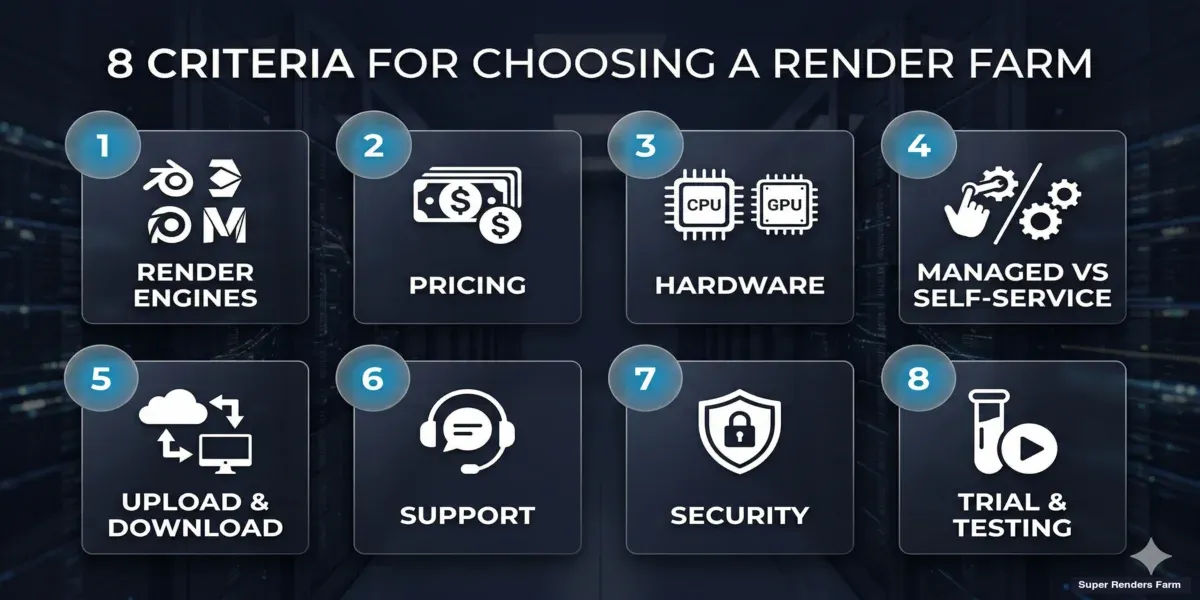 Eight criteria for evaluating a render farm — engines, pricing, hardware, workflow, support, security, and trials
Criterion 1: Supported Render Engines and Plugins
This is the first filter and the one that eliminates the most options immediately. If a render farm does not support your renderer, nothing else matters.
Render engine support varies widely. Most farms handle V-Ray and Arnold for CPU rendering. GPU rendering support — Redshift, Octane, V-Ray GPU — is less universal because it requires dedicated GPU hardware and specific driver management. Check not just whether a farm lists your renderer on their website, but which versions they support. Running V-Ray 7 on a farm that only supports V-Ray 6 means re-exporting scenes or dealing with compatibility issues.
Plugin and script support is where farms diverge most. If your scenes rely on Forest Pack, RailClone, Tyflow, Phoenix FD, Ornatrix, or other third-party plugins, confirm that the farm has valid licenses and tested compatibility. We have seen studios lose days troubleshooting missing scatter objects or particle simulations that worked locally but failed on the farm because a plugin was not installed or was an incompatible version.
DCC application versions also matter. A farm might support 3ds Max but only up to version 2025 when you need 2027 features. Same applies to Maya, Cinema 4D, Houdini, and Blender.
What to verify:
| Check | Why It Matters |
|---|---|
| Exact renderer version | Avoids compatibility mismatches |
| Third-party plugin list | Scatter, particle, hair plugins often missing |
| DCC application versions | New versions ship features that older builds lack |
| GPU driver version (for GPU renderers) | Driver mismatches cause silent render failures |
For a deeper look at how render engines interact with cloud infrastructure, see our technical guide on how render farms work.
Criterion 2: Pricing Model and Transparency
Render farm pricing models fall into three broad categories, and understanding which one a farm uses directly affects your ability to budget projects.
Per-minute or per-GHz-hour billing charges based on compute time consumed. This is common for CPU farms and scales linearly with scene complexity. The advantage is predictability once you know your per-frame render time.
Per-node or per-machine billing charges for the machines allocated to your job, regardless of utilization. This can be cost-effective for well-optimized scenes but expensive if your scene has idle periods between frames or uses memory unevenly across nodes.
Subscription or credit-based models require upfront purchase of credits or a monthly commitment. These often offer lower per-unit rates but lock you into spending — unused credits may expire.
Beyond the model itself, look for pricing transparency. Can you estimate cost before submitting a job? Does the farm provide a cost calculator or test render option? Hidden costs — data transfer fees, plugin license surcharges, priority queue premiums — can inflate your final bill significantly.
On our farm, we use a per-GHz-hour model with a public pricing page and built-in cost estimation before jobs start. We have found that studios care less about the absolute price and more about knowing the cost upfront — surprise invoices damage trust regardless of the total amount.
For a detailed comparison of pricing approaches, read our render farm pricing models guide.
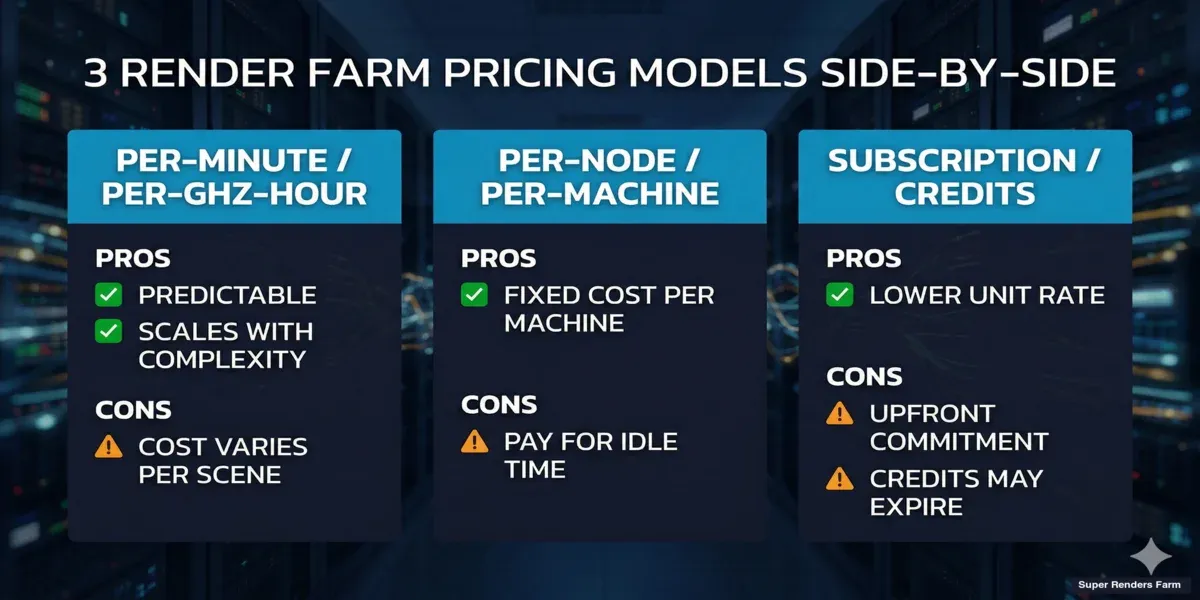 Comparison of three render farm pricing models — per-minute, per-node, and subscription
Criterion 3: Hardware Specifications
Hardware determines both render speed and scene compatibility. The two numbers that matter most are core count (for CPU rendering) and VRAM (for GPU rendering).
CPU rendering (V-Ray, Corona, Arnold CPU) benefits from high core counts and clock speeds. Dual-socket Xeon configurations with 44+ cores per machine are standard for production farms. RAM matters too — architectural visualization scenes with large texture sets and proxy geometry can easily require 128 GB or more per node. If a farm allocates machines with only 64 GB, your complex scenes will fail silently or swap to disk and render orders of magnitude slower.
GPU rendering (Redshift, Octane, V-Ray GPU) is bounded by VRAM. If your scene does not fit into GPU memory, the render either fails or falls back to CPU — defeating the purpose. As of 2026, the NVIDIA RTX 5090 with 32 GB VRAM represents the current high-end for production GPU rendering. Farms running older GPUs (RTX 3090, RTX 4090) may have 24 GB VRAM limits, which constrains the scene complexity they can handle.
Our CPU fleet runs Dual Intel Xeon E5-2699 V4 processors with 96-256 GB RAM across 20,000+ CPU cores. Our GPU machines use NVIDIA RTX 5090 GPUs with 32 GB VRAM each. These specs handle the vast majority of production scenes our clients submit, from single-frame archviz stills to multi-thousand-frame animation sequences.
| Hardware Factor | CPU Rendering | GPU Rendering |
|---|---|---|
| Primary bottleneck | Core count + clock speed | VRAM capacity |
| RAM requirement | 96-256 GB typical | 16-32 GB VRAM |
| Scene size limit | RAM-bound (rare with 256 GB) | VRAM-bound (common) |
| Scaling | Linear with core count | Linear with GPU count |
For GPU-specific benchmarks, see our RTX 5090 cloud rendering performance analysis.
Criterion 4: Managed vs Self-Service Workflow
This is a fundamental architectural choice that affects every interaction with the farm.
Managed-versus-self-service overlaps closely with the SaaS-versus-dedicated question; our SaaS render farm vs dedicated cluster comparison maps how multi-tenant SaaS and single-tenant dedicated clusters differ on cost, control, and IP security.
Managed (fully managed) farms handle the entire rendering pipeline. You upload your scene, configure render settings, and submit the job. The farm's operations team manages software installation, licensing, plugin updates, driver maintenance, and troubleshooting. If something fails, their team diagnoses and resolves it — you do not need to remote-desktop into machines or install anything yourself.
Self-service farms (IaaS/VM-based) give you a remote desktop or virtual machine where you install your own software, configure your own licenses, and manage the rendering process manually. This offers maximum control but shifts operational burden onto you. Every software update, every plugin license renewal, every driver compatibility check is your responsibility.
The difference becomes most apparent during production crises. At 2 AM when a deadline render fails, a managed farm has an operations team investigating the failure. On a self-service farm, you are the operations team.
We operate as a fully managed service — our team handles all software licensing (including V-Ray, Corona, Arnold, and Redshift), plugin management, and infrastructure maintenance. Studios upload scenes and receive rendered frames without managing any underlying infrastructure.
For a detailed comparison of these models, read our managed vs DIY cloud rendering guide.
Criterion 5: Upload, Download, and Workflow Integration
The rendering itself might take 30 minutes, but if uploading your scene takes 4 hours, that workflow bottleneck dominates your timeline.
Upload speed and method — check what transfer protocols the farm supports. Direct upload through a web interface, dedicated transfer clients (like Aspera or custom desktop apps), FTP/SFTP, and cloud storage sync are common options. The farm's geographic proximity to your location and their network infrastructure directly affect transfer speeds.
Scene analysis and dependency collection — does the farm automatically detect missing textures, proxies, and referenced files? Or do you need to manually collect and package all dependencies? Automated asset collection prevents the most common submission failure: missing files that cause renders with pink textures or missing geometry.
Download and output management — how do you receive rendered frames? Can you preview renders in progress? Is there an option to download individual frames as they complete rather than waiting for the entire sequence? For animation projects, progressive download can let compositing begin while rendering continues.
Desktop application integration — some farms provide plugins that integrate directly into 3ds Max, Maya, Cinema 4D, or Blender. These plugins automate scene packaging, submission, and progress monitoring without leaving your DCC application.
Criterion 6: Support and Documentation
Support quality is invisible when everything works and critical when it does not. Evaluate it before you need it.
Response time — ask about average support response times, not just availability claims. "24/7 support" can mean anything from a 5-minute live chat response to a ticket system that replies within 24 hours. During production crunches, the difference between 5-minute and 5-hour response times can determine whether you meet your deadline.
Technical depth — can the support team troubleshoot rendering issues, or do they only handle billing and account questions? The most valuable farm support teams understand render engine settings, common plugin conflicts, and scene optimization. They can look at your failed render log and tell you that your V-Ray Light Cache needs a different subdivision rate for distributed rendering — not just tell you to "try again."
Documentation and knowledge base — does the farm publish guides, tutorials, and troubleshooting articles for your specific renderer and workflow? Good documentation reduces support dependency and lets you solve common issues independently.
On our farm, we maintain a technical support team that handles rendering-specific troubleshooting — from Forest Pack and RailClone compatibility to GPU memory allocation. We also publish detailed guides covering common workflows and known issues.
Criterion 7: Security and Data Protection
For studios working on unreleased films, confidential architectural projects, or proprietary product designs, data security is not optional.
Forensic and litigation animation studios face some of the strictest confidentiality requirements; our forensic animation render farm guide looks at how that work is handled.
NDA availability — does the farm offer non-disclosure agreements? For commercial projects with contractual confidentiality requirements, a signed NDA provides legal protection beyond technical security measures.
Data handling policies — how long does the farm retain your scene files and rendered output after job completion? Is data encrypted in transit and at rest? Can you request immediate deletion after download?
Access controls — on multi-tenant infrastructure (shared hardware), how does the farm isolate your data from other clients? This is particularly relevant for self-service farms where multiple clients may have root access to shared systems.
Compliance certifications — depending on your industry, you may need farms that comply with specific standards (SOC 2, ISO 27001, GDPR for European clients). Not all farms carry these certifications.
| Security Feature | Questions to Ask |
|---|---|
| NDA | Available on request? Standard or custom? |
| Data retention | Auto-delete after N days? Manual delete option? |
| Encryption | In-transit (TLS)? At-rest? |
| Isolation | Dedicated or shared hardware? |
| Compliance | SOC 2? ISO 27001? GDPR? |
Criterion 8: Trial and Testing Options
Never commit to a render farm without testing it first with your actual production scenes.
Free trial credits — most farms offer initial credits for testing. The amount matters — enough to render a few representative frames, not just a Cornell box. Check whether trial credits expire and whether they come with full feature access or limitations.
Test render functionality — can you submit a low-resolution or partial-frame test before committing to a full render? Test renders catch compatibility issues, missing assets, and unexpected behavior at a fraction of the cost.
Benchmark comparisons — render the same frame on your local machine and on the farm. Compare quality (are there differences in output?), time (how much faster?), and cost (does the time savings justify the expense?). This gives you concrete data rather than relying on marketing claims.
For studios evaluating whether cloud rendering makes financial sense compared to building local render capacity, see our build vs cloud total cost comparison. If you are specifically exploring free options first, we have a comparison of free render farms that covers what is available.
Render Farm Evaluation Checklist
Use this checklist when evaluating any render farm. Score each criterion and compare farms side by side.
Render Engine and Plugin Support
- Supports your primary render engine (exact version)
- Supports your third-party plugins (Forest Pack, RailClone, Tyflow, etc.)
- Supports your DCC application version
- GPU drivers compatible with your GPU renderer (if applicable)
Pricing
- Pricing model clearly documented
- Cost estimator or calculator available
- No hidden fees (data transfer, plugin surcharges, priority premiums)
- Pay-as-you-go option (no mandatory subscription)
Hardware
- CPU core count and RAM sufficient for your scenes
- GPU VRAM sufficient for your scenes (if GPU rendering)
- Hardware specs publicly listed (not vague "powerful servers")
Workflow
- Upload speed acceptable for your file sizes
- Automated asset collection or dependency checking
- Desktop plugin or DCC integration available
- Progressive download for animation sequences
Support
- Live support with documented response times
- Technical support covers rendering issues (not just billing)
- Published documentation and knowledge base
Security
- NDA available on request
- Data retention and deletion policies documented
- Encryption in transit and at rest
Trial
- Free trial credits available
- Test render option before full job commitment
- Trial includes full feature access
How to Use This Checklist
Print this checklist or save it as a reference. For each render farm you are evaluating, work through the criteria systematically. Weight the criteria according to your specific needs — a freelancer rendering Blender animations may prioritize pricing and ease of use, while a VFX studio working on confidential feature films may weight security and NDA availability highest.
No single farm scores perfectly on every criterion. The goal is to identify which farm aligns with your priorities, not to find an objectively "perfect" option.
FAQ
Q: What is the most important criterion when choosing a render farm? A: Render engine and plugin support is the first filter — if a farm does not support your specific software stack, other criteria are irrelevant. After that, pricing transparency and workflow integration tend to matter most for day-to-day production use.
Q: How do I compare render farm pricing fairly? A: Render the same test frame on each farm and compare the total cost, including any transfer fees or surcharges. Per-minute and per-GHz-hour pricing can look similar on paper but produce different totals depending on how efficiently the farm utilizes allocated resources. Our pricing models guide breaks down the math in detail.
Q: Should I choose a managed farm or a self-service (IaaS) farm? A: Managed farms handle software, licensing, and troubleshooting for you — ideal if you want to focus on creating content rather than managing infrastructure. Self-service farms give you more control but require you to maintain the environment yourself. For most studios, managed farms reduce operational overhead significantly.
Q: How much VRAM do I need for GPU cloud rendering? A: It depends on your scene complexity. Scenes with heavy geometry, high-resolution textures, and volumetrics can easily exceed 24 GB VRAM. As of 2026, farms offering NVIDIA RTX 5090 GPUs with 32 GB VRAM handle most production GPU scenes comfortably. If your scenes consistently exceed that, look for farms offering multi-GPU configurations.
Q: Can I test a render farm before committing to a paid project? A: Most render farms offer free trial credits. Use them to test with your actual production scene, not a simple test file. Render a representative frame at full resolution, check output quality, measure total turnaround time (upload + render + download), and verify that all plugins and assets render correctly.
Q: What security measures should I look for in a render farm? A: At minimum, look for encryption in transit (TLS/SSL), clear data retention policies with a deletion option, and NDA availability. For high-confidentiality projects like unreleased films or proprietary product designs, ask about dedicated infrastructure options and compliance certifications like SOC 2 or ISO 27001.
Q: How do I know if a render farm can handle my scene size? A: Check the farm's RAM specifications for CPU rendering (128 GB minimum for complex archviz, 256 GB for extremely large scenes) and VRAM for GPU rendering (32 GB for most production scenes). Then submit a test render — the farm should report if your scene exceeds available memory rather than failing silently.
Q: Is it worth using a render farm if I already have a powerful local workstation? A: A single workstation, even a high-end one, renders frames sequentially. A render farm distributes frames across hundreds of machines simultaneously, reducing a 50-hour animation render to under an hour. The value is in parallelization and deadline flexibility — not per-frame speed on a single machine. Our build vs cloud cost comparison covers the financial analysis.
About Thierry Marc
3D Rendering Expert with over 10 years of experience in the industry. Specialized in Maya, Arnold, and high-end technical workflows for film and advertising.



