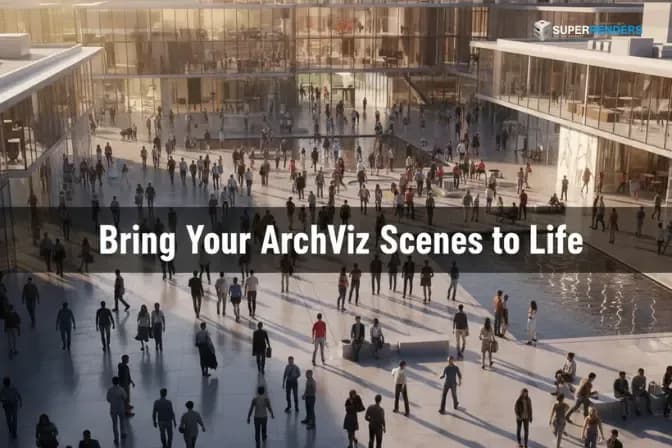
3ds Max'te Anima Plugin ile Kalabalık Simülasyonu: ArchViz Stüdyoları için Eksiksiz Başlangıç Kılavuzu
Genel bakış
Kalabalıklar Mimari Görselleştirmede Neden Önemlidir?
Kalabalıklar archviz'de çeşitli kritik işlevler yerine getirir:
Anlatı ve Ölçek: Bir binanın boyutu insan referansı olmadan soyuttur. Bir meydandaki kalabalık hemen mimarinin ölçeğini ve görkemini iletir. Bir koridorda yürüyen bir kişi alanın gerçek genişliğini ve yüksekliğini ortaya koymaktadır. İnsanlar olmadan, izleyiciler ölçeği değerlendiremez.
Gerçekçilik ve Sürüklenme: Boş iç mekanlar mükemmel aydınlatma ve detaydan sonra bile steril görünür. Gerçekçi kalabalıklar tanıtmak, yaşanmış bir alan hissi yaratır—fotoğrafların doğal olarak elde ettiği yaşanmış bir kalite. Bu, mimari oluşturmaların duygusal etkisini yükseltir.
Faaliyet ve Amaç: Boş olarak işlenen bir meydan amaçlanan kullanımını iletmez. Aynı meydan oturan, yürüyen ve toplanmış insanlarla dolu hemen amacı iletir. Bir pazar mı? Bir buluşma yeri mi? Transit merkezi? Kalabalıklar bu hikayeyi anlatır.
Rekabetçi Ayırım: Rekabetçi bir archviz pazarında, ikna edici kalabalıklara sahip oluşturmalar öne çıkar. Daha tamamlanmış, daha profesyonel görünürler. Tasarımda güven iletirler.
Super Renders Farm'da AXYZ Design'ın resmi oluşturma ortağı olarak, Anima kalabalıklarıyla işlenen mimari projelerin tutarlı olarak kalabalık olmayan eşdeğer oluşturmalardan daha iyi müşteri geri bildirimi aldığını gözlemledik. V-Ray ve Corona gibi oluşturma motorlarıyla entegrasyon üretim iş akışlarını sorunsuz hale getirir.
ArchViz için Doğru Anima Oyuncularını Seçme
Anima geniş bir dijital oyuncu kütüphanesi içerir, ancak tümü her archviz senaryosu için uygun değildir. Oyuncu seçimi, kalabalığınızın doğal mı yoksa uyumsuz mü görüneceğini belirler.
İşletme ve Profesyonel Oyuncular
Kurumsal lobilerinde, ofis binası oluşturmalarında ve profesyonel ortamlarda işletme oyuncularını kullanın. Bu karakterler takım elbise, profesyonel rahat giyim ve işe uygun kıyafet giyer. Downtown ofis meydanlarına, finansal bölge oluşturmalarına ve kurumsal kampüs görselleştirmelerine uygundurlar.
Anima'nın işletme oyuncu aralığı profesyonel kategorisinde çeşitli etnisiteleri, yaşları ve giyim stillerini içerir. Yalnızca bir oyuncu türünü kullanmaktan kaçının; erkek işletme ile kadın işletme karıştırın, yaş aralıklarını karıştırın ve malzeme geçersiz kılmaları aracılığıyla giyim rengini değiştirin.
Rahat ve Günlük Oyuncular
Rahat oyuncular jean, t-shirt ve günlük kıyafet giyer. Bunları halka açık meydanlarda, ticari bölgelerde, restoranlar ve karışık kullanım geliştirmelerinde kullanın. Rahat oyuncular, sıradan yaya trafiği ve doğal kamu toplaşması hissi yaratır.
Rahat oyuncular genellikle Anima kütüphanesinde daha çeşitlidir—genç yetişkinlerden yaşlılara uzanır ve çeşitli postürler ve faaliyet türlerini içerir. Bu çeşitlilik archviz'de bir avantajdır, çünkü benzersiz modelleme gerektirmeden doğal varyasyon yaratır.
Mevsimsel ve Bağlama Özel Oyuncular
Anima mevsimsel varyantlar içerir: yaz rahat (hafif giyim), kış (mantolar, ceketler), plaj kıyafeti (kıyı projeleri için) ve spor/atletik giyim. Bunları bağlamsal olarak kullanın. Kış meydan sahnesi, yaz giyimli kalabalıklar oluşturmayın; immersiyonu kırar.
Özel projeler (kayak merkezleri, tema parkları, spor tesisleri) için bu bağlama özel oyuncular gereklidir. Alanın amaçlanan kullanımını iletirler.
Çocuk ve Aile Grupları
Konut projeleri, halka açık parklar ve aile odaklı alanlar için gerçekçi demografik çeşitliliği yaratmak amacıyla çocuk oyuncuları ve yaşlı oyuncuları ekleyin. Çocuksuz bir konut meydanı yapay görünür. Yaşlı ziyaretçiler olmayan bir park eksik görünür.
Anima oyuncu kütüphanesi küçük çocukları, gençleri ve yaşlı bireyleri içerir. Bunları gerçek bir kalabalığın içereceği şeyle orantılı olarak kullanın.
Yerleştirme Stratejileri: Kalabalıkları Doğal Yapma
Rastgele yerleştirilen kalabalıklar rastgele görünür. Stratejik olarak yerleştirilen kalabalıklar kasıtlı ve gerçekçi görünür. Archviz kalabalığı, alanı doldurmak değil, organize edilmiş görsel ilgi oluşturma hakkındadır.
Odak Noktası Konumlandırması
Daha yüksek yoğunluğu olan kalabalıkları mimari odak noktalarına yerleştirin. Meydanınızın merkez çeşmesi varsa, insanları etrafında toplayın. Tasarımınız öne çıkan bir oturma alanı gösteriyorsa, onu doldurun. Mimari görüş yönünü belirli bir köşeye yöneltirse, orada aktivite yerleştirin.
Bu, izleyici dikkatini vurglamak istediğiniz mimari öğelere yönlendirir ve kalabalık yerleştirmesini doğal hissettirmek eder.
Yol Temelli Hareket
Kalabalıkları doğal akış çizgileri boyunca rehberlik etmek için Anima'nın yol sistemini kullanın. Bir meydanda yollar şu şekilde doğal yaya yollarını izlemelidir: çevre boyunca, merkezi eksenler aracılığıyla, giriş noktalarına doğru, oturma alanlarına doğru. Kalabalıkları rastgele yerlere zorlamayın; tanımlı yollar boyunca doğal olarak hareket etmelerine izin verin.
İç mekân sahneleri (ofis lobisi, alışveriş merkezleri) için yollar gerçek trafik akışını izlemelidir: çıkışlara, asansörlere, yürüyen merdivenler ve hizmet alanlarına. Bu kalabalık hareketi kasıtlı hissettirmek eder.
Yoğunluk Değişimi
Her alanı eşit olarak doldurmayın. Gerçek kalabalıkların yoğunluk değişimi vardır: yoğun toplaşma alanları, seyrek geçiş alanları ve tamamen boş bölgeler. Bu varyasyon oluşturmaları otantik hissettirmek eder.
Yüksek yoğunluk alanları (oturma bölgeleri, odak noktaları): %80–%100 karakter yol uzunluğu başına birim.
Orta yoğunluk alanları (dolaşım yolları): %30–%50 karakter birim başına.
Düşük yoğunluk alanları (kenarlar, ölü bölgeler): %10–%20 karakter veya hiç yoksa.
Bu varyasyon görsel ilgi ve gerçekçilik yaratır.
Kamera Göreceli Yoğunluk ve Detay
Archviz'de, çoğu izleyici belirli kamera açılarından görüntülere bakar. Kameradan uzak alanlarda eşit yoğunluğa ihtiyacınız yoktur. Ön plan kalabalıklarında daha yüksek detay (daha yüksek çokgen oyuncuları, V-Ray yerel malzemeleri) ve arka plan kalabalıklarında daha düşük detay (basitleştirilmiş oyuncular, önceden pişirilmiş malzemeler) kullanın.
Bu görsel kaliteyi oluşturma zamanıyla dengeler, archviz için kritik bir optimizasyondur; burada genellikle yüksek çözünürlükte (3840×2160 veya daha büyük) oluşturur ve hızlı turnaround'a ihtiyacınız vardır.
İç Kalabalık İş Akışları: Ofis Binaları ve Alışveriş Merkezleri
İç archviz kalabalıkları harici meydanlardan farklıdır. İç mekanlar daha dar, daha kontrollü ve genellikle belirli aktivite yorumlaması gerektirir.
Ofis Lobisi Nüfusu
Ofis binası lobileri tipik olarak ılımlı, dağılmış kalabalıklara sahiptir. İşe uygun oyuncuları kullanın. Bunları oturma alanlarının yanına, asansörlerin yanına ve dolaşım yollarına yerleştirin. Yoğun kümelemeyi önleyin; ofis lobisi düzenli görünür, kalabalık değil.
V-Ray veya Corona'yı ince, profesyonel aydınlatmayla kullanarak işleyin. Sert gölgeleri önleyin; lobinin mimari niteliklerinden uzaklaştırırlar.
Alışveriş Merkezi ve Perakende Kalabalıkları
Alışveriş merkezleri daha yüksek yoğunluk ve daha rahat oyunculardan yararlanır. İnsanlar mağazalarda durur, koridorlardan geçer ve popüler perakendecilerin yakınında toplanır. Çeşitli alışveriş davranışlarını temsil etmek için rahat ve işletme oyuncularının bir karışımını kullanın.
Aydınlatma kritiktir: alışveriş merkezleri vurgu aydınlatması, pencere gösterileri ve çevresel çeşitlilik etrafında tasarlanmıştır. Kalabalıklar bu tasarıma saygı göstermeli; görsel olarak ilginç alanlara daha yüksek yoğunluk yerleştirin.
Restoran ve Yemek Alanı Nüfusu
Restoran ve yemek alanı oluşturmaları için ayakta durma dolaşımına ek olarak oturan kalabalıklar oluşturun. Anima oturma duruşlarını destekler—masalarda veya stantta oturan karakterler. Bunları yemek alanlarını gerçekçi bir şekilde doldurmak için kullanın.
Oturan ve ayakta duran kalabalıkları karıştırmak eksiksiz bir sahne yaratır. Boş masalarla dolu bir yemek alanı ölü görünür; oturan ve ayakta duran insanlarla dolu bir yemek alanı aktif ve başarılı görünür.
Dar Deadline'lar ile ArchViz Kalabalıklarını İşleme
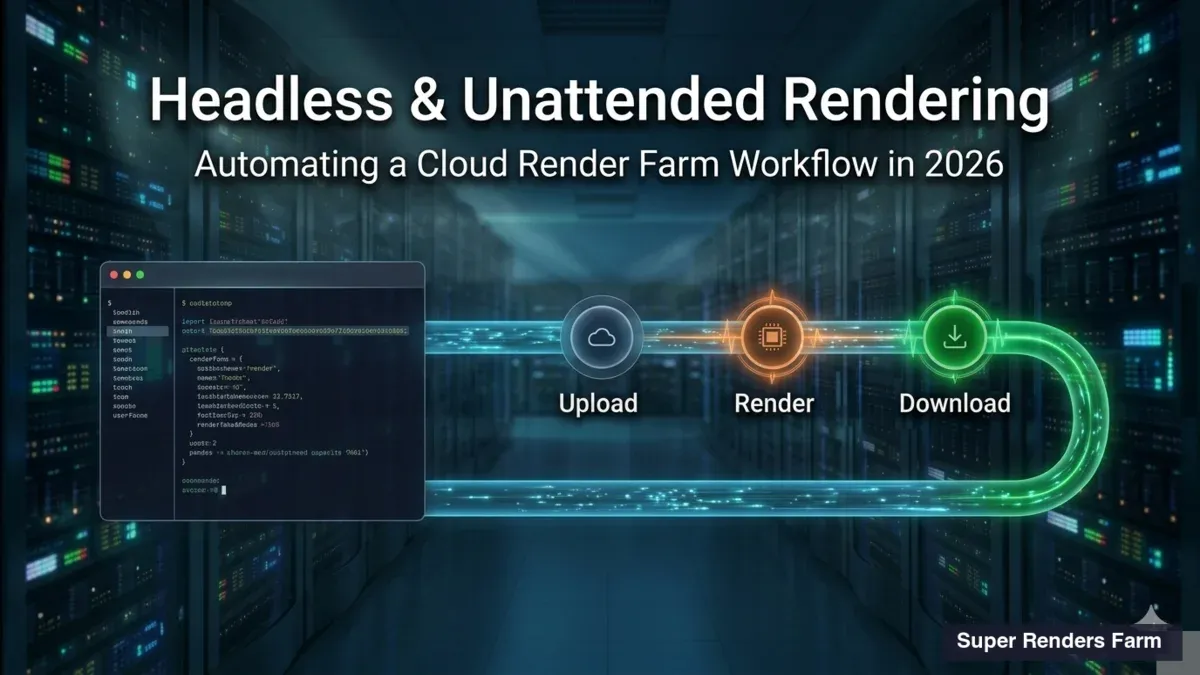
ArchViz genellikle deadline odaklıdır. Müşteri sunumları kimse için beklemeyin. Anima'nın render farm entegrasyonu, deadline'lar dar olduğunda kritik hale gelir.
Test ve Yineleme İş Akışı
Anima kurulumunuzla yerel olarak 5–10 kare işleyin. Kalabalık yerleştirmesi doğal görünür, aydınlatma doğru ve malzemeler beklendiği gibi işlenirse doğrulayın. Tüm diziyi yerel olarak işlemeyin.
Yerel testler geçtikten sonra, tüm diziyi render farm'a gönderin. 24 saat yerel olarak gereken 400 kare diziniz, 256 çekirdekli farm'da 20–30 dakikada tamamlanır.
Bu iş akışı son dakika değişikliklerine izin verir: müşteri son dakikada yoğunluk ayarlamaları veya oyuncu değişiklikleri talep ederse, sunuş odasındayken farm'da hızlı bir şekilde yeniden işleyebilirsiniz.
Hızlı Ayarlamalar için Malzeme Geçersiz Kılması
Anima oyuncuları varsayılan malzemelerle gelir, ancak archviz sık hızlı değiştirmeler gerektirir: markayla eşleştirmek için bir karakterin gömleğinin rengini değiştirin, çeşitli temsil için cilt tonlarını ayarlayın veya yerel kültürle eşleştirmek için ceket stilini değiştirin.
Anima Designer'den yeniden dışa aktarmak yerine, V-Ray veya Corona malzeme geçersiz kılmalarını doğrudan 3ds Max'ta kullanın:
- Anima kalabalık grubunu seçin
- Malzeme editöründe gerekli değişikliklerle (farklı yayılma rengi, farklı metalik değer) bir varyant malzeme oluşturun
- Varyantı belirli kalabalık örneklerine atayın
Bu oyunculara yeniden oluşturmadan kalabalık başına özelleştirmeye izin verir.
Yüksek Çözünürlüklü Oluşturma ve LOD
Archviz oluşturmaları genellikle yüksek çözünürlükte (4K veya 8K) çıktı alır. Bu çözünürlükte, arka plan kalabalıkları bile görünür ve incelenir. Anima'nın LOD sistemini agresif olarak kullanın:
- Ön plan LOD (0–20 birim): Tam detay, V-Ray yerel malzemeleri, yüksek çokgen sayısı
- Orta plan LOD (20–60 birim): Orta detay, standart PBR malzemeleri
- Arka plan LOD (60+ birim): Basitleştirilmiş geometri, önceden pişirilmiş malzemeler
Bu, karmaşık ön plan kalabalıklarıyla yüksek çözünürlüklü görüntüler işlerken arka plan oluşturma zamanını yönetilebilir tutmanıza olanak sağlar.
İkna Edici Önce/Sonra Anlatıları Oluşturma
Archviz müşterileri genellikle bir tasarımın getirdiği dönüşümü göstermek isteyebilirler. Boş meydan oluşturması yanında kalabalık dolu aynı meydan tasarımın etkisini güçlü bir şekilde gösterir.
Son oluşturmanızın iki versiyonunu oluşturun:
Kalabalık olmadan: Alanı boş işleyin. Mimari, aydınlatma ve malzemeyi vurgulayın.
Kalabalık ile: Uygun yoğunlukta Anima kalabalıklarıyla dolu aynı görünümü işleyin.
Bunları sunumlarda yan yana görüntüleyin. Kalabalık dolu sürüm neredeyse her zaman daha başarılı, daha canlı ve daha çekici olarak algılanacaktır—mimari aynı olsa bile.
ArchViz için Performans Optimizasyonu
Archviz oluşturması genellikle belirli görünüm açılarını ve çözünürlükleri hedefler. Bu kısıtlamalar için optimize edin:
Asimetrik Kalabalık Yerleştirme
Daha yüksek yoğunluğu ve daha yüksek detayı olan kalabalıkları birincil kamera görünümünüzün ön plan ve merkezine yerleştirin. Basitleştirilmiş kalabalıkları veya kameradan çıkma alanlarında kalabalık olmamasını yerleştirin. Bu kaliteyi önemli olan yere yoğunlaştırır.
Oluşturma Motoru Seçimi
Archviz için V-Ray ve Corona kuvvetle tercih edilir. Her ikisinin de mükemmel malzeme entegrasyonu, yüksek piksel örneklerinde hızlı yakınsama ve yerel Anima desteği vardır. Archviz kalabalık çalışması için Redshift veya Arnold'u önleyin.
Malzeme Önbelleğe Alma ve Pişirme
Statik aydınlatma ve kameraya sahip diziler için, bazı malzeme özelliklerini ön hesaplama ve pişirme yapın. Anima dokuları önceden pişirilemez, ancak mimari yüzeyler yapılabilir. Bu, çerçeve başına malzeme değerlendirme ek yükünü azaltır.
FAQ: Mimari Görselleştirme için Anima
Tipik meydan oluşturmaya kaç kişi dahil etmeliyim?
Meydan boyutuna ve tasarım niyetine bağlıdır. 100×100 metre meydanında 30–80 kişi olabilir. 50×50 metre meydanında 10–30 olabilir. Orta yoğunlukla başlayın (%40 karakter birim başına) ve oluşturmalar temelinde ayarlayın.
3840×2160'da Anima kalabalıklarıyla archviz sahnesi için tipik oluşturma süresi nedir?
Yerel olarak, kalabalık yoğunluğu ve karmaşıklığına bağlı olarak çerçeve başına 2–4 saat. 256 çekirdekli farm'da çerçeve başına 1,5–3 dakika.
Tüm mimari görselleştirmelere Anima kalabalıkları dahil etmeliyim?
Zorunlu değil. Mimari detay çekilişleri, malzeme yakın çekimleri ve yapısal çalışmalar kalabalığa ihtiyaç duymaz. Genel sunum oluşturmaları, yürüme dizileri ve çevre çekilişleri kalabalıklardan büyük ölçüde yararlanır.
Statik oluşturmada kalabalık hareketi kasıtlı görünümü sağlamak için ne yapabilirim?
Karakterleri doğal yollar boyunca orta hareket üzerinde yerleştirin. Meydan yolu boyunca orta atış yürüyen bir karakter doğal görünür. Garip bir açıda hareketsiz duran bir karakter beceriksiz görünür. Kalabalıkları her zaman doğal harekette yakalanmışmış gibi konumlandırın.
Çeşitlilik oluşturmak için meydanın farklı alanları için farklı oyuncuları kullanabilir miyim?
Evet. Her alan için ayrı Anima kalabalık grupları oluşturun, her biri farklı oyuncu seçimleriyle. Bu görsel çeşitlilik yaratır ve her yerde tek bir oyuncu kullanmaktan daha otantik hissettirmek eder.
Sahneye Anima kalabalıkları eklediğinizde tipik dosya boyutu artışı nedir?
Sahne dosyası marjinal olarak artar (kalabalık grup tanımları hafiftir). resource_cache klasörü (oyuncu dosyaları ve dokular) tipik olarak 300–800 MB'dir, oyuncu sayısı ve doku çözünürlüğüne bağlıdır.
İlgili Kaynaklar
- 3ds Max'te Anima Kalabalık Simülasyonlarını Verimli Bir Şekilde İşleme
- Anima Kalabalıklarını Optimize Etme: Maksimum Verimlilik için Gelişmiş Teknikler
- 3ds Max'te Anima ile Kalabalıklar Nasıl İşlenir: Adım-Adım
- ArchViz için En İyi Cloud Render Farm 2026
Son Güncelleme: 2026-03-22
About Alice Harper
Blender and V-Ray specialist. Passionate about optimizing render workflows, sharing tips, and educating the 3D community to achieve photorealistic results faster.